

Bulk Property Import & Export
Built by - Kayabyte
Installs - 10+ installs
Requirements
HubSpot Plan HubSpot Account permissions - View the required account permissions
Access Type Shared Bulk Property Import & Export Subscription - Free, Pro, or Agency plans
Overview
1/9 - Silent captioned demo: install, CSV import with preview, export, change log and restore, copy, plans, disconnect
Bulk Property Import & Export lets HubSpot admins, RevOps teams and agencies create or update hundreds of properties, with their groups, dropdown options and exact internal values, from one CSV file or Google Sheet. Every import starts as a preview of the whole batch that shows what will be created, updated or left unchanged, with a clear message for each row that has a problem. Nothing is written until you click Apply.
Agencies can copy a standard property set from a template account into any client account, on any HubSpot plan, with a diff first, and run it again later to re-sync. The property change history works on every plan too: Free and Starter accounts, which have no HubSpot audit log for property changes, get a history of what changed (with restore on the app's Pro plan), and Professional and Enterprise accounts get more than the audit log's 30 days, down to which options were added, removed or relabeled.
HubSpot's own tools are good for one property at a time, one dropdown with Load options, a property export for documentation and, on Enterprise, a sandbox. This app covers the bulk, cross-account and history jobs they leave. It uses property settings access only: it never reads or changes contact, company, deal or ticket records. The Free plan covers import, export, preview and a 30-day change log, free forever.
Features
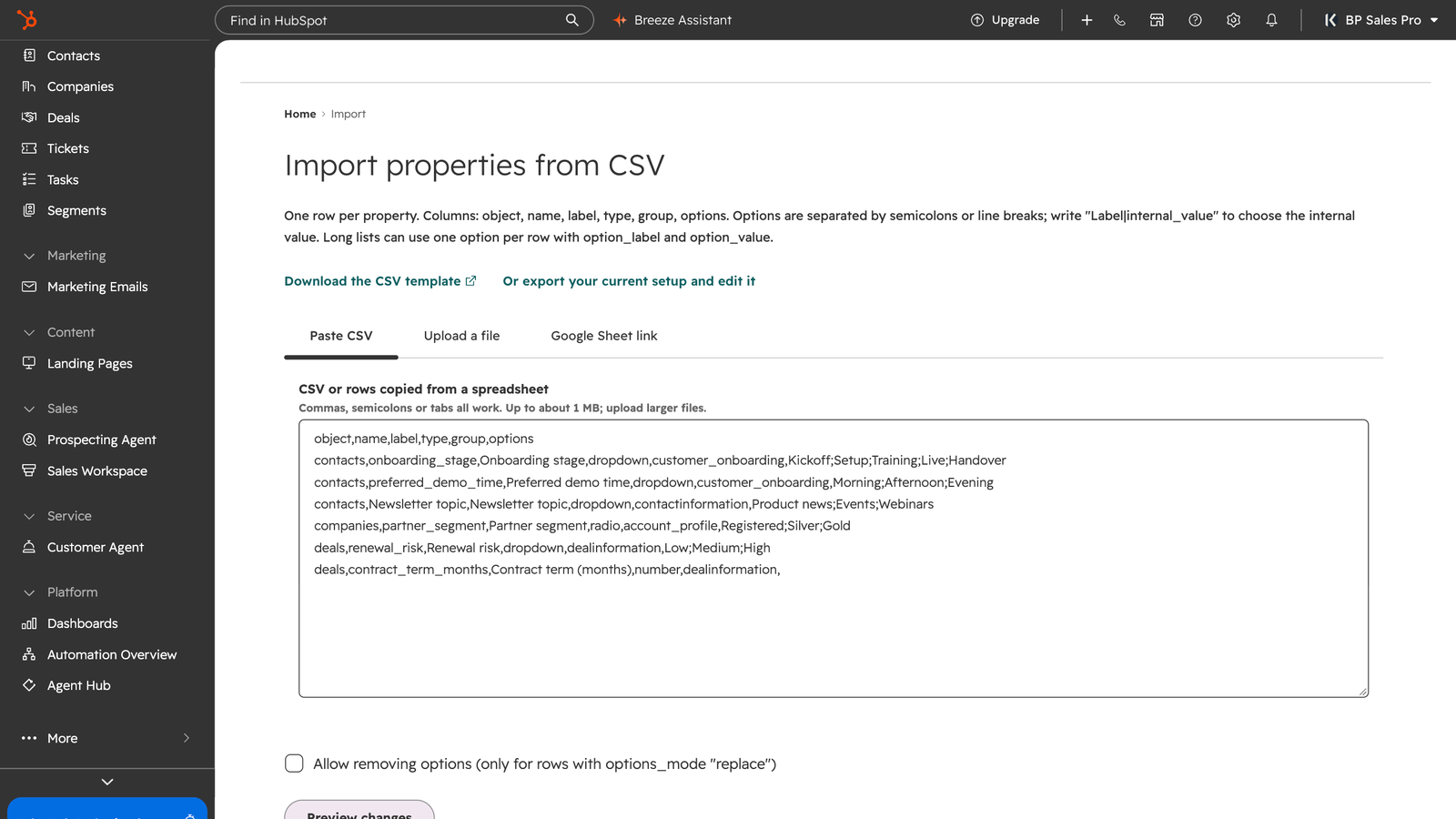
Bulk import hundreds of properties from one sheet
Create or update hundreds of properties, groups and dropdown options from one CSV file or Google Sheet, with exact internal values for options. Paste CSV, upload a file of up to 5 MB or link a sheet, for contacts, companies and deals. HubSpot's editor and Load options suit one property at a time.
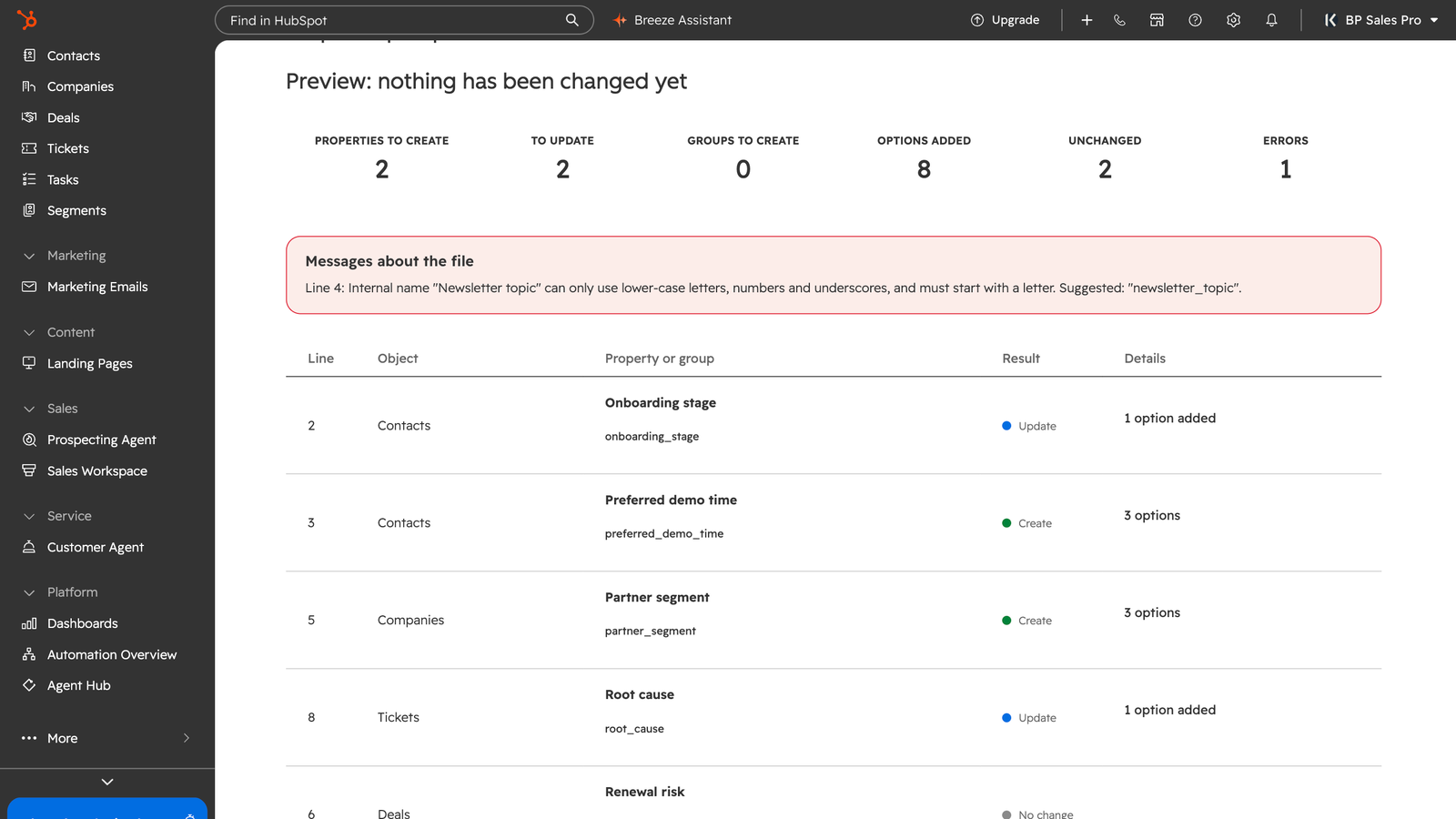
Preview the whole batch before it is written
Every import starts as a dry run of the whole batch that lists what will be created, updated or left unchanged, with a reason for each row that has a problem, such as an invalid internal name, a type mismatch or a duplicate option. Nothing changes in HubSpot until you click Apply, and a results report follows.
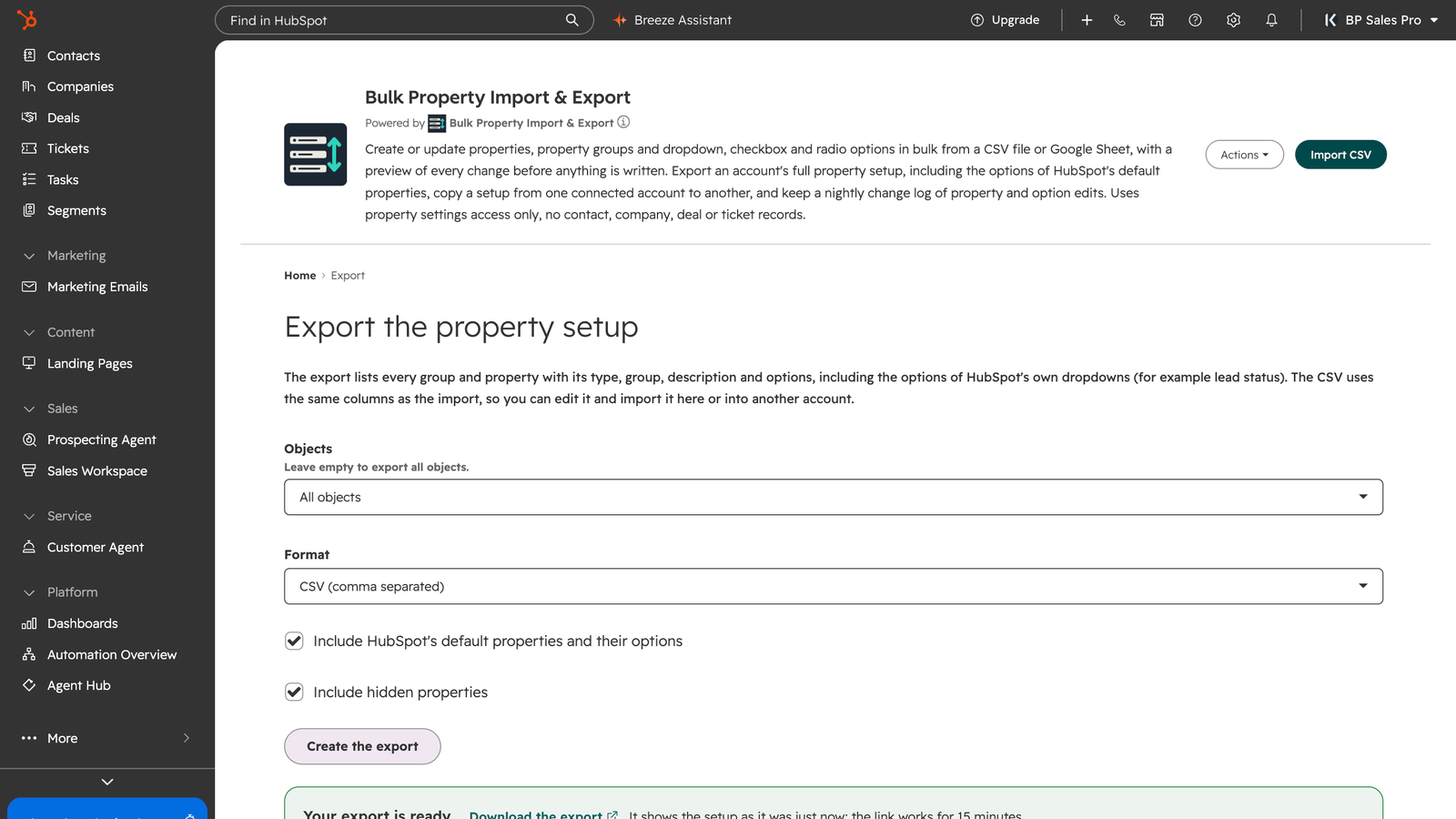
An export you can edit and import again
Download all objects, groups and properties as CSV or JSON, with option labels and internal values, in the same columns as the import, so you can edit the file and import it again here or into another account. HubSpot's own property export is good for documentation but has no import.
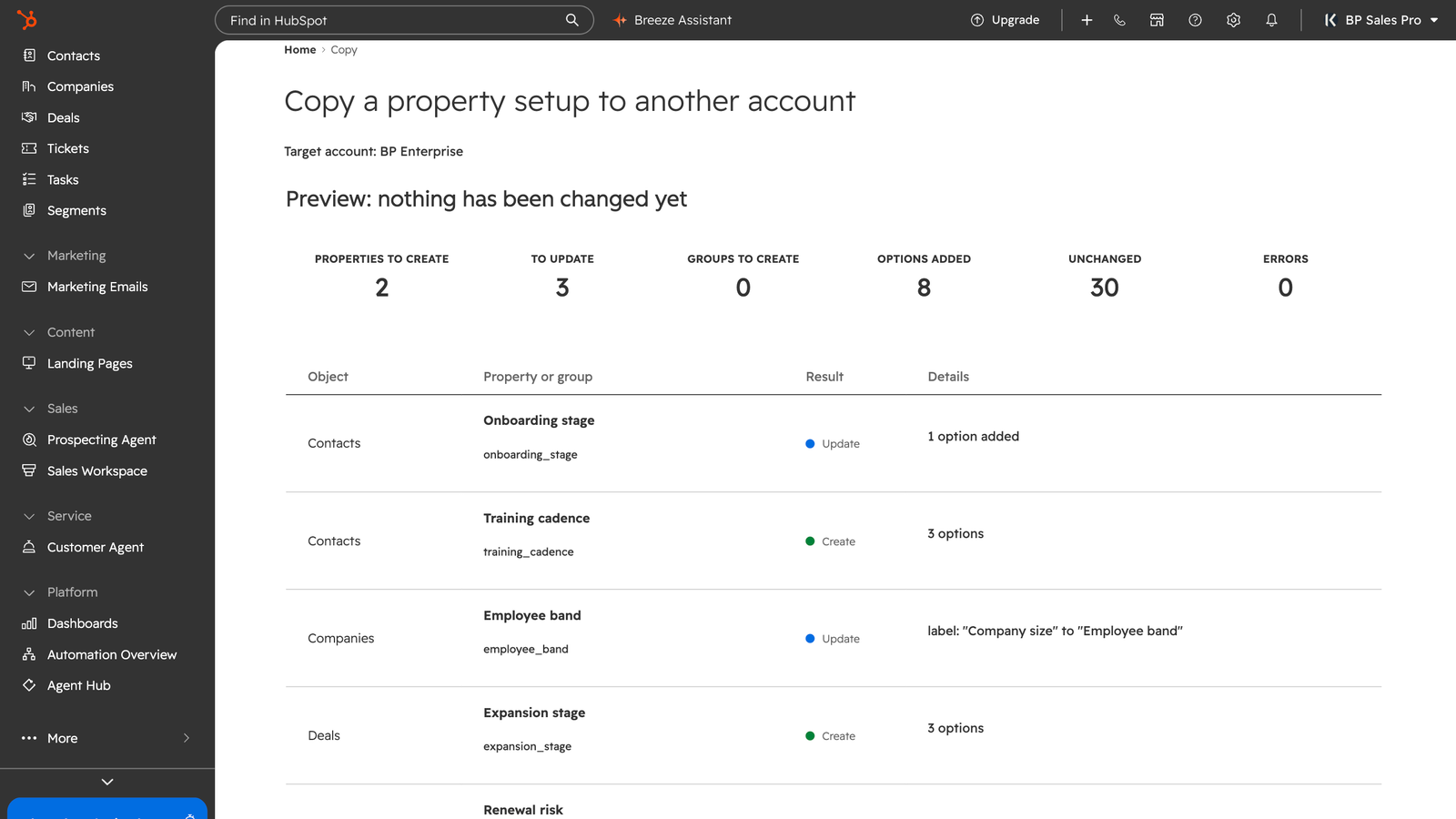
Copy a property set to any client account (Pro)
Copy properties, groups and options from a template account to a client account on any HubSpot plan, with a diff first, and run it again later to re-sync. Nothing in the target is removed unless you choose to. HubSpot's sandbox and asset copy tools don't copy a standalone property set like this.
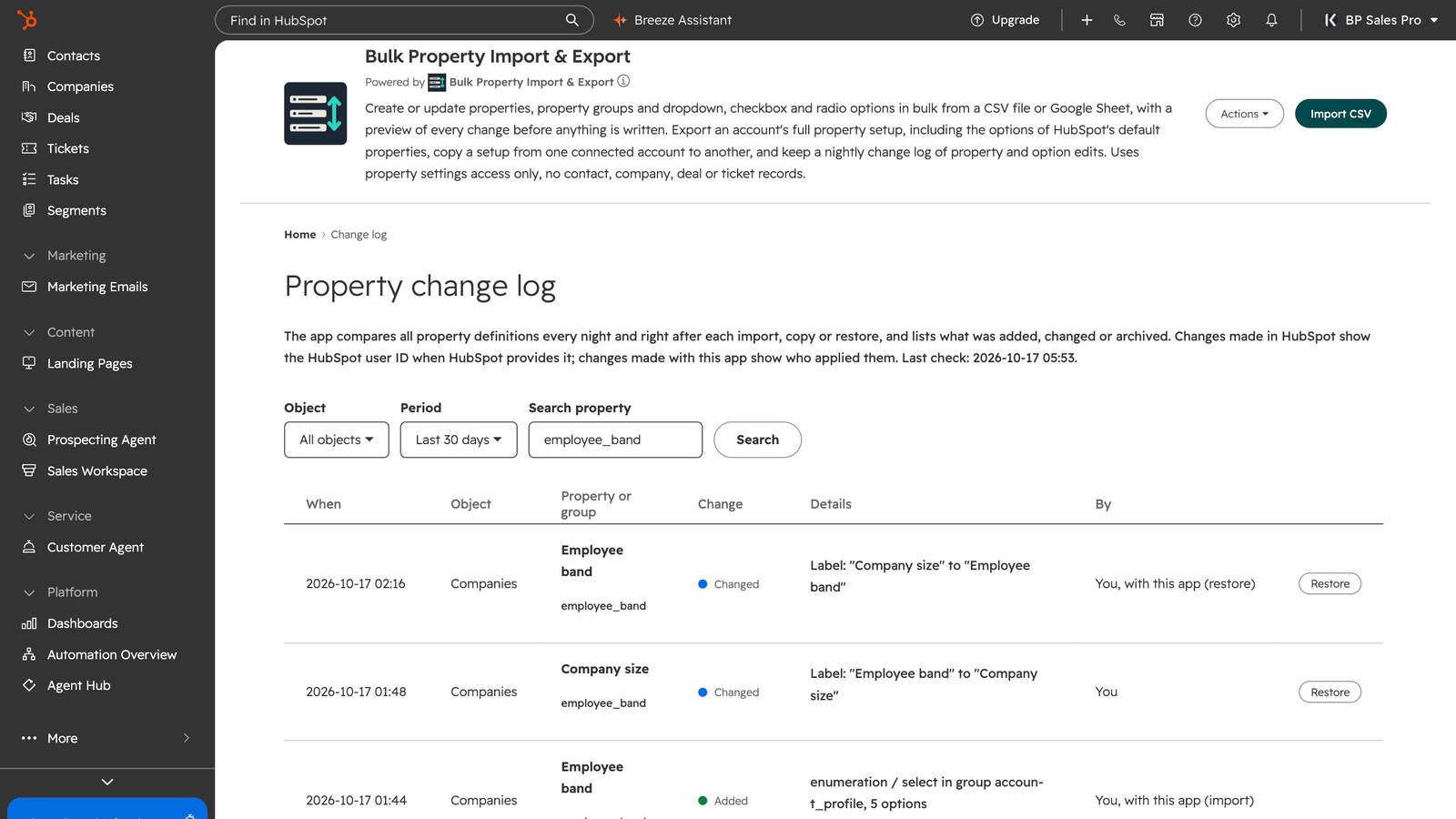
Property change log and history on every plan
Every night the app lists properties and options that were added, changed or archived, down to which options were removed or relabeled. Free and Starter accounts have no HubSpot audit log for this; on Professional it goes past the audit log's 30 days. Free keeps 30 days. Pro keeps 12 months, sends a weekly digest and restores old definitions.
App Functionality
Shared Data
Contact property settings | ||
Company property settings | ||
Deal property settings |
The app only works with property settings for contacts, companies and deals: property definitions, property groups and dropdown options. It never reads or changes contact, company or deal records. The app also reads basic account details (account ID, name, account type and time zone) to show the account name and apply the right plan. Property setting snapshots and the change log are stored by Kayabyte on Cloudflare (database primary location in Europe) and are deleted after uninstall. See the setup guide and privacy policy for details.
Reviews
Pricing
Free
$0
Bulk import, preview, export and a 30-day change log
Change log for the last 30 days
Export of the full property setup as CSV or JSON
Preview (dry run) before anything is written
Bulk import of properties, groups and options from CSV or Google Sheets
Free
$0
Bulk import, preview, export and a 30-day change log
Change log for the last 30 days
Export of the full property setup as CSV or JSON
Preview (dry run) before anything is written
Bulk import of properties, groups and options from CSV or Google Sheets
* The pricing here is for display purposes only. All prices do not include taxes, incentives, discounts, or other pricing variables. You should contact the partner for the most up to date and correct pricing information. HubSpot does not take any responsibility for this pricing information, which is provided by our partners. Pricing last updated: 11/03/2026
More info
Built by - Kayabyte
Installs - 10+ installs
Categories Languages this app is available in English
Most popular

Gmail
Bring HubSpot to your inbox with the HubSpot integration for Gmail.

Google Calendar
Book meetings quickly and easily with HubSpot and Google Calendar.
