

Bulk Property Import & Export
Built by - Kayabyte
Installs - 10+ installs
Requirements
HubSpot Plan HubSpot Account permissions - View the required account permissions
Access Type Shared Bulk Property Import & Export Subscription - Free, Pro, or Agency plans
Overview
1/8 - Silent captioned demo: install, CSV import with preview, export, change log and restore, copy, plans, disconnect
Bulk Property Import & Export helps HubSpot admins, RevOps teams and agencies create or update hundreds of custom properties, with their groups, dropdown options and exact internal values, from one CSV file or Google Sheet.
Every import starts as a preview of the whole batch: what will be created, updated or left unchanged, with a clear message for each row that has a problem. Nothing is written until you click Apply.
What HubSpot does by itself: you can create and edit one property at a time, load dropdown options in the property editor, and export your properties. It has no file-based bulk create or update for property definitions with a preview. This app covers that, plus copying between accounts and change history.
Export all properties as CSV or JSON in the same columns as the import, so you can edit the file and import it again here or into another account. Agencies can copy a standard property set from a template account to any client account, on any HubSpot plan, with a diff first, and run it again later to re-sync. A nightly change log shows which properties and options were added, changed or archived; on Pro it is kept for 12 months and old definitions can be restored.
The app uses property settings only. It never reads or changes CRM records.
Plans: Free (preview, export, 30-day change log and imports of up to 25 rows a month), Pro at USD 19 per month (unlimited imports, copy between accounts, 12-month history, restore) and Agency at USD 49 per month (Pro on unlimited client accounts). Every new account gets a 14-day Pro trial, no card needed.
The app and its support are in English.
Features
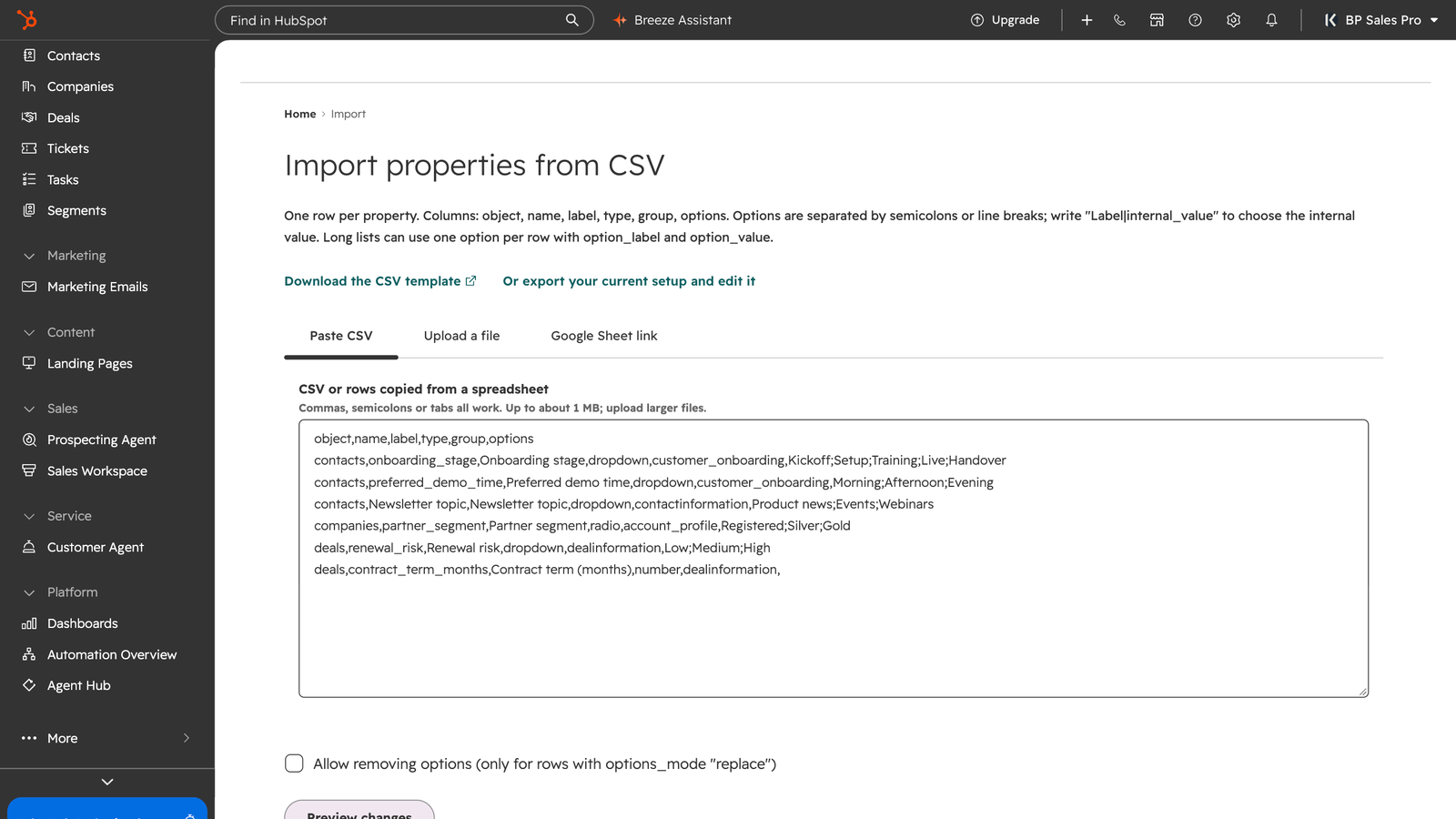
Bulk import hundreds of properties from one sheet
Create or update properties, groups and dropdown options from one CSV file or Google Sheet, with exact internal values. For contacts, companies and deals.
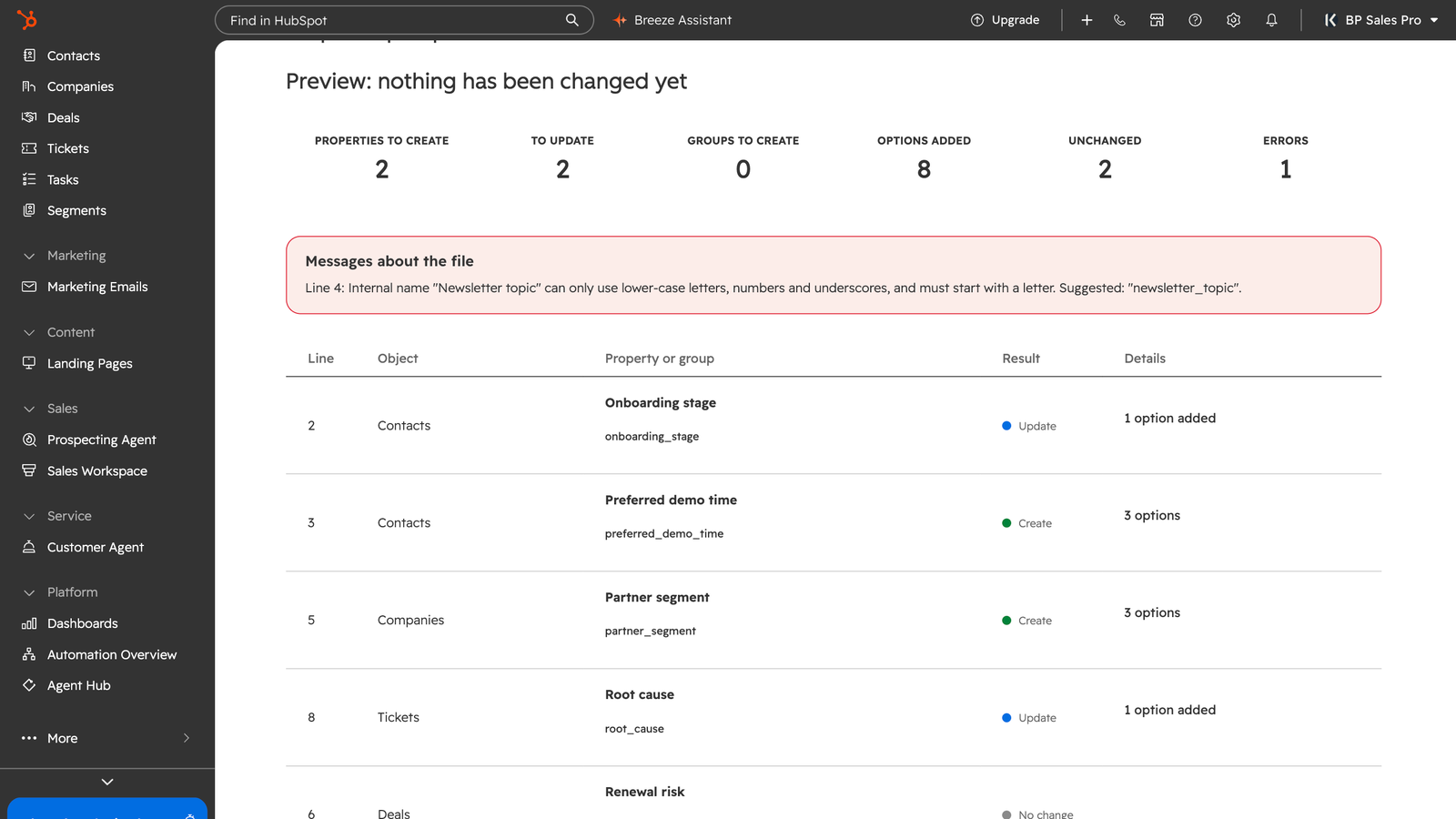
Preview the whole batch before it is written
Every import is a dry run that lists what will be created, updated or left unchanged, with a reason for each row that has a problem. Nothing changes until you click Apply.
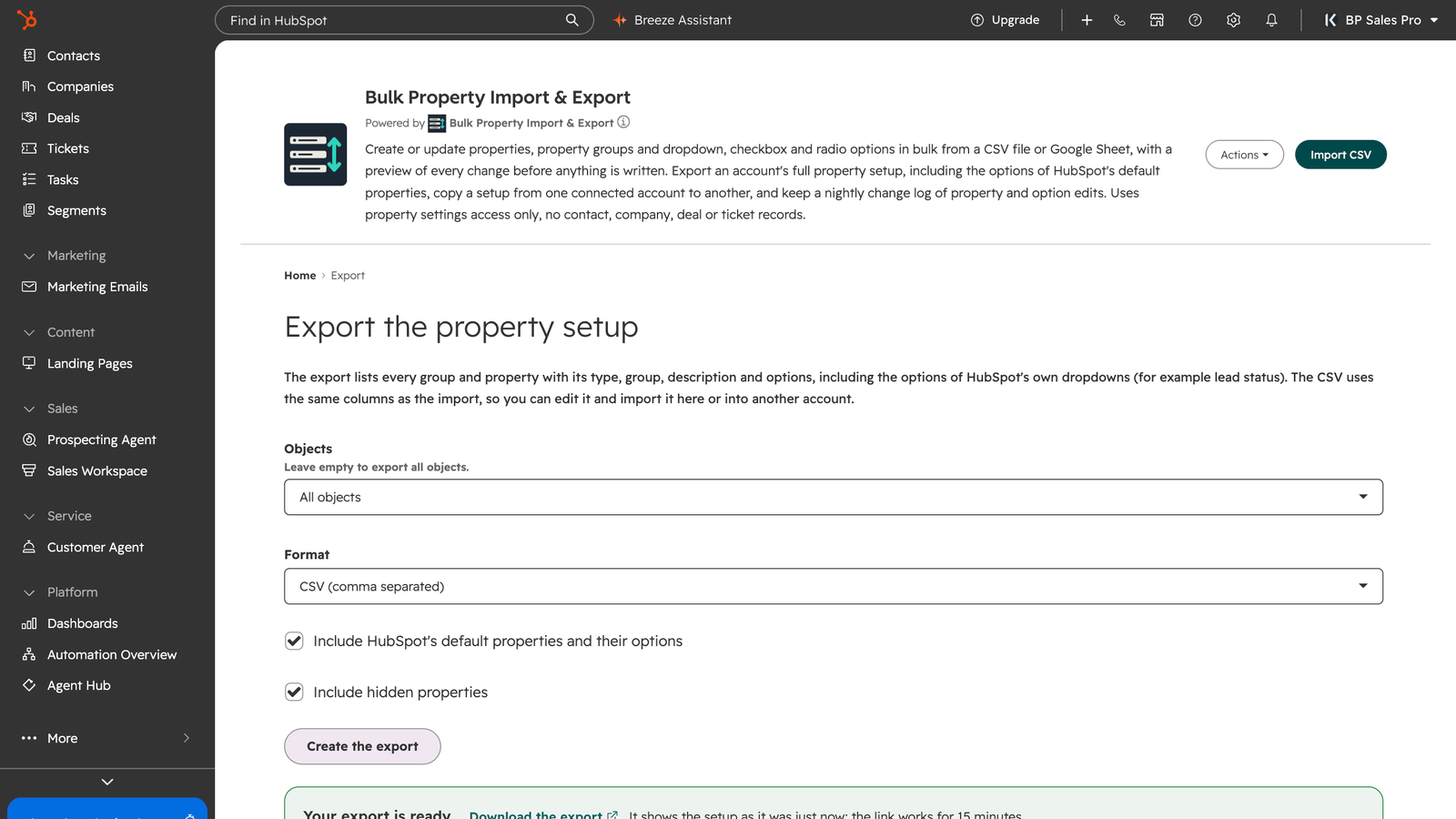
An export you can edit and import again
Download all objects, groups and properties as CSV or JSON in the same columns as the import, then edit the file and import it here or into another account.
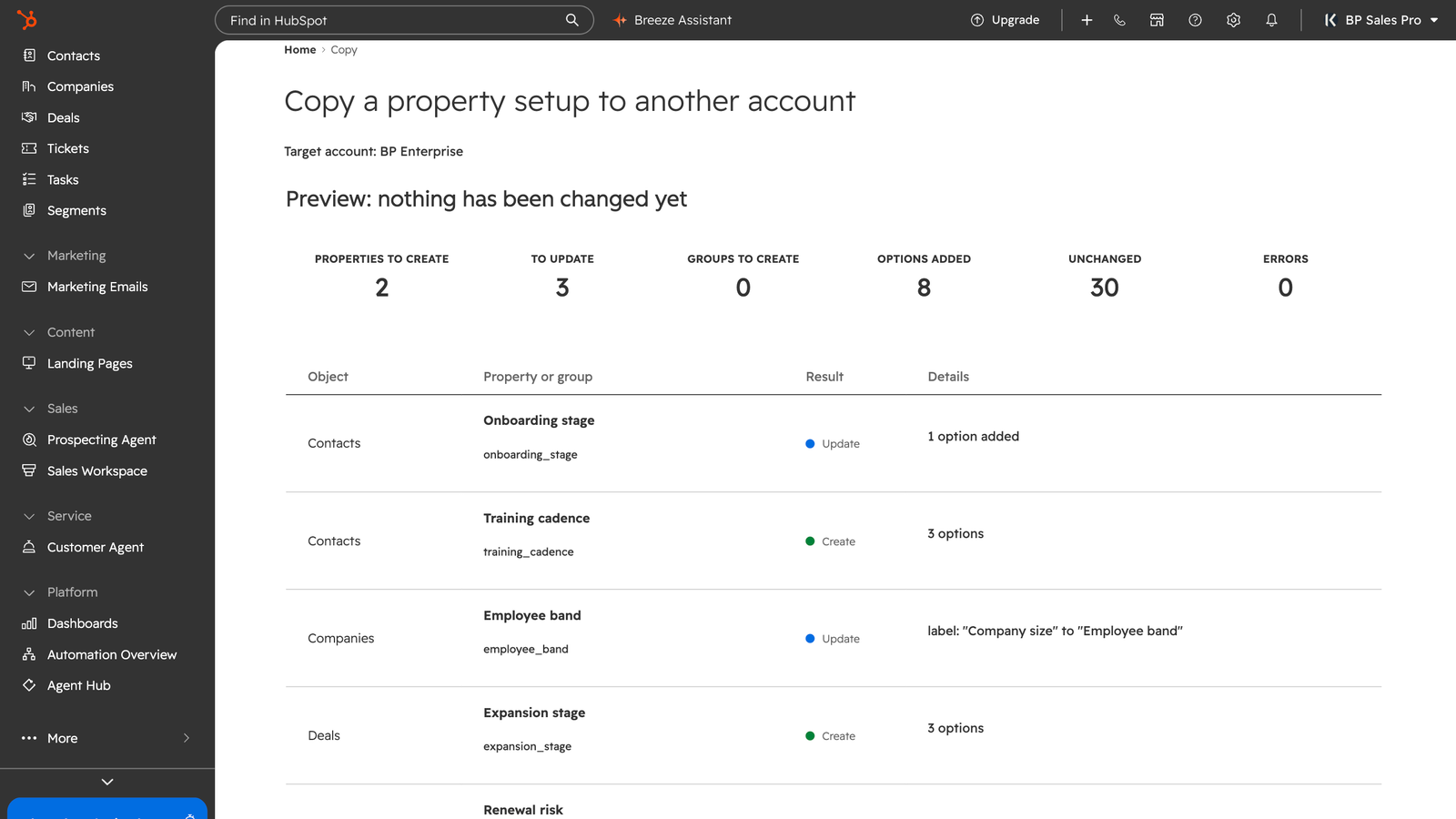
Copy a property set to any client account (Pro)
Copy properties, groups and options from a template account to a client account on any HubSpot plan, with a diff first, and run it again later to re-sync.
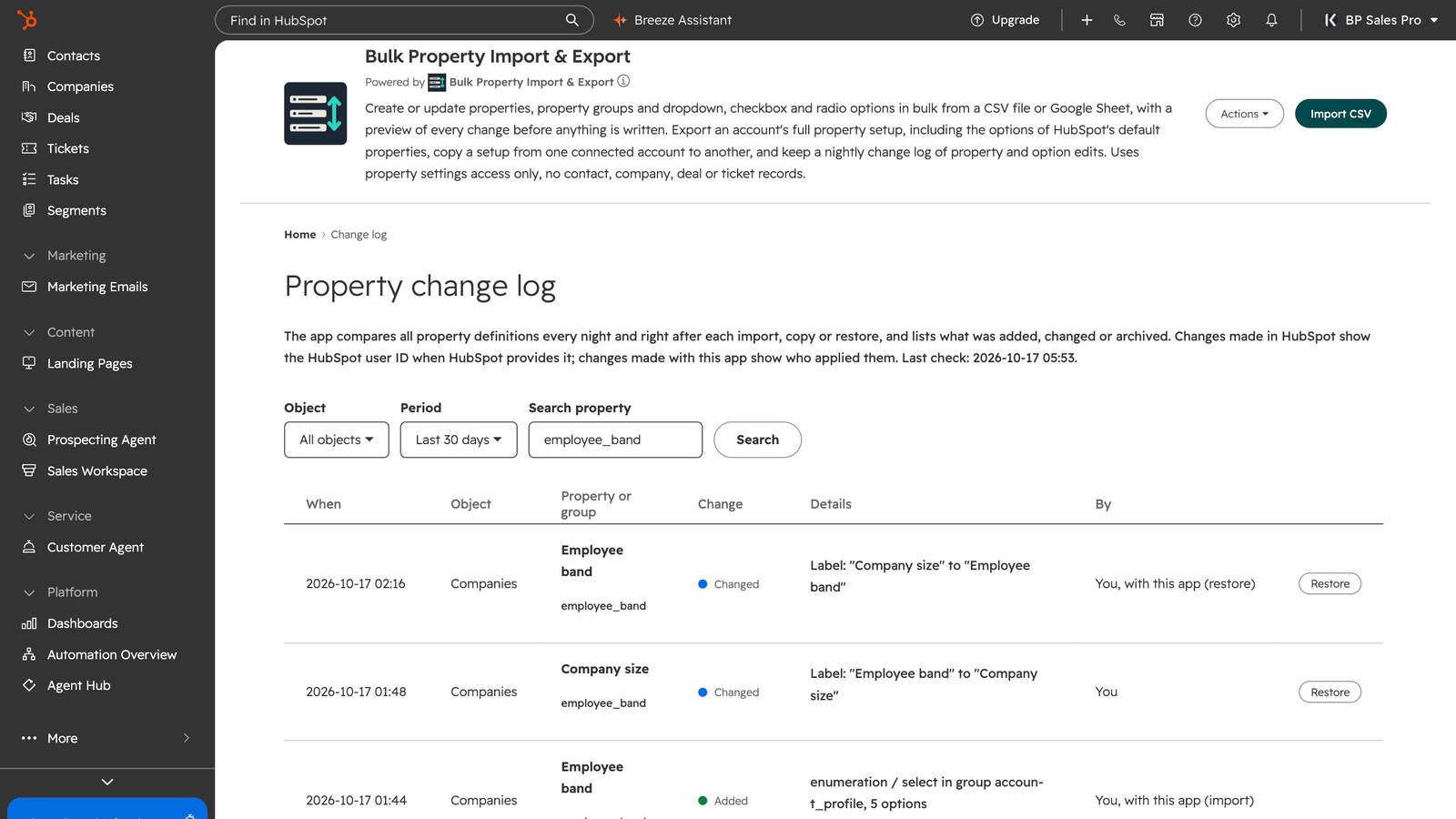
Property change log and history on every plan
A nightly log of properties and options that were added, changed or archived. Free keeps 30 days; Pro keeps 12 months and can restore old definitions.
App Functionality
Shared Data
Contact property settings | ||
Company property settings | ||
Deal property settings |
The app only works with property settings for contacts, companies and deals: property definitions, property groups and dropdown options. It never reads or changes contact, company or deal records. It also reads basic account details (account ID, name, account type and time zone) to show the account name and apply the right plan. Property snapshots and the change log are stored by Kayabyte on Cloudflare (database in Europe) and deleted after uninstall.
Reviews
Pricing
Free
$0
Preview, export, 30-day change log and 25 import rows a month. USD 0
Change log for the last 30 days
Export of the full property setup as CSV or JSON
Preview (dry run) before anything is written
Bulk import of properties, groups and options from CSV or Google Sheets, up to 25 rows a month
Free
$0
Preview, export, 30-day change log and 25 import rows a month. USD 0
Change log for the last 30 days
Export of the full property setup as CSV or JSON
Preview (dry run) before anything is written
Bulk import of properties, groups and options from CSV or Google Sheets, up to 25 rows a month
* The pricing here is for display purposes only. All prices do not include taxes, incentives, discounts, or other pricing variables. You should contact the partner for the most up to date and correct pricing information. HubSpot does not take any responsibility for this pricing information, which is provided by our partners. Pricing last updated: 11/25/2026
More info
Built by - Kayabyte
Installs - 10+ installs
Categories Languages this app is available in English
Most popular

Gmail
Bring HubSpot to your inbox with the HubSpot integration for Gmail.

Google Calendar
Book meetings quickly and easily with HubSpot and Google Calendar.
