
Constant Contact
Requirements
HubSpot Plan HubSpot Account permissions No permissions required Access Type Shared Constant Contact Subscription - Email or Email Plus plans
Overview
1/2
Sync Constant Contact without manual data entry or messy, time-consuming imports.
Here’s what you get with Data Sync by HubSpot:
- Two-way sync: Data is shared between Constant Contact and HubSpot in real time
- Default field mappings: Set-up is quick with out-of-the-box field mappings already created for you
- Historical syncing: Your existing data will sync right away, and updates will sync as they happen
note: Newly created contacts will sync to the general contacts list.
Features
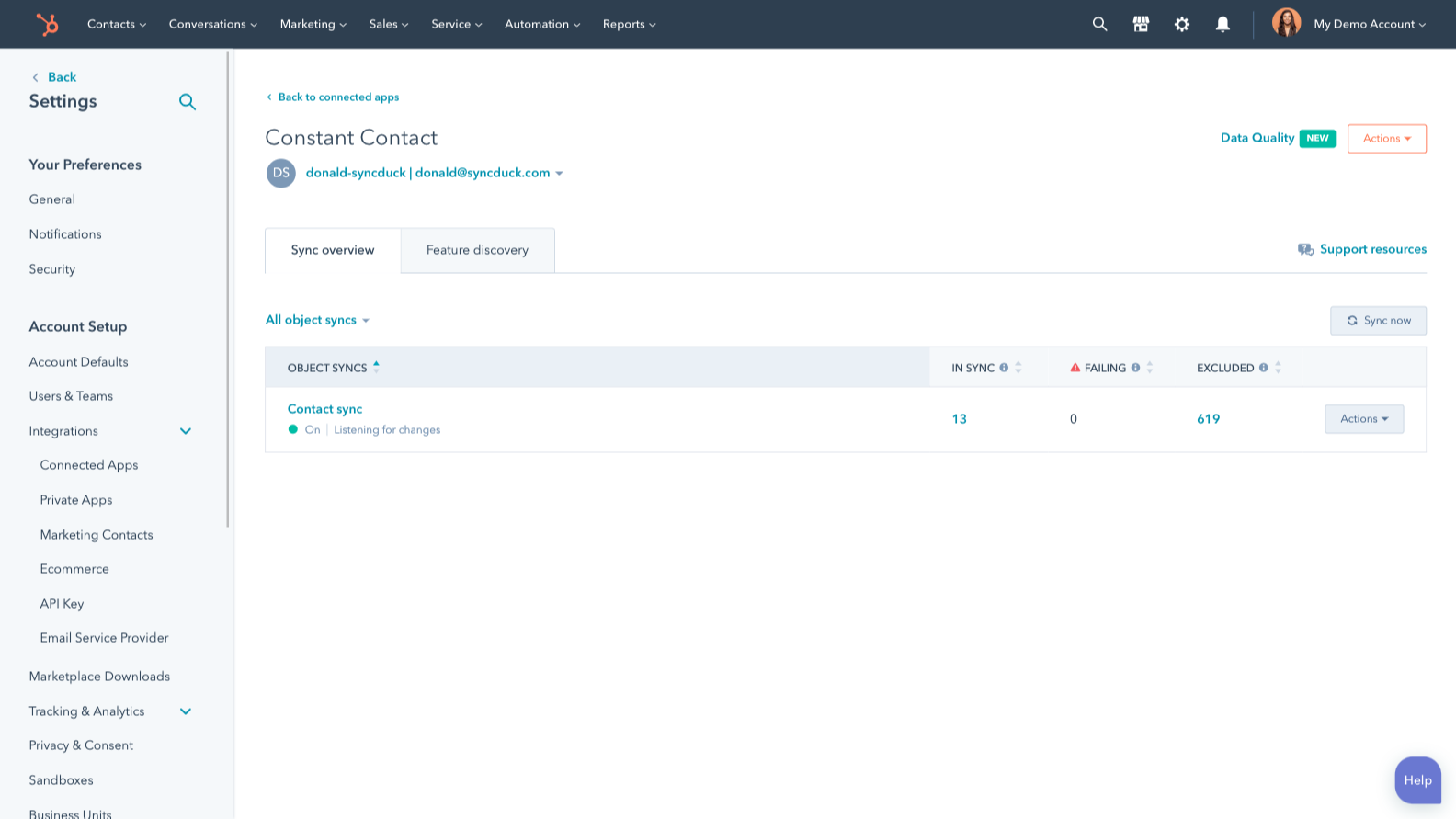
Sync Constant Contact and HubSpot data
Make manual data entry a thing of the past by syncing contacts between HubSpot and Constant Contact. When records are created or updated in either app, that information will be automatically shared with the other one.
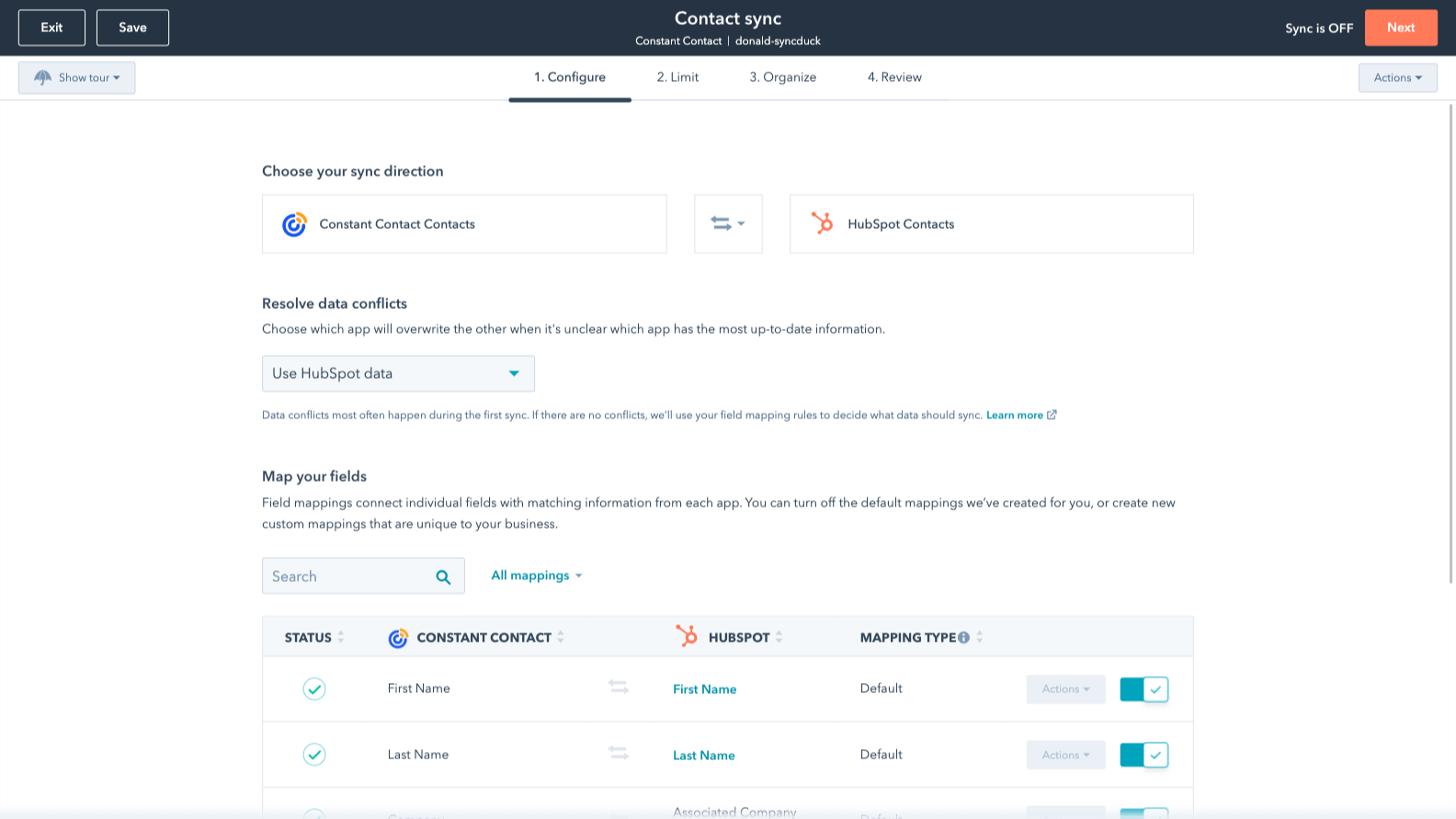
Default field mappings
Field mappings connect matching information in each app—and we’ve already created them for you. Our out-of-the-box default field mappings make set-up quick and keep your data clean and organized. Plus, there are no surprises: You can see exactly which fields come already mapped in the “Shared data” section below.
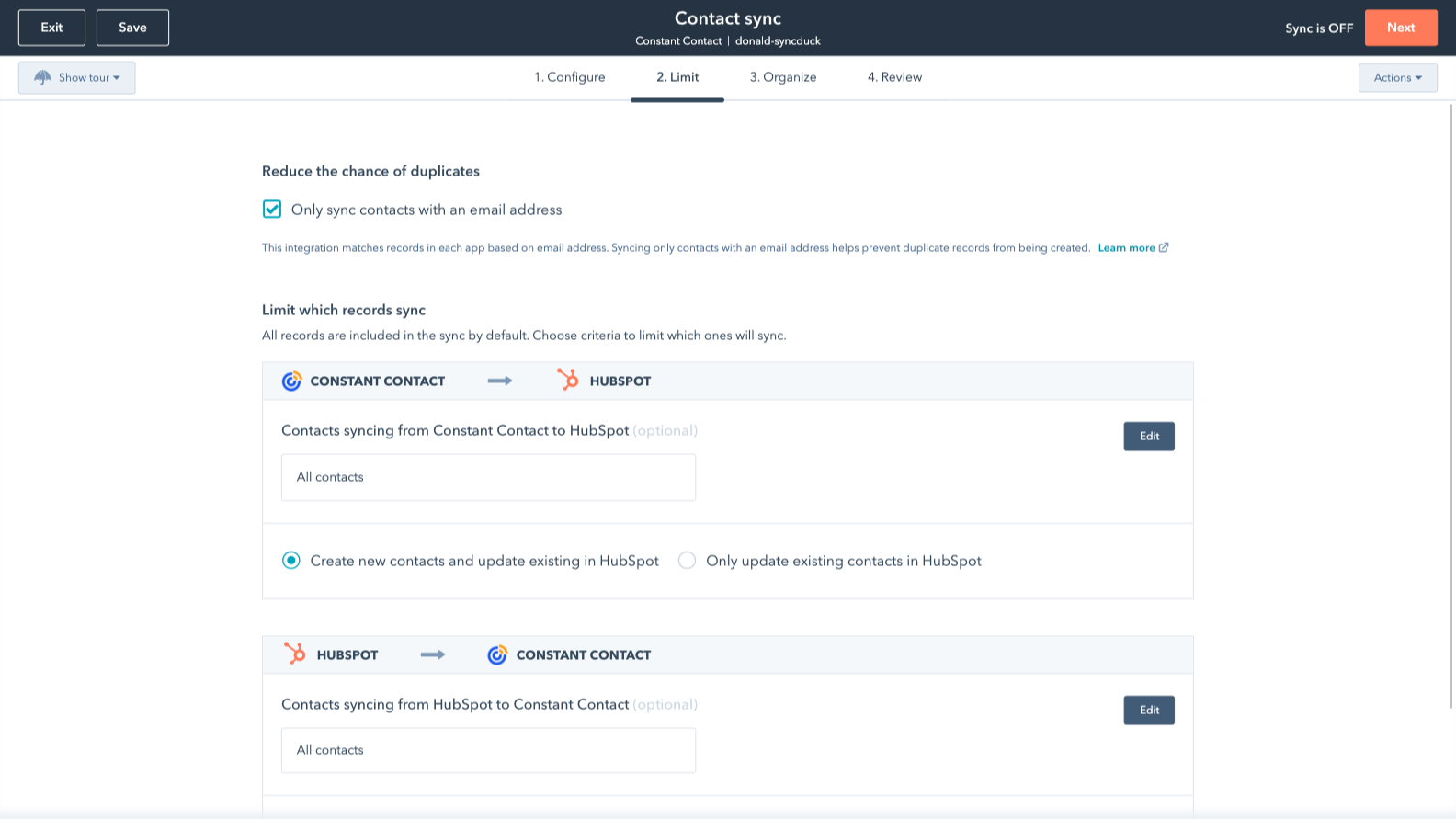
Sync only the data you want
You’re in control of your data. You can set up a one- or two-way sync, which means you can either sync data from only one app to the other or back-and-forth between both apps. You can also add a filter for any Constant Contact field (like status or timestamps) or HubSpot list to sync exactly what you want—and nothing you don’t.
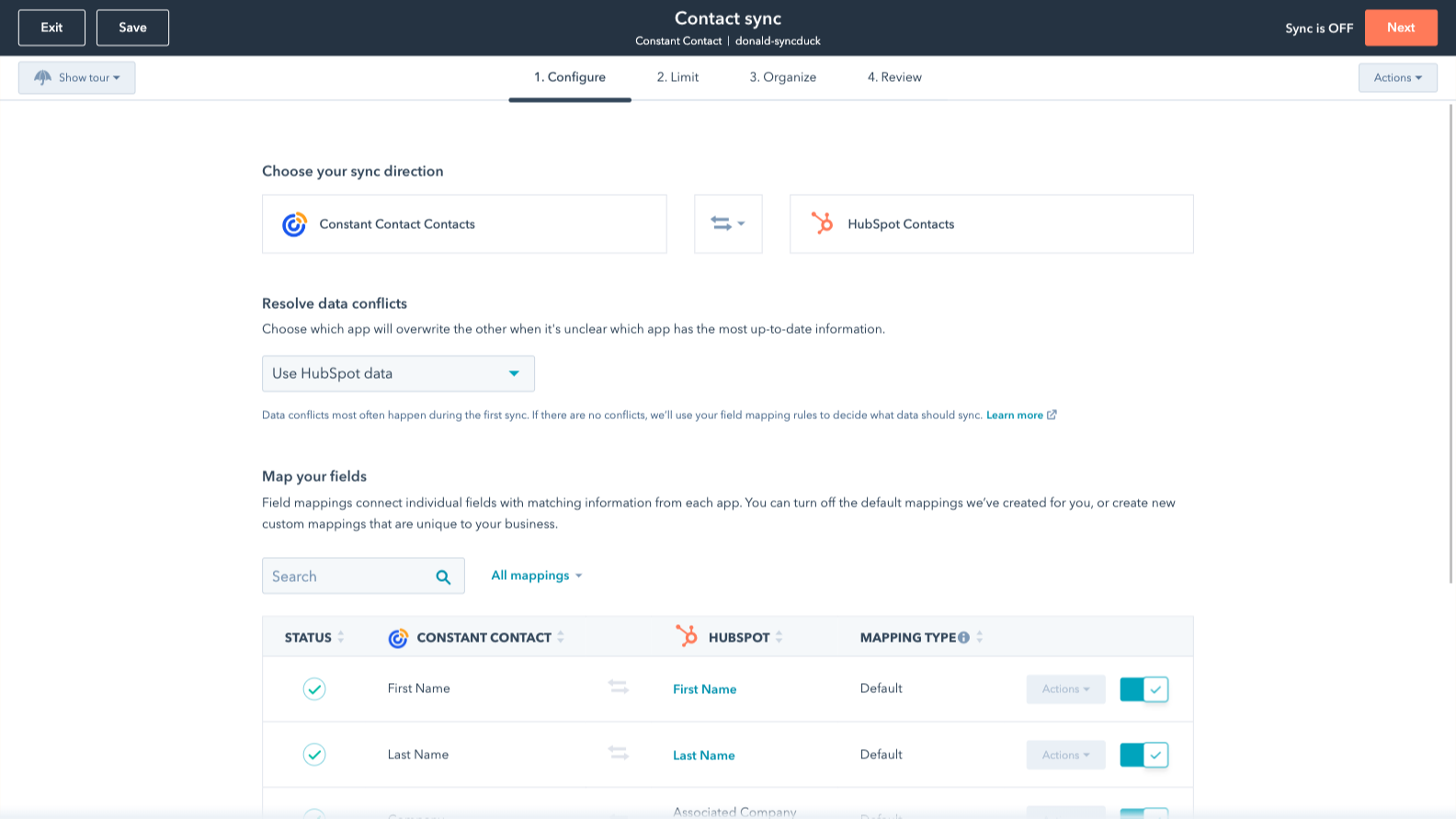
Custom field mappings
Custom field mappings are available with Data Hub Starter or Professional plans. Custom mappings add the flexibility to create your own mappings or make changes to your default ones.
App Functionality
Shared Data
Each object has field mappings that connect matching information from each app. Default mappings are listed below. If you want to change these default mappings or create your own, custom field mappings are available with Data Hub Starter and up.
The following will not sync: Email Opens/Clicks
Contacts |
Reviews
2.5
13
2.5
13
- Nov 26, 2025
Data transfer limitations force upsells making it unusable
Transferring all data requires an upsell in subscription
Couldn't use it
Didn't pass full data
Giordano, A.
- Aug 15, 2025
Decent initial sync setup but fails to handle unsubscribes properly, creating compliance headaches
We use Constant Contact for other newsletters that can't be migrated to HubSpot. We did use the option to sync Constant Contact's contacts to HubSpot. That works initially, but HubSpot can't remove contacts from our list as people unsubscribe in Constant Contact.
Easy setup to sync from Constant Contact to HubSpot.
The sync process does not remove contacts that have unsubscribed in Constant Contact. We don't want to keep emailing people that do not want to hear from us. This may cause us to disable this sync.
Fleck, C.
Pricing
$16
/monthFor small businesses and organizations looking to create professional emails, build customer relationships, and drive real results.
$16
/monthFor small businesses and organizations looking to create professional emails, build customer relationships, and drive real results.
* The pricing here is for display purposes only. All prices do not include taxes, incentives, discounts, or other pricing variables. You should contact the partner for the most up to date and correct pricing information. HubSpot does not take any responsibility for this pricing information, which is provided by our partners. Pricing last updated: 09/03/2025