

Mollie Payments
Built by - Wiljekoffie B.V.
Installs - 200+ installs
Rating 5
(1)
Requirements
HubSpot Plan HubSpot Account permissions - View the required account permissions
Access Type Shared Mollie Payments Subscription - Mollie Pricing plan
Overview
1/7
Mollie Payments brings Mollie's payment links and recurring subscriptions right into your HubSpot records, so your team can get paid without ever leaving the CRM.
Open the Mollie card on a deal, ticket, contact, or company and create a payment link or a recurring subscription in seconds, with VAT and details prefilled from the record. Customers pay through Mollie's checkout (iDEAL, cards, and more); for subscriptions they authorize once and every installment is then collected automatically.
Everything flows back into HubSpot. Payment status, amounts, and refunds land on the record as properties, native payment records, and timeline events. Subscriptions stamp status, amount, interval, and next charge onto the deal, and roll up the number of active subscriptions plus monthly recurring revenue (MRR) onto the associated contact and company, so you can report recurring revenue in your own HubSpot lists and dashboards.
Refund a single payment or a single subscription installment (full or partial) in one click, and connect multiple Mollie profiles to pick the right one per payment. The app itself is free: you use your own Mollie account and Mollie's standard transaction fees, with no extra charge from us.
Features
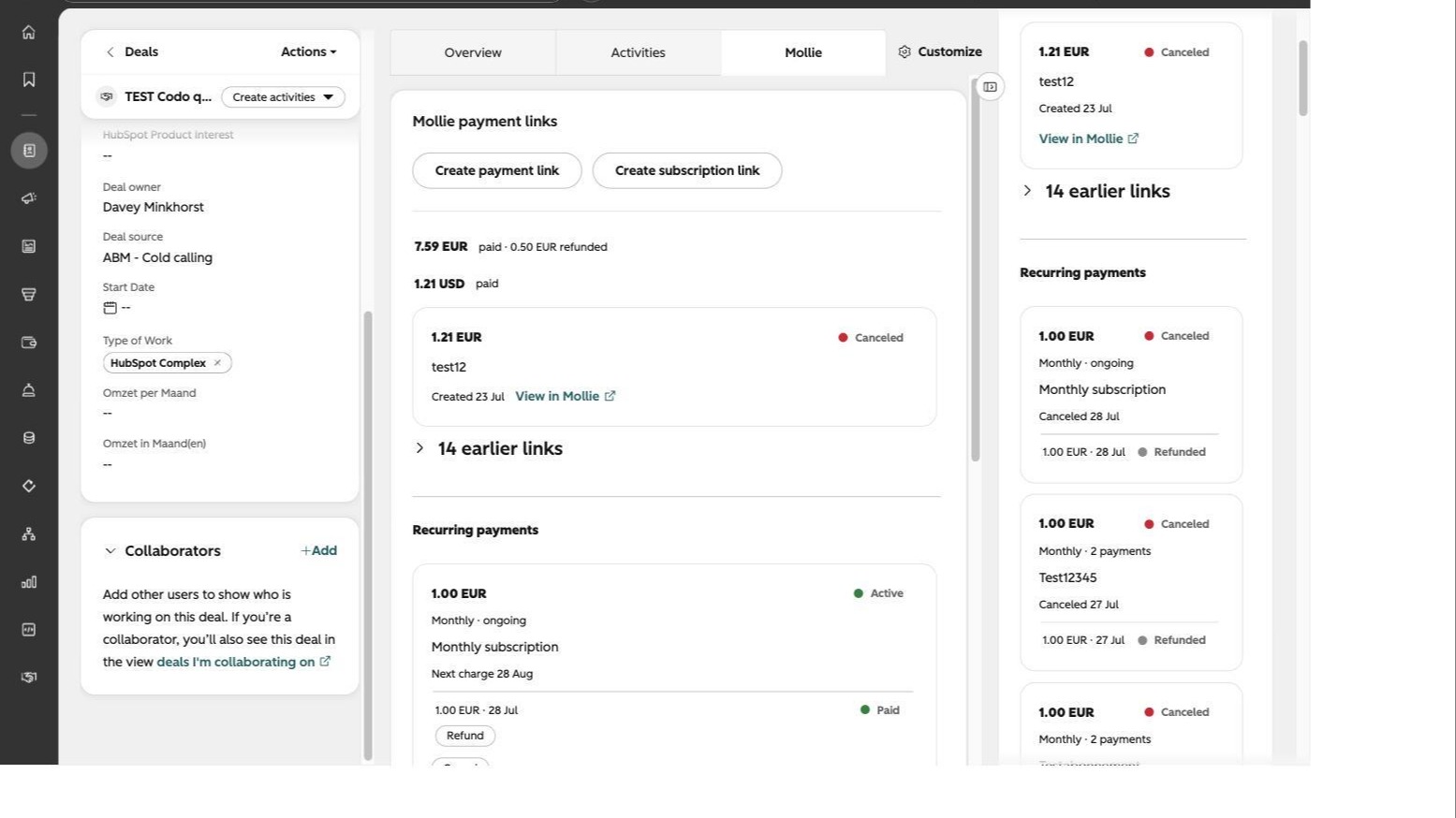
Create & share payment links
Generate a Mollie payment link from any record - deal, ticket, contact, or company - with the amount, currency, and VAT prefilled. Copy-paste the link or send it to your customer, and get paid through Mollie's checkout.
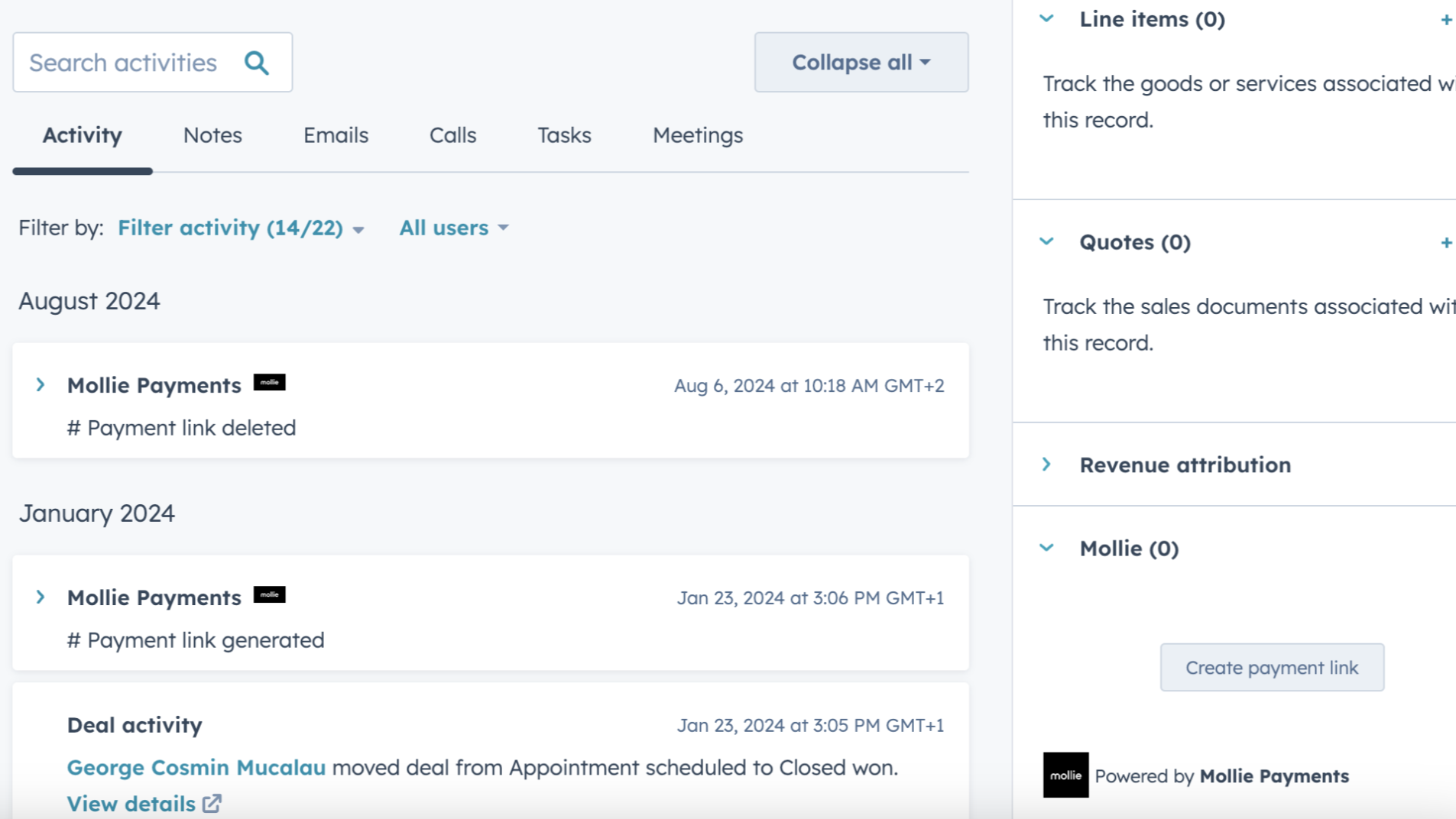
Track the payment status
Each payment created will be shown in the CRM card, with the status updated whenever a payment has been generated, paid, cancelled or failed.
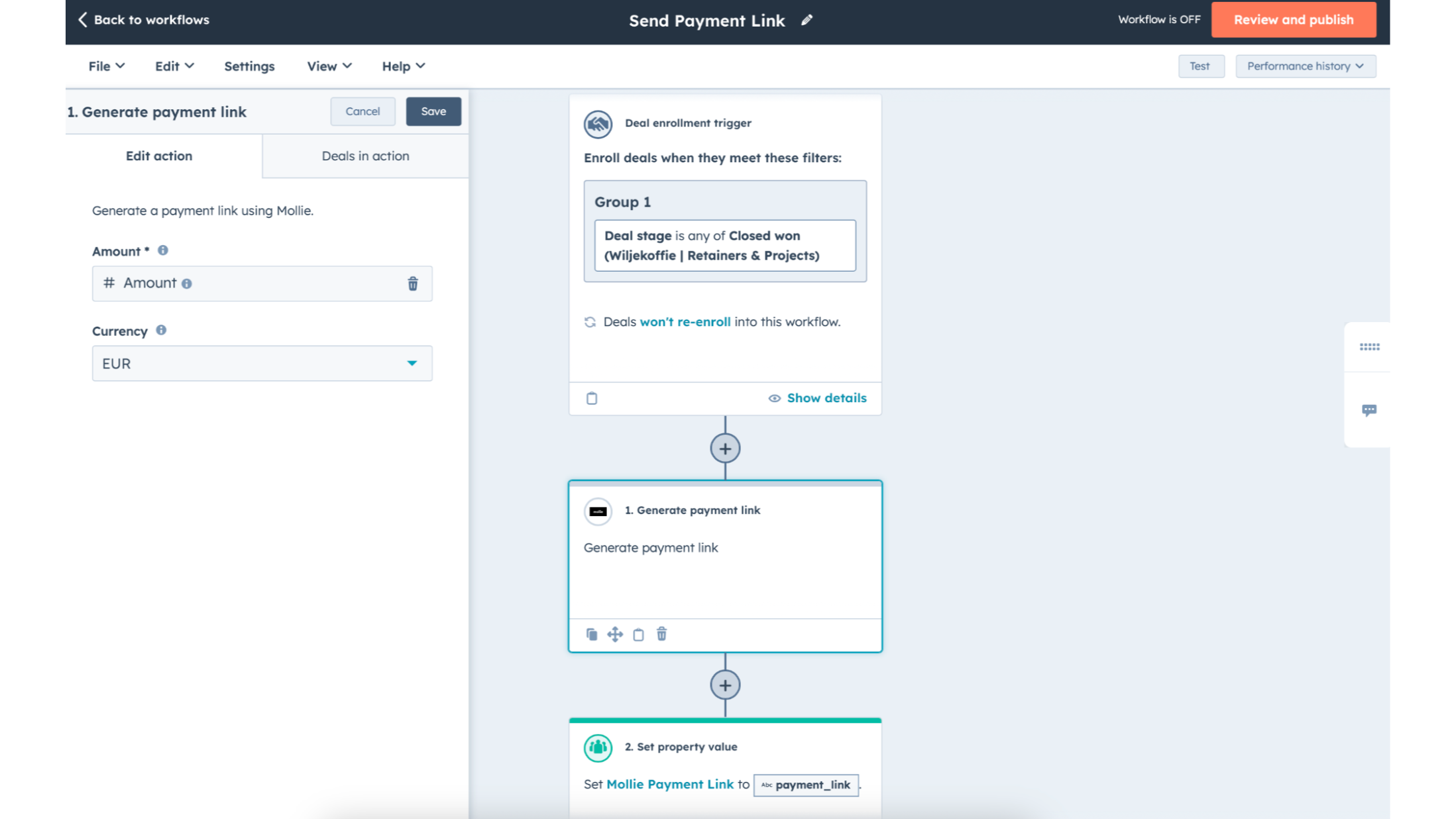
Automate payments with HubSpot Workflows
If you want to automate the creation and distribution of payment links, use Workflows to automatically generate them based on a chosen trigger.
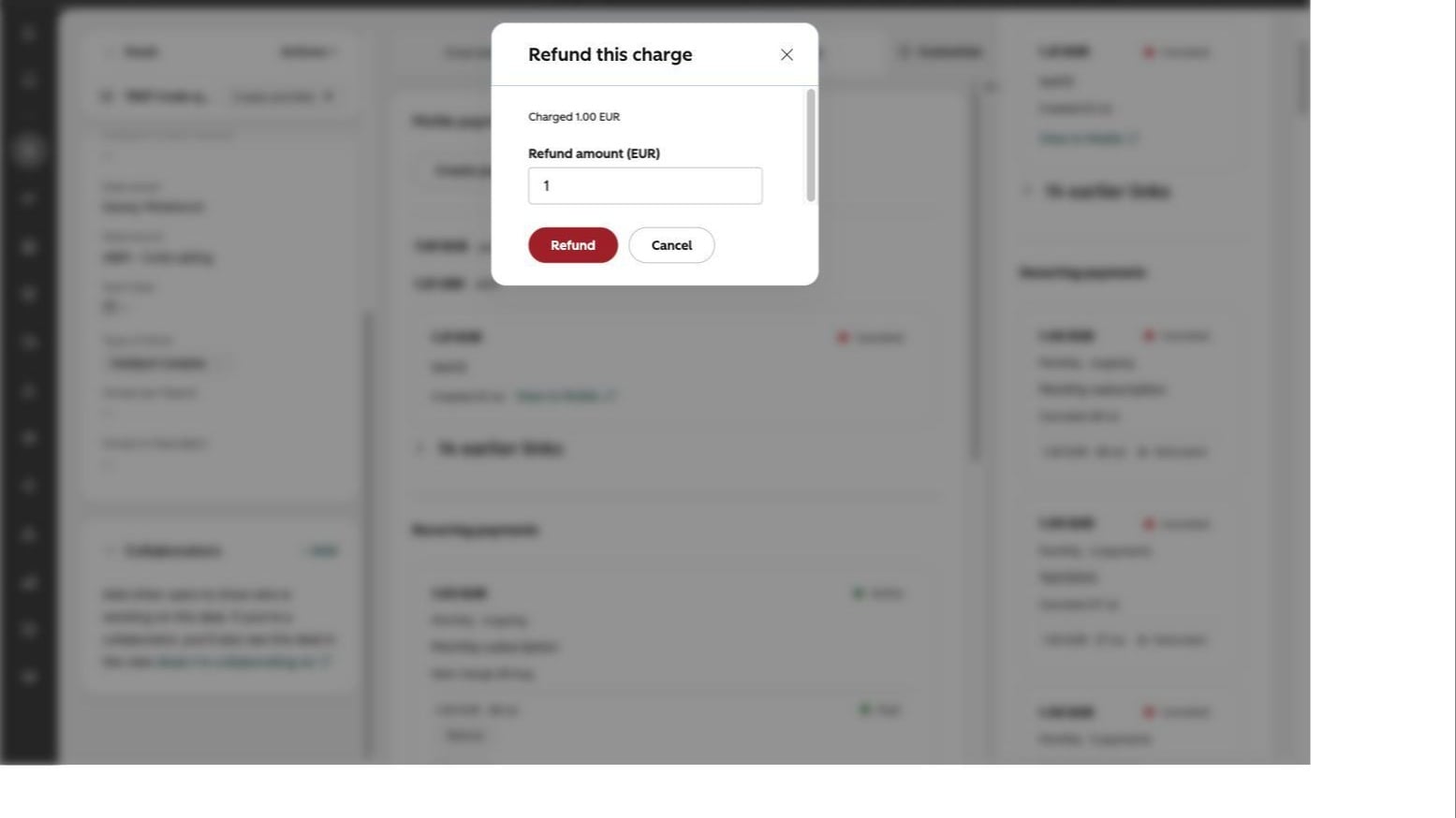
Initiate refunds from HubSpot
Refund a payment straight from the Mollie card - a full or partial refund, and even a single subscription installment. The refund status updates automatically on the record, so everything stays in sync.
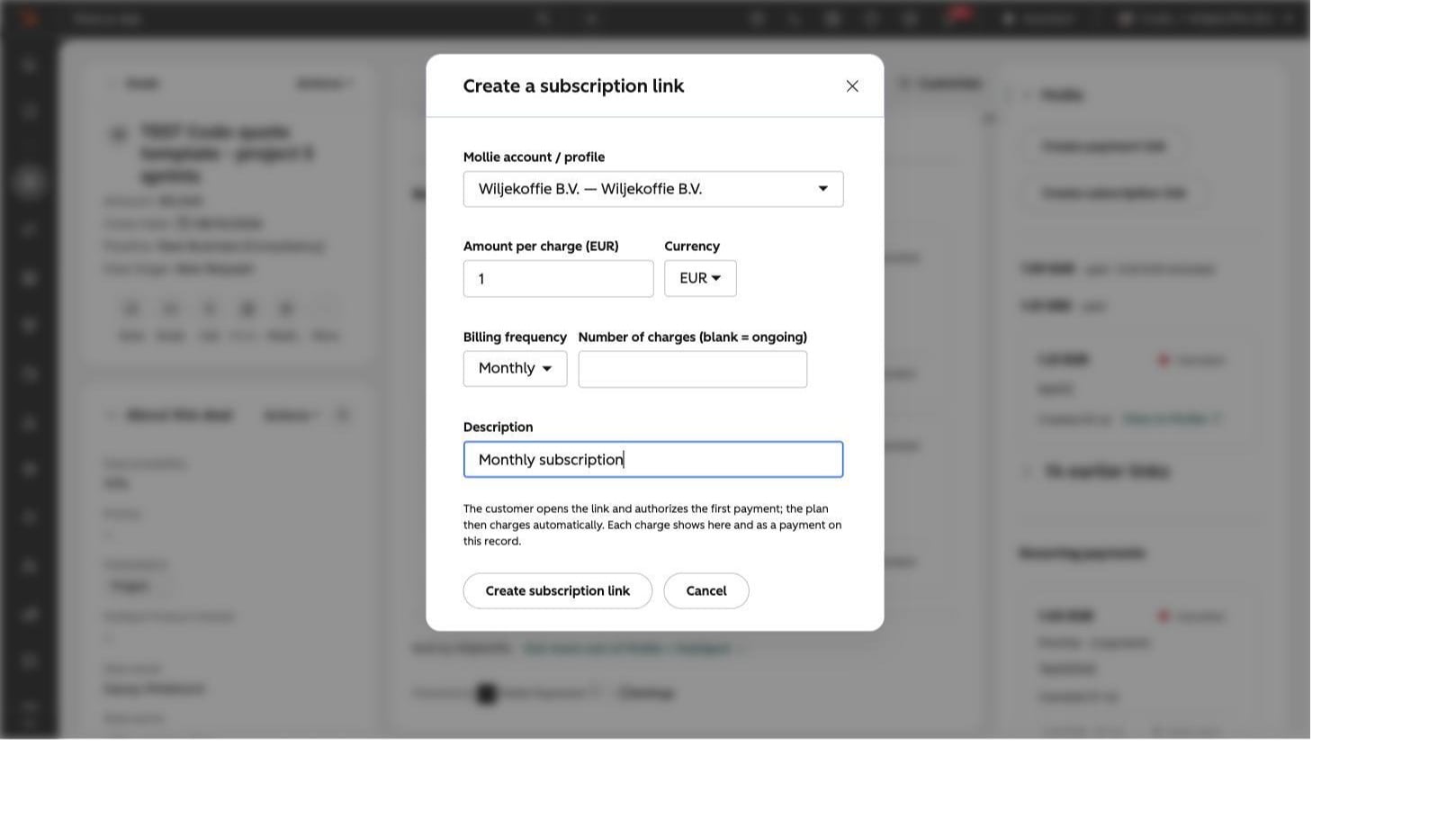
Sell subscriptions with recurring billing
Create a recurring subscription link from any record. The customer authorizes once and Mollie collects every installment automatically. Manage it on the record - see the next charge, refund a single installment, or cancel the whole plan.
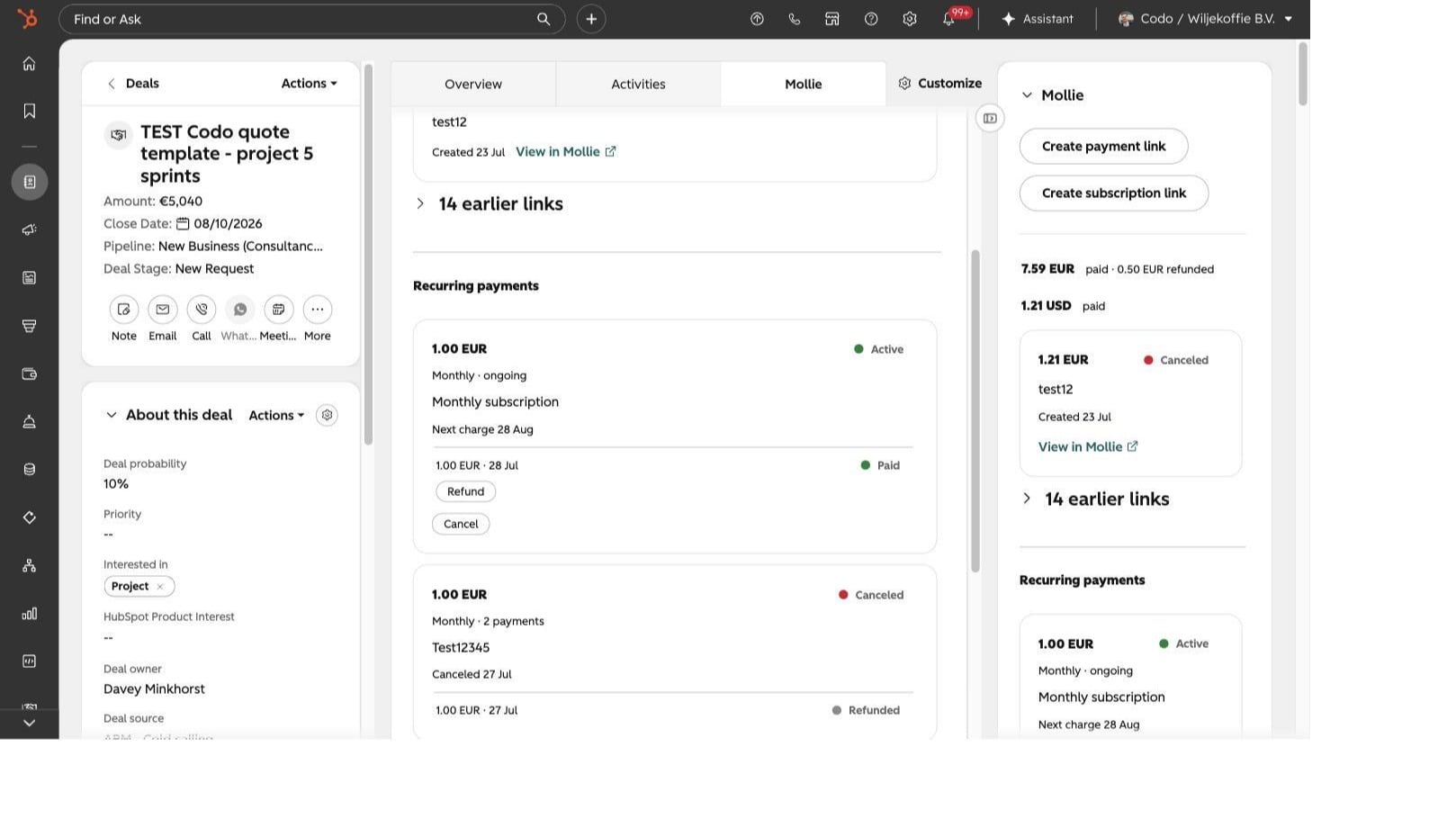
See recurring revenue on your records
Subscriptions write their status, amount, interval, and next charge onto the deal, and roll up active-subscription counts and monthly recurring revenue (MRR) onto the contact and company - so you can report recurring revenue in HubSpot.
App Functionality
Payments | ||
Refunds | ||
Payment Status | ||
Payment Status |
Reviews
- Jul 13, 2025
ZHANG, L.
Pricing
Mollie Pricing
€0
No Setup fee
No Minimum Costs
No Lock-in Contracts
No Hidden Fees
Mollie Pricing
€0
No Setup fee
No Minimum Costs
No Lock-in Contracts
No Hidden Fees
* The pricing here is for display purposes only. All prices do not include taxes, incentives, discounts, or other pricing variables. You should contact the partner for the most up to date and correct pricing information. HubSpot does not take any responsibility for this pricing information, which is provided by our partners. Pricing last updated: 08/05/2026
Getting attention today
-1.png)
HubSpot connector for Claude
Access your HubSpot context in Claude to get personalized insights, visualizations, and to create and update your CRM records.

Google Meet
meeting links, recordings & transcripts for Google Meet in HubSpot
