

Xentral
Data Sync - Sync contacts between Xentral and HubSpot
Bygget av - Xentral ERP Software GmbH
Installeringer - 100+ installasjoner
Rangering 3
(2)
Krav
HubSpot-abonnement HubSpot-kontotillatelser - Vis nødvendige kontotillatelser
Tilgangstype Shared Xentral-abonnement - Starter, Business eller Pro-abonnementer
Oversikt
1/4
Xentral gives you back your time
Do not waste your valuable time in day to day business operations. Instead let Xentral run your order, stock, payment and delivery processes. As a consequence, you can invest your valuable time into developing your products and growing your business.
Boost your Xentral Onboarding
When you start with Xentral use the app to import all your relevant contact. You'll be set up for contact import in less than 1 minute.
Work at the same time in Xentral and HubSpot
As soon as you've established a data sync between both systems it does not matter where you create a new contact or add a new piece of data to an existing contact. The data stays always in sync.
Use sales data to fine-tune your campaigns [coming soon]
Each order that reaches Xentral will be synced as a deal to HubSpot and linked to the associated contact and company. In addition, we add the purchased products as line items to the deal. That helps you to outreach to the right customers at the right time.
Funksjoner
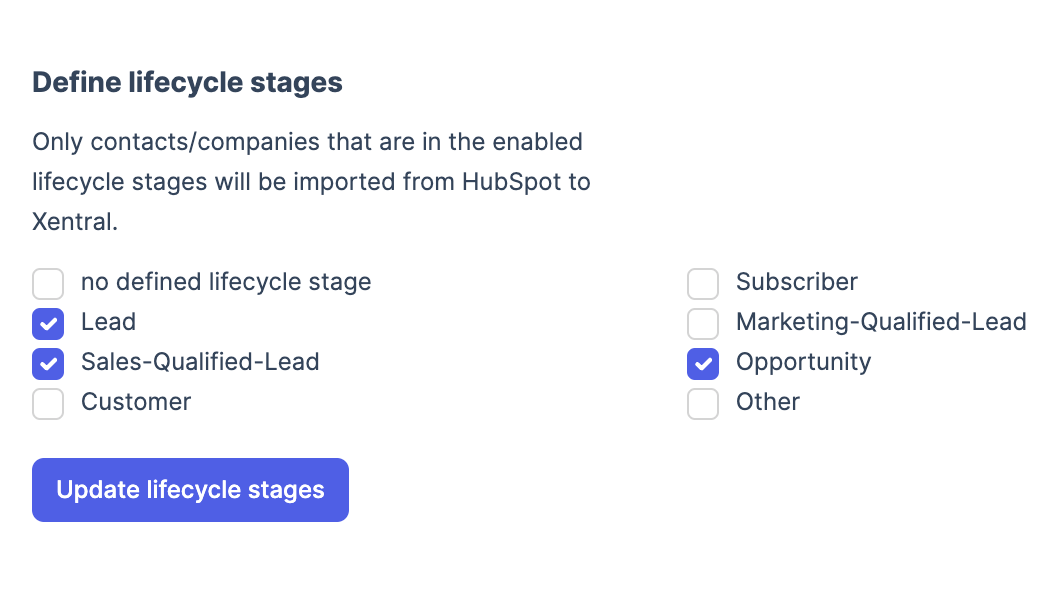
Filter by lifecycle stage
In Xentral you may only want a subset of your contacts, e.g. sales-qualified-leads where you want to follow up with an offer. With our lifecycle stage filter you can filter the data import from HubSpot to Xentral on all available lifecycle stages that you have defined.
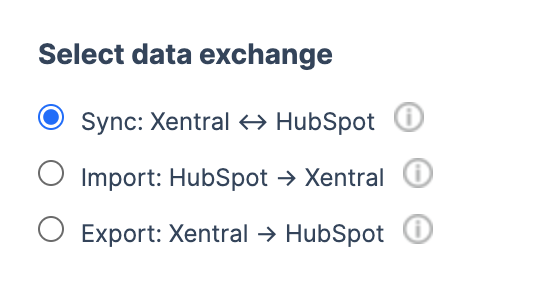
Select data exchange
How should the data flow? Chose among a real sync to both systems, an import to Xentral, or an export to HubSpot. In case you work with your contacts on both systems a sync makes most sense for you. Whereas a simple import is good enough to get started with Xentral.
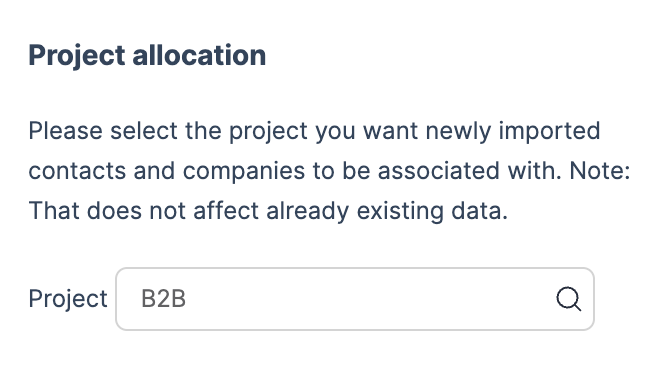
Allocate a project
In Xentral you can allocate your contacts to projects. A project can be a certain sales channel. When contacts are imported from HubSpot to Xentral you can chose to which project they should be linked to.
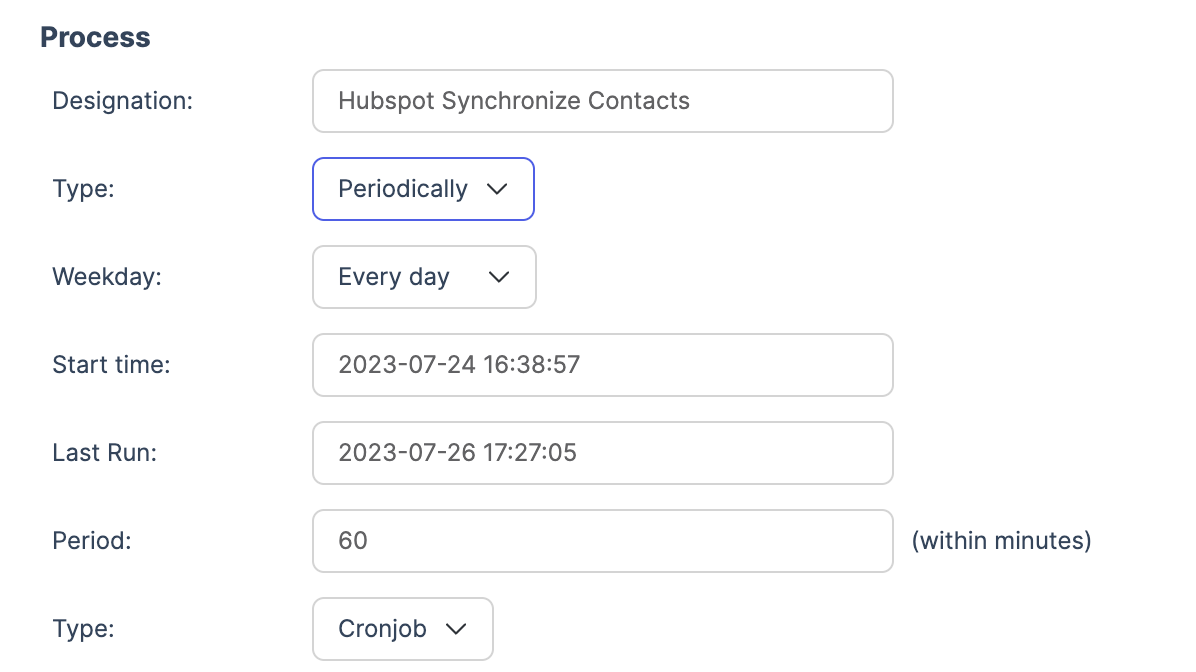
Configure process interval
How often should the data sync happen? Default is each hour. However, you can adjust that as you like. From every minute to once a day. Periodically or just through manual trigger. It is about you to decide.
Appfunksjonalitet
Delt data
Address | ||
Address | ||
Address | ||
Address |
Gjennomganger
- 16. okt. 2025
Interface funktioniert total unzureichend - völlig enttäuschend
Die Schnittstelle funktioniert total unzureichend.
Die Schnittstelle funktioniert total unzureichend.
Stock, J.
- 30. mars 2025
Heissel, T.
Starter
€ 199
/månedStart with simple workflows and gain transparency into your business
Connection to online shops & marketplace
Product catalogue
Stock
Connection to shipping service providers
Delivery notes
Customer database
Invoices & credit notes
DATEV
Reportings
Starter
€ 199
/månedStart with simple workflows and gain transparency into your business
Connection to online shops & marketplace
Product catalogue
Stock
Connection to shipping service providers
Delivery notes
Customer database
Invoices & credit notes
DATEV
Reportings
* Prissettingen her er kun for illustrasjonsformål. Prisene inkluderer ikke avgifter, insentiver, rabatter eller andre prissettingsvariabler. Kontakt partneren for å få oppdatert og riktig prissettingsinformasjon. HubSpot tar ikke ansvar for denne prissettingsinformasjonen, som gis av våre partnere. Prissetting sist oppdatert: 11.08.2025
Nye produkter

-1-2.jpeg)
