

Xentral
สร้างโดย - Xentral ERP Software GmbH
ติดตั้ง - 90+ การติดตั้ง
คะแนน 3
(2)
ข้อกำหนด
แผน HubSpot สิทธิ์บัญชี HubSpot - ดูสิทธิ์บัญชี ที่จำเป็น
ประเภทสิทธิ์การเข้าถึง แชร์แล้ว การสมัครใช้บริการ Xentral - Starter, Business หรือ Pro แพ็กเกจ
ภาพรวม
1/4
Xentral gives you back your time
Do not waste your valuable time in day to day business operations. Instead let Xentral run your order, stock, payment and delivery processes. As a consequence, you can invest your valuable time into developing your products and growing your business.
Boost your Xentral Onboarding
When you start with Xentral use the app to import all your relevant contact. You'll be set up for contact import in less than 1 minute.
Work at the same time in Xentral and HubSpot
As soon as you've established a data sync between both systems it does not matter where you create a new contact or add a new piece of data to an existing contact. The data stays always in sync.
Use sales data to fine-tune your campaigns [coming soon]
Each order that reaches Xentral will be synced as a deal to HubSpot and linked to the associated contact and company. In addition, we add the purchased products as line items to the deal. That helps you to outreach to the right customers at the right time.
ฟีเจอร์
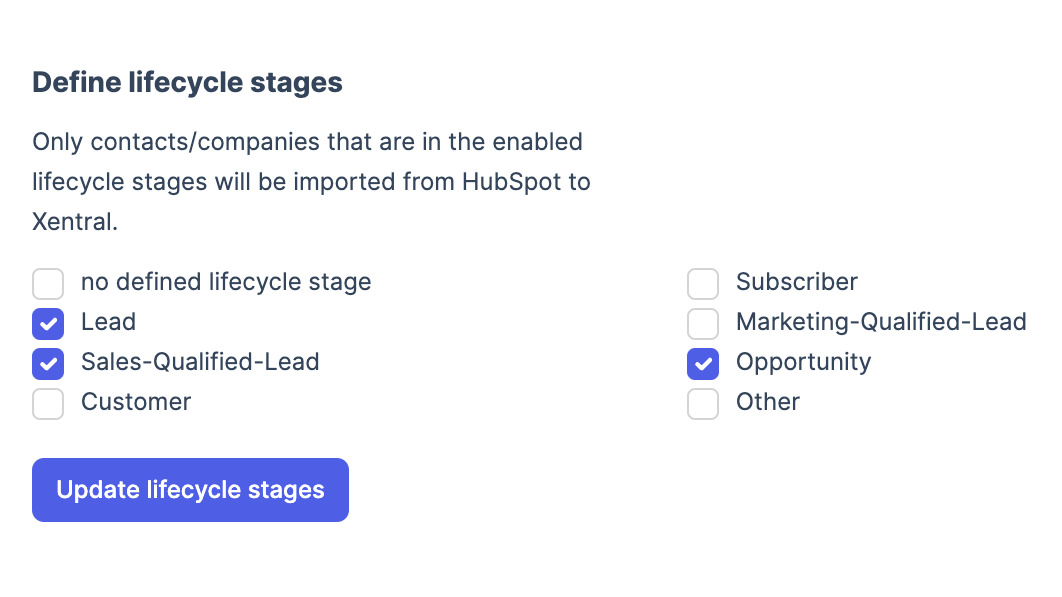
Filter by lifecycle stage
In Xentral you may only want a subset of your contacts, e.g. sales-qualified-leads where you want to follow up with an offer. With our lifecycle stage filter you can filter the data import from HubSpot to Xentral on all available lifecycle stages that you have defined.
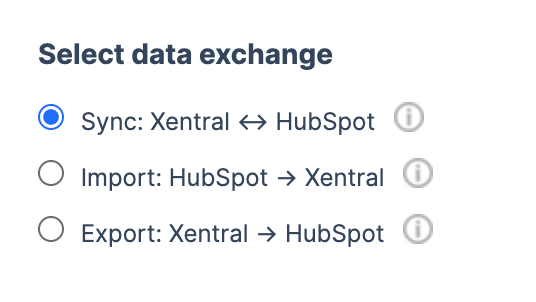
Select data exchange
How should the data flow? Chose among a real sync to both systems, an import to Xentral, or an export to HubSpot. In case you work with your contacts on both systems a sync makes most sense for you. Whereas a simple import is good enough to get started with Xentral.
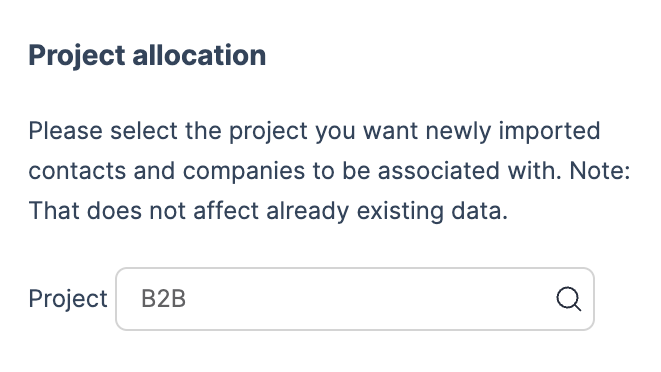
Allocate a project
In Xentral you can allocate your contacts to projects. A project can be a certain sales channel. When contacts are imported from HubSpot to Xentral you can chose to which project they should be linked to.
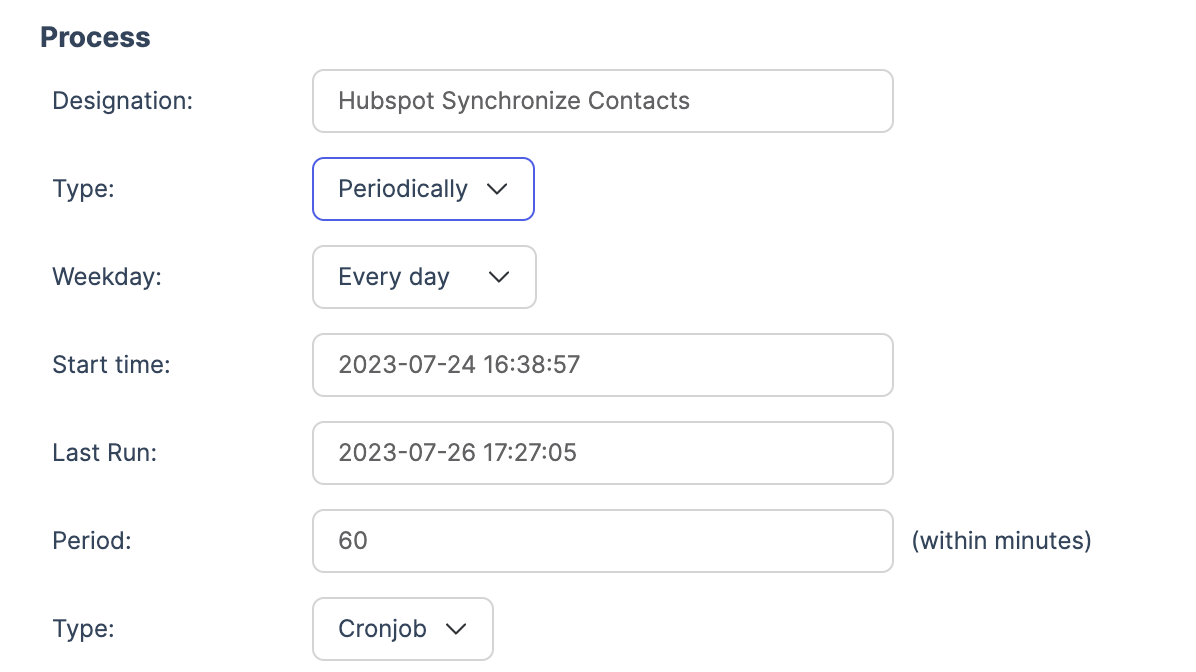
Configure process interval
How often should the data sync happen? Default is each hour. However, you can adjust that as you like. From every minute to once a day. Periodically or just through manual trigger. It is about you to decide.
ฟังก์ชันการทำงานแอป
ข้อมูลที่แบ่งปัน
Address | ||
Address | ||
Address | ||
Address |
รีวิว
- 16 ต.ค. 2025
Interface funktioniert total unzureichend - völlig enttäuschend
Die Schnittstelle funktioniert total unzureichend.
Die Schnittstelle funktioniert total unzureichend.
Stock, J.
- 30 มี.ค. 2025
Heissel, T.
การกำหนดราคา
Starter
€199
/เดือนStart with simple workflows and gain transparency into your business
Connection to online shops & marketplace
Product catalogue
Stock
Connection to shipping service providers
Delivery notes
Customer database
Invoices & credit notes
DATEV
Reportings
Starter
€199
/เดือนStart with simple workflows and gain transparency into your business
Connection to online shops & marketplace
Product catalogue
Stock
Connection to shipping service providers
Delivery notes
Customer database
Invoices & credit notes
DATEV
Reportings
* ราคาที่แสดงนี้มีไว้เพื่อแสดงข้อมูลเท่านั้น ราคาทั้งหมดยังไม่รวมภาษี สิทธิพิเศษ ส่วนลด หรือตัวแปรราคาอื่นๆ คุณควรติดต่อพาร์ทเนอร์เพื่อรับข้อมูลราคาล่าสุดและถูกต้องที่สุด HubSpot จะไม่รับผิดชอบใดๆ ต่อข้อมูลราคานี้ซึ่งจัดทำโดยพาร์ทเนอร์ของเรา การกำหนดราคาอัปเดตล่าสุด: 11/08/2025
ข้อมูลเพิ่มเติม
สร้างโดย - Xentral ERP Software GmbH
ติดตั้ง - 90+ การติดตั้ง
หมวดหมู่ ภาษาที่แอปนี้สามารถใช้ได้ เยอรมัน และอังกฤษ