

Applicant Tracking System ATS
สร้างโดย - Growth Operations
ติดตั้ง - 50+ การติดตั้ง
คะแนน 5
(1)

Leading
ข้อกำหนด
แผน HubSpot สิทธิ์บัญชี HubSpot - ดูสิทธิ์บัญชี ที่จำเป็น
ประเภทสิทธิ์การเข้าถึง แชร์แล้ว การสมัครใช้บริการ Applicant Tracking System ATS - Starter, Professional, Enterprise หรือ Enterprise+ แพ็กเกจ
ภาพรวม
1/4
Turn your HubSpot account into a best-in-class Applicant Tracking System.
With the click of a button, you’ll have everything your team needs to identify candidates, engage applicants, and hire with HubSpot.
Identify great fit candidates using AI-powered resume scanning, plus with geo-targeting you can group candidates near a specific work location.
Engage applicants at scale with database-powered content & automation.
Hire exceptional talent by providing an even better applicant experience.
***Note: Applicant Tracking System utilizes HubSpot App Objects, meaning this app works with any HubSpot plan and will create new objects in your account to track Applications, Jobs, and Offices.***
ฟีเจอร์
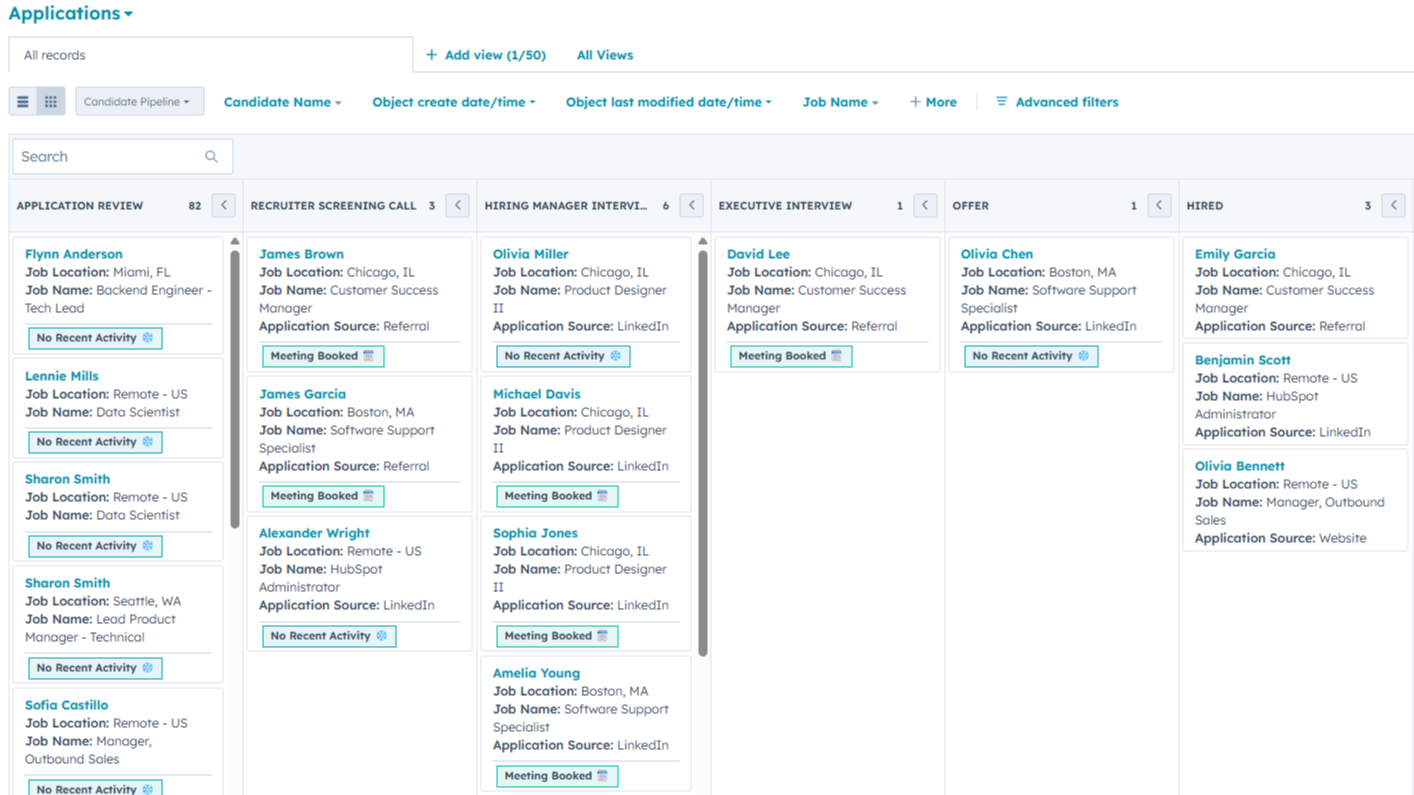
Application Pipeline
View and manage your application pipeline. Each column indicates a step within your hiring process, with each card representing a candidate’s application.
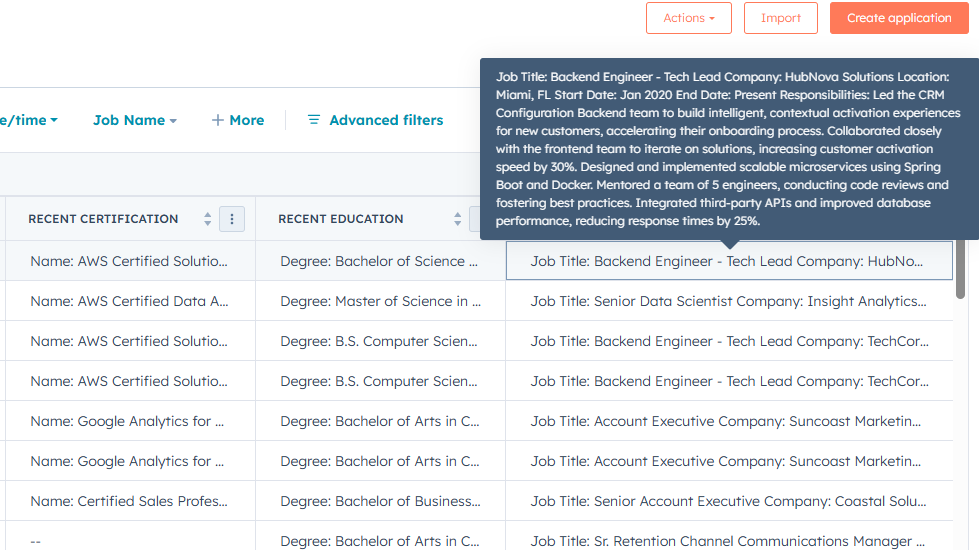
Text Parsing Service
Scanning through resumes just got much easier. The text parsing service pulls a candidate’s resume and parses the file into more usable text fields on both the contact and application.
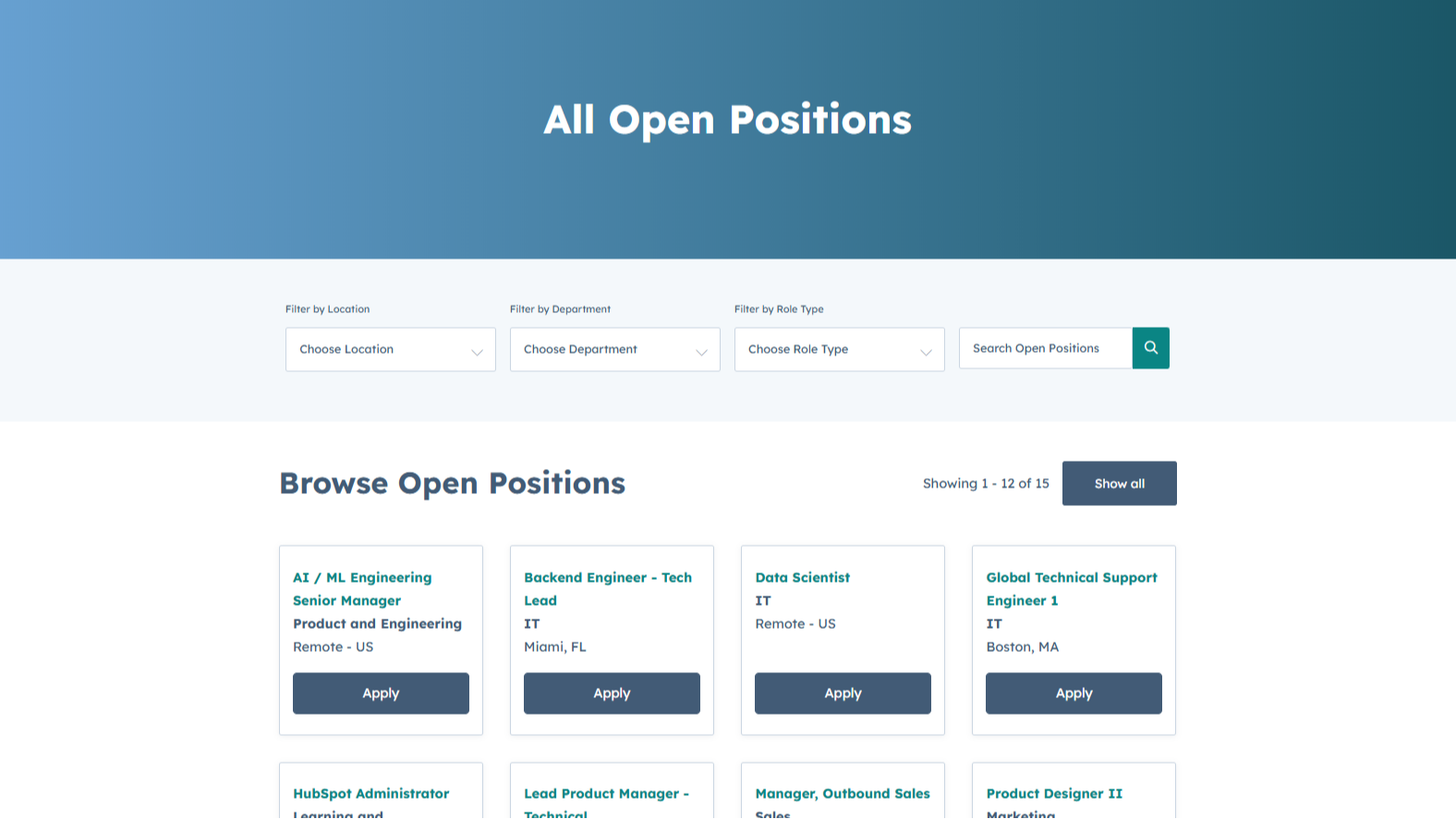
Job Listing Page
Upon installation, email modules and page content are created automatically within the marketing email and website pages tools. This content interacts with the job data, so there’s no maintenance required with things like adding or removing jobs from the website. Simply mark a job as ‘open’ in HubSpot, and it will post instantly to the website.
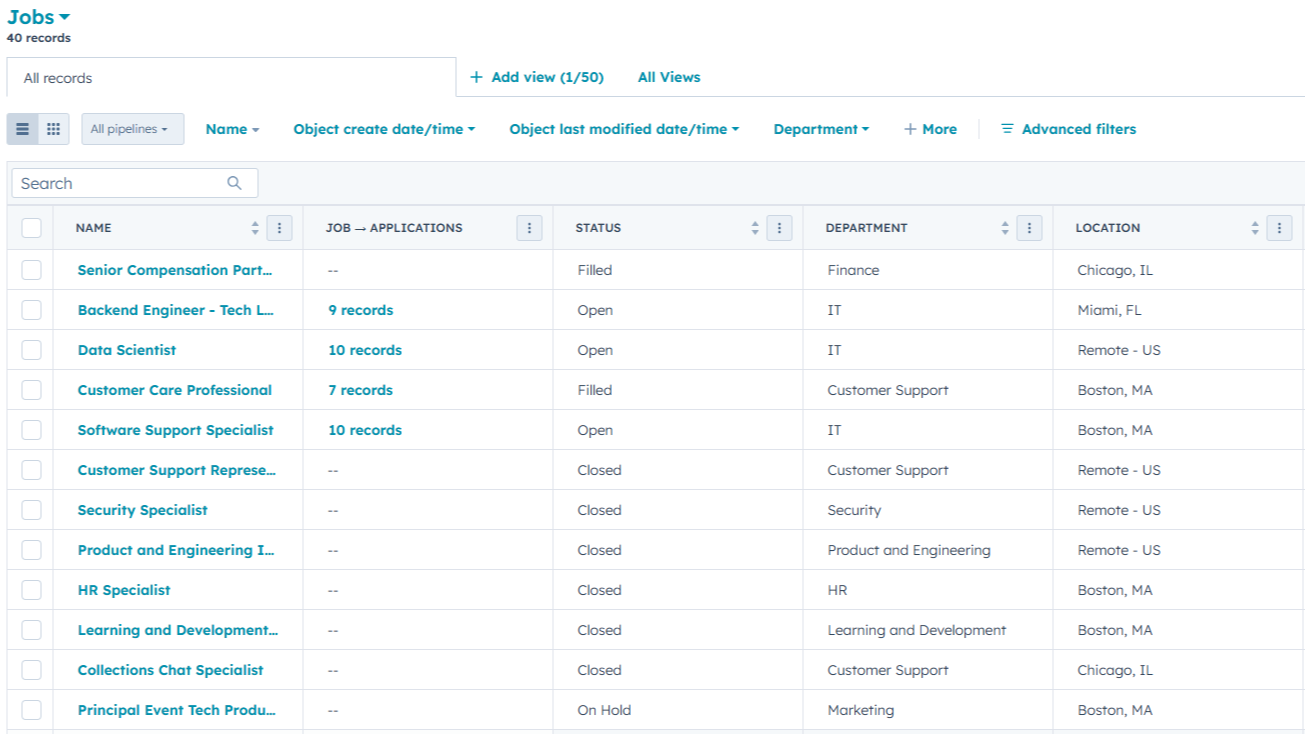
Job Records
Job records contain detail about the position you are hiring for. Such as the department, employment type, salary information, and more. An overview area in the middle also displays aggregate information about associated applications, with all of the applications and any associated office available to view on the right-hand side of the page.
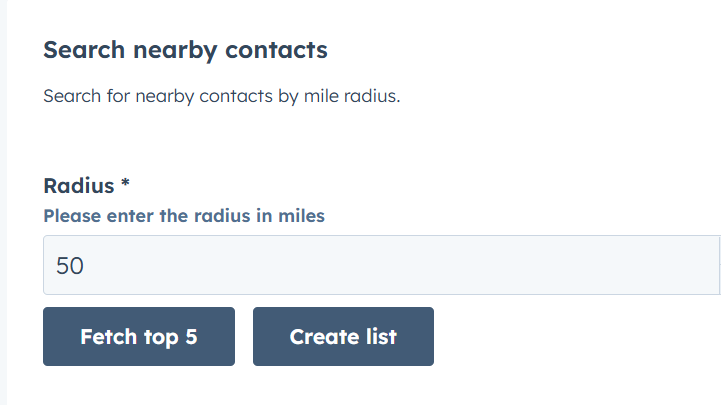
Office Proximity Search
From the middle panel of an office record you can begin a proximity search. The search uses the default location fields on the office, in combination with location data that exists on contacts, to create a list of contacts within a certain distance of an office location.
-1.png)
Scorecards
Scorecards allow you to automate one of the most painful parts of the hiring process: gathering feedback from interviewers. For interviewers, it couldn't be easier to prep, take notes, and leave your rating on a candidate - all from within your assigned scorecard.
-1.png)
Interview Scheduling
Schedule interviews right from within HubSpot. All your hiring team needs is a calendar connection with HubSpot, and then you are off to races coordinating 1:1 interviews, panel interviews, or anything in-between.
ฟังก์ชันการทำงานแอป
ข้อมูลที่แบ่งปัน
Applications | Ats applications Ats applications | |
Offices | Ats offices Ats offices | |
Jobs | Ats jobs Ats jobs | |
Contacts | ||
CRM Associations | ||
Contact Lists | ||
CMS Templates | ||
Contact Properties | ||
CRM Extensions | ||
CRM Pipelines | ||
Engagements | ||
Forms | ||
Users | ||
Webhooks | ||
Owners | ||
Workflows |
Your HubSpot data is never stored outside of your account. Any data we access is processed in memory only on our servers while processing a given workflow action or webhook required for the operation of the app.
The information provided by HubSpot that we retain includes basic account information like your HubSpot Account ID and the contact info for the user who installs our app.
รีวิว
- 15 ม.ค. 2026
Game-changing solution that treats candidates like customers instead of commodities - finally an add-on that gives us everything we need without the bloat!
This has been a great value add for us! Too many staffing companies look at candidates/applicants as commodity and cog in the wheel instead of a customer. Growth Operation's ATS add on to HubSpot allows us the functionality we were missing HubSpot as a makeshift ATS for our staffing company, without losing the great customer focused features of HubSpot. In addition, the GO team is truly invested in this product and it's success. Love having a vendor that actually listens to what want. I can't wait to see HubSpot/Growth Operations win over more and more BullHorn customers!
Simple, clean interface. All of what we need and none of what we don't. I expect to see functionality continue to grow.
Haven't really run into any for our use case.
Alvarez, M.
การกำหนดราคา
Starter
US$135
/เดือน5x Jobs/Month
500x Applications/Month
1x Office Location
Starter
US$135
/เดือน5x Jobs/Month
500x Applications/Month
1x Office Location
* ราคาที่แสดงนี้มีไว้เพื่อแสดงข้อมูลเท่านั้น ราคาทั้งหมดยังไม่รวมภาษี สิทธิพิเศษ ส่วนลด หรือตัวแปรราคาอื่นๆ คุณควรติดต่อพาร์ทเนอร์เพื่อรับข้อมูลราคาล่าสุดและถูกต้องที่สุด HubSpot จะไม่รับผิดชอบใดๆ ต่อข้อมูลราคานี้ซึ่งจัดทำโดยพาร์ทเนอร์ของเรา การกำหนดราคาอัปเดตล่าสุด: 26/06/2026
ข้อมูลเพิ่มเติม
สร้างโดย - Growth Operations
ติดตั้ง - 50+ การติดตั้ง
หมวดหมู่ ภาษาที่แอปนี้สามารถใช้ได้ อังกฤษ