Freshdesk
Data Sync - Sync Freshdesk and HubSpot data
Anforderungen
HubSpot-Produktversion Funktioniert mit allen HubSpot-Produktversionen Mehr erfahren HubSpot-Account-Berechtigungen Keine Berechtigungen erforderlich Freshdesk-Abonnement - Produktversion: Review Freshdesk's Pricing Page
Übersicht
1/2
Sync Freshdesk contacts & tickets without manual data entry or messy, time-consuming imports.
Here’s what you get with Data Sync by HubSpot:
- Two-way sync: Data is shared between Freshdesk and HubSpot in real time
- Default field mappings: Set-up is quick with out-of-the-box field mappings already created for you
- Historical syncing: Your existing data will sync right away, and updates will sync as they happen
Funktionen
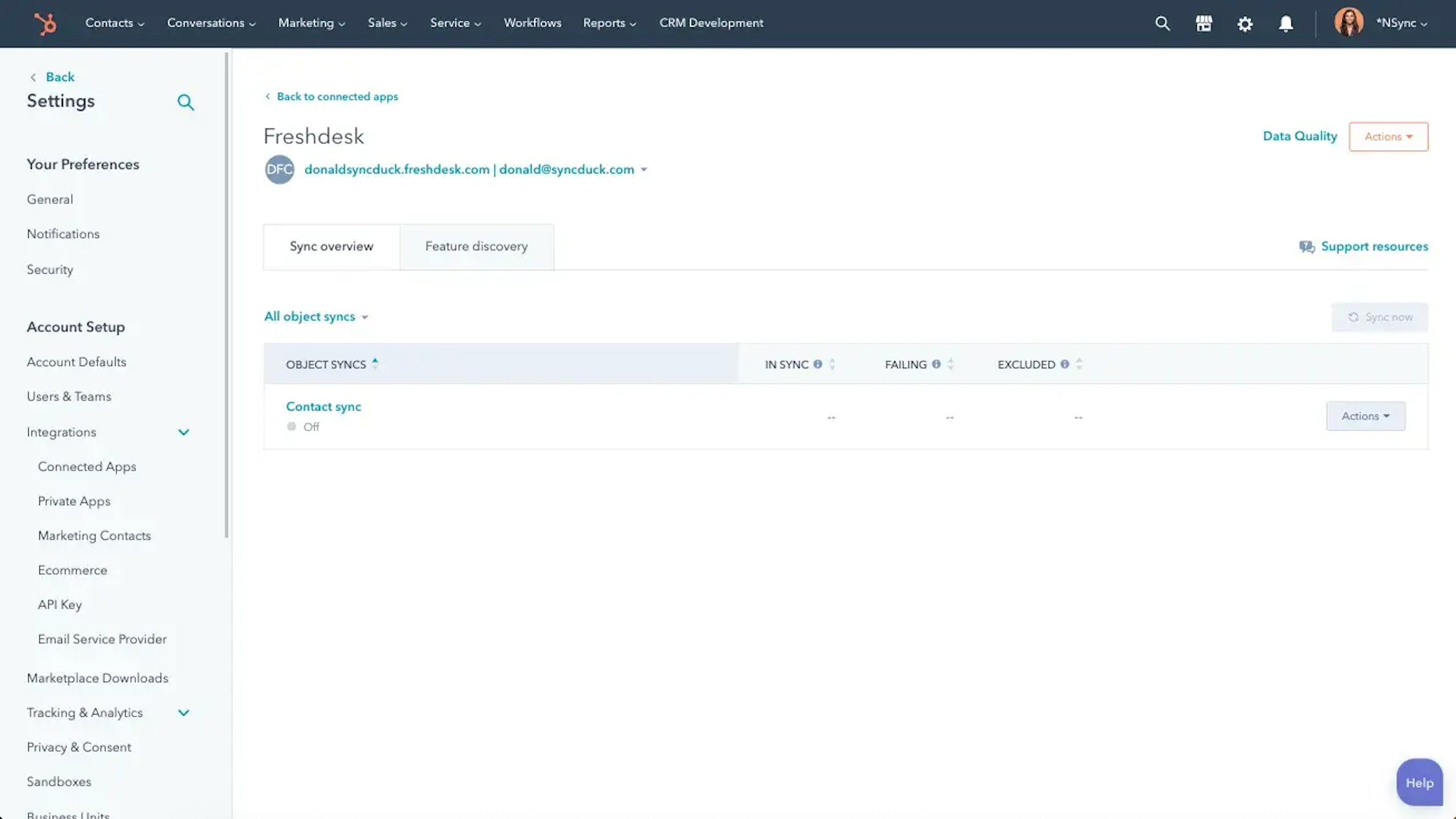
Sync Freshdesk and HubSpot data
Make manual data entry a thing of the past by syncing companies, contacts & tickets between HubSpot and Freshdesk. When records are created or updated in either app, that information will be automatically shared with the other one.
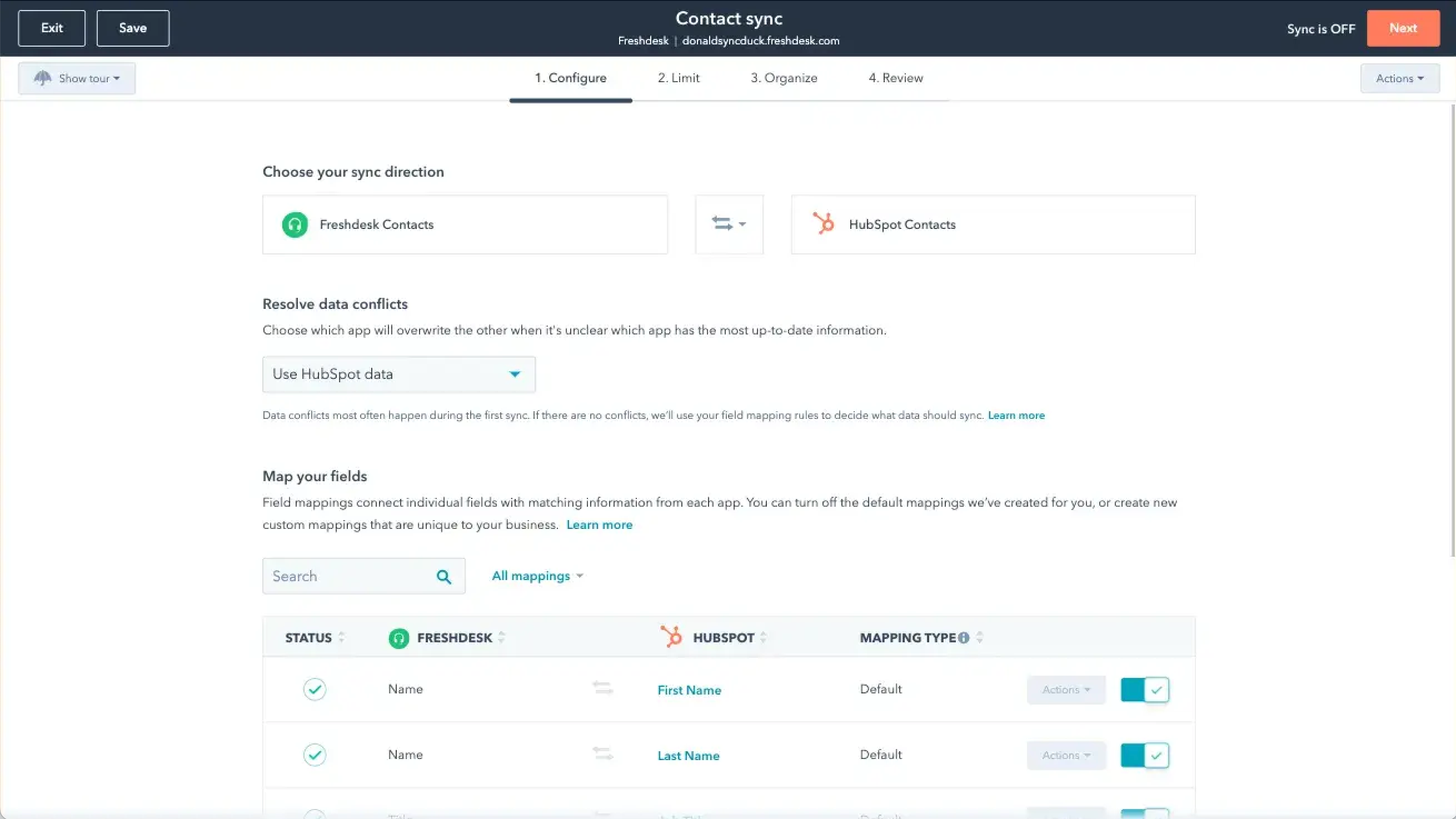
Custom field mappings
Custom field mappings are available with Data Hub Starter or Professional plans. Custom mappings add the flexibility to create your own mappings or make changes to your default ones.
App-Funktionalität
Datenaustausch
Each object has field mappings that connect matching information from each app. Default mappings are listed below. If you want to change these default mappings or create your own, custom field mappings are available with Data Hub Starter and up.
Companies | ||
Contacts | ||
Tickets |
Rezensionen
1,6
7
1,6
7
- 2. Okt. 2025
Funktioniert nahtlos, sobald es konfiguriert ist, aber achten Sie auf Benachrichtigungsspam während der Synchronisierung
Funktioniert wirklich gut, muss aber etwas eingestellt werden, um richtig zu funktionieren.
- Ermöglicht die Synchronisierung nicht nur neuer Tickets, sondern auch der gesamten Historie - Hervorragende API-Verfolgung - sehr einfach zu erkennen, wo ein Import fehlschlägt - Funktioniert nahtlos - Ziemlich einfach einzurichten.
- Sendet jedes Mal eine Nachricht, wenn ein Ticket erstellt wird, so dass ich nach der Synchronisierung über 20.000 Nachrichten hatte. Um dies zu vermeiden, gehen Sie zu Einstellungen → Benachrichtigungen → Tickets und deaktivieren Sie alles außer "Sie werden in einem Ticketdatensatz erwähnt". - Kann nicht mit Angeboten synchronisiert werden, aber sie können manuell hinzugefügt werden.
KUZNETSOV, C.
- 3. Apr. 2025
Der Integration fehlt es an wesentlichen Funktionen
Die Integration übernimmt nur die ursprüngliche Beschreibung des Freshdesk-Tickets, nicht aber die Antworten unserer Supportmitarbeiter oder des Kunden. Es handelt sich also nicht um eine echte Integration, sondern nur um eine einmalige Datenkopie, die wertlos ist, wenn nicht alle Informationen für das Ticket synchronisiert werden.
Sie kopiert die ursprüngliche Ticketbeschreibung.
Alles andere nach der ursprünglichen Beschreibung kopieren.
Hinton, P.
Review Freshdesk's Pricing Page
0 $
Use the 'See all pricing options' link on the righthand side
Make sure to confirm the HubSpot subscription and the Freshdesk subscription needed to install this integration
Note: "Free" is referring to the cost of the integration, not the app subscriptions
Review Freshdesk's Pricing Page
0 $
Use the 'See all pricing options' link on the righthand side
Make sure to confirm the HubSpot subscription and the Freshdesk subscription needed to install this integration
Note: "Free" is referring to the cost of the integration, not the app subscriptions
* Die hier angegebenen Preise dienen nur zu Illustrationszwecken. Alle Preise enthalten keine Steuern, Sonderangebote, Rabatte oder sonstigen Preisvarianten. Bitte wenden Sie sich direkt an den Partner, um aktuelle und korrekte Preisinformationen zu erhalten. HubSpot übernimmt keine Verantwortung für Preisinformationen, die von unseren Partnern bereitgestellt werden. Letzte Aktualisierung der Preisinformationen: 11.10.2025
Weitere Infos
Neuzugänge