

Woodpecker
Anforderungen
HubSpot-Produktversion HubSpot-Account-Berechtigungen Keine Berechtigungen erforderlich Zugriffstyp Geteilt Woodpecker-Abonnement - Produktversion: Review Woodpecker's Pricing Page
Übersicht
1/2
Sync data between Woodpecker and HubSpot without manual data entry or messy, time-consuming imports.
Here’s what you get with Data Sync by HubSpot:
- Two-way sync: Data is shared between Woodpecker and HubSpot in real time
- Default field mappings: Set-up is quick with out-of-the-box field mappings already created for you
- Historical syncing: Your existing data will sync right away, and updates will sync as they happen
Funktionen
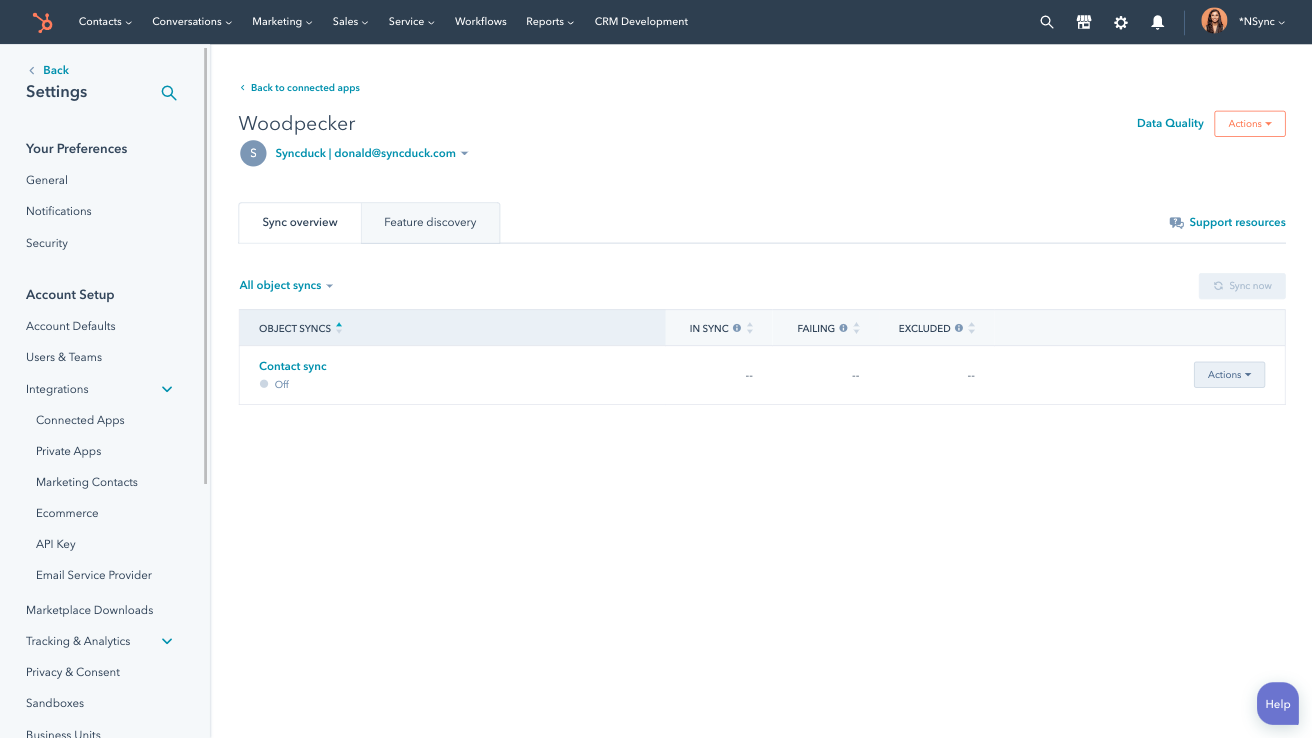
Sync Woodpecker and HubSpot data
Make manual data entry a thing of the past by syncing contacts between HubSpot and Woodpecker. When records are created or updated in either app, that information will be automatically shared with the other one.
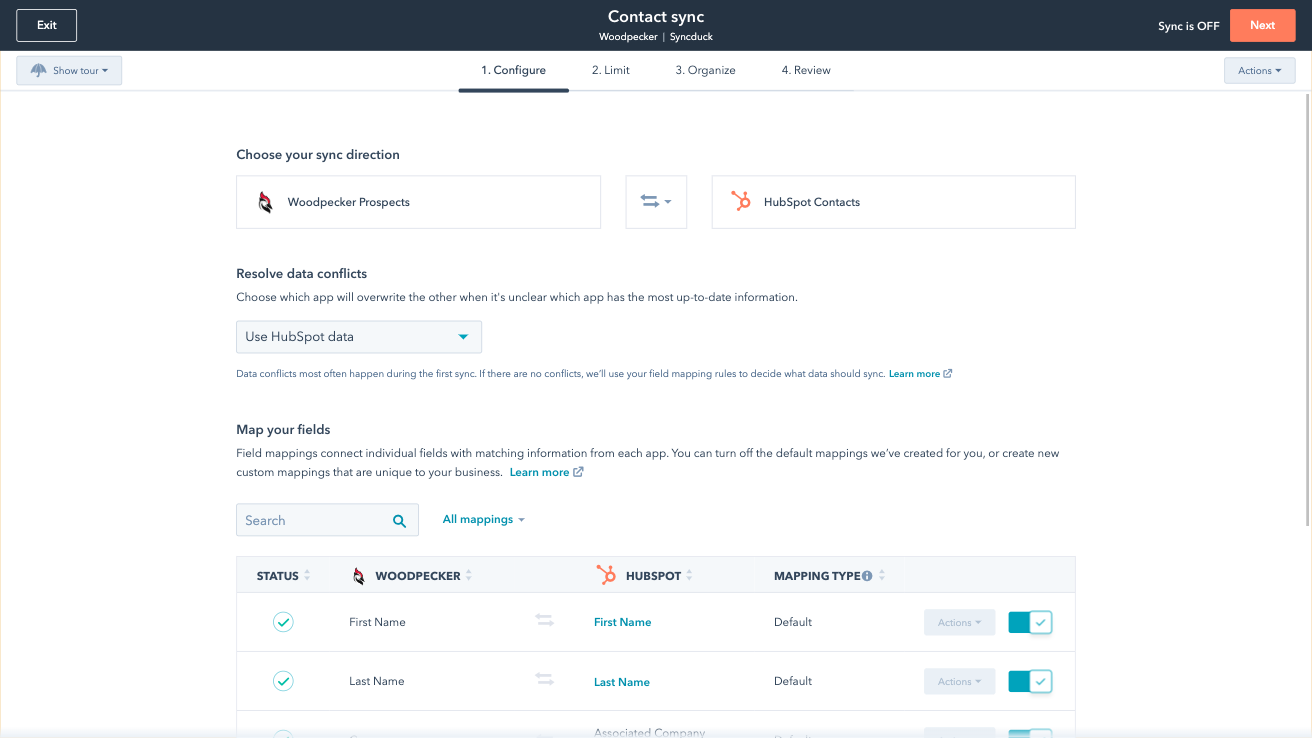
Custom field mappings
Custom field mappings are available with Data Hub Starter or Professional plans. Custom mappings add the flexibility to create your own mappings or make changes to your default ones.
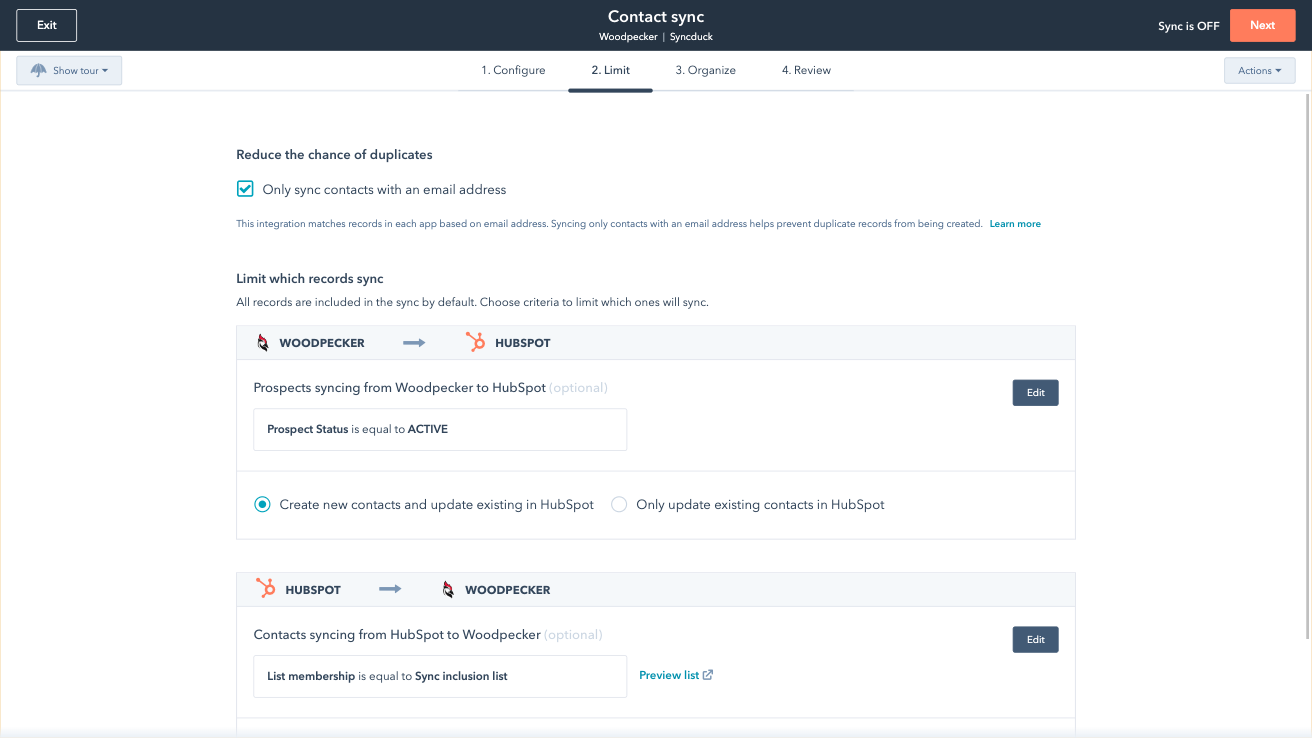
Sync only the data you want
You’re in control of your data. You can set up a one- or two-way sync, which means you can either sync data from only one app to the other or back-and-forth between both apps. You can also add a filter for any Woodpecker field (like interest level or status) or HubSpot list to sync exactly what you want—and nothing you don’t.

Default field mappings
Field mappings connect matching information in each app—and we’ve already created them for you. Our out-of-the-box default field mappings make set-up quick and keep your data clean and organized. Plus, there are no surprises: You can see exactly which fields come already mapped in the “Shared data” section below.
App-Funktionalität
Datenaustausch
Each object has field mappings that connect matching information from each app. Default mappings are listed below. If you want to change these default mappings or create your own, custom field mappings are available with Data Hub Starter and up.
Prospects |
Rezensionen
3,0
10
3,0
10
- 2. Sep. 2025
Integration von Woodpecker in HubSpot
Die Integration ist in Ordnung. Sie ist nicht die ideale Lösung, um Updates von Woodpecker zu HubSpot zu übertragen. Diese Integrationsebene erfordert die Arbeit über einen Drittanbieter wie Zapier. Im Vergleich zu anderen Integrationen ist diese in Ordnung. Nichts Besonderes und nicht besonders hilfreich.
Eigentlich nicht. Es schiebt einige Kontakte von HubSpot zu Woodpecker, aber sie müssen immer noch manuell bearbeitet werden, um einen echten Nutzen daraus zu ziehen.
Sie müssen Ihre eigene Integration vornehmen, um Click-Throughs, Öffnungen usw. zu sehen. Die wirklich wertvollen Daten, auf die Sie bei HubSpot zurückgreifen würden, wenn Sie sie hätten, sind mit dieser Integration nicht nativ verfügbar.
Wilson, M.
- 23. Juli 2025
Pesta, K.
Review Woodpecker's Pricing Page
0 $
Use the 'See all pricing options' link on the righthand side
Make sure to confirm the HubSpot subscription and Woodpecker subscription needed to install this integration
Note: "Free" is referring to the cost of the integration, not the app subscriptions
Review Woodpecker's Pricing Page
0 $
Use the 'See all pricing options' link on the righthand side
Make sure to confirm the HubSpot subscription and Woodpecker subscription needed to install this integration
Note: "Free" is referring to the cost of the integration, not the app subscriptions
* Die hier angegebenen Preise dienen nur zu Illustrationszwecken. Alle Preise enthalten keine Steuern, Sonderangebote, Rabatte oder sonstigen Preisvarianten. Bitte wenden Sie sich direkt an den Partner, um aktuelle und korrekte Preisinformationen zu erhalten. HubSpot übernimmt keine Verantwortung für Preisinformationen, die von unseren Partnern bereitgestellt werden. Letzte Aktualisierung der Preisinformationen: 03.09.2025
Weitere Infos
Erstellt von - HubSpot
Installationen - 800+ Installationen
Kategorien Sprachen, in denen diese App verfügbar ist Englisch