
要求
HubSpot 版本 HubSpot 帳戶權限 無需權限 存取權類型 已分享 Woodpecker 訂閱 - Review Woodpecker's Pricing Page 版本
總覽
1/2
Sync data between Woodpecker and HubSpot without manual data entry or messy, time-consuming imports.
Here’s what you get with Data Sync by HubSpot:
- Two-way sync: Data is shared between Woodpecker and HubSpot in real time
- Default field mappings: Set-up is quick with out-of-the-box field mappings already created for you
- Historical syncing: Your existing data will sync right away, and updates will sync as they happen
功能
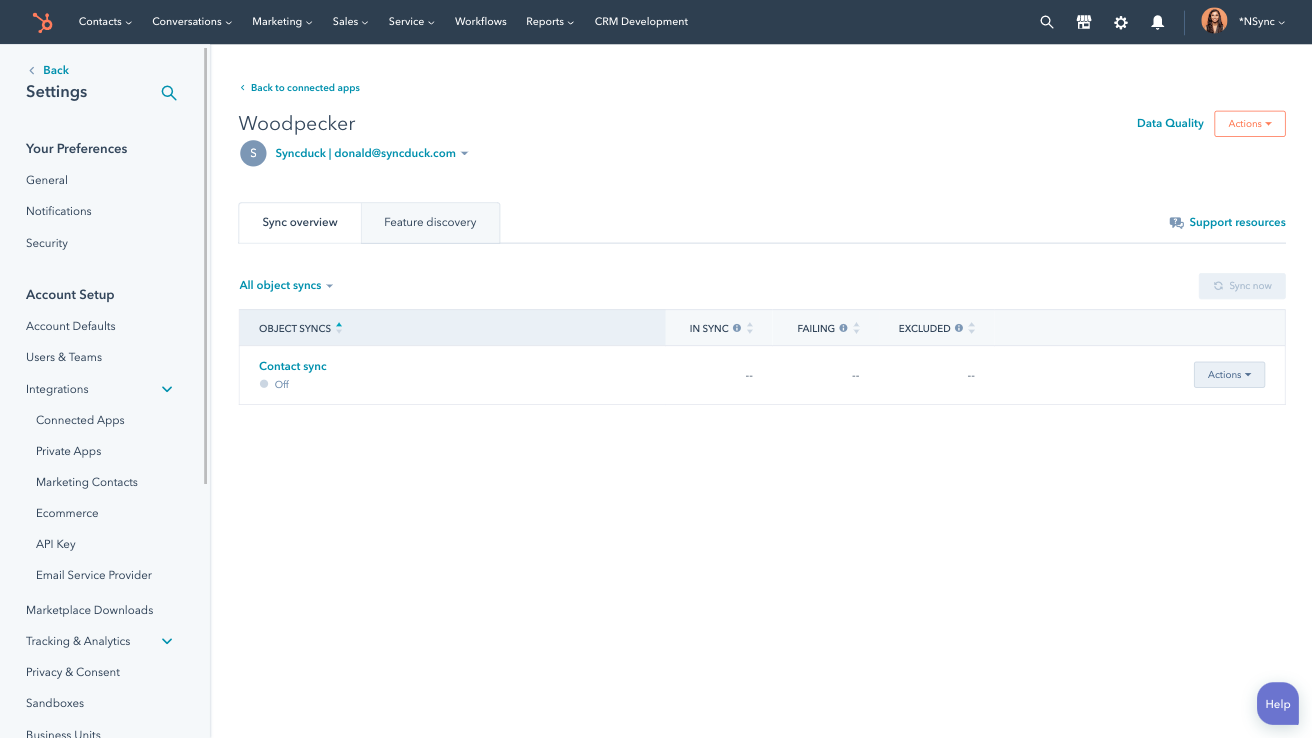
Sync Woodpecker and HubSpot data
Make manual data entry a thing of the past by syncing contacts between HubSpot and Woodpecker. When records are created or updated in either app, that information will be automatically shared with the other one.
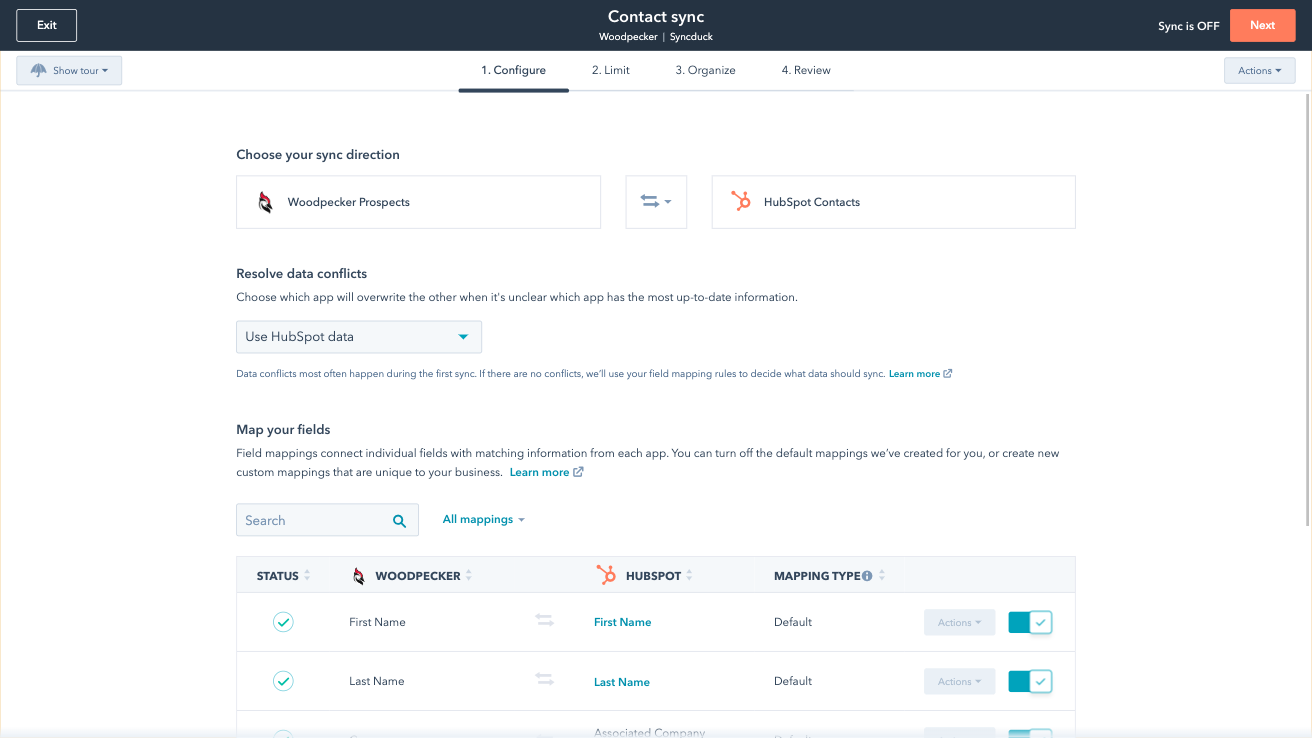
Custom field mappings
Custom field mappings are available with Data Hub Starter or Professional plans. Custom mappings add the flexibility to create your own mappings or make changes to your default ones.
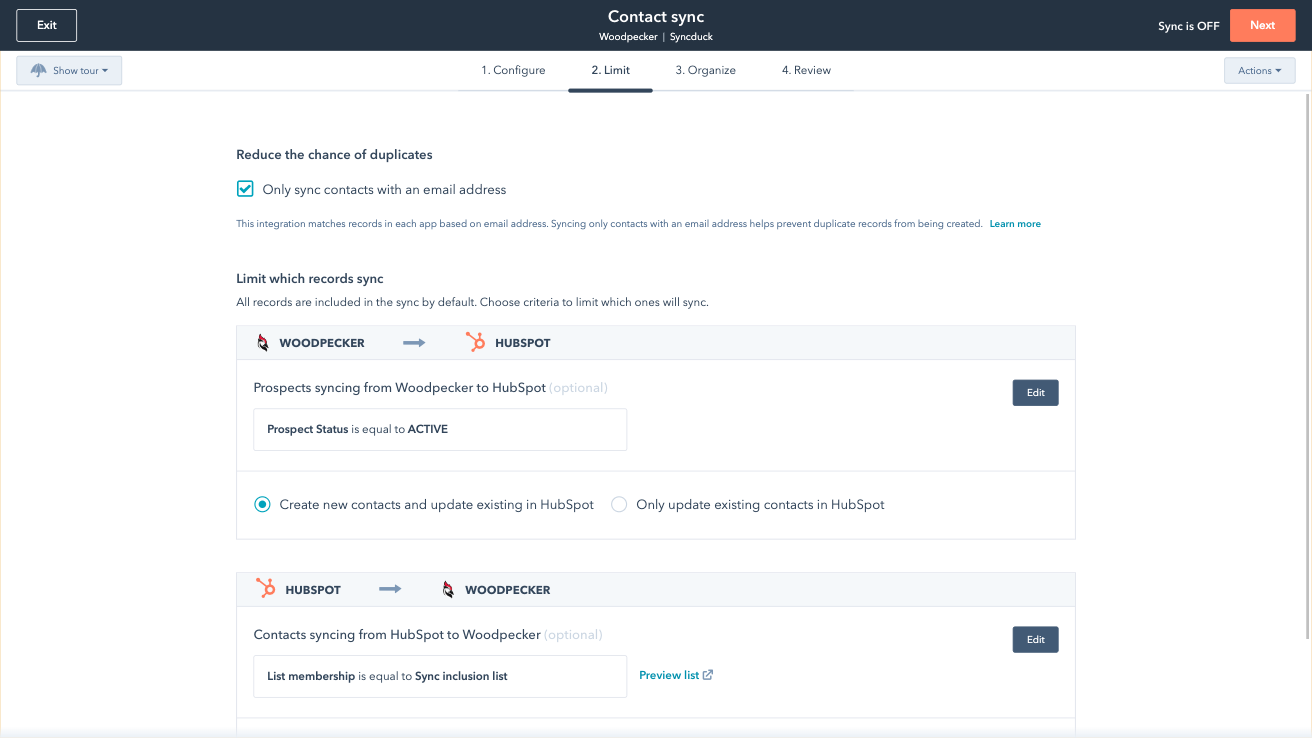
Sync only the data you want
You’re in control of your data. You can set up a one- or two-way sync, which means you can either sync data from only one app to the other or back-and-forth between both apps. You can also add a filter for any Woodpecker field (like interest level or status) or HubSpot list to sync exactly what you want—and nothing you don’t.

Default field mappings
Field mappings connect matching information in each app—and we’ve already created them for you. Our out-of-the-box default field mappings make set-up quick and keep your data clean and organized. Plus, there are no surprises: You can see exactly which fields come already mapped in the “Shared data” section below.
應用程式功能
共用資料
Each object has field mappings that connect matching information from each app. Default mappings are listed below. If you want to change these default mappings or create your own, custom field mappings are available with Data Hub Starter and up.
 Prospects |
評論
3.0
10
3.0
10
- 2025年9月2日
啄木鸟与 HubSpot 的集成
这是一个还不错的集成。它不是将更新从 Woodpecker 推送到 HubSpot 的理想解决方案。这种程度的整合需要通过第三方(如 Zapier)来完成。与其他集成相比,这个集成还不错。没有什么特别之处,也没有什么帮助。
其实没有。 它将一些联系人从 HubSpot 推送到 Woodpecker,但仍需手动处理,才能从中获得真正的价值。
必须自己进行整合才能看到点击、打开等信息。HubSpot 中真正有价值的信息(如果有的话)并不能通过这种集成直接获取。
Wilson, M.
- 2025年7月23日
Pesta, K.
價格
Review Woodpecker's Pricing Page
US$0
Use the 'See all pricing options' link on the righthand side
Make sure to confirm the HubSpot subscription and Woodpecker subscription needed to install this integration
Note: "Free" is referring to the cost of the integration, not the app subscriptions
Review Woodpecker's Pricing Page
US$0
Use the 'See all pricing options' link on the righthand side
Make sure to confirm the HubSpot subscription and Woodpecker subscription needed to install this integration
Note: "Free" is referring to the cost of the integration, not the app subscriptions
* 此處顯示的價格僅供參考。所有價格均不包含稅金、獎勵、折扣或其他價格變數。如需最新的正確價格資訊,請連絡合作夥伴。HubSpot 對合作夥伴所提供的價格資訊不承擔任何責任。上次更新價格時間:2025/09/03
Most popular

Gmail
Bring HubSpot to your inbox with the HubSpot integration for Gmail.

Google Calendar
Book meetings quickly and easily with HubSpot and Google Calendar.
