

Woodpecker
必要な条件
HubSpotエディション HubSpotアカウント権限 権限は不要です アクセス権のタイプ 共有 Woodpeckerの契約内容 - プラン:Review Woodpecker's Pricing Page
概要
1/2
Sync data between Woodpecker and HubSpot without manual data entry or messy, time-consuming imports.
Here’s what you get with Data Sync by HubSpot:
- Two-way sync: Data is shared between Woodpecker and HubSpot in real time
- Default field mappings: Set-up is quick with out-of-the-box field mappings already created for you
- Historical syncing: Your existing data will sync right away, and updates will sync as they happen
機能
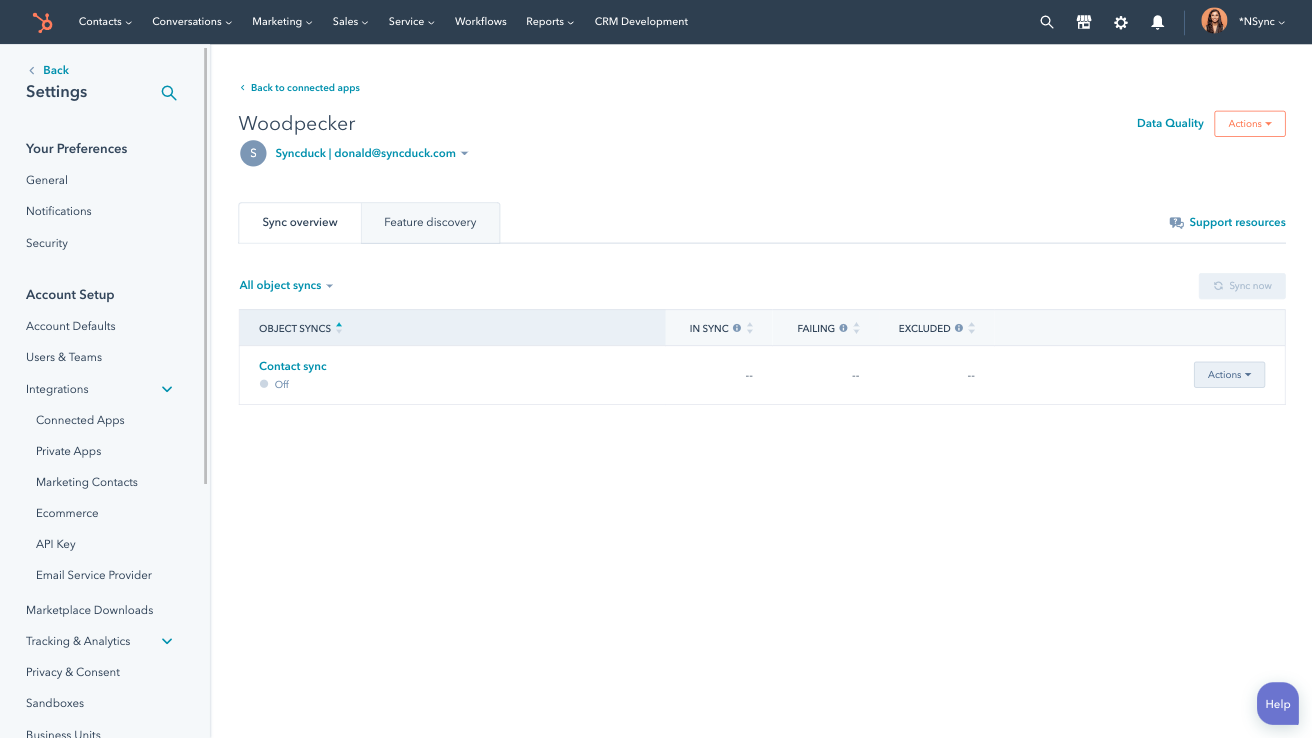
Sync Woodpecker and HubSpot data
Make manual data entry a thing of the past by syncing contacts between HubSpot and Woodpecker. When records are created or updated in either app, that information will be automatically shared with the other one.
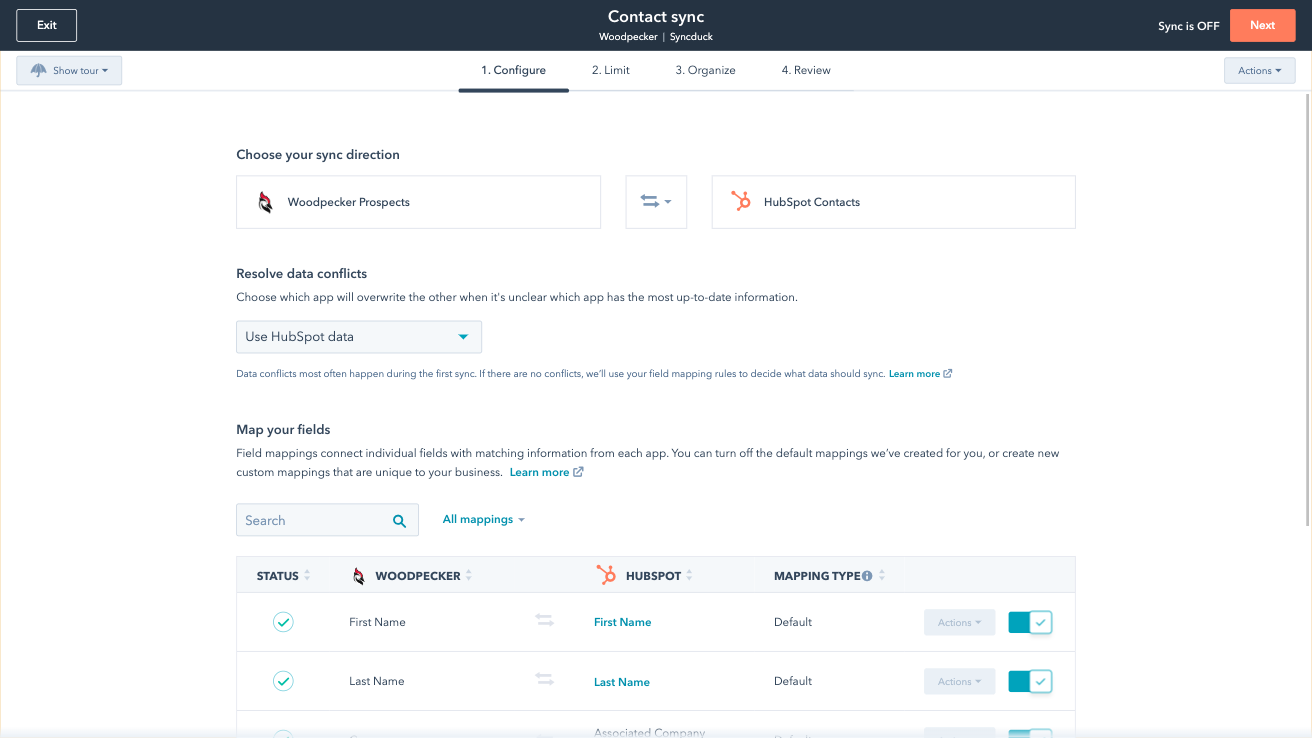
Custom field mappings
Custom field mappings are available with Data Hub Starter or Professional plans. Custom mappings add the flexibility to create your own mappings or make changes to your default ones.
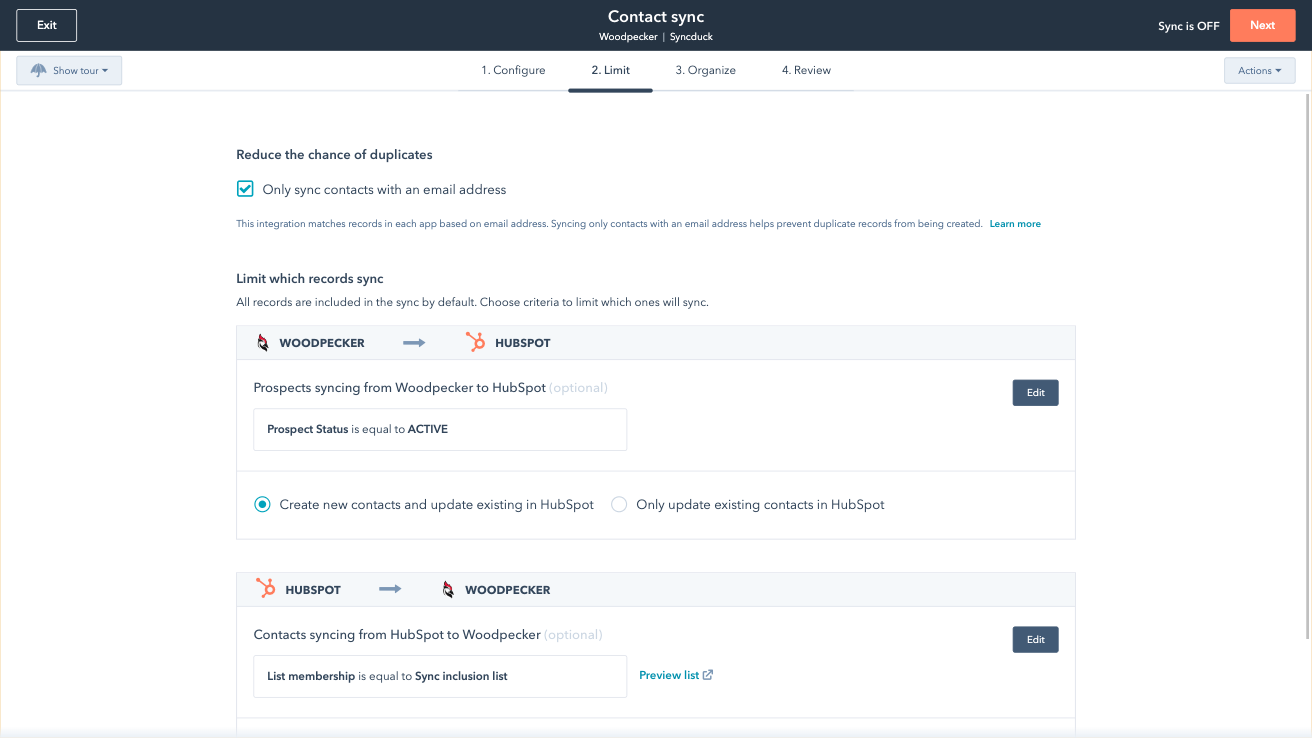
Sync only the data you want
You’re in control of your data. You can set up a one- or two-way sync, which means you can either sync data from only one app to the other or back-and-forth between both apps. You can also add a filter for any Woodpecker field (like interest level or status) or HubSpot list to sync exactly what you want—and nothing you don’t.

Default field mappings
Field mappings connect matching information in each app—and we’ve already created them for you. Our out-of-the-box default field mappings make set-up quick and keep your data clean and organized. Plus, there are no surprises: You can see exactly which fields come already mapped in the “Shared data” section below.
アプリ機能
共有されるデータ
Each object has field mappings that connect matching information from each app. Default mappings are listed below. If you want to change these default mappings or create your own, custom field mappings are available with Data Hub Starter and up.
Prospects |
確認
3.0
10
3.0
10
- 2025年9月2日
WoodpeckerとHubSpotの統合
まあまあの統合です。WoodpeckerからHubSpotにアップデートをプッシュする理想的なソリューションではありません。そのレベルの統合には、Zapierのようなサードパーティを介する必要があります。他の統合と比べると、これはまあまあです。特別なものではなく、役に立つものでもありません。
特にありません。 一部のコンタクトをHubSpotからWoodpeckerにプッシュしますが、そこから本当の価値を得るには、まだ手作業で対処する必要があります。
クリック数や開封数などを見るには、独自に統合する必要があります。HubSpotがあれば行動できるような本当に価値のあるものは、この統合ではネイティブには利用できません。
Wilson, M.
- 2025年7月23日
Pesta, K.
価格
Review Woodpecker's Pricing Page
$0
Use the 'See all pricing options' link on the righthand side
Make sure to confirm the HubSpot subscription and Woodpecker subscription needed to install this integration
Note: "Free" is referring to the cost of the integration, not the app subscriptions
Review Woodpecker's Pricing Page
$0
Use the 'See all pricing options' link on the righthand side
Make sure to confirm the HubSpot subscription and Woodpecker subscription needed to install this integration
Note: "Free" is referring to the cost of the integration, not the app subscriptions
* こちらの価格は参考表示価格です。どの価格にも税、インセンティブ、値引など、価格に関する変動要素は含まれていません。価格に関する正確な最新情報については、この提供元パートナーまでお問い合わせください。HubSpotは、パートナー各社が提供する価格情報について一切の責任を負わないものとします。価格の最終更新:2025/09/03