

Help Desk Migration
Automated HubSpot Service Hub Import and Export
Requirements
HubSpot Plan HubSpot Account permissions - View the required account permissions
Help Desk Migration Subscription - Full data migration plan
Overview
1/9
Use the Help Desk Migration service if you need to
Preserve a complete history of customer support tickets, enabling outstanding support for returning clients.
Seamlessly import data from other help desks to HubSpot Service Hub.
Simplify the data migration process while maintaining data quality and preserving the support workflow.
Tailor data migration to specific business needs with various automated options and customizable support packages.
Select specific objects to migrate, ensuring only the most relevant data is transferred.
Use CSV files for migration when necessary, offering flexibility for custom data handling.
Assign a default agent in HubSpot Service Hub while matching agent profiles accurately.
Features
%20(2).jpeg)
Secured Automated Data Migration
Our HubSpot-certified migration service simplifies transferring your customer service data. With the Migration Wizard, securely route your data to the appropriate locations on your help desk platform, ensuring a smooth and accurate migration either from a help desk or CSV file.
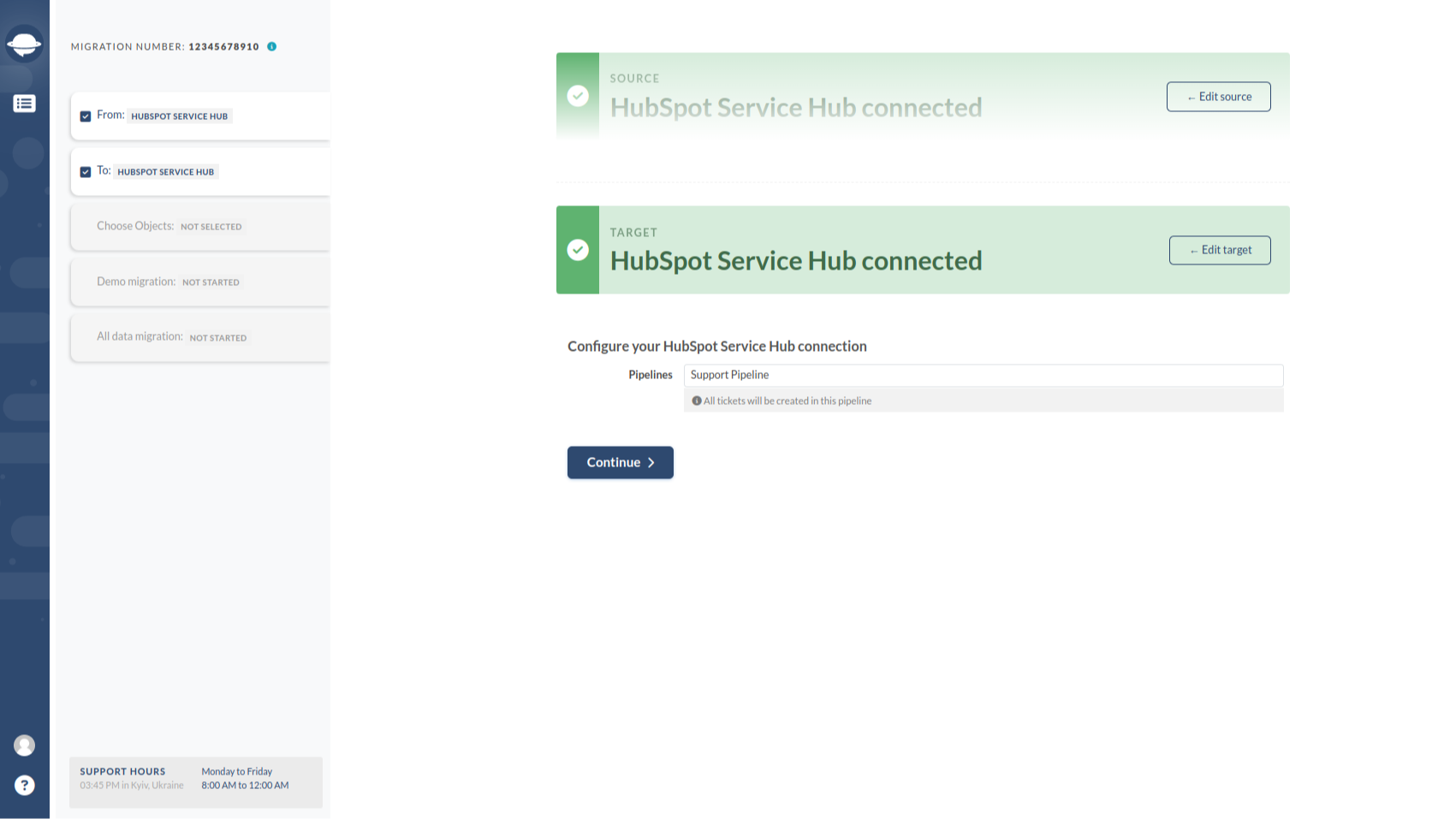
Merge HubSpot Service Hub Accounts
Effortlessly merge data from two different Service Hub accounts into one. Whether you're integrating another company or consolidating support teams, Help Desk Migration offers a fast and efficient solution to unify all your data into a single, cohesive pool.
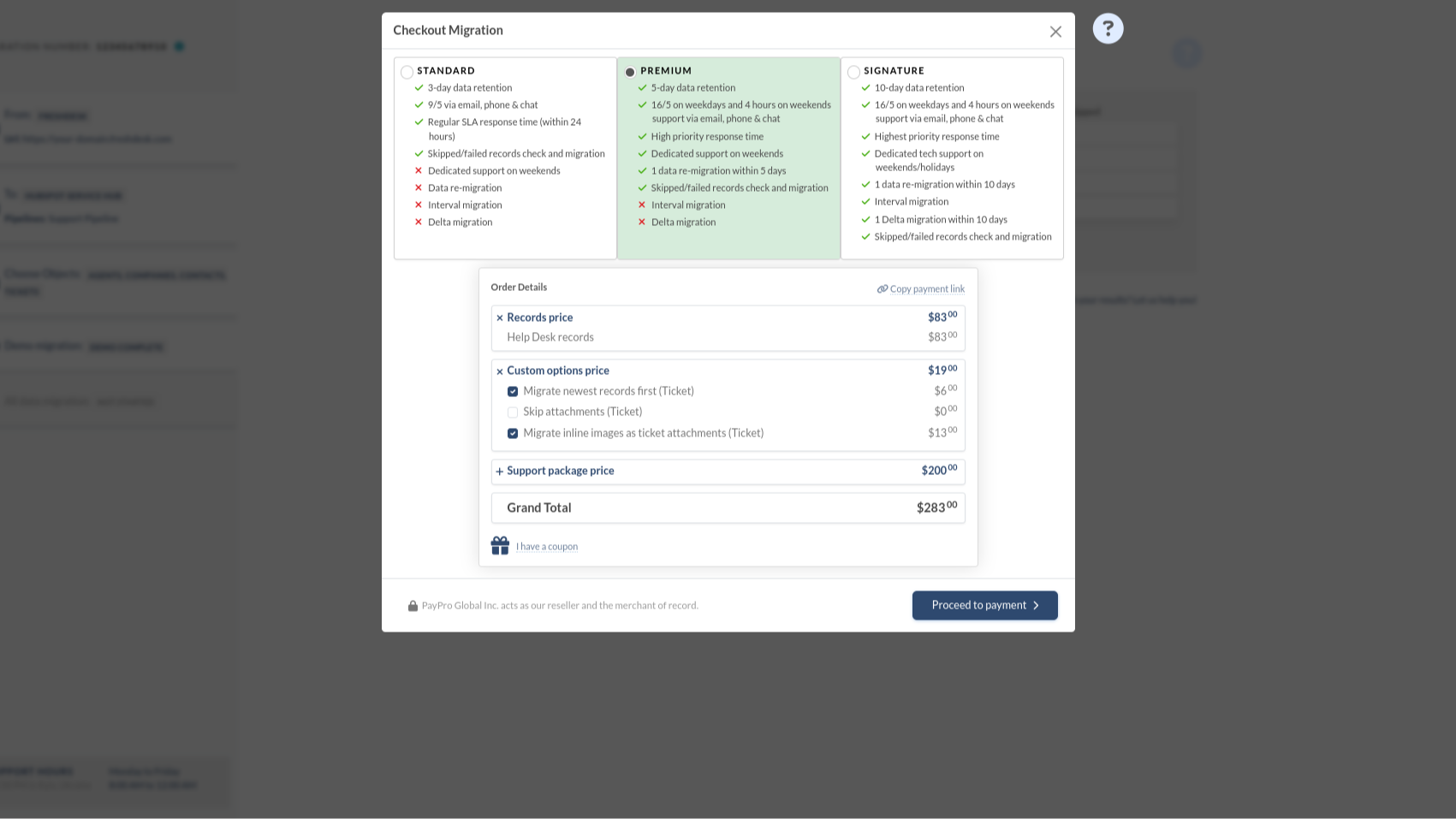
Take the pain out of data migration
Choose a suitable support package to tailor the data migration with additional options. Our packages are designed to enhance your migration experience and ensure it meets your specific requirements.
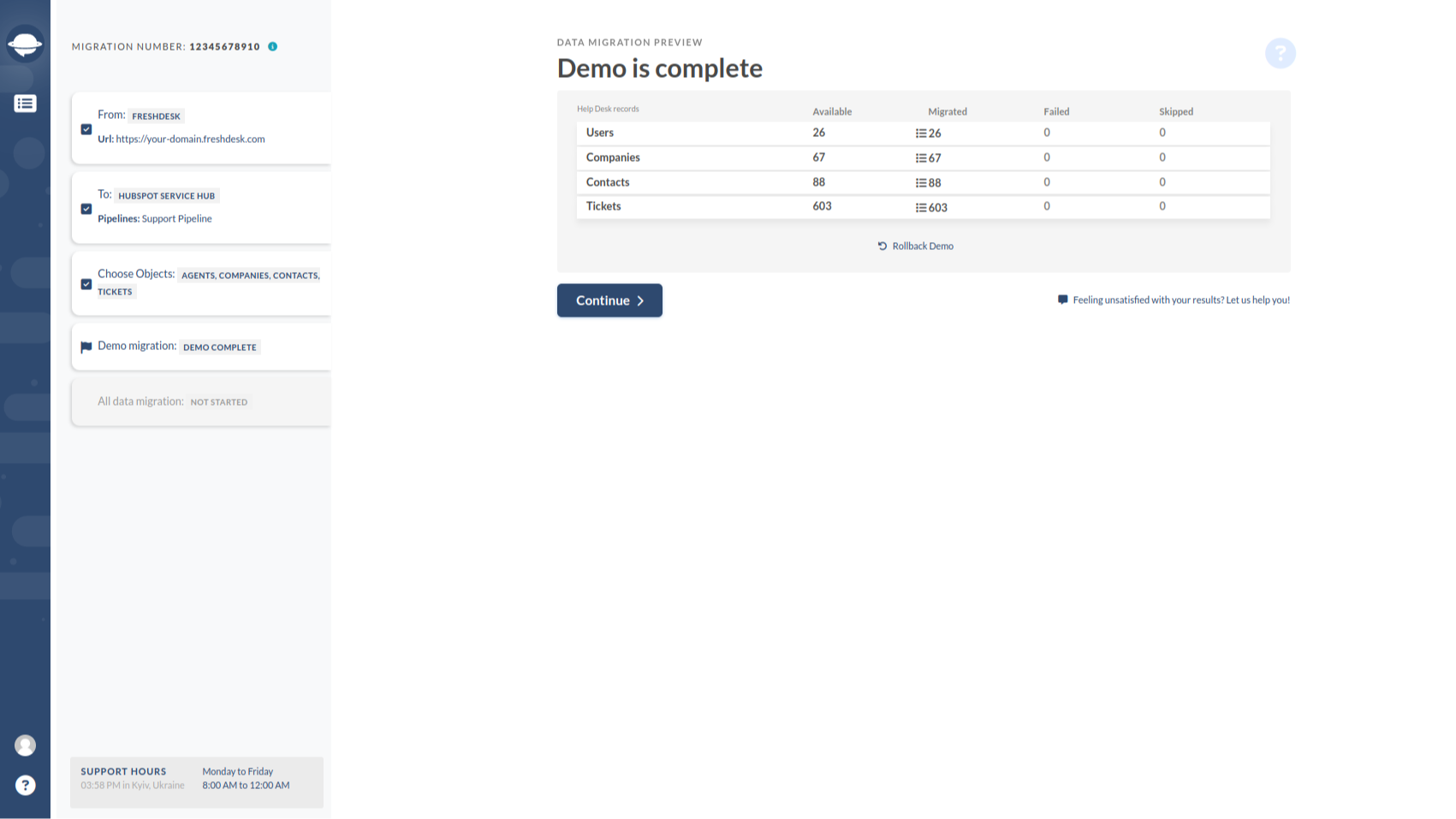
Multiple Trial Demo Migrations
Test the Migration Wizard and how your data is imported in a free Demo. You can re-run the demo as many times as needed to fine-tune the settings for your needs. Custom demos are available upon request.
.jpeg)
Automated or Custom Migration
DIY Migration: The Migration Wizard will guide you through the data transfer, making it easy and user-friendly without extensive technical skills. Custom Migration: Our custom migration options involve a dedicated team collaborating with you to understand your business processes and ensure precise data transfer without disrupting your operations.
App Functionality
Shared Data
Companies | ||
Contacts | ||
Tickets |
Reviews
5.0
36
5.0
36
- Oct 7, 2025
Worked great for our Teamwork Desk to HubSpot migration with easy setup, though conversation history couldn't transfer due to HubSpot API limitations
Worked great for our migration from Teamwork Desk to HubSpot
Easy setup
Ticket 'conversation' can't be migrated to HubSpot - this is a downside of the HubSpot API
Lippens, P., Cognit BV
- Aug 18, 2025
Seamless ticketing system migration with exceptional support and helpful demo features, though minor HubSpot integration quirks exist
If you are looking to make the migration from your old ticketing system to HubSpot a seamless migration, look no further than this tool. The team was super responsive and helpful throughout the entire process. The actual migration could not have gone better.
The ability to do a demo migration and align all mapping before the actual migration The support we received was quick and top tier If you have the budget, I would recommend the top support package with the delta migration. It allowed us to migrate the majority of our tickets and then allow those to go through the setup before closing out our prior system with one final migration.
No major cons to report. The one thing we did notice is the Help Desk in HubSpot vs Tickets did vary a bit with what was brought over. The tickets Object has all of the information, but there is a little bit of a disconnect between tickets and help desk.
Harris, E., Compliancy Group
Pricing
Full data migration
$100
/1000 recordsMigrate all support ticket to HubSpot Service Hub
Price is based on the number of records and additional optionsFull data migration
$100
/1000 recordsMigrate all support ticket to HubSpot Service Hub
Price is based on the number of records and additional options* The pricing here is for display purposes only. All prices do not include taxes, incentives, discounts, or other pricing variables. You should contact the partner for the most up to date and correct pricing information. HubSpot does not take any responsibility for this pricing information, which is provided by our partners. Pricing last updated: 10/09/2025
Most popular


