

Flow Relay
Built by - Flow Relay
Installs - <10 installs
Requirements
HubSpot Plan HubSpot Account permissions - View the required account permissions
Access Type Shared Flow Relay Subscription - Free, Starter, Team, Business, or Enterprise plans
Overview
1/6 - Demo of connecting HubSpot to Flow Relay, binding pipelines and generating a handoff from deal activity
Flow Relay turns the work scattered across your tools into handoffs and insights a teammate can read in five minutes. It connects to the places where work happens – code hosts, issue trackers, chat, monitoring and, with this app, your HubSpot CRM – and synthesizes what changed, what was decided and what is still open into a single artifact, generated on demand or on a schedule.
For HubSpot customers, the app brings deals and tickets into the same picture as engineering activity. Flow Relay pulls a baseline of open deals and tickets and subscribes to their changes: new records, stage moves, amount and close date updates, priority changes and deletions. Each event is scoped to the right project through pipeline filters, and pipeline, stage and owner ids are resolved to their labels, so a handoff can say "Acme renewal moved to Contract sent, owned by Jane Doe" next to the pull request that unblocked it, and a correlation insight can link a spike in support tickets to the deploy that caused it.
Everything is read-only: Flow Relay never creates, edits, assigns or closes anything in HubSpot. CRM data is encrypted at rest, scoped per project and purged on disconnect. Handoffs, insights, digests and release notes are available from the Flow Relay dashboard, the REST API, the MCP server and the VS Code extension.
Features
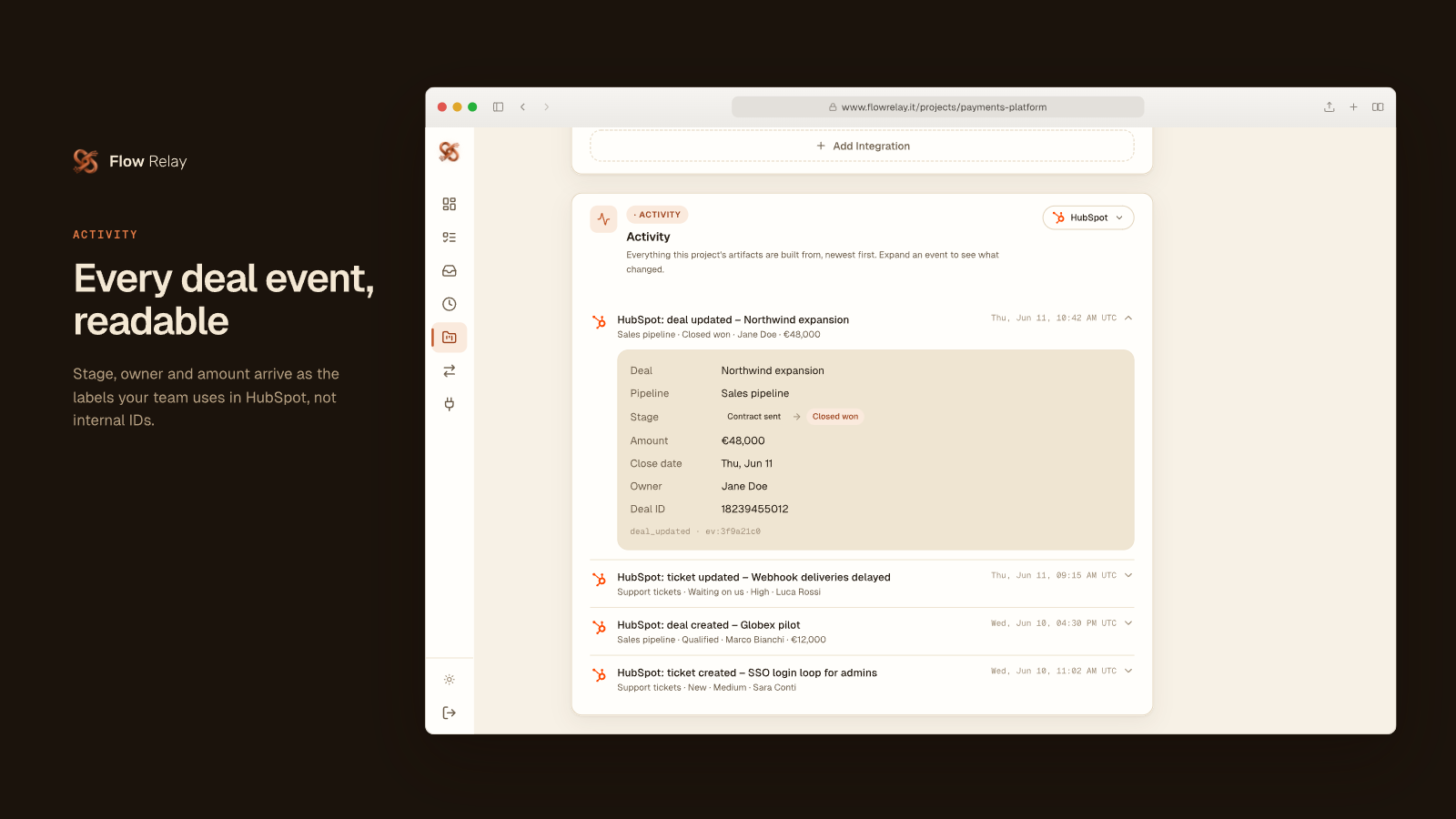
Readable deal and ticket activity
When a deal moves stage or a ticket changes status in HubSpot, Flow Relay logs it in the project it belongs to, with pipeline, stage, owner, amount and priority named as your team names them, never as IDs. Read "Northwind moved to Closed won, Jane Doe, €48,000" next to the engineering work. Read-only: it never edits a record.
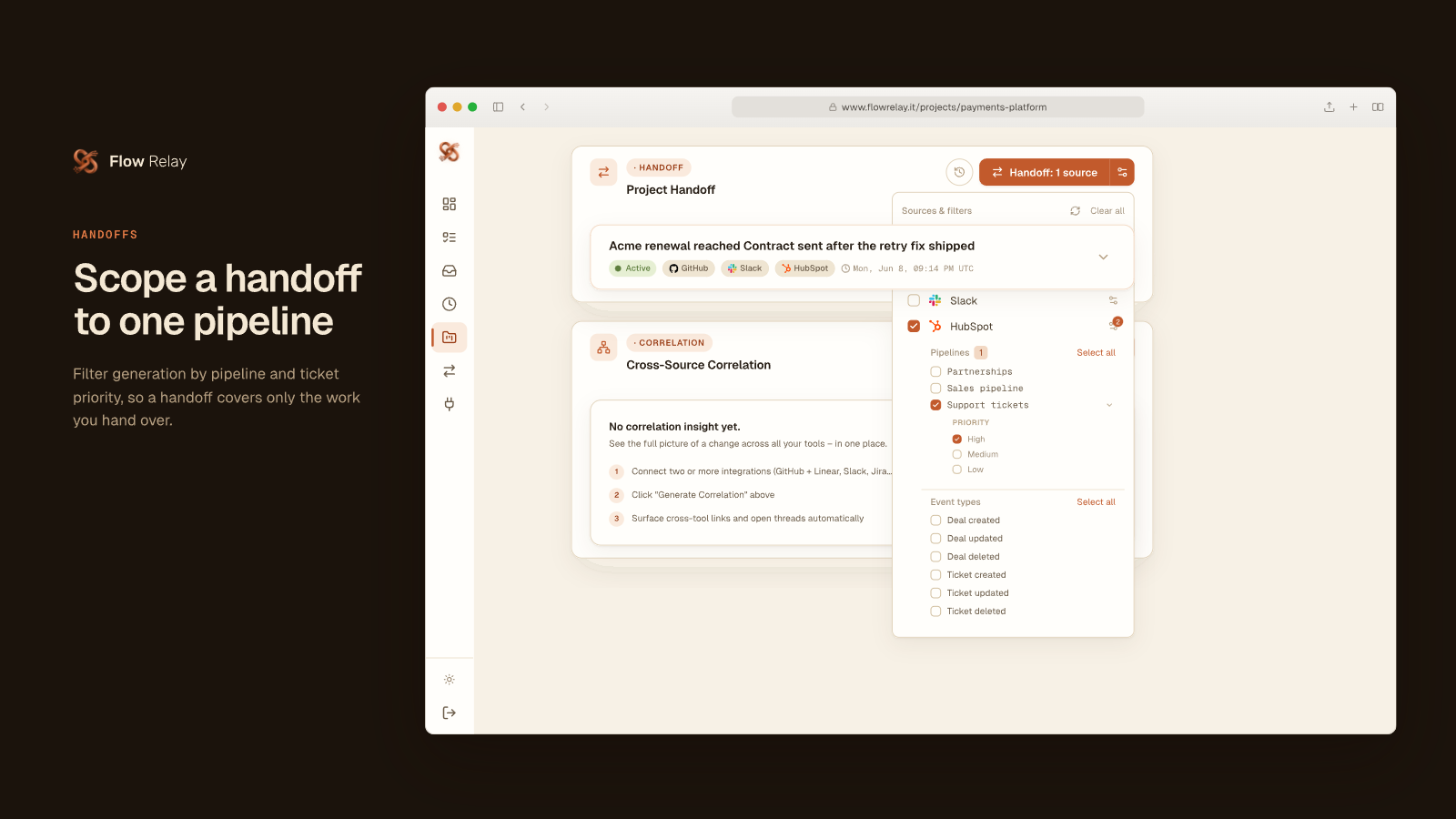
Pipeline-scoped handoffs
Bind only the pipelines a project needs, so partnership deals never land in a payments project. Then narrow a handoff to one pipeline, a deal or ticket priority or specific events: before leaving, a support lead hands over just the high-priority tickets of the Support tickets pipeline in one summary, next to the project's other sources.
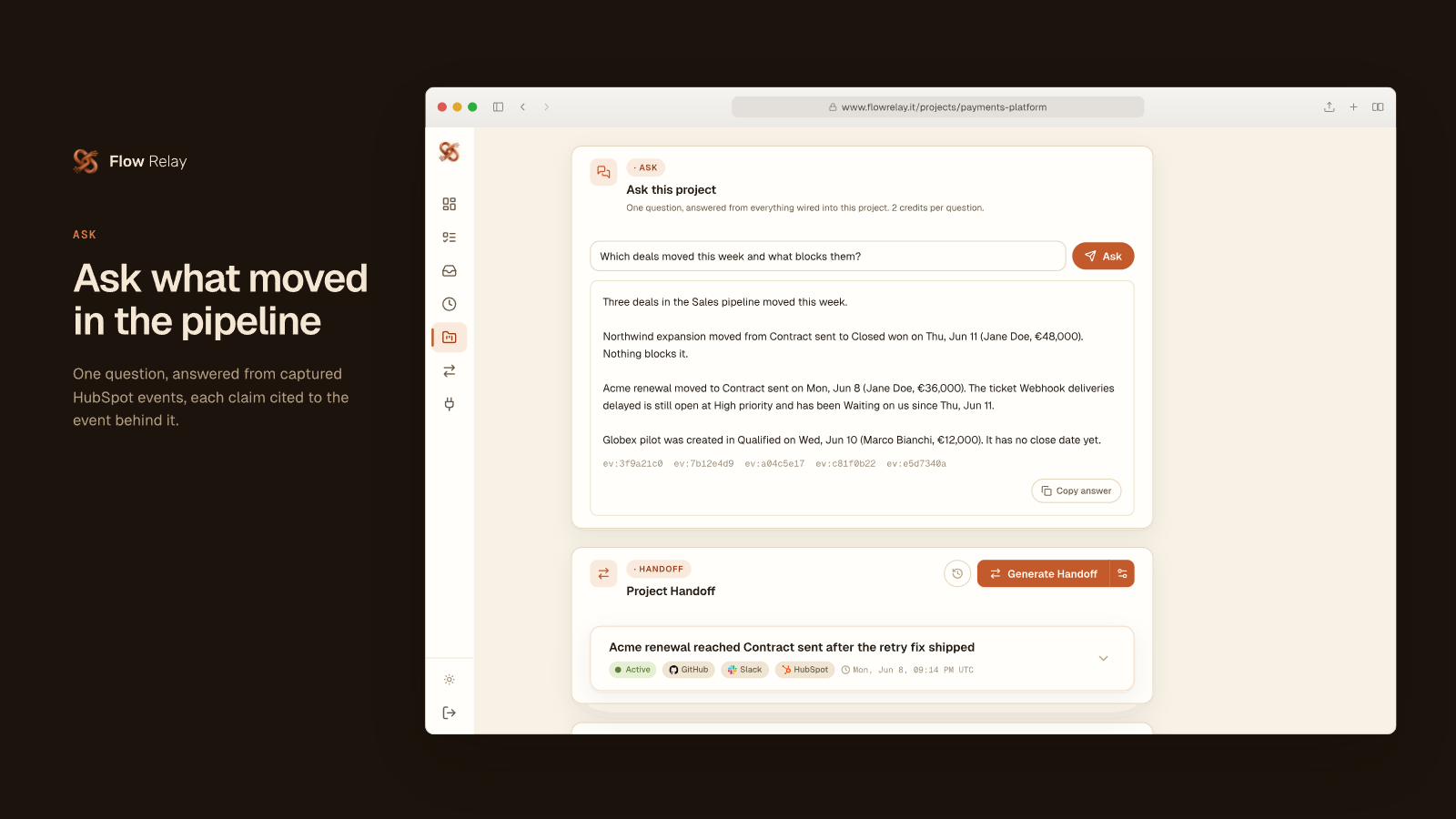
Ask questions about your pipeline
Ask "Which deals moved this week and what blocks them?" and get an answer built from the HubSpot deals and tickets of a project plus your other connected tools. Every claim is cited to its event, so a manager can verify it before the weekly review. Answers arrive in seconds and cost 2 credits per question on every plan.
App Functionality
Shared Data
Deals | ||
Tickets | ||
Owners |
Flow Relay reads three HubSpot objects, all one way from HubSpot into Flow Relay. Nothing is ever written back.
Deals: name, pipeline, stage, amount, close date and owner id, for open deals and for deals that are created, changed or deleted. Tickets: subject, pipeline, stage, priority and owner id, for open tickets and for tickets that are created, changed or deleted. Owners: first name, last name or email behind an owner id, read only to attribute a deal or ticket change to a person in the generated artifacts.
Data flows in two ways: a periodic baseline of open deals and tickets per pipeline (every few hours) and real-time webhook notifications for deal and ticket changes. Deliveries carry only the object id, so Flow Relay fetches the object and resolves pipeline, stage and owner ids to their labels before storing the event. The portal id is stored to route webhook deliveries to the right Flow Relay account.
Data reaches a Flow Relay project only for the pipelines a user explicitly binds to it. It is encrypted at rest, used solely as context for AI-generated handoffs, insights, digests and release notes, never shared across Flow Relay accounts, and deleted on disconnect either immediately or after 30 days. Contacts, companies, emails, notes and every other HubSpot object are not accessed.
Reviews
Pricing
Free
€0
For individuals trying Flow Relay on one project
Dashboard, REST API, MCP server and VS Code extension
HubSpot deals and tickets as a context source
Project Q&A
Release notes and PR descriptions
Project handoffs
Lite AI models
20 credits included per month
Free
€0
For individuals trying Flow Relay on one project
Dashboard, REST API, MCP server and VS Code extension
HubSpot deals and tickets as a context source
Project Q&A
Release notes and PR descriptions
Project handoffs
Lite AI models
20 credits included per month
* The pricing here is for display purposes only. All prices do not include taxes, incentives, discounts, or other pricing variables. You should contact the partner for the most up to date and correct pricing information. HubSpot does not take any responsibility for this pricing information, which is provided by our partners. Pricing last updated: 10/07/2026
More info
Built by - Flow Relay
Installs - <10 installs
Categories Languages this app is available in English
New arrivals

Use AI
The universal AI assistant for work, study, and everyday life

Backdrop
Live in-call sales assistant with HubSpot deal context
