
SuperSend
Sync cold email campaigns to HubSpot. Sends, opens, and replies flow…
Built by - SuperSend
Installs - <10 installs
Requirements
HubSpot Plan HubSpot Account permissions - View the required account permissions
SuperSend Subscription - Growth or Scale plans
Overview
1/4 - SuperSend and HubSpot Connection Demo
Key Business Problems SuperSend Solves for HubSpot Users
The CRM–Outreach Gap
Sales teams use cold email heavily. It drives pipeline and revenue. But most cold email tools sit outside the CRM. Reps send sequences, prospects open and reply—and none of that activity shows up in HubSpot. The CRM records meetings and calls, but not the outreach that got them. Contact records are incomplete. Reps and managers lack context on who’s engaged and who’s not.
The Cost of Manual Logging
When outreach and CRM don’t connect, reps manually log activity. They copy emails into notes, paste replies, and update deal stages by hand. That takes time from selling and introduces errors: missed updates, wrong owners, duplicate entries. At scale, manual logging doesn’t work, and many activities never get logged. The CRM becomes unreliable, and pipeline data drifts from reality.
Prioritization Without Context
Reps with 50+ leads can’t tell who’s actually engaged. Without email engagement in HubSpot, they don’t see who opened, clicked, or replied. They either guess, treat everyone the same, or dig through another tool for context. That leads to slow follow-ups to hot leads and wasted effort on cold ones. Engagement data should live where reps already work—the contact record in HubSpot.
Disconnected Systems, Fragmented Views
Marketing uses one system, sales another, outreach in yet another. Each tool adds another place to check. Reps switch between HubSpot, Gmail, and outreach tools to understand a contact. Context is scattered, and no one has a single source of truth. Onboarding, handoffs, and collaboration suffer because nobody has the full picture in HubSpot.
Pipeline and Reporting Blind Spots
Managers need to know what’s working: which sequences, subject lines, and channels drive replies. If email activity isn’t in HubSpot, it’s invisible to reporting. Managers can’t see reply rates, engagement by campaign, or which reps follow up fastest. Forecasting and pipeline analytics are incomplete, and decisions aren’t data-driven.
Scale and Deliverability
At higher volumes, teams worry about deliverability. Warming up domains, managing limits, and avoiding spam filters require infrastructure most tools don’t provide. Without it, emails land in spam, domains get burned, and outreach becomes unreliable. Teams need infrastructure built for scale, not just a basic sender.
Who This Hits Hardest
SDRs and BDRs — They run many sequences and need every send, open, and reply in HubSpot so they know who to prioritize and how to personalize follow-ups.
Sales managers — They need visibility into activity per rep and per campaign without hunting through multiple tools.
Revenue operations — They need clean, accurate activity data in HubSpot for attribution, forecasting, and process optimization.
What Changes When Outreach and HubSpot Are Connected
With SuperSend connected to HubSpot:
Activity flows in automatically — Sends, opens, clicks, and replies appear on the right contact in HubSpot.
Reps work from one place — All engagement sits in the contact record.
Manual logging stops — No copy-paste or double-entry.
Follow-ups get smarter — Reps see who’s engaged and who isn’t.
The CRM stays accurate — Pipeline and reporting reflect real outreach activity.
Team context is shared — Anyone can pick up a conversation with full history in HubSpot.
Features
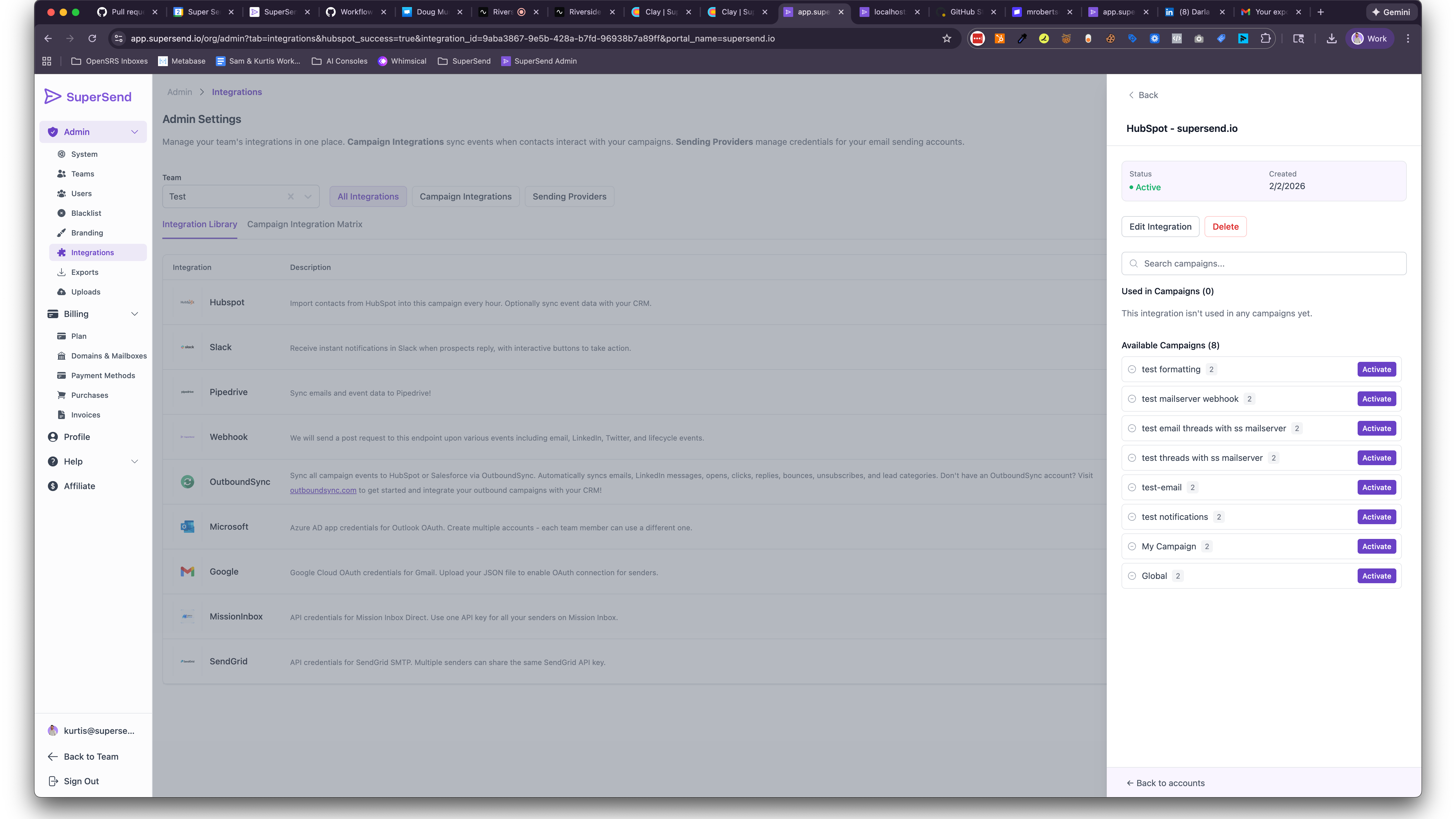
Sync campaign event data to HubSpot
Sync campaign event data (emails sent, opens, replies) to HubSpot. Add contacts in SuperSend; activity is written to the right contact in your CRM.
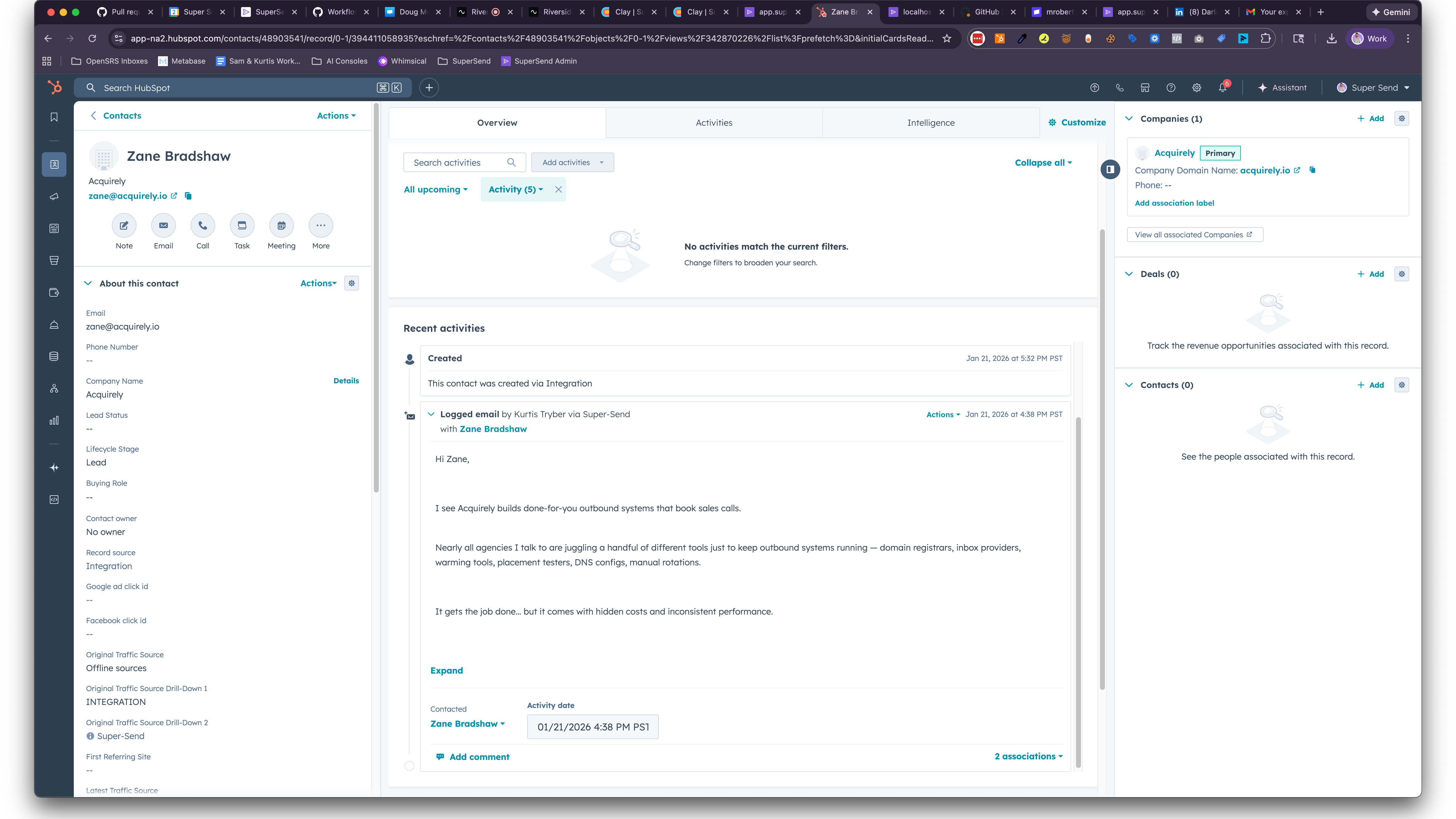
Two-way sync for HubSpot
ync contact properties and campaign activity between SuperSend and HubSpot. SuperSend writes emails sent, opens, and replies to the right contact in HubSpot. HubSpot contact and owner data is used so activity is attributed correctly.
App Functionality
Shared Data
Contact | ||
Owners |
Our integration keeps HubSpot contact records aligned with SuperSend campaign activity. Sends, opens, clicks, and replies appear on the right contact and are attributed to the correct owner.
Reviews
Be the first to write a customer review
Pricing
Growth
$99
/monthFor teams ramping outbound. Start steady outbound and prove ROI before you scale.
14-day free trial
Automated warmup for inboxes
Unified Super Inbox for replies
Unlimited contacts
50,000 emails included per month
HubSpot integration with two-way sync
Growth
$99
/monthFor teams ramping outbound. Start steady outbound and prove ROI before you scale.
14-day free trial
Automated warmup for inboxes
Unified Super Inbox for replies
Unlimited contacts
50,000 emails included per month
HubSpot integration with two-way sync
* The pricing here is for display purposes only. All prices do not include taxes, incentives, discounts, or other pricing variables. You should contact the partner for the most up to date and correct pricing information. HubSpot does not take any responsibility for this pricing information, which is provided by our partners. Pricing last updated: 03/12/2026
More info
Built by - SuperSend
Installs - <10 installs
Categories Languages this app is available in English
Getting attention today