

UserGuiding
Built by - UserGuiding
Installs - 100+ installs
Rating 3
(1)
Requirements
HubSpot Plan HubSpot Account permissions - View the required account permissions
Access Type Shared UserGuiding Subscription - Growth Plan or Enterprise Plan plans
Overview
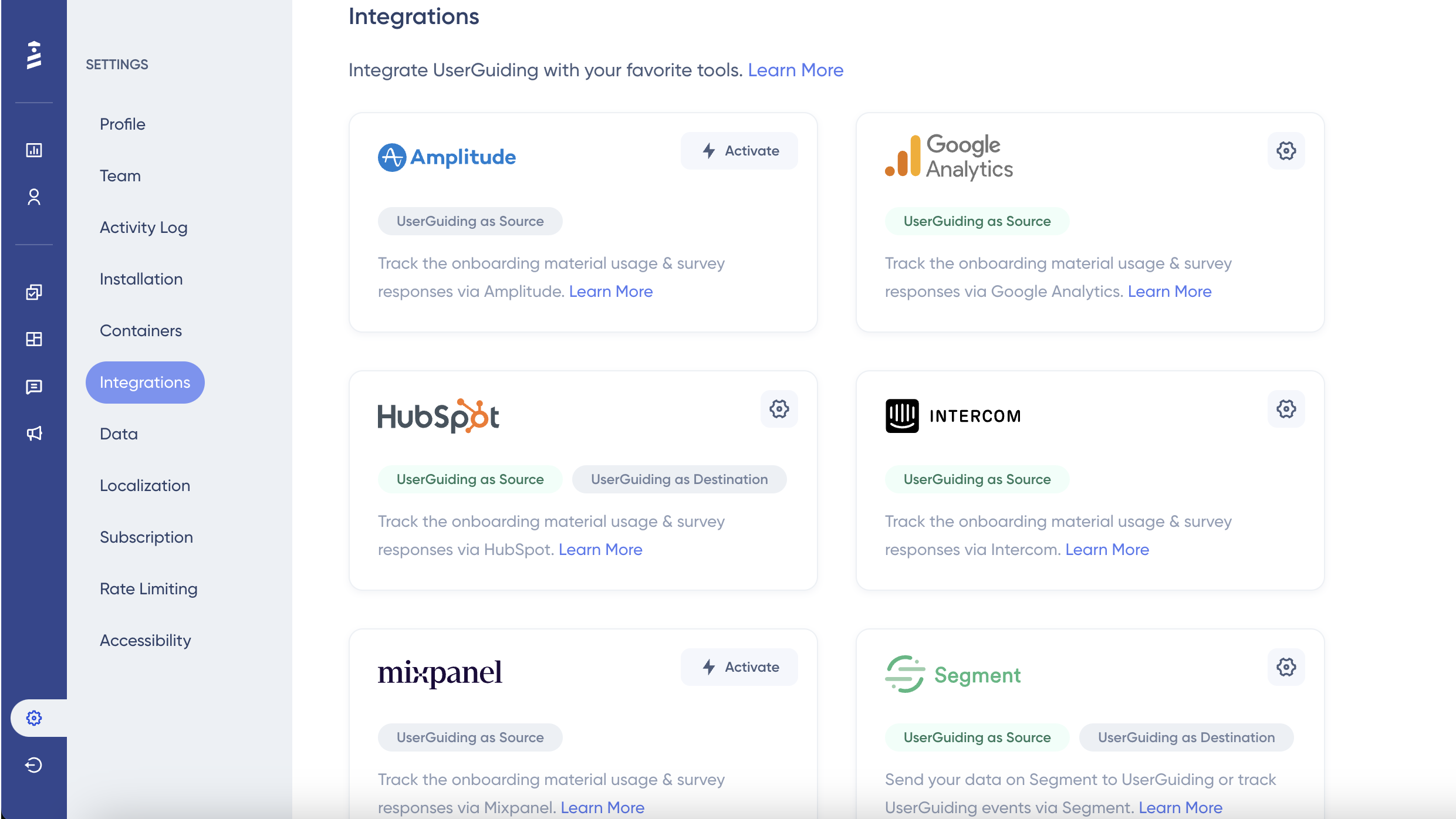
1/5 - Connect your data with Userguiding self-serve integrations
UserGuiding is a no-code user onboarding platform that helps improve product adoption and reduce churn using interactive walkthroughs and other onboarding materials that can be created without coding. The quality of your user onboarding determines whether your product is going to be successful or not. With UserGuiding you can create beautiful product experiences in a couple of clicks, without breaking the bank.
The integration between UserGuiding and HubSpot is two-way and real-time, eliminating the need to wait for scheduled jobs to run.
Features
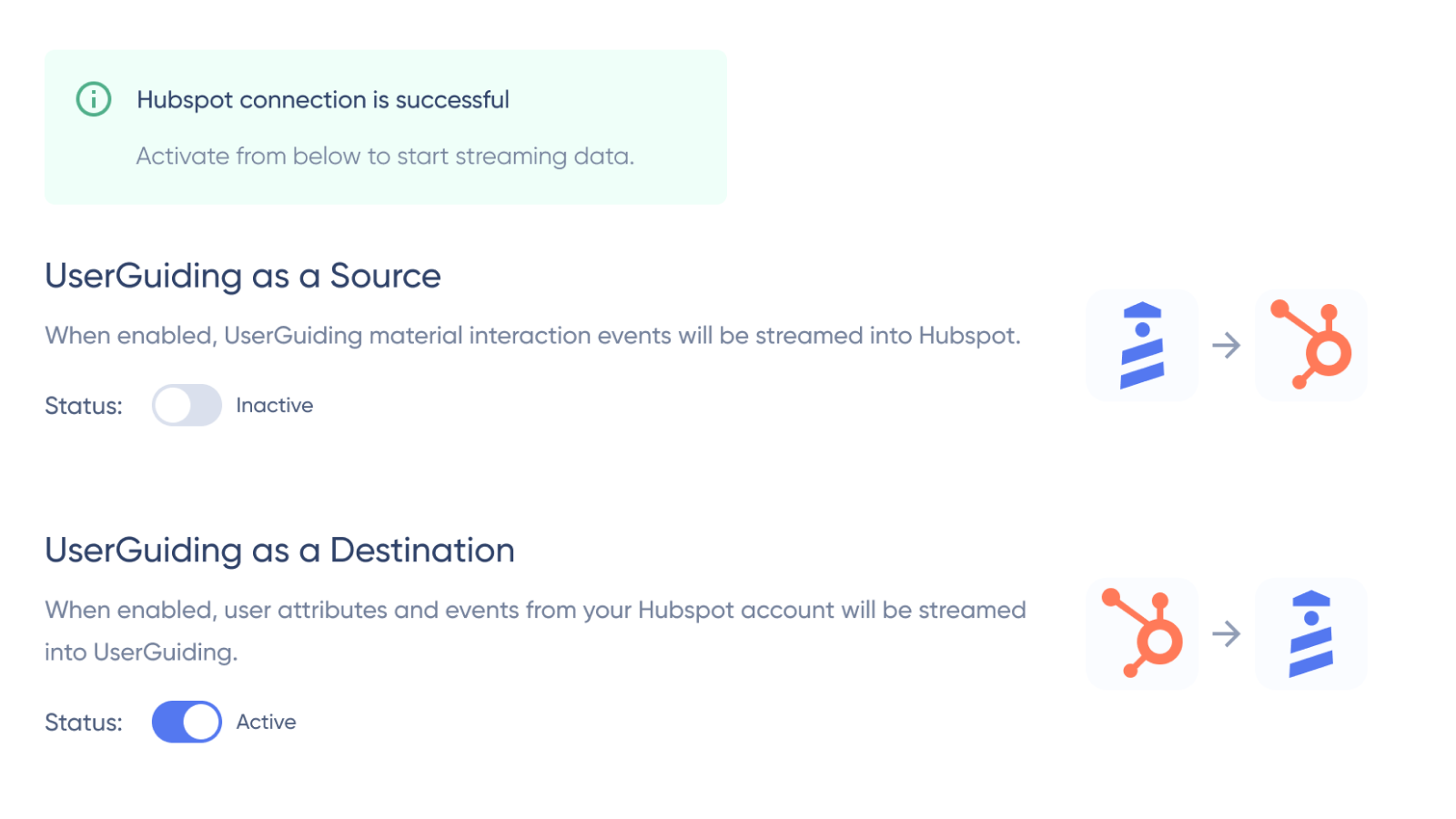
Easily Connecting UserGuiding to HubSpot
With HubSpot Integration activated, UserGuiding serves as both a source and a destination for your data, providing seamless interaction between platforms. UserGuiding sends real-time event notifications to HubSpot's contact timeline, enabling better segmentation and automation triggers for Marketing, Sales, and Service Teams.
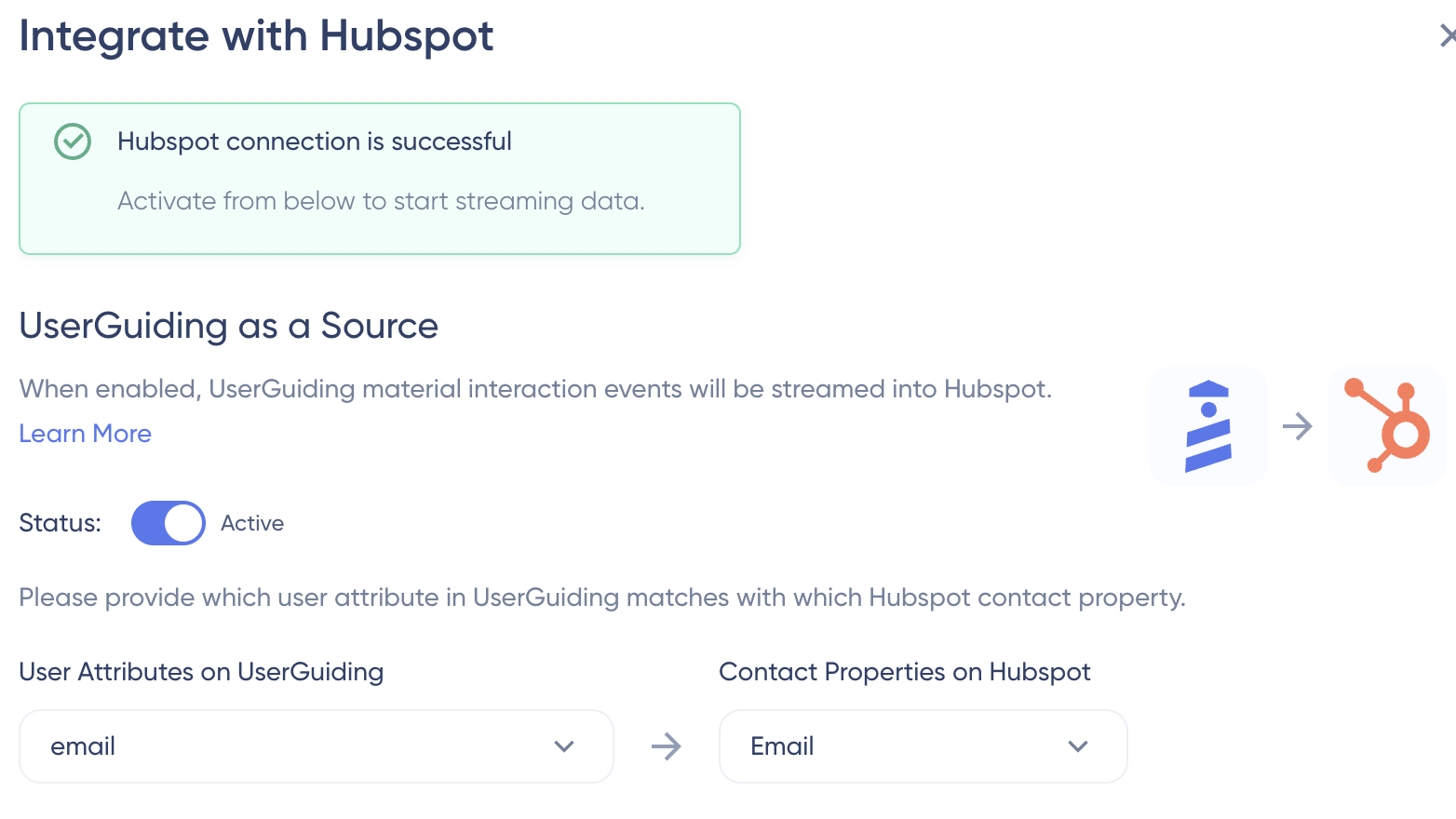
Send UserGuiding Attributes to HubSpot
When enabled UserGuiding as Destination, your contacts on your HubSpot account will be streamed into UserGuiding alongside user attributes like company name, survey question answer to HubSpot as properties. Sync happens in real-time.
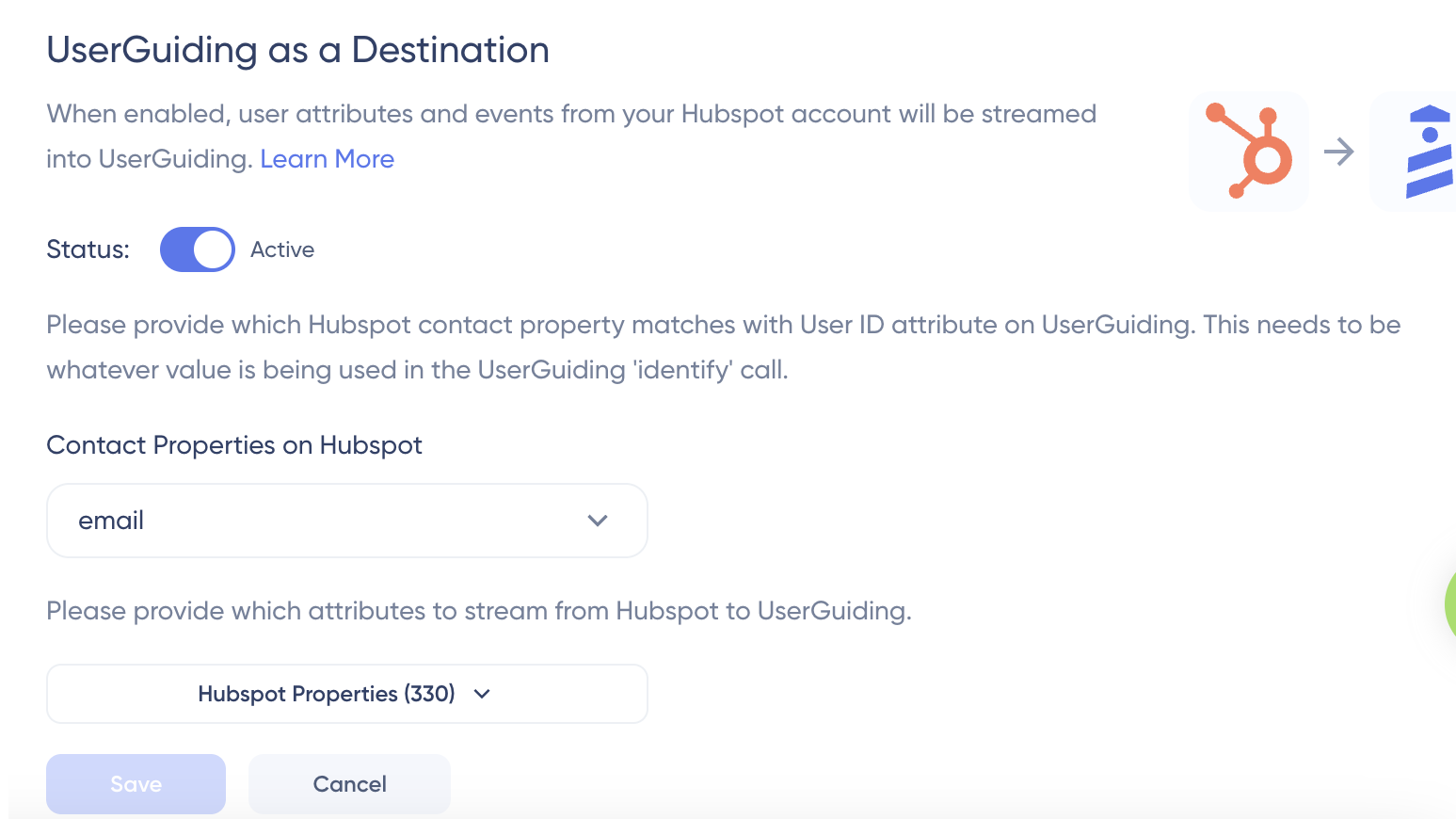
Stream UserGuiding Events to HubSpot Timeline
When enabled UserGuiding as a Source, UserGuiding continuously streams material interaction events into HubSpot, such as Guide Started, Survey Question Answer and Resource Center External URL Click. You can see the real-time tracked event data if you go to the contact's timeline on HubSpot.
App Functionality
Shared Data
Users | ||
UserGuiding Events |
Reviews
- Jul 11, 2024
Userguiding/hubspot
Userguiding as a tool is great for tutorials, while I miss more convenient analytics when integrated with HubSpot; would like to easily report on certain events, unfortunately this is impossible (or difficult) at the moment.
Mainly communicating new features and implementing new customers.
Create no code, fast and convenient implementation
A bit of an event analytics issue; for example, it should be much easier to create comprehensive reports for a given user by email.
Sacha, P.
Technology - Software - 26 to 50 employees
Pricing
Growth Plan
$349
/month100 Active Guides
Unlimited Hotspots
Unlimited Checklists
Unlimited Resource Centers
10 Active Surveys
NPS
Product Updates
Knowledge Base
User Identification
Segmentation
Customization
15 Team Members
5 Domains
Premium Integrations
AI Assistant
Banners
Custom CSS
Localization
A/B Testing
Goal Tracking
Growth Plan
$349
/month100 Active Guides
Unlimited Hotspots
Unlimited Checklists
Unlimited Resource Centers
10 Active Surveys
NPS
Product Updates
Knowledge Base
User Identification
Segmentation
Customization
15 Team Members
5 Domains
Premium Integrations
AI Assistant
Banners
Custom CSS
Localization
A/B Testing
Goal Tracking
* The pricing here is for display purposes only. All prices do not include taxes, incentives, discounts, or other pricing variables. You should contact the partner for the most up to date and correct pricing information. HubSpot does not take any responsibility for this pricing information, which is provided by our partners. Pricing last updated: 03/04/2026
More info
Built by - UserGuiding
Installs - 100+ installs
Categories Languages this app is available in English
Getting attention today
-1.png)
HubSpot connector for Claude
Access your HubSpot context in Claude to get personalized insights, visualizations, and to create and update your CRM records.

Microsoft Teams
Use Microsoft Teams and HubSpot for meetings, conversations, and more!
