

Intercom
Requisitos
Plano da HubSpot Permissões da conta da HubSpot Nenhuma permissão necessária Tipo de acesso Compartilhado Assinatura Intercom - Review Intercom's Pricing Page plano
Visão geral
1/2
Sync Intercom users, leads and companies without manual data entry or messy, time-consuming imports.
Here’s what you get with Data Sync by HubSpot:
- Two-way sync: Data is shared between Intercom and HubSpot in real time
- Default field mappings: Set-up is quick with out-of-the-box field mappings already created for you
- Historical syncing: Your existing data will sync right away, and updates will sync as they happen
Recursos
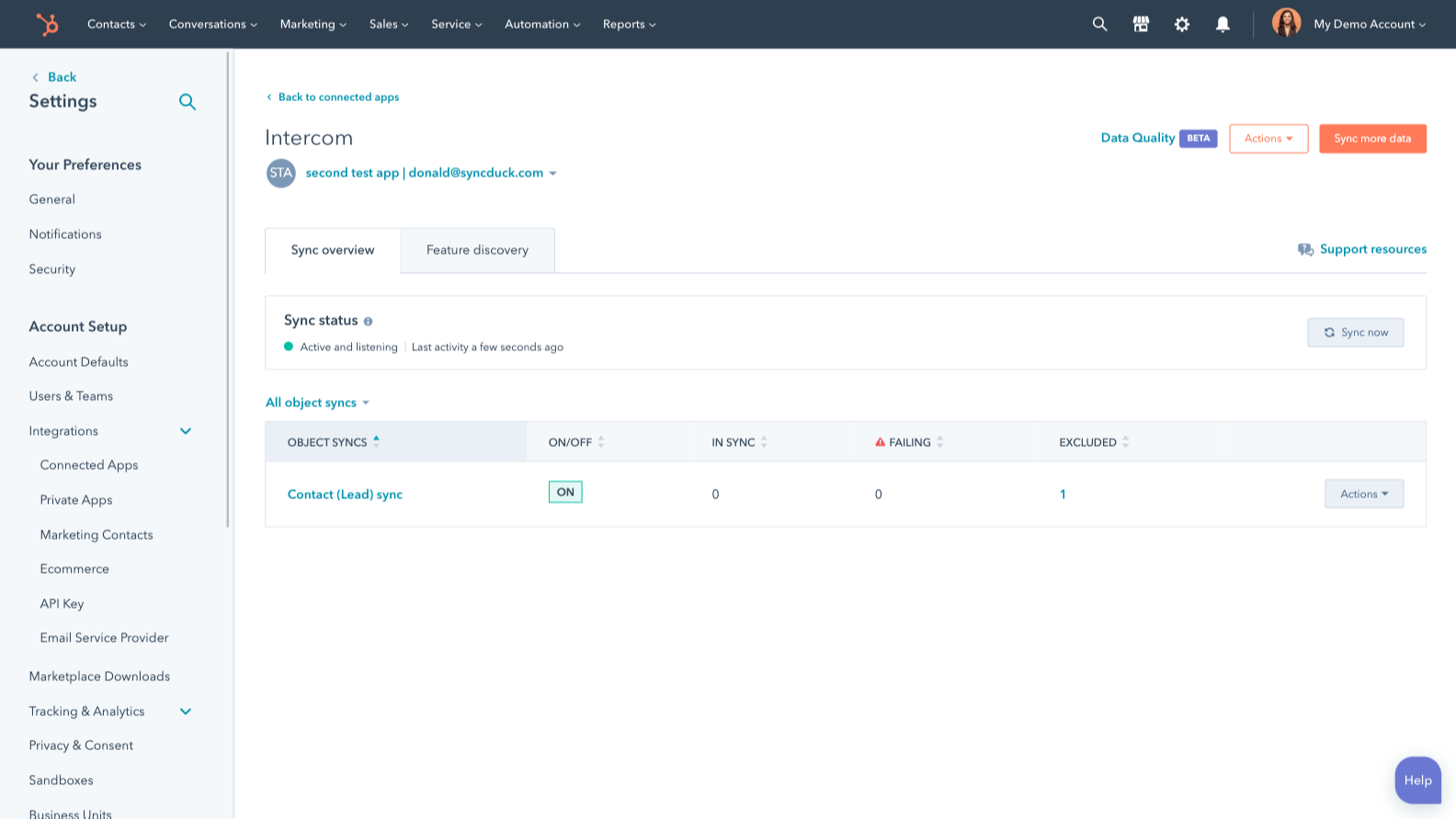
Sync Intercom and HubSpot data
Make manual data entry a thing of the past by syncing users, leads and companies between HubSpot and Intercom. When records are created or updated in either app, that information will be automatically shared with the other one.
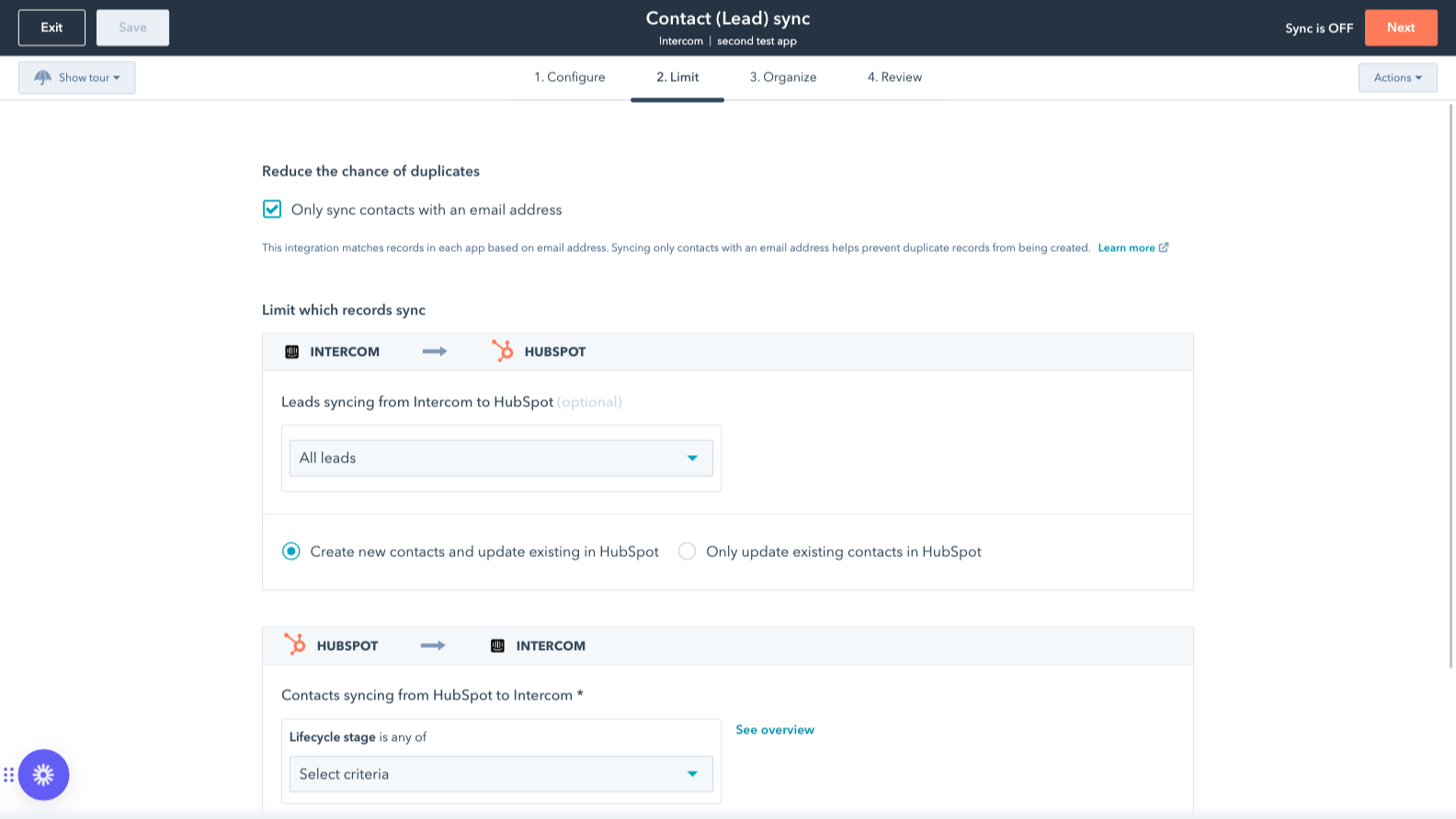
Sync only the data you want
You’re in control of your data. You can set up a one- or two-way sync, which means you can either sync data from only one app to the other or back-and-forth between both apps. You can also add a filter for any Intercom field (like your custom fields or tags) or HubSpot list to sync exactly what you want—and nothing you don’t.
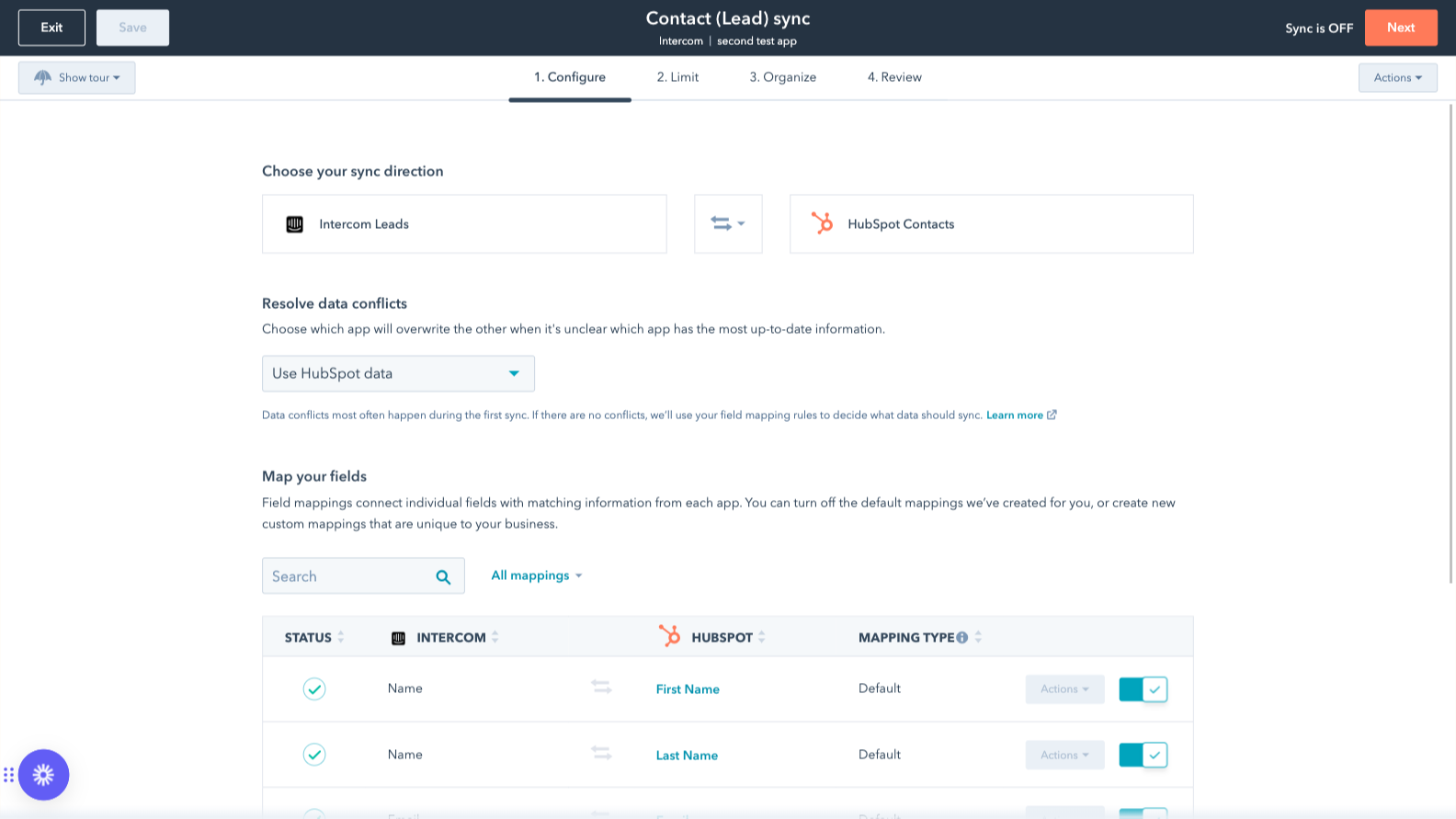
Custom field mappings
Custom field mappings are available with Data Hub Starter or Professional plans. Custom mappings add the flexibility to create your own mappings or make changes to your default ones.
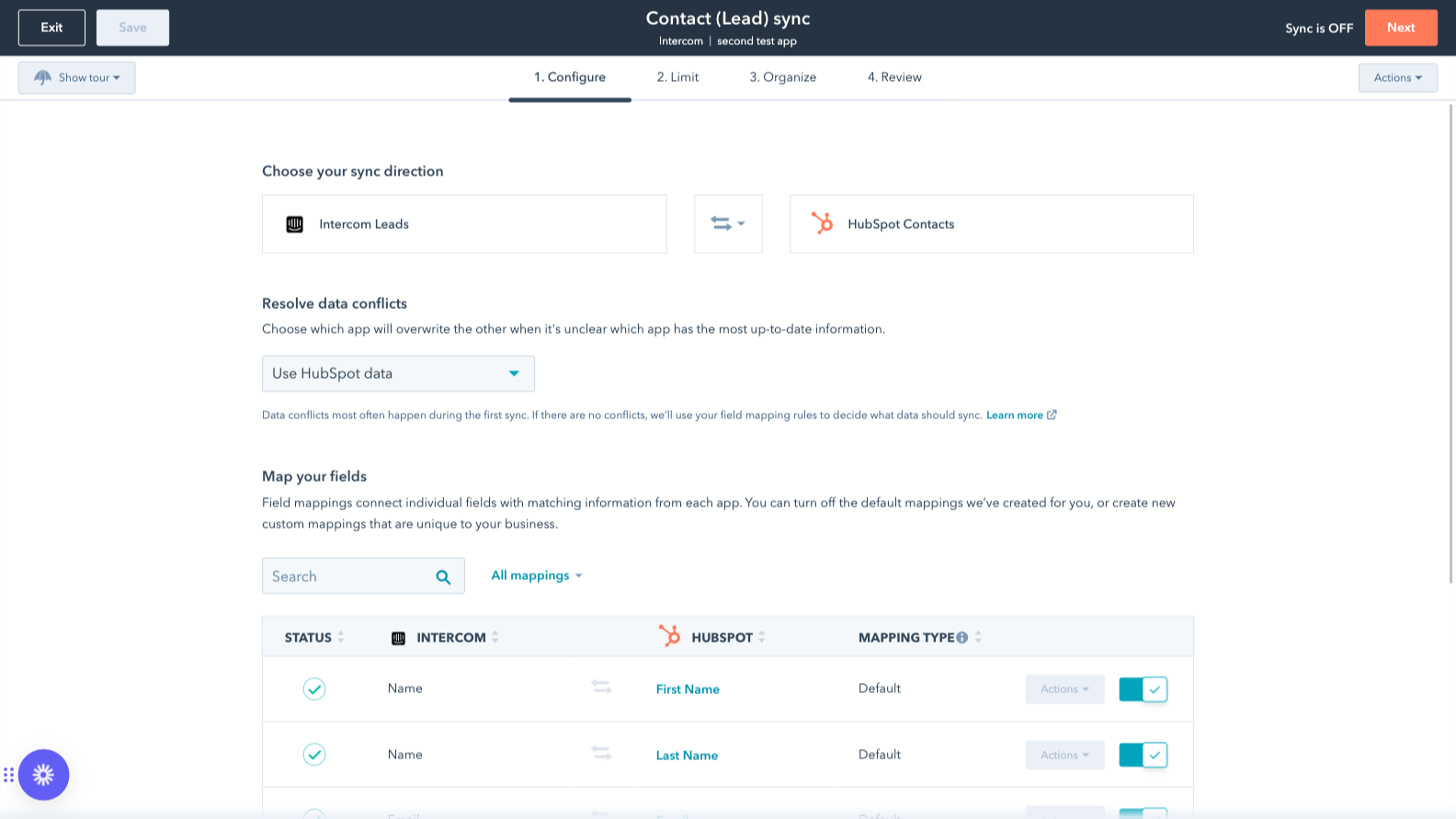
Default field mappings
Field mappings connect matching information in each app—and we’ve already created them for you. Our out-of-the-box default field mappings make set-up quick and keep your data clean and organized. Plus, there are no surprises: You can see exactly which fields come already mapped in the “Shared data” section below.
Funcionalidade do aplicativo
Dados compartilhados
Each object has field mappings that connect matching information from each app. Default mappings are listed below. If you want to change these default mappings or create your own, custom field mappings are available with Data Hub Starter and up.
The following will not sync: Tickets. To sync Tickets, check out the integration supported by Intercom here.
Companies | ||
Leads | ||
Users |
Avaliações
2,4
21
2,4
21
- 23 de Set de 2026
Recursos limitados ou inexistentes
não podemos vincular tickets reais das contas do Intercom ao HubSpot
evita a necessidade de recorrer a outras ferramentas de conexão
Não há muitos recursos e os mais essenciais para visualizar o status e a visibilidade dos tickets por conta não estão disponíveis
Ritz, S.
- 17 de Mar de 2026
Obrigado a fazer upgrade do plano apenas para importar propriedades básicas — um bloqueio de acesso totalmente irracional para recursos essenciais
Eu realmente detesto ter que adquirir um novo plano só para importar meus dados para o Intercom. Não faz sentido algum ter que pagar por um novo plano só porque quero visualizar um campo na interface do Intercom. Acredito sinceramente que isso deveria estar disponível gratuitamente.
Oliveira, B.
Review Intercom's Pricing Page
US$ 0
Use the 'See all pricing options' link on the righthand side
Make sure to confirm the HubSpot subscription and the Intercom subscription needed to install this integration
Note: "Free" is referring to the cost of the integration, not the app subscriptions
Review Intercom's Pricing Page
US$ 0
Use the 'See all pricing options' link on the righthand side
Make sure to confirm the HubSpot subscription and the Intercom subscription needed to install this integration
Note: "Free" is referring to the cost of the integration, not the app subscriptions
* O preço aqui é apenas para fins de exibição. Todos os preços não incluem impostos, incentivos, descontos ou outras variáveis de preços. Você deve entrar em contato com o parceiro para obter informações mais atualizadas e precisas. A HubSpot não se responsabiliza por essas informações de preços, que são fornecidas pelos nossos parceiros. Preços atualizados pela última vez: 03/09/2025