

Intercom
Vereisten
HubSpot-abonnement HubSpot-accountmachtigingen Geen machtigingen vereist Toegangstype Gedeeld Intercom-abonnement - Review Intercom's Pricing Page plan
Overzicht
1/2
Sync Intercom users, leads and companies without manual data entry or messy, time-consuming imports.
Here’s what you get with Data Sync by HubSpot:
- Two-way sync: Data is shared between Intercom and HubSpot in real time
- Default field mappings: Set-up is quick with out-of-the-box field mappings already created for you
- Historical syncing: Your existing data will sync right away, and updates will sync as they happen
Functies
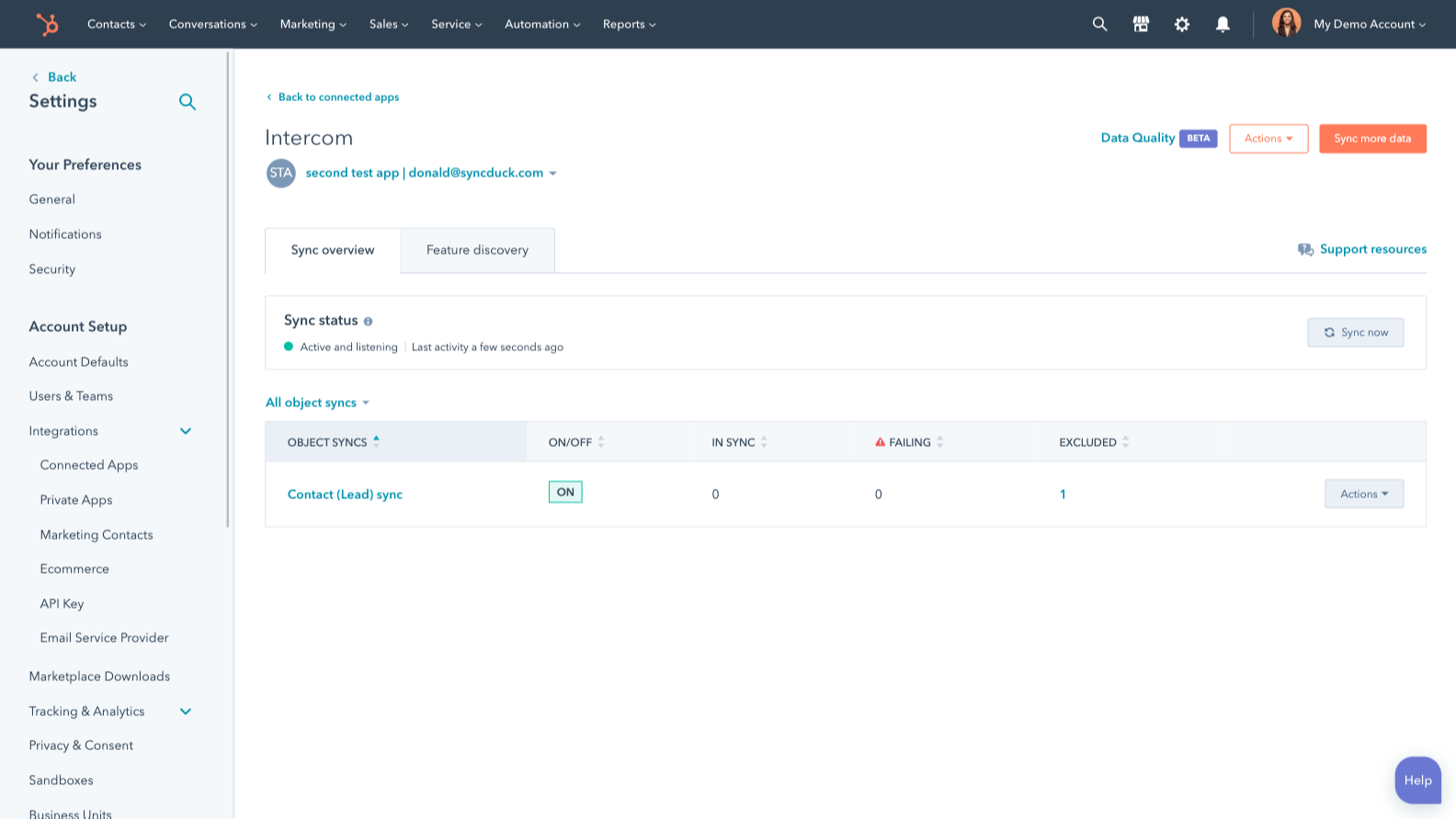
Sync Intercom and HubSpot data
Make manual data entry a thing of the past by syncing users, leads and companies between HubSpot and Intercom. When records are created or updated in either app, that information will be automatically shared with the other one.
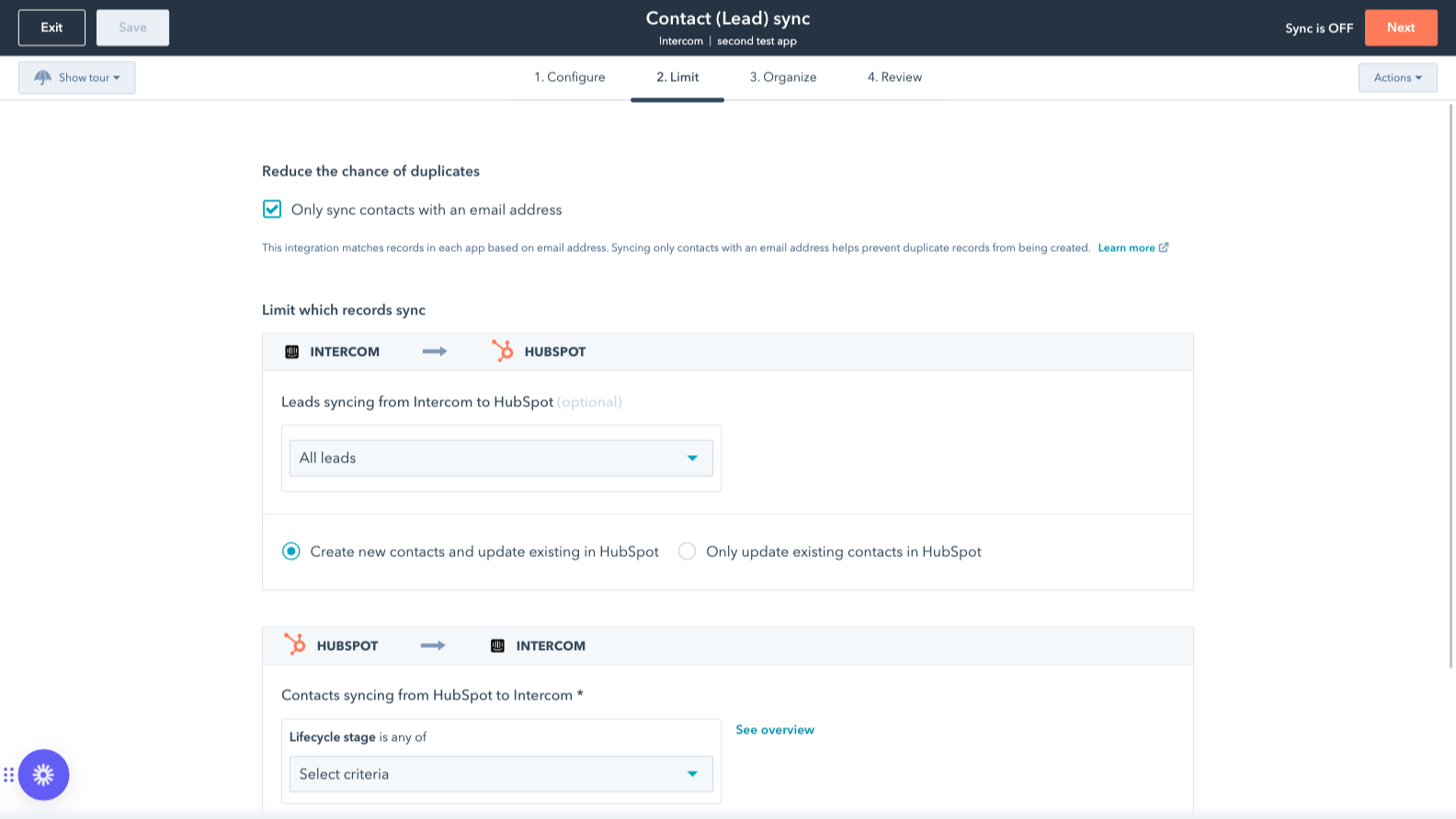
Sync only the data you want
You’re in control of your data. You can set up a one- or two-way sync, which means you can either sync data from only one app to the other or back-and-forth between both apps. You can also add a filter for any Intercom field (like your custom fields or tags) or HubSpot list to sync exactly what you want—and nothing you don’t.
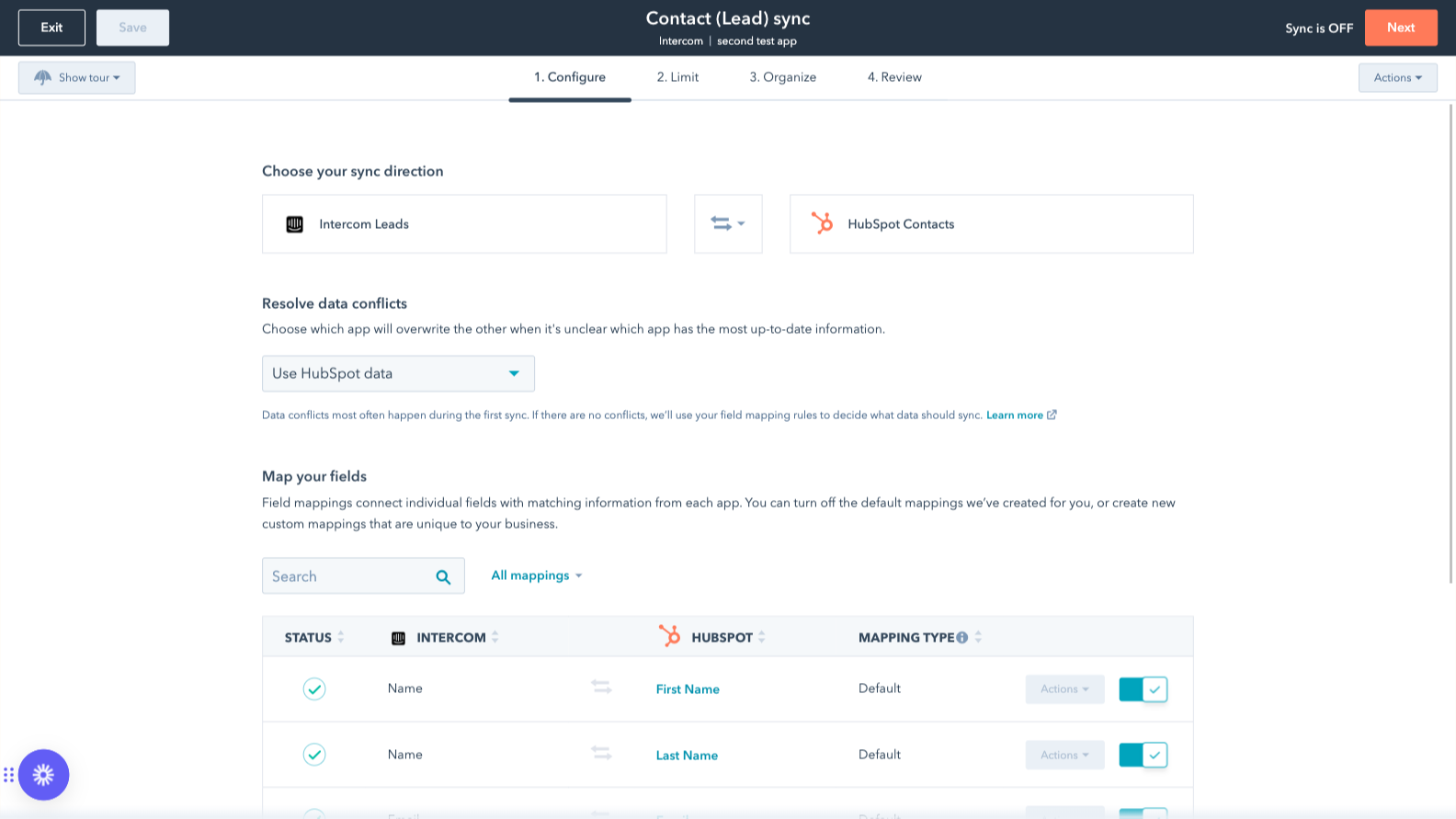
Custom field mappings
Custom field mappings are available with Data Hub Starter or Professional plans. Custom mappings add the flexibility to create your own mappings or make changes to your default ones.
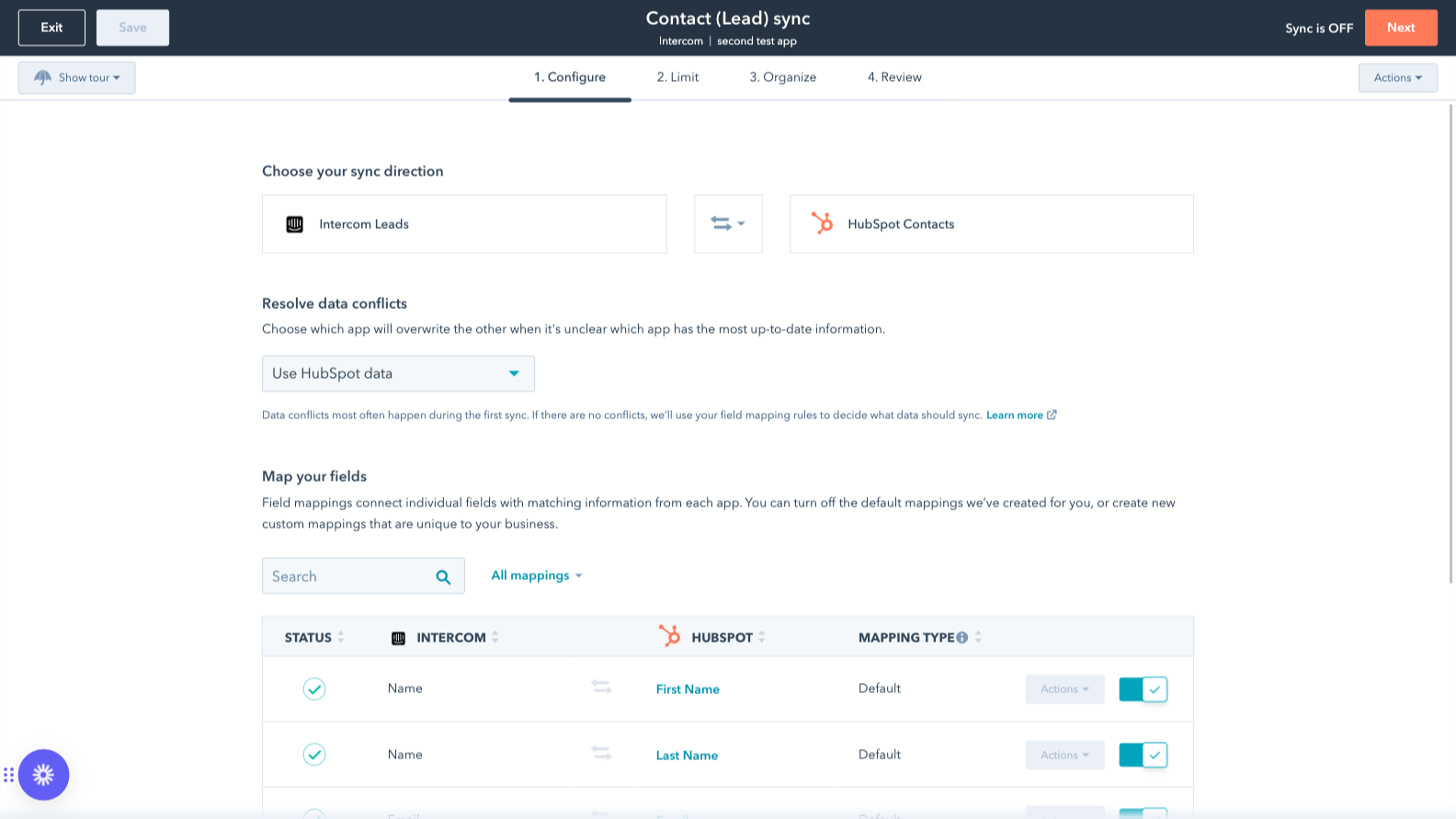
Default field mappings
Field mappings connect matching information in each app—and we’ve already created them for you. Our out-of-the-box default field mappings make set-up quick and keep your data clean and organized. Plus, there are no surprises: You can see exactly which fields come already mapped in the “Shared data” section below.
App-functionaliteit
Gedeelde gegevens
Each object has field mappings that connect matching information from each app. Default mappings are listed below. If you want to change these default mappings or create your own, custom field mappings are available with Data Hub Starter and up.
The following will not sync: Tickets. To sync Tickets, check out the integration supported by Intercom here.
Companies | ||
Leads | ||
Users |
Reviews
2,4
21
2,4
21
- 23 sep. 2026
Beperkt tot geen functies
we kunnen geen daadwerkelijke tickets koppelen aan accounts van Intercom naar HubSpot
zodat men geen gebruik hoeft te maken van andere connector-tools
Er zijn helemaal niet veel functies en de belangrijkste daarvan – om de status en zichtbaarheid van tickets per account te bekijken – zijn niet beschikbaar
Ritz, S.
- 17 mrt. 2026
Gedwongen om een hoger abonnement te nemen alleen al om basisgegevens te kunnen importeren – een volstrekt onredelijke betaalmuur voor essentiële functies
Ik vind het echt vervelend dat ik een nieuw abonnement nodig heb om mijn eigendommen in Intercom te importeren. Het slaat nergens op dat ik voor een nieuw abonnement moet betalen, alleen maar omdat ik één veld in de Intercom-interface wil zien. Ik ben er echt van overtuigd dat dit gratis beschikbaar zou moeten zijn.
Oliveira, B.
Prijzen
Review Intercom's Pricing Page
US$ 0
Use the 'See all pricing options' link on the righthand side
Make sure to confirm the HubSpot subscription and the Intercom subscription needed to install this integration
Note: "Free" is referring to the cost of the integration, not the app subscriptions
Review Intercom's Pricing Page
US$ 0
Use the 'See all pricing options' link on the righthand side
Make sure to confirm the HubSpot subscription and the Intercom subscription needed to install this integration
Note: "Free" is referring to the cost of the integration, not the app subscriptions
* De hier vermelde prijzen dienen alleen ter illustratie. Alle prijzen zijn exclusief belasting, bonussen, kortingen of andere prijsvariabelen. Neem contact op met de partner voor de meest recente en correcte prijsinformatie. HubSpot erkent geen verantwoordelijkheid voor deze prijsinformatie, die wordt verstrekt door onze partners. Prijzen laatst bijgewerkt: 03-09-2025