

Intercom
Requisiti
Piano HubSpot Autorizzazioni dell'account HubSpot Nessuna autorizzazione richiesta Tipo di accesso Condiviso Abbonamento Intercom - Piano Review Intercom's Pricing Page
Panoramica
1/2
Sync Intercom users, leads and companies without manual data entry or messy, time-consuming imports.
Here’s what you get with Data Sync by HubSpot:
- Two-way sync: Data is shared between Intercom and HubSpot in real time
- Default field mappings: Set-up is quick with out-of-the-box field mappings already created for you
- Historical syncing: Your existing data will sync right away, and updates will sync as they happen
Funzionalità
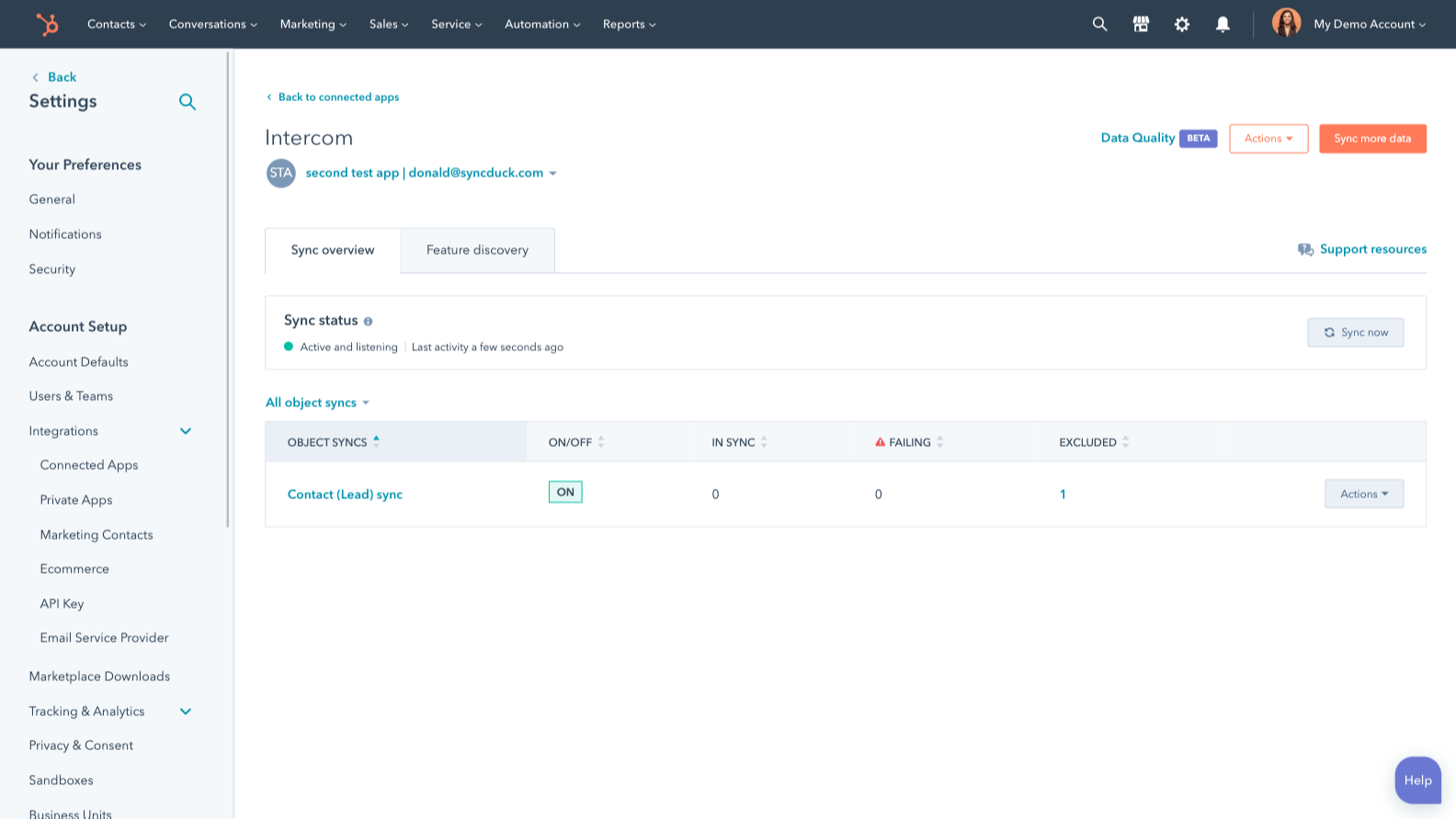
Sync Intercom and HubSpot data
Make manual data entry a thing of the past by syncing users, leads and companies between HubSpot and Intercom. When records are created or updated in either app, that information will be automatically shared with the other one.
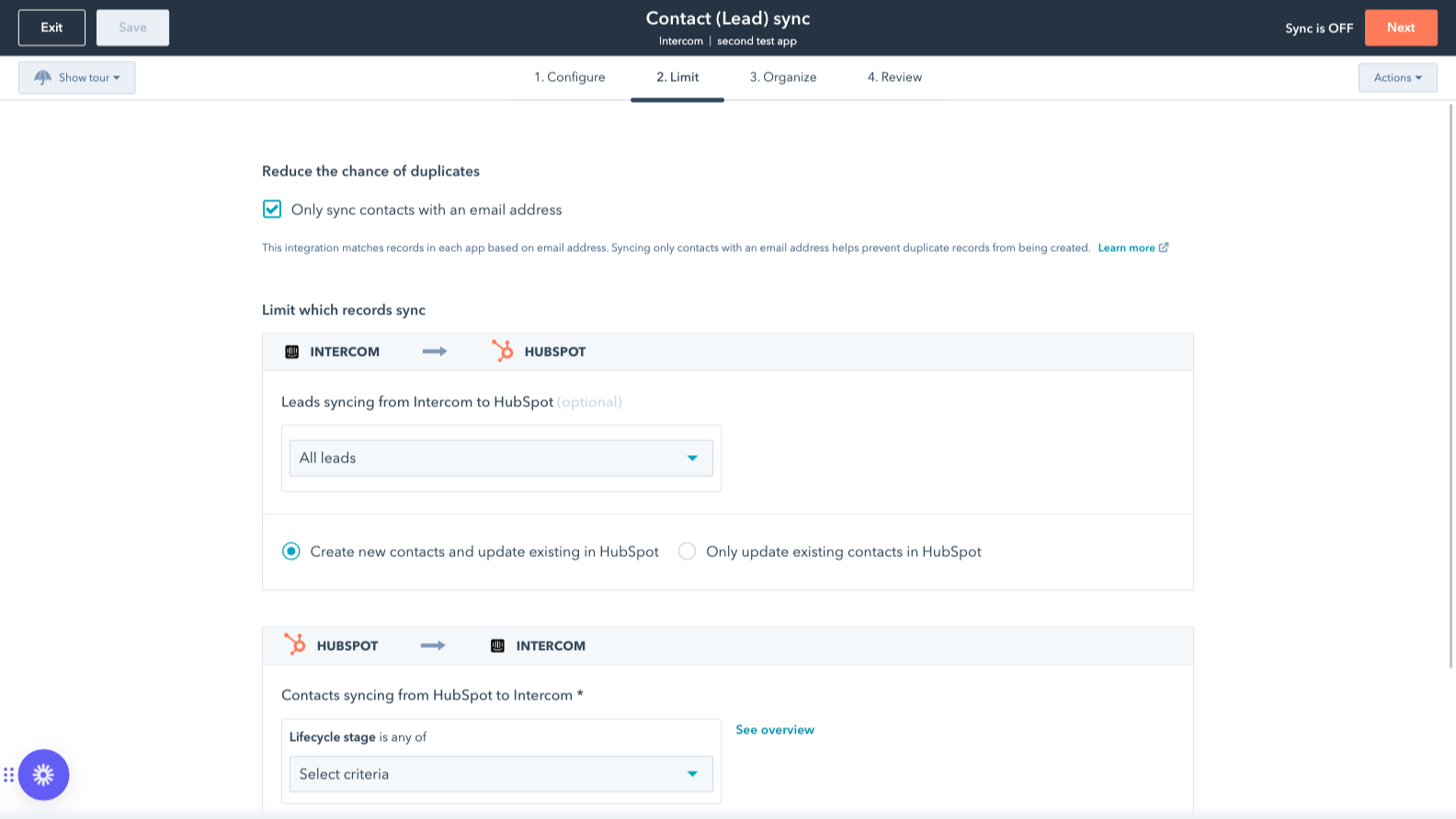
Sync only the data you want
You’re in control of your data. You can set up a one- or two-way sync, which means you can either sync data from only one app to the other or back-and-forth between both apps. You can also add a filter for any Intercom field (like your custom fields or tags) or HubSpot list to sync exactly what you want—and nothing you don’t.
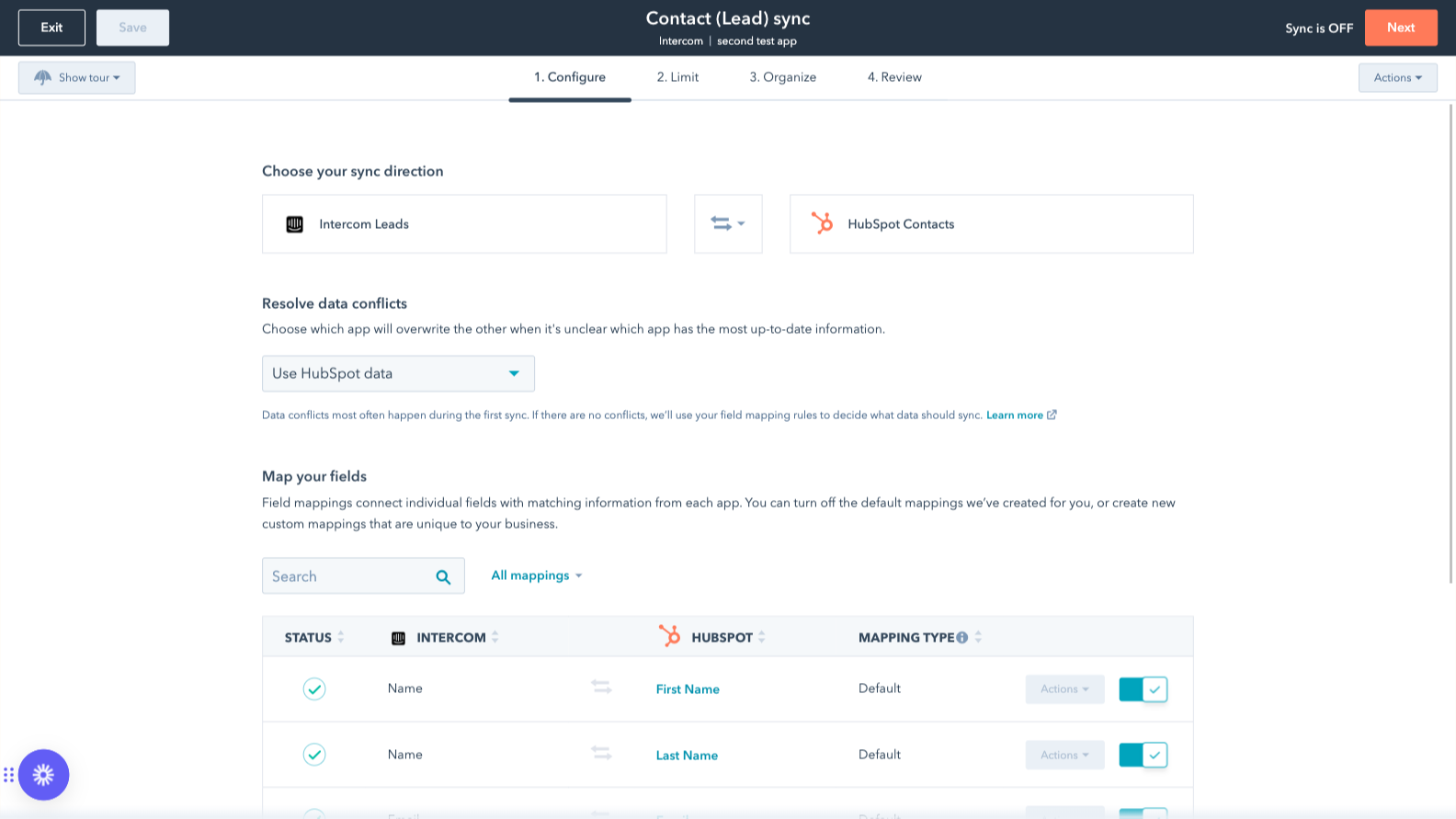
Custom field mappings
Custom field mappings are available with Data Hub Starter or Professional plans. Custom mappings add the flexibility to create your own mappings or make changes to your default ones.
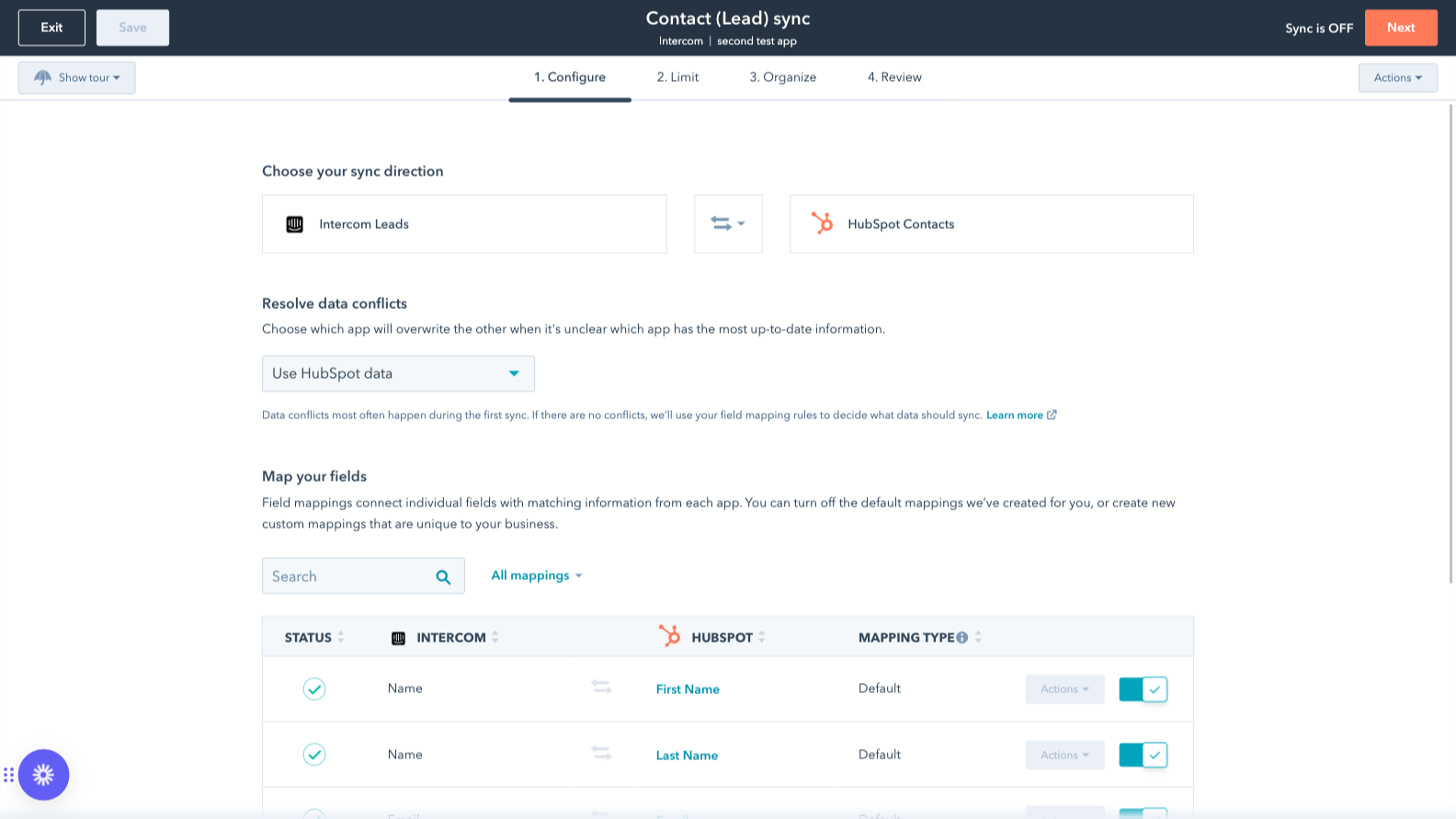
Default field mappings
Field mappings connect matching information in each app—and we’ve already created them for you. Our out-of-the-box default field mappings make set-up quick and keep your data clean and organized. Plus, there are no surprises: You can see exactly which fields come already mapped in the “Shared data” section below.
Funzionalità dell'app
Dati condivisi
Each object has field mappings that connect matching information from each app. Default mappings are listed below. If you want to change these default mappings or create your own, custom field mappings are available with Data Hub Starter and up.
The following will not sync: Tickets. To sync Tickets, check out the integration supported by Intercom here.
Companies | ||
Leads | ||
Users |
Recensioni
2,4
21
2,4
21
- 23 set 2026
Funzionalità limitate o assenti
Non è possibile associare i biglietti effettivi agli account da Intercom a HubSpot
evita di dover ricorrere ad altri strumenti di connessione
Le funzionalità sono davvero poche e quelle più importanti, necessarie per visualizzare lo stato e la visibilità dei ticket per account, non sono disponibili
Ritz, S.
- 17 mar 2026
Costretti ad acquistare un piano superiore solo per importare dati di base sulle proprietà: un paywall del tutto irragionevole per funzionalità essenziali
Mi dà davvero fastidio dover sottoscrivere un nuovo abbonamento per importare i miei dati su Intercom. Non ha alcun senso che io debba pagare per un nuovo abbonamento solo perché voglio visualizzare un campo nell’interfaccia di Intercom. Sono fermamente convinto che questa funzionalità dovrebbe essere disponibile gratuitamente.
Oliveira, B.
Review Intercom's Pricing Page
0 USD
Use the 'See all pricing options' link on the righthand side
Make sure to confirm the HubSpot subscription and the Intercom subscription needed to install this integration
Note: "Free" is referring to the cost of the integration, not the app subscriptions
Review Intercom's Pricing Page
0 USD
Use the 'See all pricing options' link on the righthand side
Make sure to confirm the HubSpot subscription and the Intercom subscription needed to install this integration
Note: "Free" is referring to the cost of the integration, not the app subscriptions
* I prezzi riportati sono a scopo informativo. I prezzi non includono tasse, incentivi, sconti o altre variabili. Contatta il partner per ricevere il tariffario aggiornato. HubSpot declina qualsiasi responsabilità circa le informazioni di prezzo fornite dai propri partner. Ultimo aggiornamento tariffario: 03/09/2025
Maggiori informazioni
Ottenere l'attenzione oggi

WhatsApp for Sales & Marketing
Coinvolgimento dei clienti per la crescita del fatturato

Sinch Engage SMS
Il modo più semplice per inviare SMS, MMS, WhatsApp e RCS in HubSpot, tramite flussi di lavoro o agenti Breeze.
