

Intercom
Vaatimukset
HubSpot-tilaus HubSpot-tilin käyttöoikeudet Ei vaadi käyttöoikeuksia Pääsytyyppi Jaettu Intercom-tilaus - Review Intercom's Pricing Page paketti
Yhteenveto
1/2
Sync Intercom users, leads and companies without manual data entry or messy, time-consuming imports.
Here’s what you get with Data Sync by HubSpot:
- Two-way sync: Data is shared between Intercom and HubSpot in real time
- Default field mappings: Set-up is quick with out-of-the-box field mappings already created for you
- Historical syncing: Your existing data will sync right away, and updates will sync as they happen
Ominaisuudet
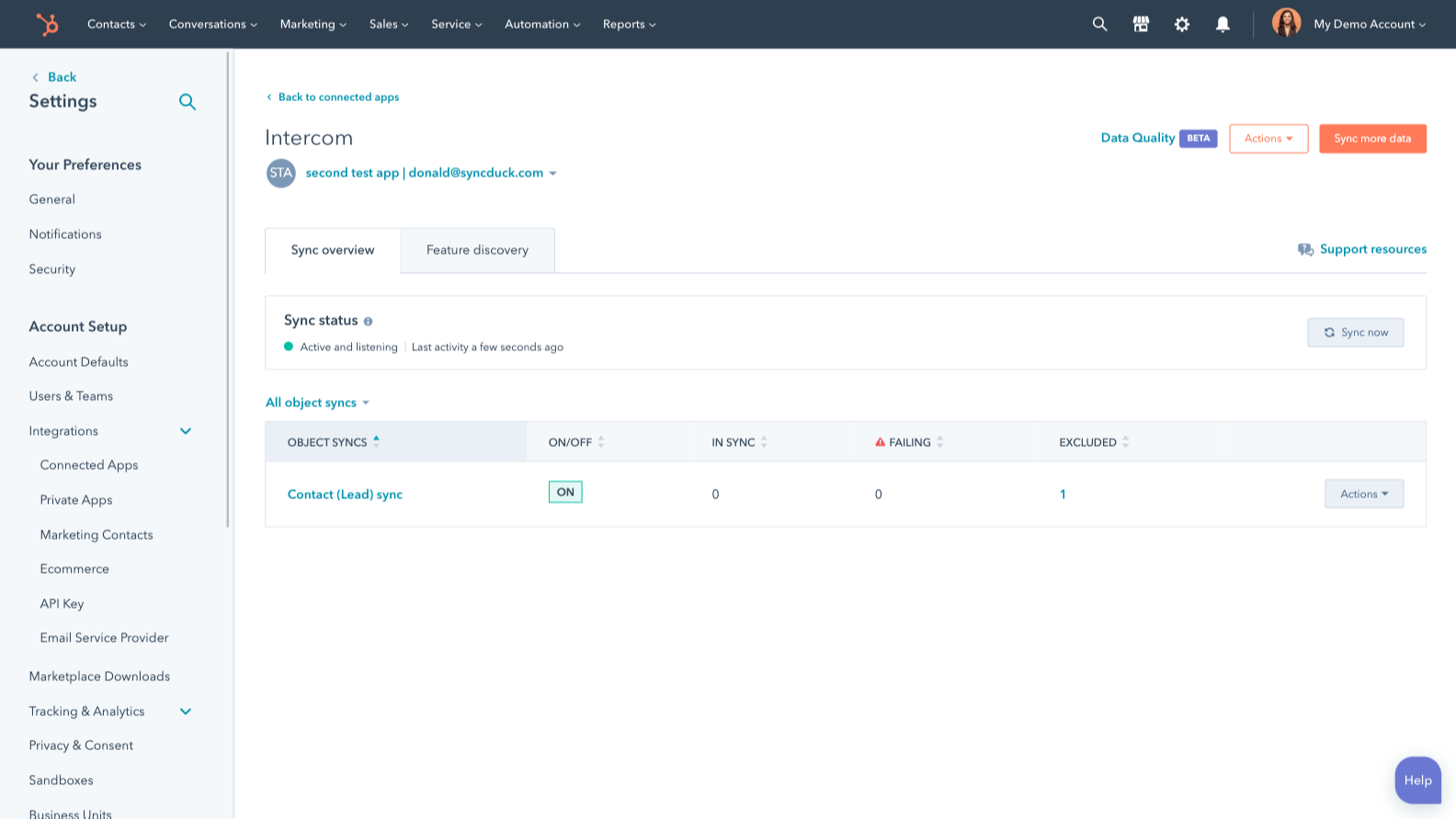
Sync Intercom and HubSpot data
Make manual data entry a thing of the past by syncing users, leads and companies between HubSpot and Intercom. When records are created or updated in either app, that information will be automatically shared with the other one.
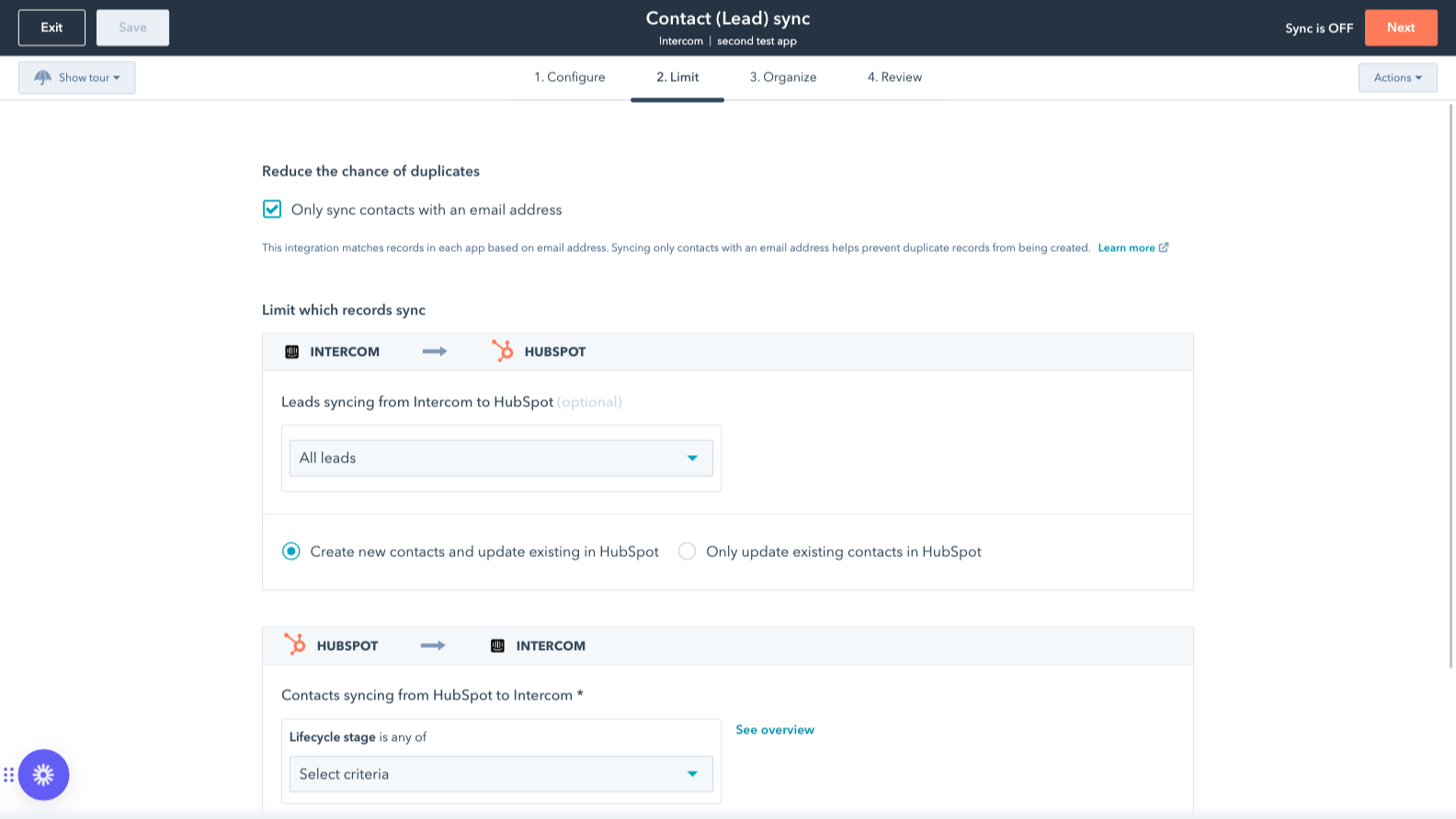
Sync only the data you want
You’re in control of your data. You can set up a one- or two-way sync, which means you can either sync data from only one app to the other or back-and-forth between both apps. You can also add a filter for any Intercom field (like your custom fields or tags) or HubSpot list to sync exactly what you want—and nothing you don’t.
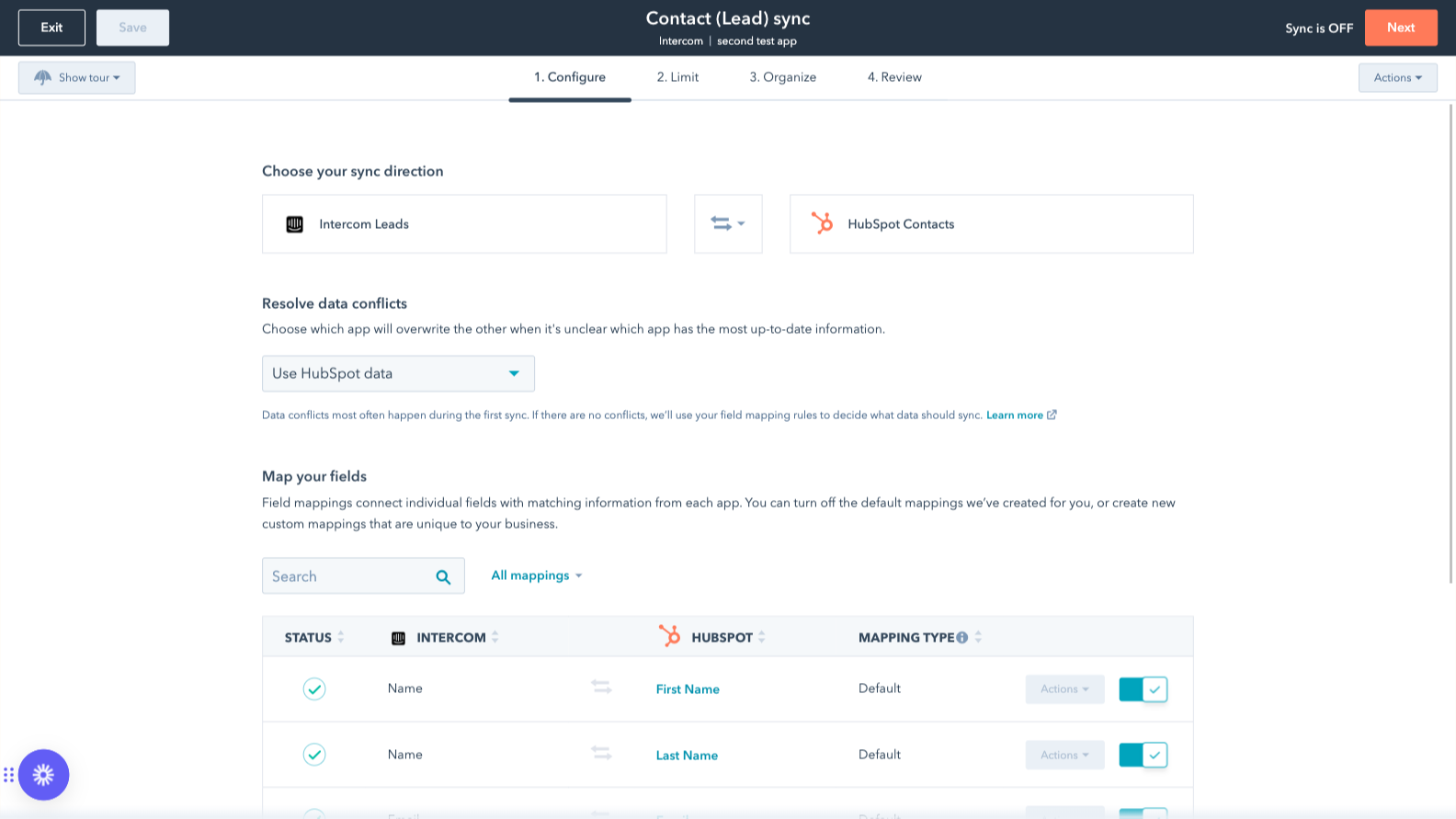
Custom field mappings
Custom field mappings are available with Data Hub Starter or Professional plans. Custom mappings add the flexibility to create your own mappings or make changes to your default ones.
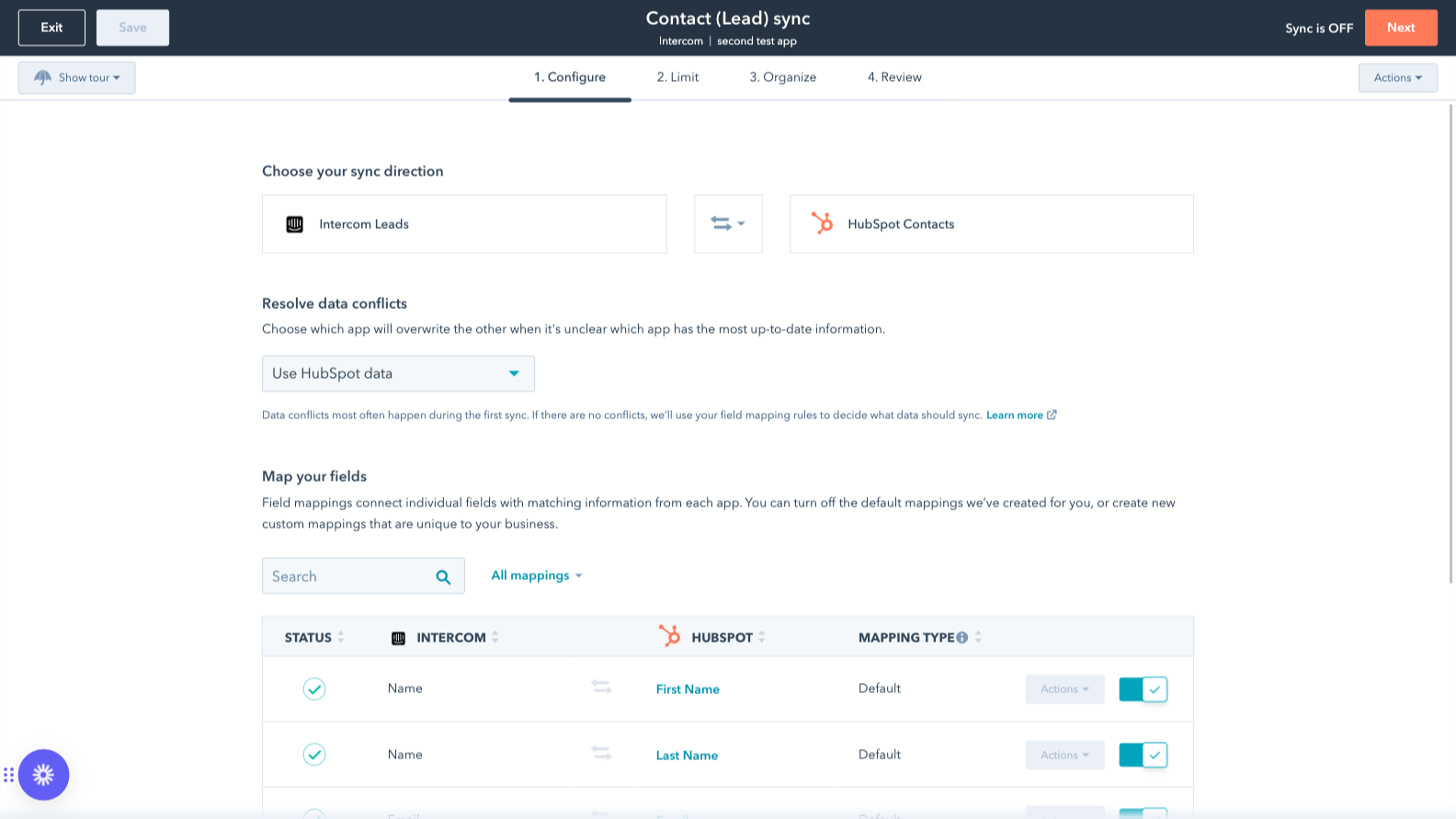
Default field mappings
Field mappings connect matching information in each app—and we’ve already created them for you. Our out-of-the-box default field mappings make set-up quick and keep your data clean and organized. Plus, there are no surprises: You can see exactly which fields come already mapped in the “Shared data” section below.
Sovelluksen toiminnallisuus
Jaetut tiedot
Each object has field mappings that connect matching information from each app. Default mappings are listed below. If you want to change these default mappings or create your own, custom field mappings are available with Data Hub Starter and up.
The following will not sync: Tickets. To sync Tickets, check out the integration supported by Intercom here.
Companies | ||
Leads | ||
Users |
Arvostelut
2,4
21
2,4
21
- 23. syys 2026
Toiminnot rajoitettuja tai puuttuvat kokonaan
Emme voi liittää varsinaisia lippuja Intercomin tileistä HubSpotin tileihin.
välttää muiden liitintyökalujen käytön
Ominaisuuksia ei ole juurikaan, eikä tärkeimpiä niistä – eli mahdollisuutta tarkastella lippujen tilaa ja näkyvyyttä tilikohtaisesti – ole saatavilla
Ritz, S.
- 17. maalis 2026
Joutuu päivittämään tilauksensa vain perusominaisuuksien käyttämiseksi – täysin kohtuuton maksuseinä välttämättömille ominaisuuksille
Inhoan todella sitä, että tarvitsen uuden tilauksen, jotta voin tuoda tietoni Intercomiin. Ei ole lainkaan järkevää, että minun täytyy maksaa uudesta tilauksesta vain siksi, että haluan nähdä yhden kentän Intercomin käyttöliittymässä. Uskon vakaasti, että tämän pitäisi olla saatavilla ilmaiseksi.
Oliveira, B.
Hinnoittelu
Review Intercom's Pricing Page
0 $
Use the 'See all pricing options' link on the righthand side
Make sure to confirm the HubSpot subscription and the Intercom subscription needed to install this integration
Note: "Free" is referring to the cost of the integration, not the app subscriptions
Review Intercom's Pricing Page
0 $
Use the 'See all pricing options' link on the righthand side
Make sure to confirm the HubSpot subscription and the Intercom subscription needed to install this integration
Note: "Free" is referring to the cost of the integration, not the app subscriptions
*Hinnoittelu tässä on vain esittelytarkoituksessa. Kaikki hinnat eivät sisällä veroja, kannustimia, alennuksia tai muita hinnoittelumuuttujia. Pyydä kumppanilta ajantasaiset ja oikeat hintatiedot. HubSpot ei ota vastuuta näistä kumppaneidemme tarjoamista hintatiedoista. Hinnoittelu päivitetty viimeksi: 03.09.2025