

Intercom
Krav
HubSpot-plan Behörigheter för HubSpot-konto Det krävs inga behörigheter Åtkomsttyp Delade Intercom prenumeration - Review Intercom's Pricing Page plan
Översikt
1/2
Sync Intercom users, leads and companies without manual data entry or messy, time-consuming imports.
Here’s what you get with Data Sync by HubSpot:
- Two-way sync: Data is shared between Intercom and HubSpot in real time
- Default field mappings: Set-up is quick with out-of-the-box field mappings already created for you
- Historical syncing: Your existing data will sync right away, and updates will sync as they happen
Egenskaper
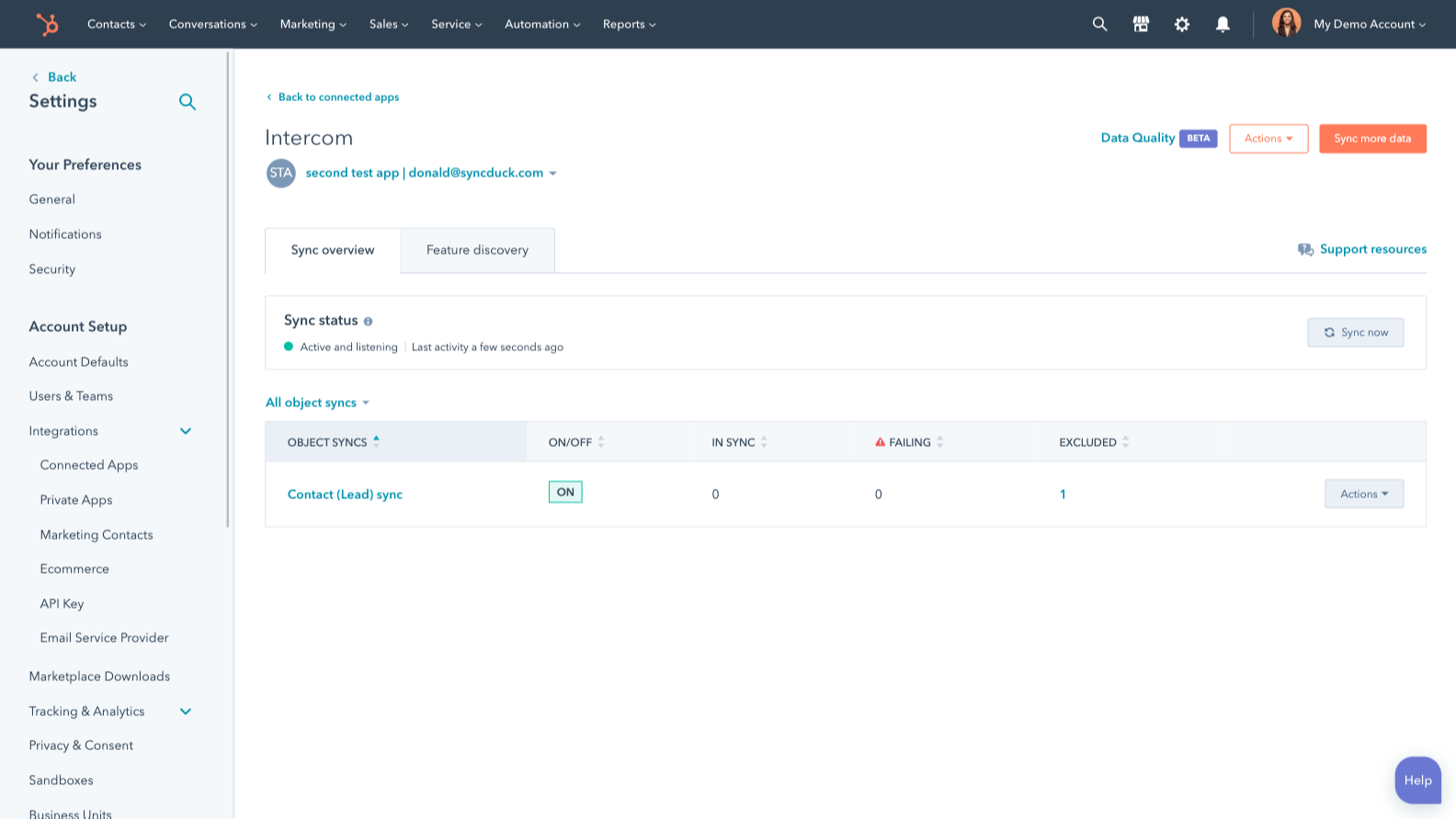
Sync Intercom and HubSpot data
Make manual data entry a thing of the past by syncing users, leads and companies between HubSpot and Intercom. When records are created or updated in either app, that information will be automatically shared with the other one.
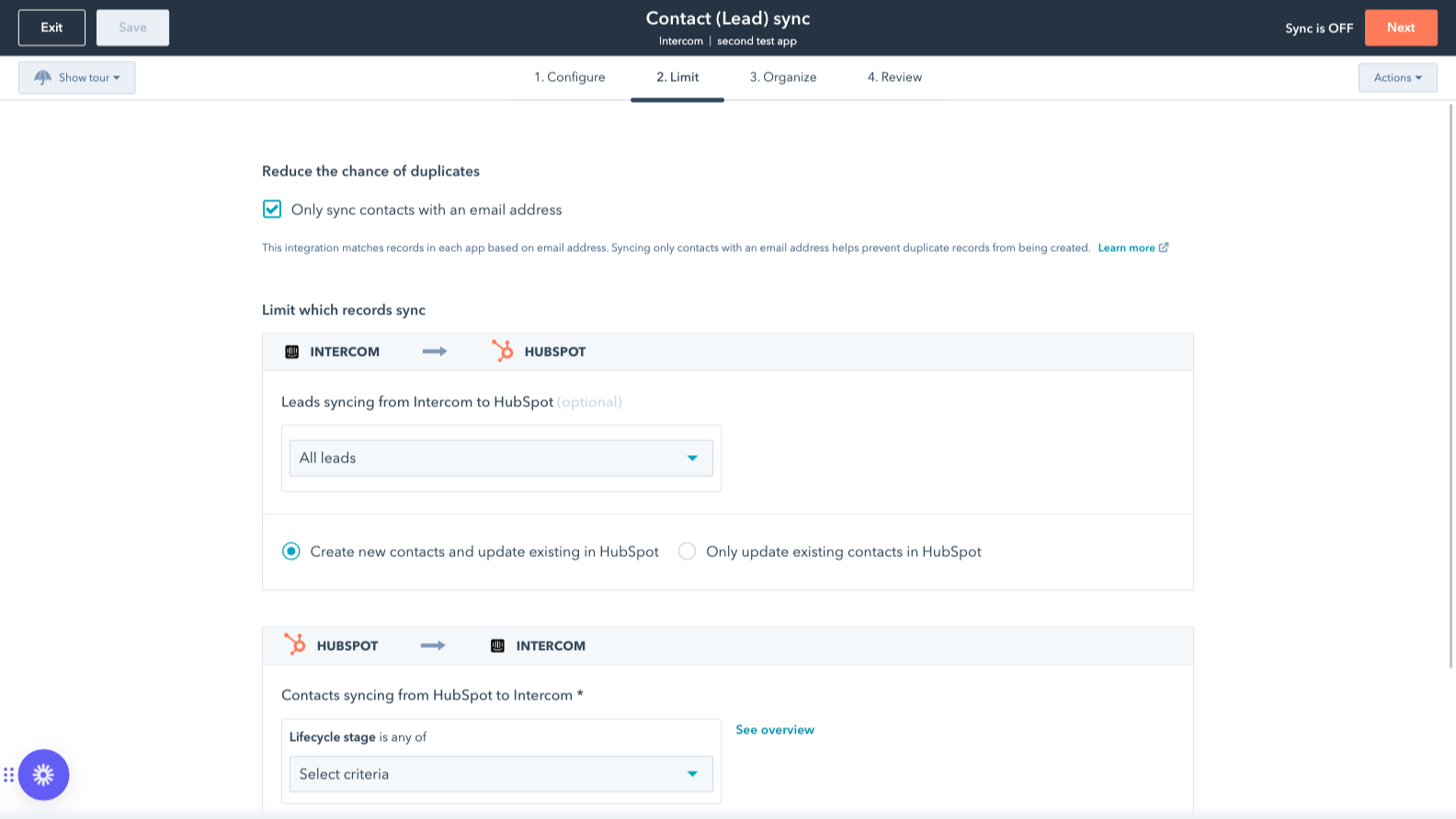
Sync only the data you want
You’re in control of your data. You can set up a one- or two-way sync, which means you can either sync data from only one app to the other or back-and-forth between both apps. You can also add a filter for any Intercom field (like your custom fields or tags) or HubSpot list to sync exactly what you want—and nothing you don’t.
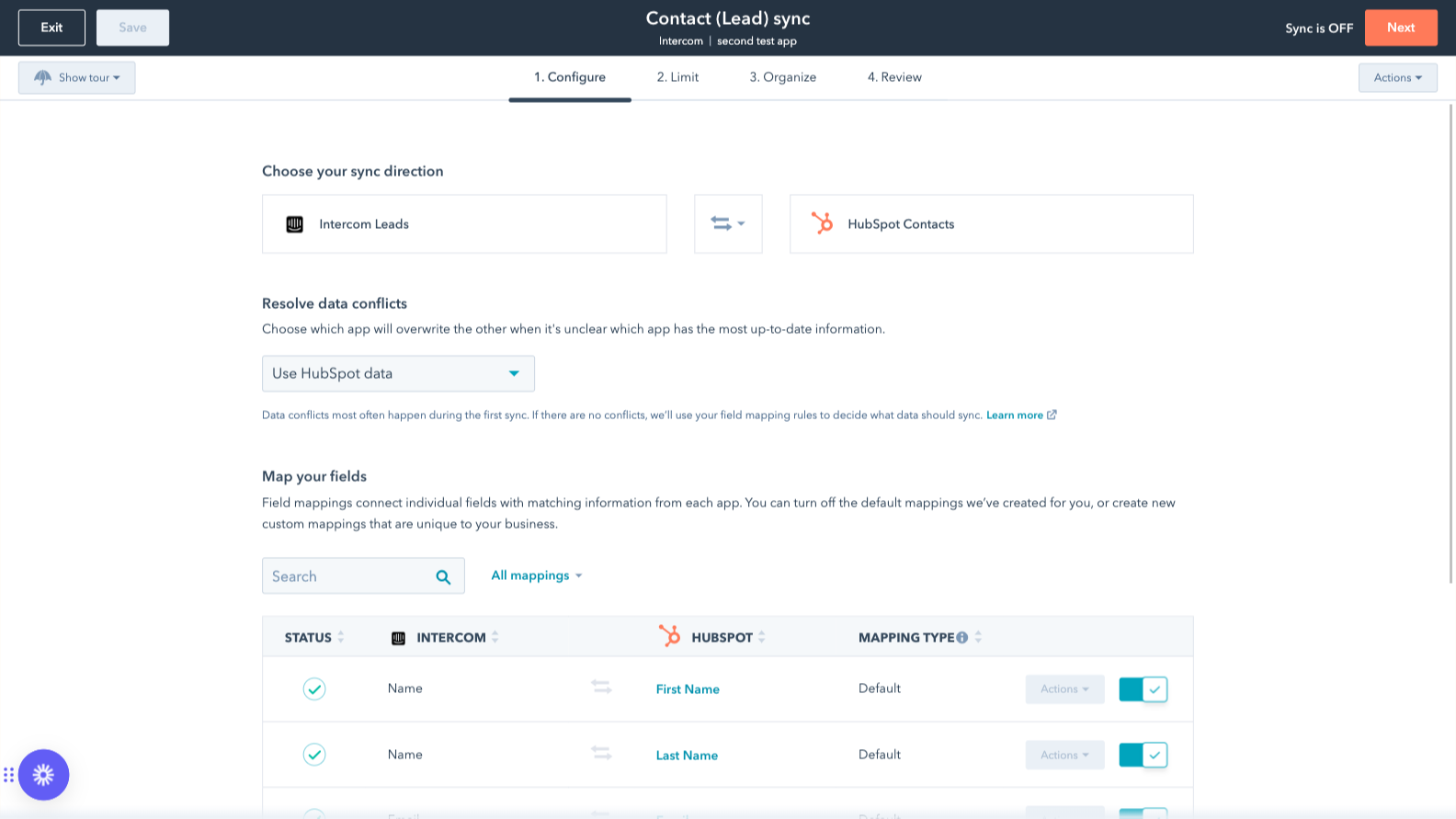
Custom field mappings
Custom field mappings are available with Data Hub Starter or Professional plans. Custom mappings add the flexibility to create your own mappings or make changes to your default ones.
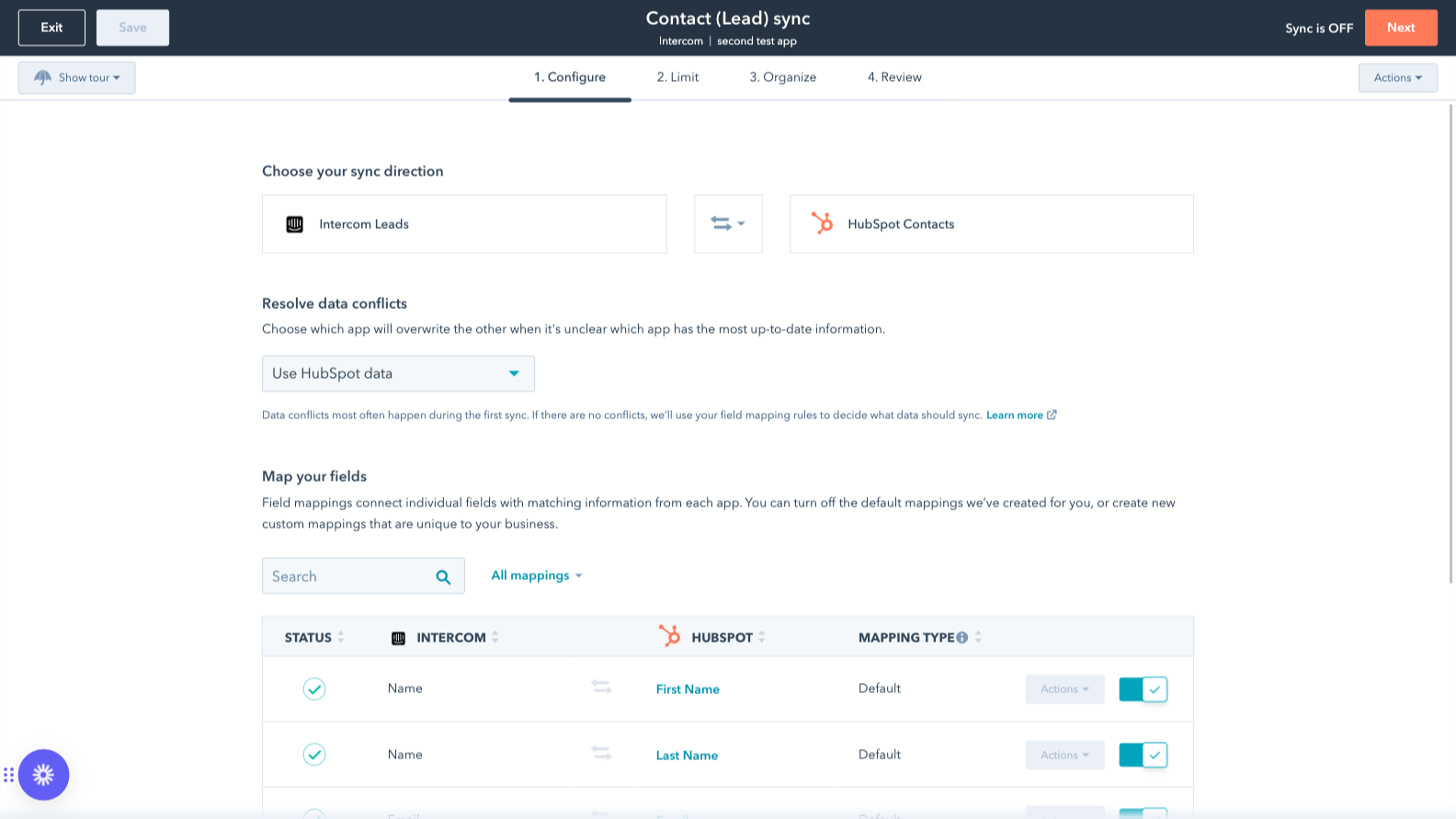
Default field mappings
Field mappings connect matching information in each app—and we’ve already created them for you. Our out-of-the-box default field mappings make set-up quick and keep your data clean and organized. Plus, there are no surprises: You can see exactly which fields come already mapped in the “Shared data” section below.
Appfunktionalitet
Delade data
Each object has field mappings that connect matching information from each app. Default mappings are listed below. If you want to change these default mappings or create your own, custom field mappings are available with Data Hub Starter and up.
The following will not sync: Tickets. To sync Tickets, check out the integration supported by Intercom here.
Companies | ||
Leads | ||
Users |
Recensioner
2,4
21
2,4
21
- 23 sep 2026
Begränsat antal funktioner eller inga alls
Vi kan inte koppla faktiska biljetter från Intercom till konton i HubSpot
undviker att behöva använda andra anslutningsverktyg
Det finns inte särskilt många funktioner, och de allra viktigaste – som behövs för att kunna se status och synlighet för ärenden per konto – finns inte tillgängliga
Ritz, S.
- 17 mar 2026
Tvingas uppgradera abonnemanget bara för att kunna importera grundläggande egenskaper – en helt orimlig betalvägg för nödvändiga funktioner
Jag tycker verkligen att det är irriterande att jag måste teckna ett nytt abonnemang för att kunna importera mina fastigheter till Intercom. Det är helt orimligt att jag måste betala för ett nytt abonnemang bara för att jag vill kunna se ett fält i Intercoms gränssnitt. Jag anser verkligen att den här funktionen borde vara tillgänglig utan extra kostnad.
Oliveira, B.
Prissättning
Review Intercom's Pricing Page
0 US$
Use the 'See all pricing options' link on the righthand side
Make sure to confirm the HubSpot subscription and the Intercom subscription needed to install this integration
Note: "Free" is referring to the cost of the integration, not the app subscriptions
Review Intercom's Pricing Page
0 US$
Use the 'See all pricing options' link on the righthand side
Make sure to confirm the HubSpot subscription and the Intercom subscription needed to install this integration
Note: "Free" is referring to the cost of the integration, not the app subscriptions
*Priserna här är endast avsedda som exempel. I priserna ingår inte skatter, incitament, rabatter eller andra prisvariabler. Ta kontakt med partnern för den senaste och mest uppdaterade prisinformationen. HubSpot har inget ansvar för den här prisinformationen, vilken tillhandahålls av våra partner. Priserna uppdaterades senast: 2025-09-03