

要求
HubSpot 版本 HubSpot 帳戶權限 無需權限 存取權類型 已分享 Intercom 訂閱 - Review Intercom's Pricing Page 版本
總覽
1/2
Sync Intercom users, leads and companies without manual data entry or messy, time-consuming imports.
Here’s what you get with Data Sync by HubSpot:
- Two-way sync: Data is shared between Intercom and HubSpot in real time
- Default field mappings: Set-up is quick with out-of-the-box field mappings already created for you
- Historical syncing: Your existing data will sync right away, and updates will sync as they happen
功能
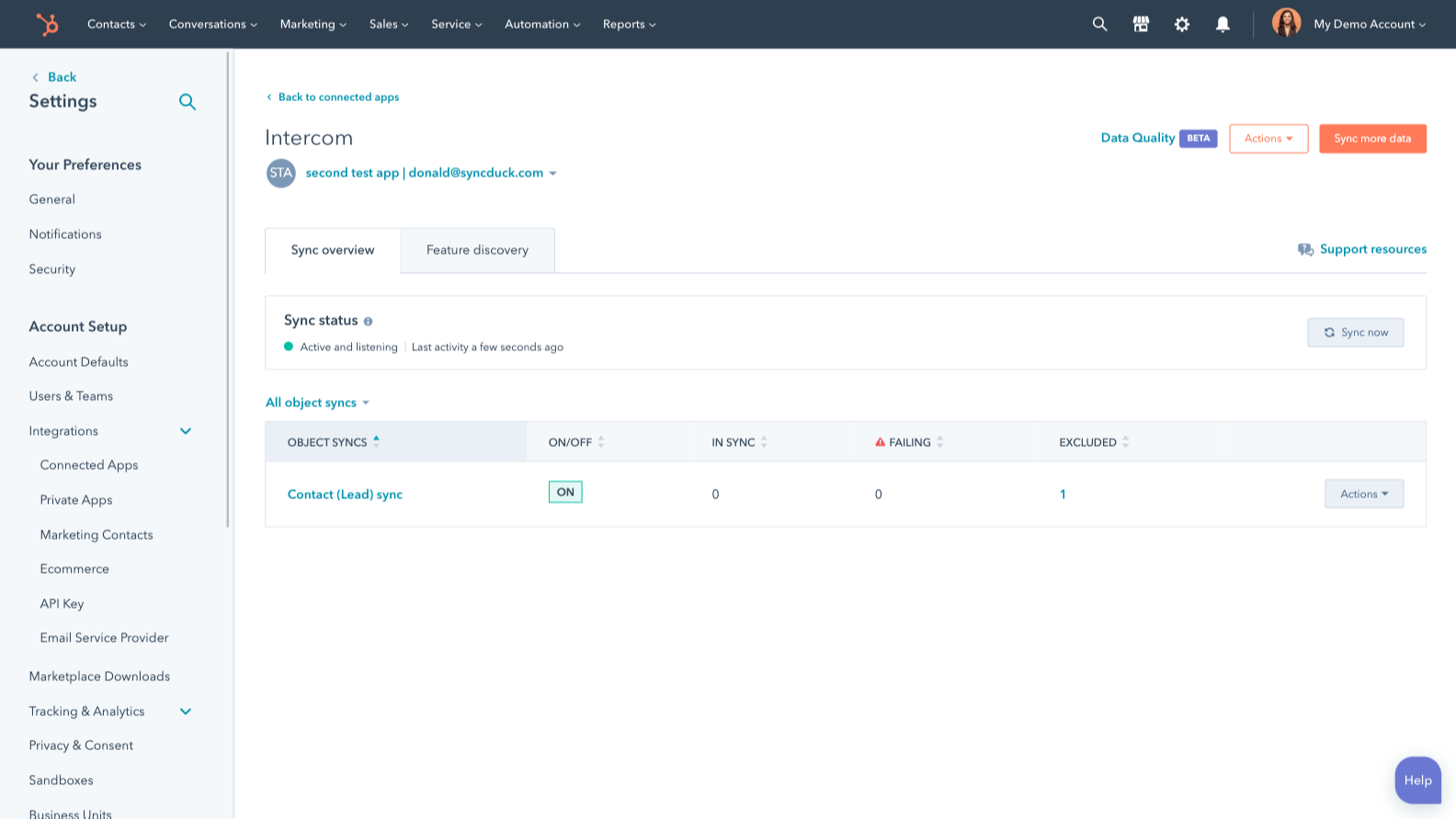
Sync Intercom and HubSpot data
Make manual data entry a thing of the past by syncing users, leads and companies between HubSpot and Intercom. When records are created or updated in either app, that information will be automatically shared with the other one.
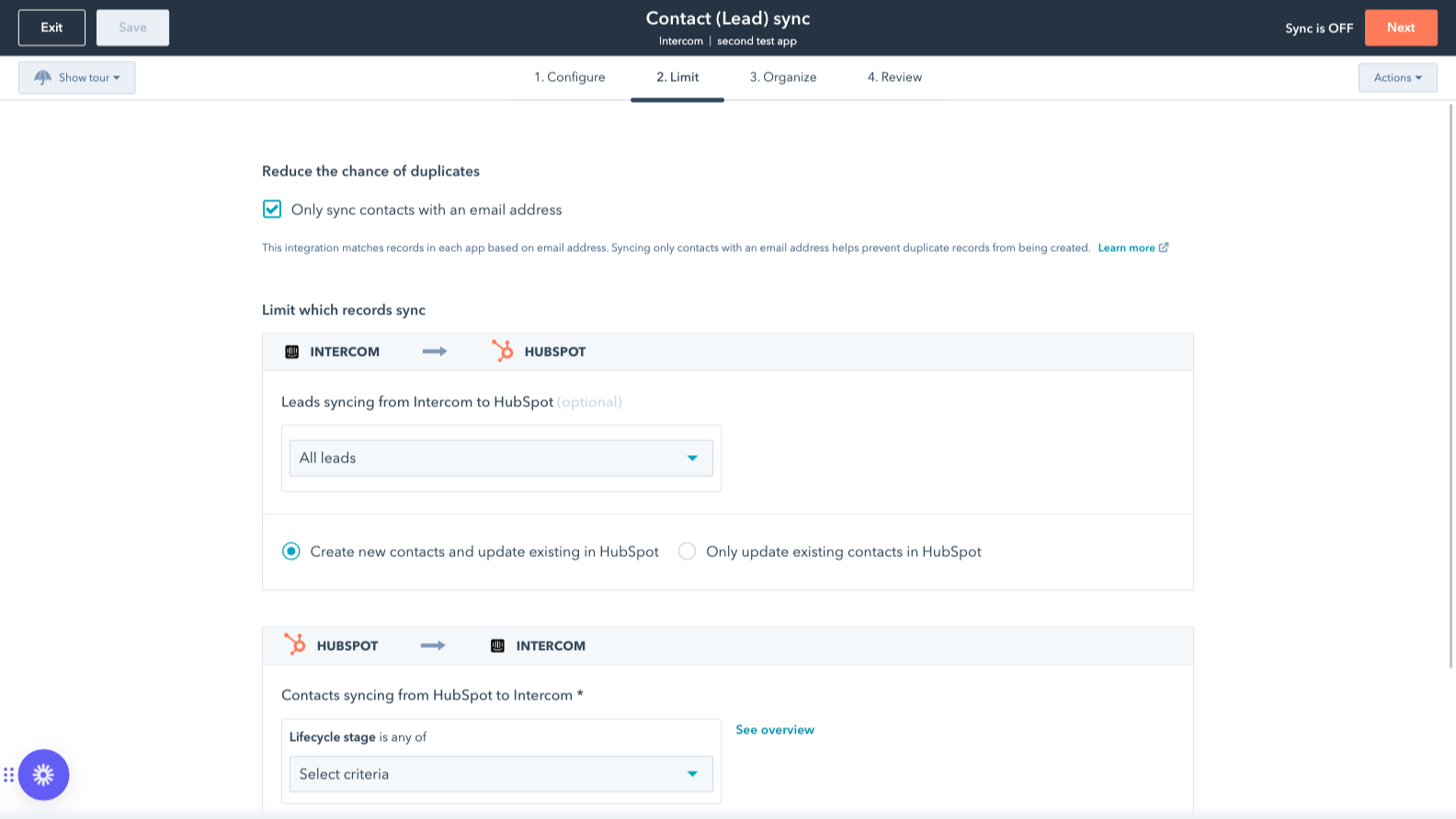
Sync only the data you want
You’re in control of your data. You can set up a one- or two-way sync, which means you can either sync data from only one app to the other or back-and-forth between both apps. You can also add a filter for any Intercom field (like your custom fields or tags) or HubSpot list to sync exactly what you want—and nothing you don’t.
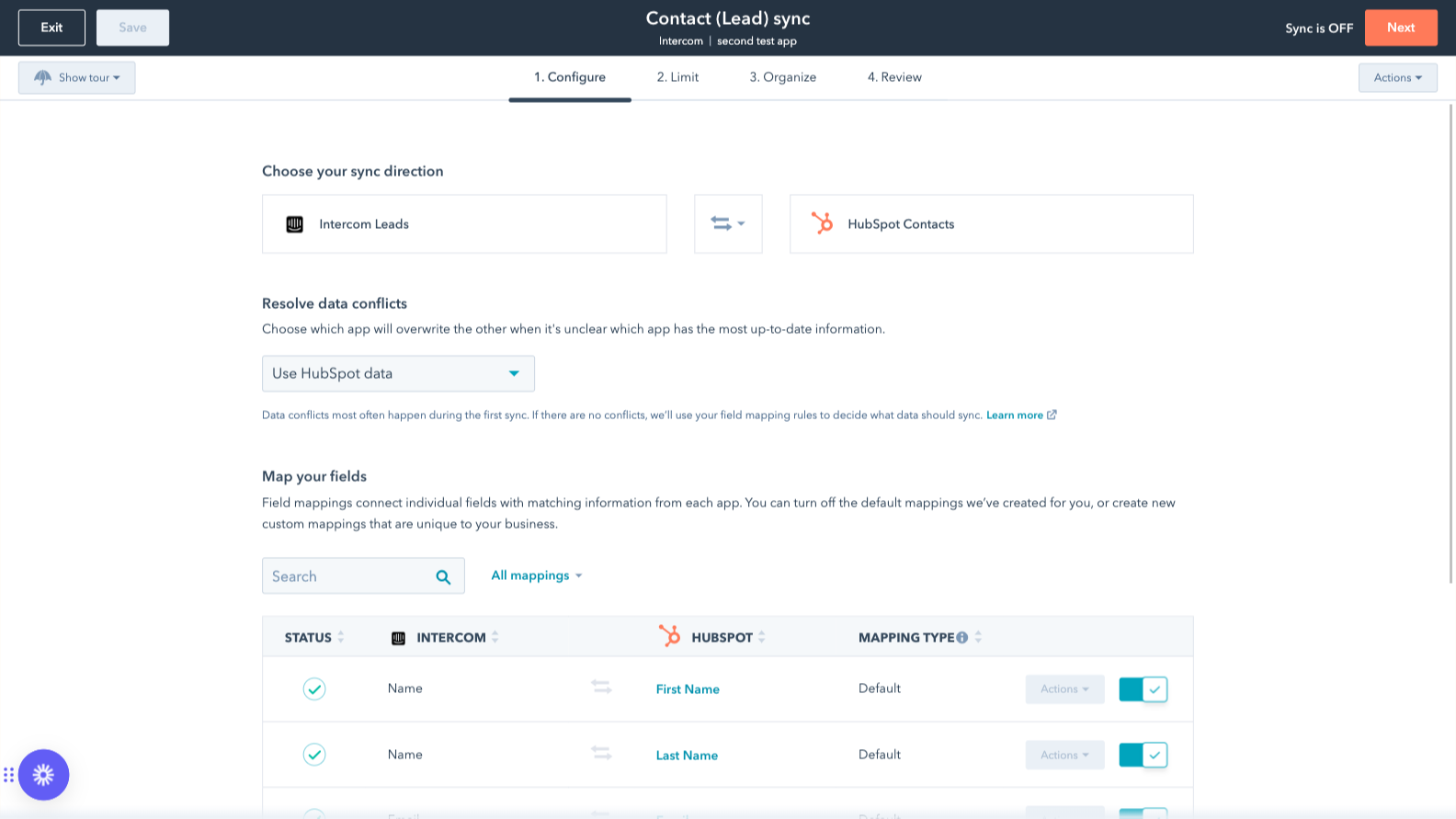
Custom field mappings
Custom field mappings are available with Data Hub Starter or Professional plans. Custom mappings add the flexibility to create your own mappings or make changes to your default ones.
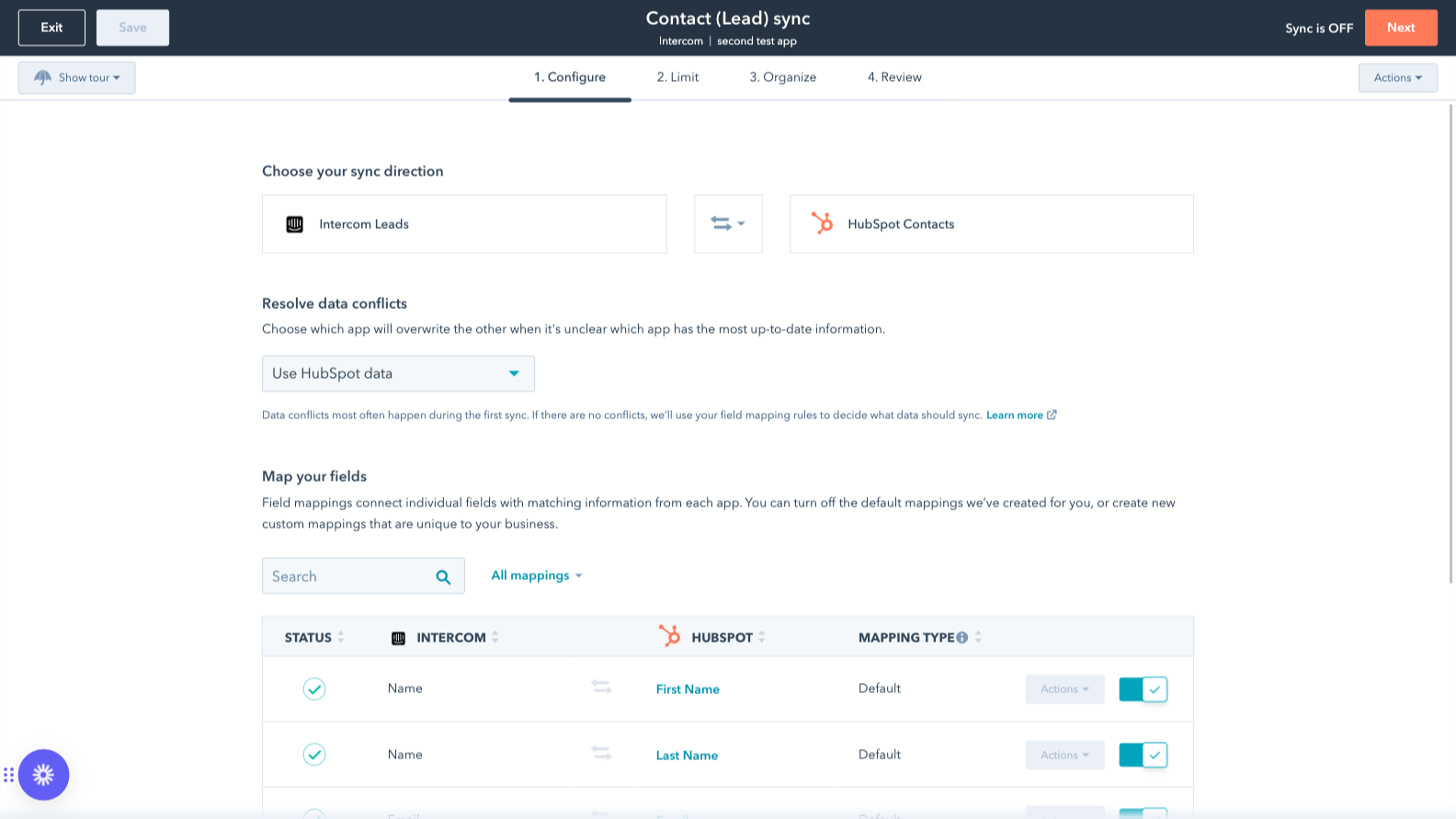
Default field mappings
Field mappings connect matching information in each app—and we’ve already created them for you. Our out-of-the-box default field mappings make set-up quick and keep your data clean and organized. Plus, there are no surprises: You can see exactly which fields come already mapped in the “Shared data” section below.
應用程式功能
共用資料
Each object has field mappings that connect matching information from each app. Default mappings are listed below. If you want to change these default mappings or create your own, custom field mappings are available with Data Hub Starter and up.
The following will not sync: Tickets. To sync Tickets, check out the integration supported by Intercom here.
Companies | ||
Leads | ||
Users |
評論
2.5
20
2.5
20
- 2026年3月17日
仅为导入基本属性就被迫升级计划--基本功能的付费墙完全不合理
我真的很讨厌需要一个新计划才能将我的属性导入对讲机。仅仅因为我想在内部通话界面上看到 1 个字段,就需要支付新计划的费用,这没有任何意义。我真的认为这应该是免费的。
Oliveira, B.
- 2025年11月7日
单个工具非常出色,但集成度严重受限,妨碍了售后客户管理
单独来看,它们都是很好的工具,但在售后生命周期中,它们的集成能力却非常有限。
连接相当容易。
对于现有客户来说,集成没有帮助。它提供了用户级别的会话,但无法集成显示账户级别的会话。
Brockmann, A.
價格
Review Intercom's Pricing Page
US$0
Use the 'See all pricing options' link on the righthand side
Make sure to confirm the HubSpot subscription and the Intercom subscription needed to install this integration
Note: "Free" is referring to the cost of the integration, not the app subscriptions
Review Intercom's Pricing Page
US$0
Use the 'See all pricing options' link on the righthand side
Make sure to confirm the HubSpot subscription and the Intercom subscription needed to install this integration
Note: "Free" is referring to the cost of the integration, not the app subscriptions
* 此處顯示的價格僅供參考。所有價格均不包含稅金、獎勵、折扣或其他價格變數。如需最新的正確價格資訊,請連絡合作夥伴。HubSpot 對合作夥伴所提供的價格資訊不承擔任何責任。上次更新價格時間:2025/09/03