

Microsoft Teams
Anforderungen
HubSpot-Produktversion HubSpot-Account-Berechtigungen Keine Berechtigungen erforderlich Zugriffstyp Geteilt Microsoft Teams-Abonnement - Produktversionen: Kostenlos (ohne Verpflichtung), Microsoft 365 Business Basic, Microsoft 365 Business Standard oder Office 365 E3
Übersicht
1/8
Im Vertrieb, im Marketing und im Service dreht sich alles um den Aufbau von Beziehungen – doch es kann schwierig sein, diese Beziehungen zu knüpfen, wenn ein Vertriebsmitarbeiter wertvolle Zeit mit Routineaufgaben verbringt. Tatsächlich hat ein Bericht von HubSpot Research ergeben, dass Vertriebsmitarbeiter bis zu einem Viertel ihres Arbeitstages mit Aufgaben wie dem Verfassen von E-Mails und der Dateneingabe verbringen.
Software sollte dazu dienen, diesen Zeitaufwand zu minimieren, statt zusätzliche Schritte zu verursachen. Die HubSpot-Integration für Microsoft Teams zielt genau darauf ab.
Integration mit dem HubSpot-Terminplaner
Senden Sie Ihren HubSpot-Interessenten automatisch Einwahldaten und Details zu Telefonkonferenzen. Verwandeln Sie jedes in Ihrem HubSpot-CRM gebuchte Meeting in ein Microsoft Teams-Meeting.
Synchronisieren Sie Microsoft Teams-Besprechungsaufzeichnungen und -Transkripte mit HubSpot
Vereinheitlichen Sie Ihre Besprechungsdaten in HubSpot durch die Synchronisierung von Microsoft Teams-Besprechungsaufzeichnungen und -Transkripten mit HubSpot für Coaching und Analyse.
Benachrichtigungen teilen
Bleiben Sie über Aktivitäten in Ihrem HubSpot-CRM auf dem Laufenden, indem Sie Benachrichtigungen zu Chats, Erinnerungen, Erwähnungen, Formularübermittlungen und mehr direkt in Microsoft Teams erhalten. Sie können sogar spezielle Workflows in HubSpot erstellen, um Ihre Benachrichtigungen individuell anzupassen.
Konversationen verwalten
Empfangen und beantworten Sie Nachrichten aus Ihrem HubSpot-Konversations-Posteingang direkt in Ihren Microsoft Teams-Kanälen
Automatisieren mit Workflows
Nutzen Sie HubSpot-Workflows, um Benachrichtigungen anzupassen und neue Kanäle in Microsoft Teams zu erstellen.
Erstellen Sie Aufgaben und Tickets
Behalten Sie den Überblick über Ihre Arbeit, indem Sie direkt aus einer Microsoft Teams-Nachricht heraus schnell eine HubSpot-Aufgabe oder ein Ticket erstellen.
Verknüpfen Sie HubSpot-Deals und -Unternehmen mit Microsoft Teams-Kanälen
Verbinden Sie Microsoft Teams-Kanäle mit HubSpot-Unternehmens- und Deal-Datensätzen, um Aktivitätsaktualisierungen zu synchronisieren und Ihr Team auf dem Laufenden zu halten
Haben Sie Feedback zu dieser Integration? Bitte nutzen Sie dieses Formular, um Vorschläge, Anfragen oder Ideen einzureichen.
Funktionen
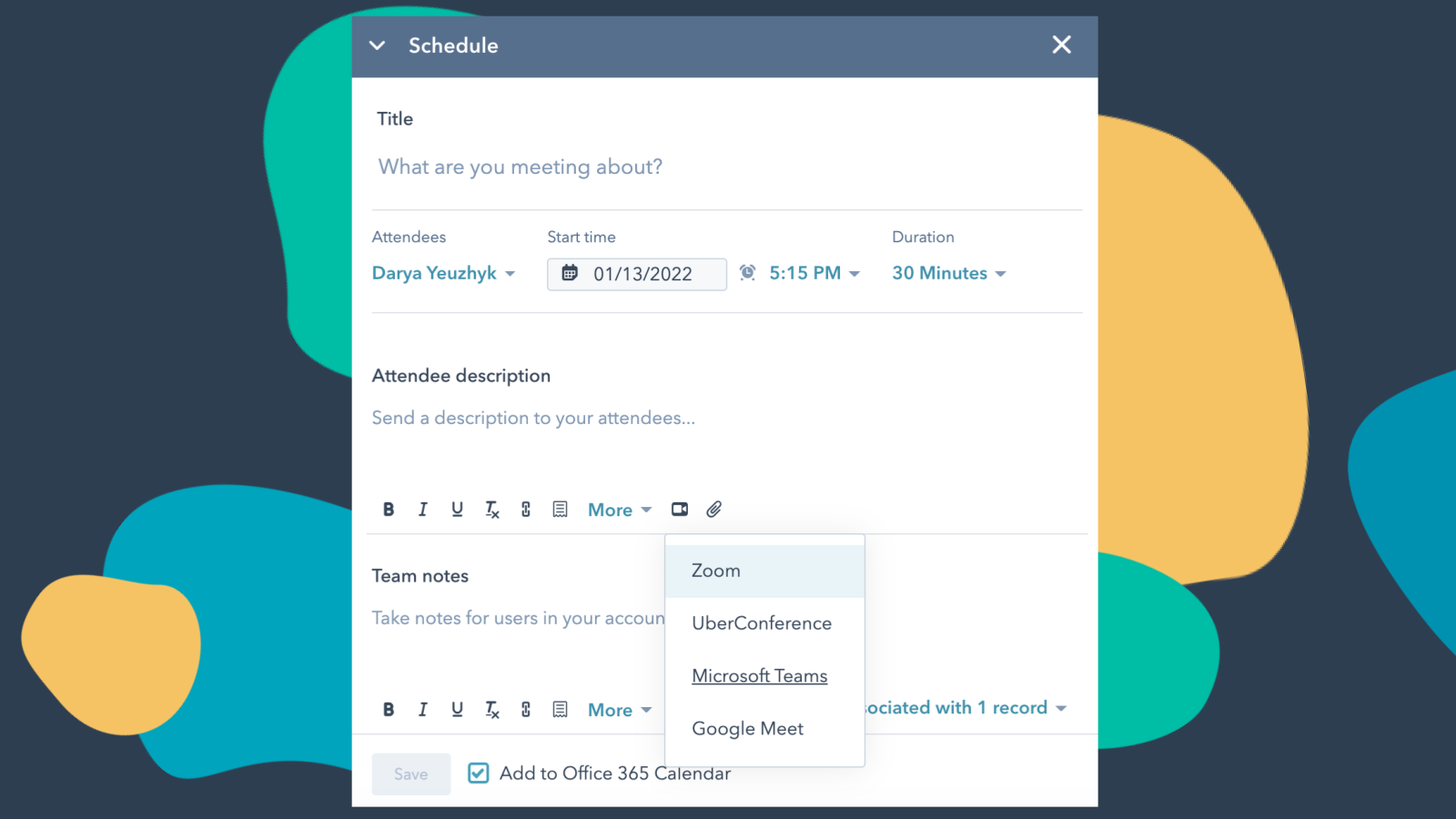
Microsoft Teams mit HubSpot Meetings integrieren
Möchten Sie sich bei einem Interessenten oder Kunden melden? Als Vertriebs- oder Servicemitarbeiter gibt es nichts Besseres als ein kurzes Video-Gespräch, um herauszufinden, was Ihr Interessent oder Kunde von Ihnen benötigt, um erfolgreich zu sein. Planen Sie ganz einfach ein Microsoft Teams-Meeting direkt aus einem Kontaktdatensatz heraus, um Ihren Video-Chat zu vereinbaren.
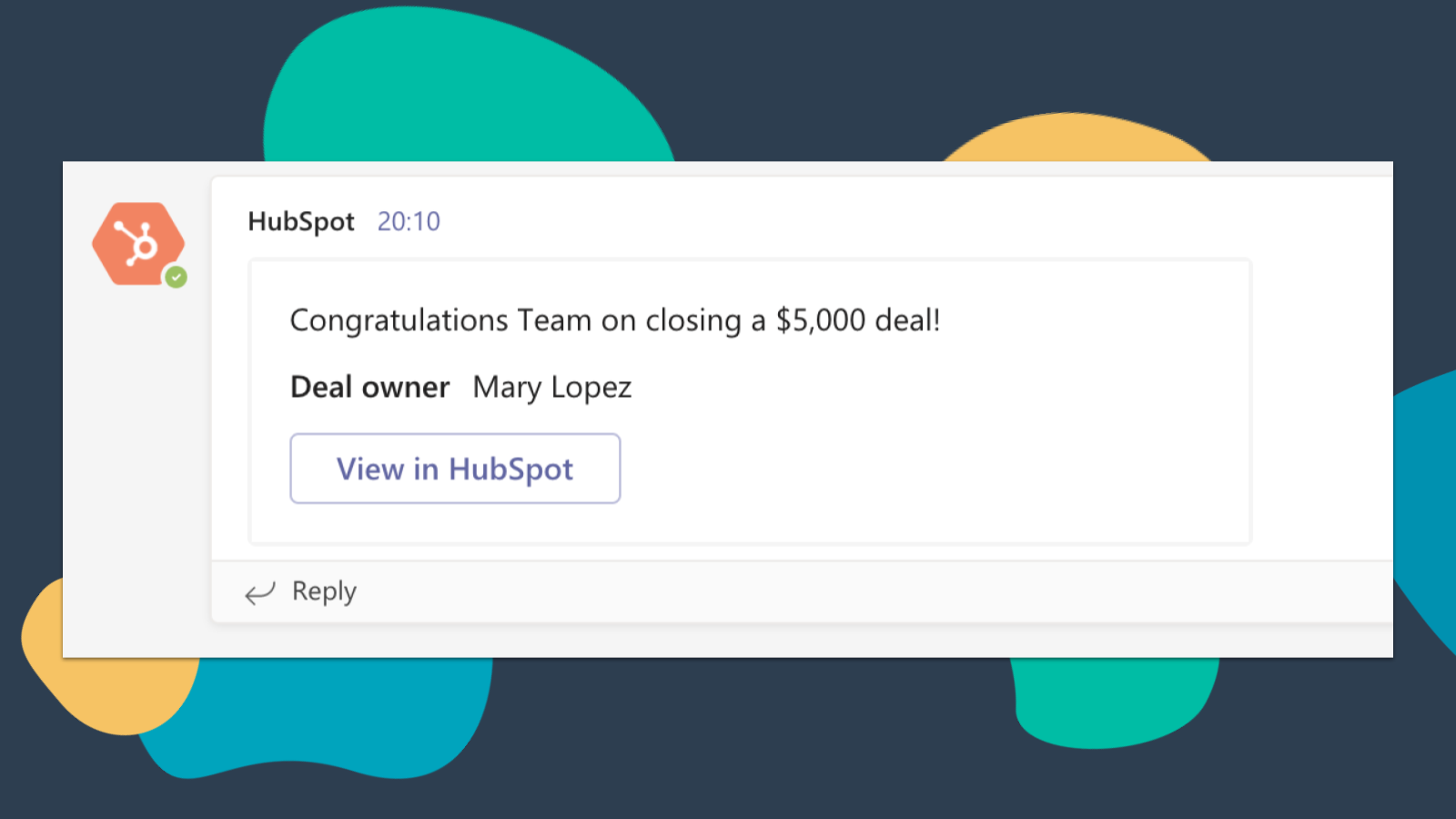
HubSpot-Benachrichtigungen in Microsoft Teams erhalten
Lassen Sie sich in Microsoft Teams benachrichtigen, wenn Ihnen ein neues Ticket zugewiesen wird oder wenn ein von Ihnen betreutes Geschäft abgeschlossen wird! Standardmäßig erhalten Sie Benachrichtigungen zu folgenden Aktivitäten: Zuweisungen, Kommentare, Follows, Erwähnungen, überfällige Elemente, Erinnerungen, Antworten, Einreichungen, Aufrufe
-4-1.png)
Microsoft Teams-Besprechungsaufzeichnungen und -Transkripte mit HubSpot synchronisieren
Vorschau auf Besprechungen zu zugehörigen Datensätzen sowie automatische Aufzeichnung und Transkription von Besprechungen zur späteren Wiedergabe. Auf der HubSpot-Indexseite können Sie auf eine vollständige Liste der Besprechungen Ihres Teams zugreifen, Besprechungen nach Objekteigenschaften filtern und die Besprechungen nach Schlüsselbegriffen durchsuchen.
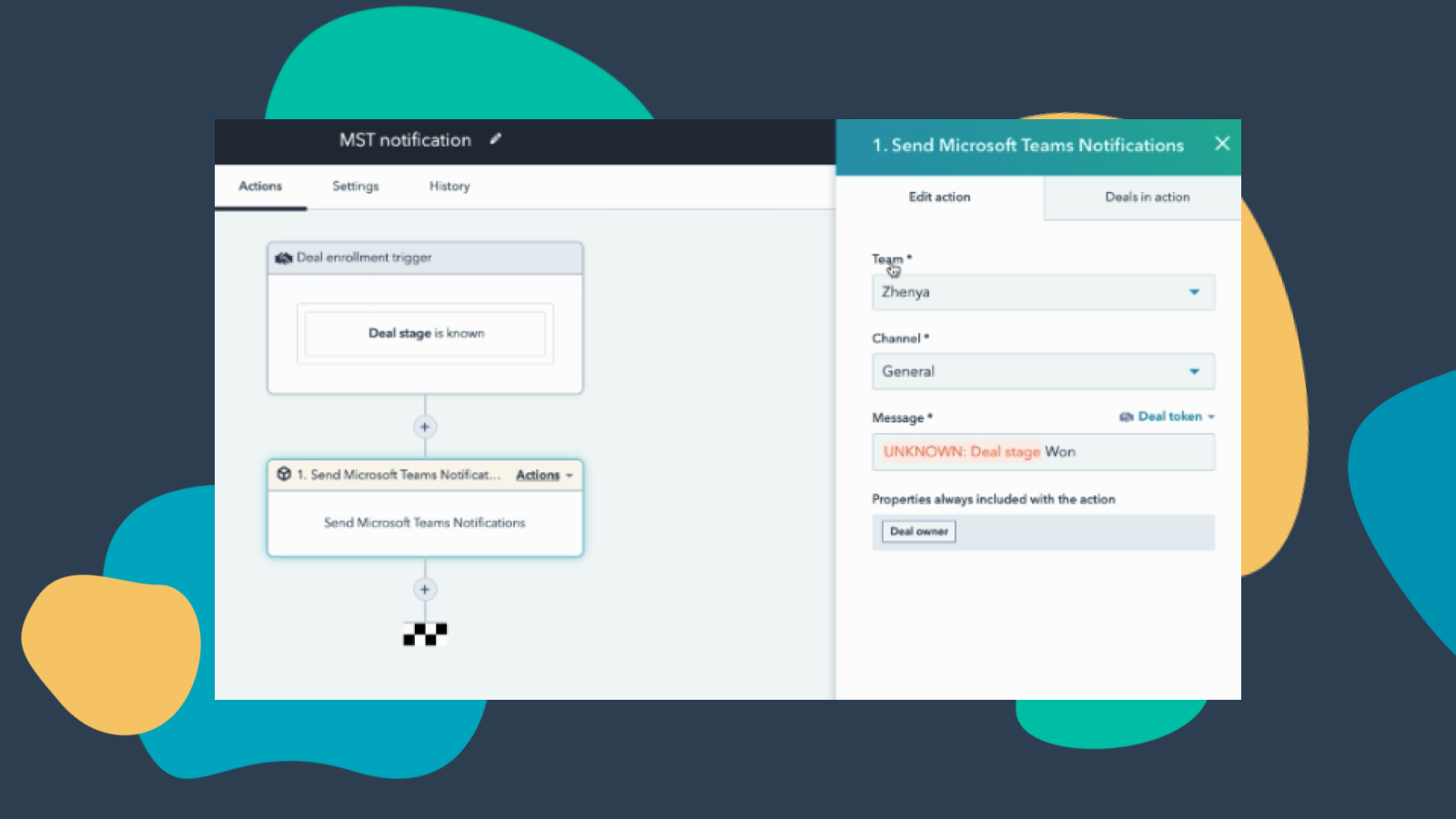
Teams-Benachrichtigungen über Workflows anpassen
Erstellen Sie Benachrichtigungs-Workflows für Microsoft Teams, damit Sie benachrichtigt werden, wenn sich der Status Ihrer Deals ändert oder wenn neue Unternehmen, die in Ihr Gebiet fallen, zu HubSpot hinzugefügt werden – und vieles mehr! Hinweis: Für diese Funktion ist ein kostenpflichtiges Abonnement erforderlich.
-3-1.png)
Verwalten Sie Ihre Unterhaltungen in Microsoft Teams
Empfangen und beantworten Sie Nachrichten aus dem HubSpot Conversations-Posteingang direkt in Microsoft Teams-Kanälen. Hinweis: Für diese Funktion ist ein kostenpflichtiges Abonnement erforderlich.
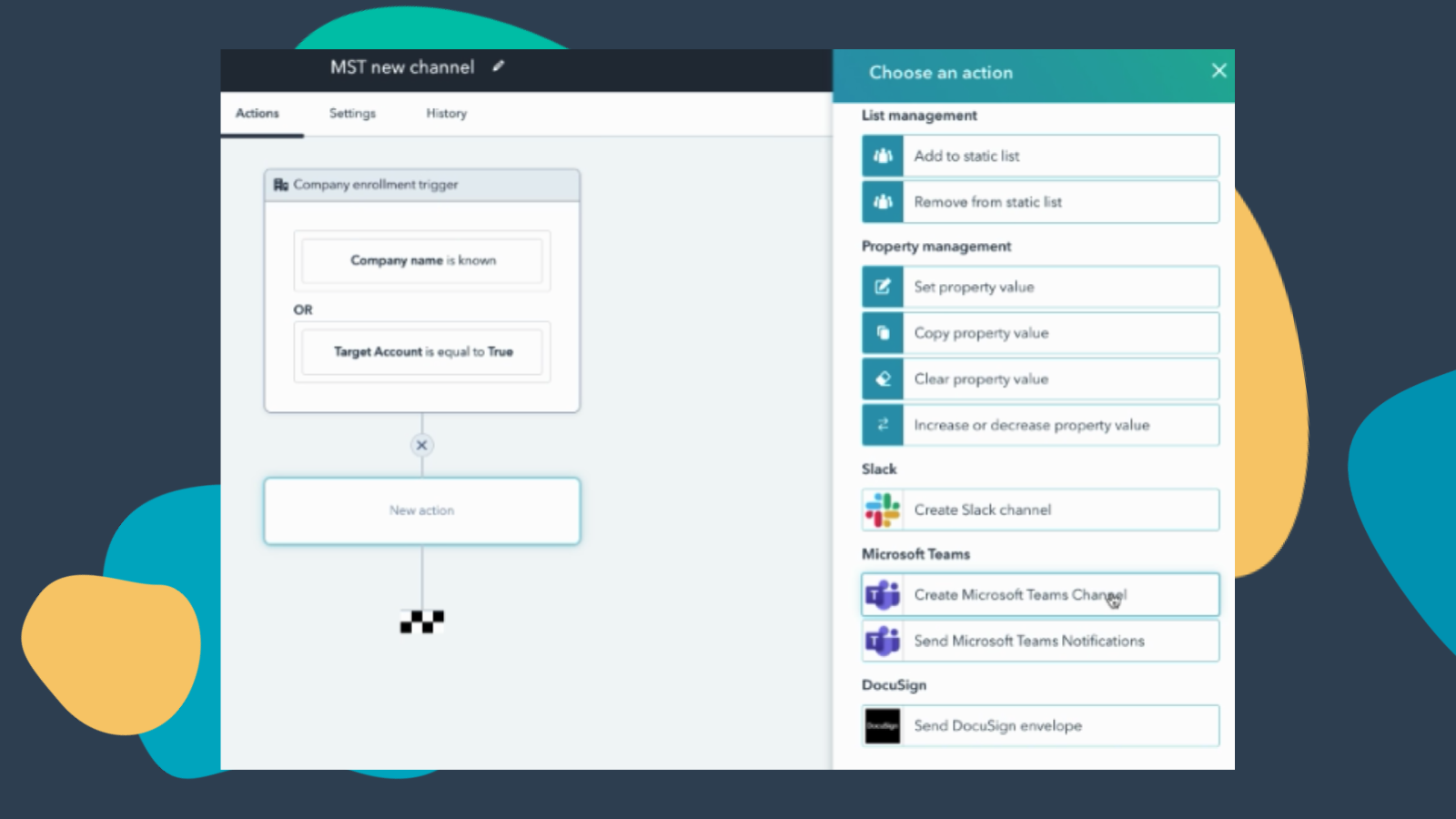
Workflows erstellen, um Kanäle zu Microsoft Teams hinzuzufügen
Erstellen Sie einen neuen Microsoft Teams-Kanal, wenn neue Unternehmen oder Geschäfte angelegt werden, die bestimmte Kriterien erfüllen. Hinweis: Für diese Funktion ist ein kostenpflichtiges Abonnement erforderlich.
App-Funktionalität
Direct Message | ||
Messages |
Rezensionen
3,2
251
3,2
251
Nutzer schätzen, dass die Integration die Terminplanung vereinfacht, indem sie automatisch Teams-Links für Kalendereinladungen generiert und HubSpot-Benachrichtigungen zentralisiert. Einige berichten jedoch von einem umständlichen Einrichtungsprozess und Synchronisationsproblemen, bei denen Meeting-Links nicht an Kalendertermine angehängt werden. Während einige fehlende Funktionen für die Webinar-Synchronisation und die automatische Anrufprotokollierung bemängeln, automatisiert die App Routinebuchungen effektiv und hilft Teams dabei, ihre Kommunikationswerkzeuge zu bündeln.
- 8. Sep. 2026
Verbindung nicht möglich
Ich habe stundenlang vieles ausprobiert. Es hat nicht geklappt.
Martinez, L.
- 1. Sep. 2026
Begrenzt
Die Installation hat zwar eine Weile gedauert, aber die App bietet zahlreiche Funktionen und eignet sich hervorragend für die Analyse von Besprechungen.
Leiten Sie Benachrichtigungen direkt an Benutzer und Kanäle weiter und analysieren Sie Teams-Besprechungen mit den CI- und KI-Funktionen von HubSpot.
Es gibt keine dynamischen Benachrichtigungen an den „Datensatzinhaber“; man muss immer einen statischen Benutzer auswählen. Das ist die Hölle für jede Organisation mit mehr als etwa 10 potenziellen Datensatzinhabern.
Balm, B.
Kostenlos (ohne Verpflichtung)
0 $
Besprechungen und Telefonate
Chat und Zusammenarbeit
Apps und Dienste zur Steigerung der Produktivität
Sicherheit und Compliance
Kostenlos (ohne Verpflichtung)
0 $
Besprechungen und Telefonate
Chat und Zusammenarbeit
Apps und Dienste zur Steigerung der Produktivität
Sicherheit und Compliance
* Die hier angegebenen Preise dienen nur zu Illustrationszwecken. Alle Preise enthalten keine Steuern, Sonderangebote, Rabatte oder sonstigen Preisvarianten. Bitte wenden Sie sich direkt an den Partner, um aktuelle und korrekte Preisinformationen zu erhalten. HubSpot übernimmt keine Verantwortung für Preisinformationen, die von unseren Partnern bereitgestellt werden. Letzte Aktualisierung der Preisinformationen: 16.06.2026
Weitere Infos
Erstellt von - HubSpot
Installationen - 64 Tsd. Installationen
Kategorien Sprachen, in denen diese App verfügbar ist Englisch