

Microsoft Teams
Use Microsoft Teams and HubSpot for meetings, conversations, and more!
要求
HubSpot 版本 HubSpot 帳戶權限 無需權限 Microsoft Teams 訂閱 - Free (no commitment)、Microsoft 365 Business Basic、Microsoft 365 Business Standard或Office 365 E3 版本
總覽
1/8
Sales, marketing, and services are all about building relationships -- but it can be difficult to form those relationships when a rep spends precious time completing menial tasks. In fact, a report from HubSpot Research found that sales reps spend up to a quarter of their day on tasks like writing emails and data entry.
Software should exist to help minimize that time spent, not create extra steps. HubSpot's integration for Microsoft Teams aims to do just that.
Integrate with HubSpot Meeting Scheduler
Automatically send dial-in and conference call details to your HubSpot prospects. Turn every meeting booked in your HubSpot CRM into a Microsoft Teams meeting.
Sync Microsoft Teams Meeting Recordings and Transcripts to HubSpot
Unify your meeting data in HubSpot through Microsoft Teams meeting recording and transcript sync to HubSpot for coaching and analysis.
Share Notifications
Stay connected to activities in your HubSpot CRM by receiving notifications for chats, reminders, mentions, form submissions, and more within Microsoft Teams. You can even create specialized workflows within HubSpot to customize your notifications.
Manage Conversations
Recieve and reply to your conversation inbox messages from HubSpot directly in your Microsoft Teams channels
Automate with Workflows
Use HubSpot workflows to customize notifications and create new channels in Microsoft Teams.
Create Tasks and Tickets
Stay on top of your work by quickly creating a HubSpot task or ticket right from a Microsoft Teams message.
Associate HubSpot Deals and Companies with Microsoft Teams Channels
Connect Microsoft Teams channels to HubSpot company and deal records to sync activity updates and keep your team in the loop
Have feedback about this integration? Please use this form to submit any suggestions, requests or ideas.
功能
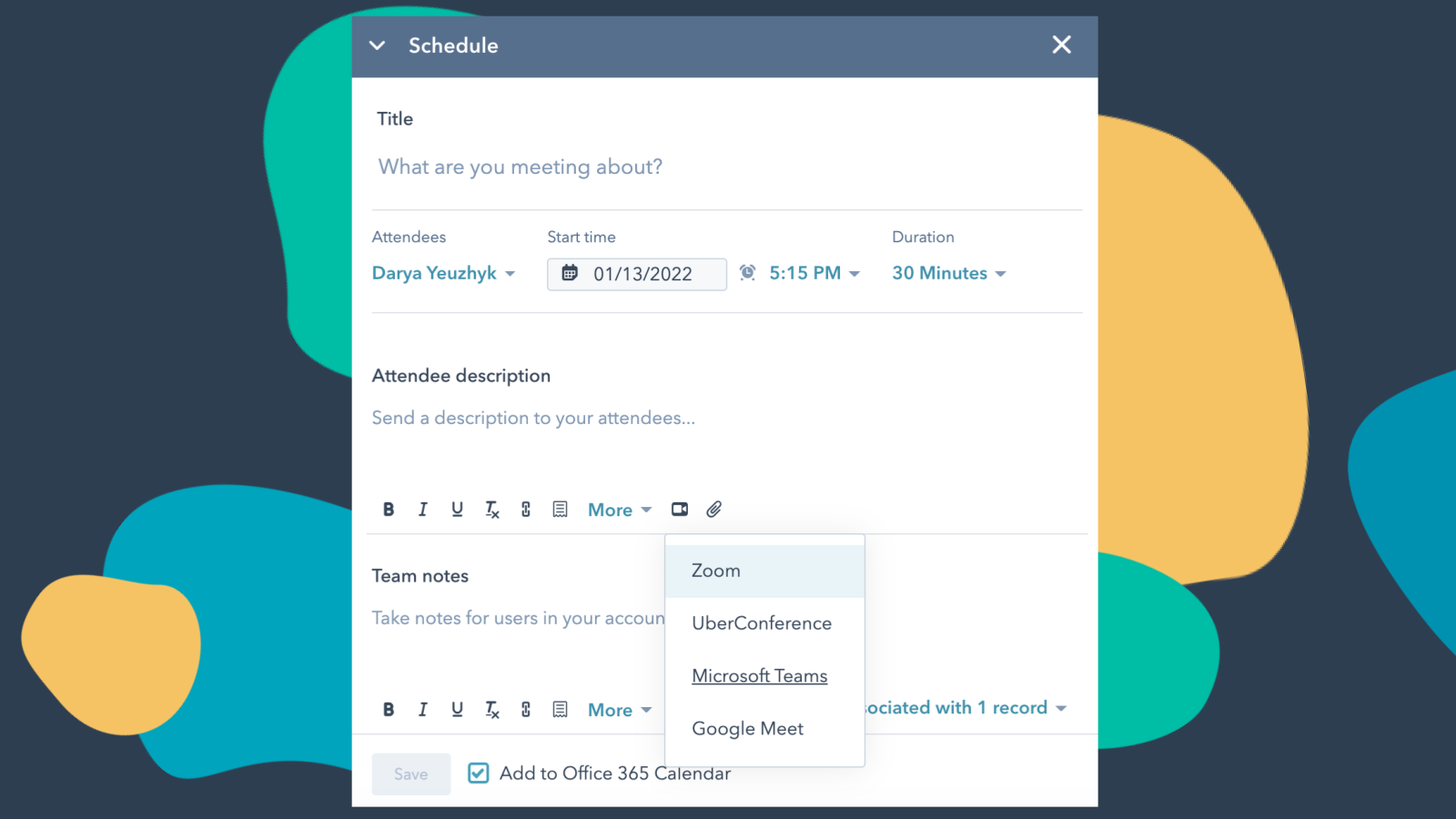
Integrate Microsoft Teams with HubSpot Meetings
Want to check in on a lead or a customer? As a sales or service rep -- there's nothing better than a quick chat over video to get a pulse on what your lead or customer needs from you to succeed. Easily schedule a Microsoft Teams meeting from any contact record to get your video chat on the books.
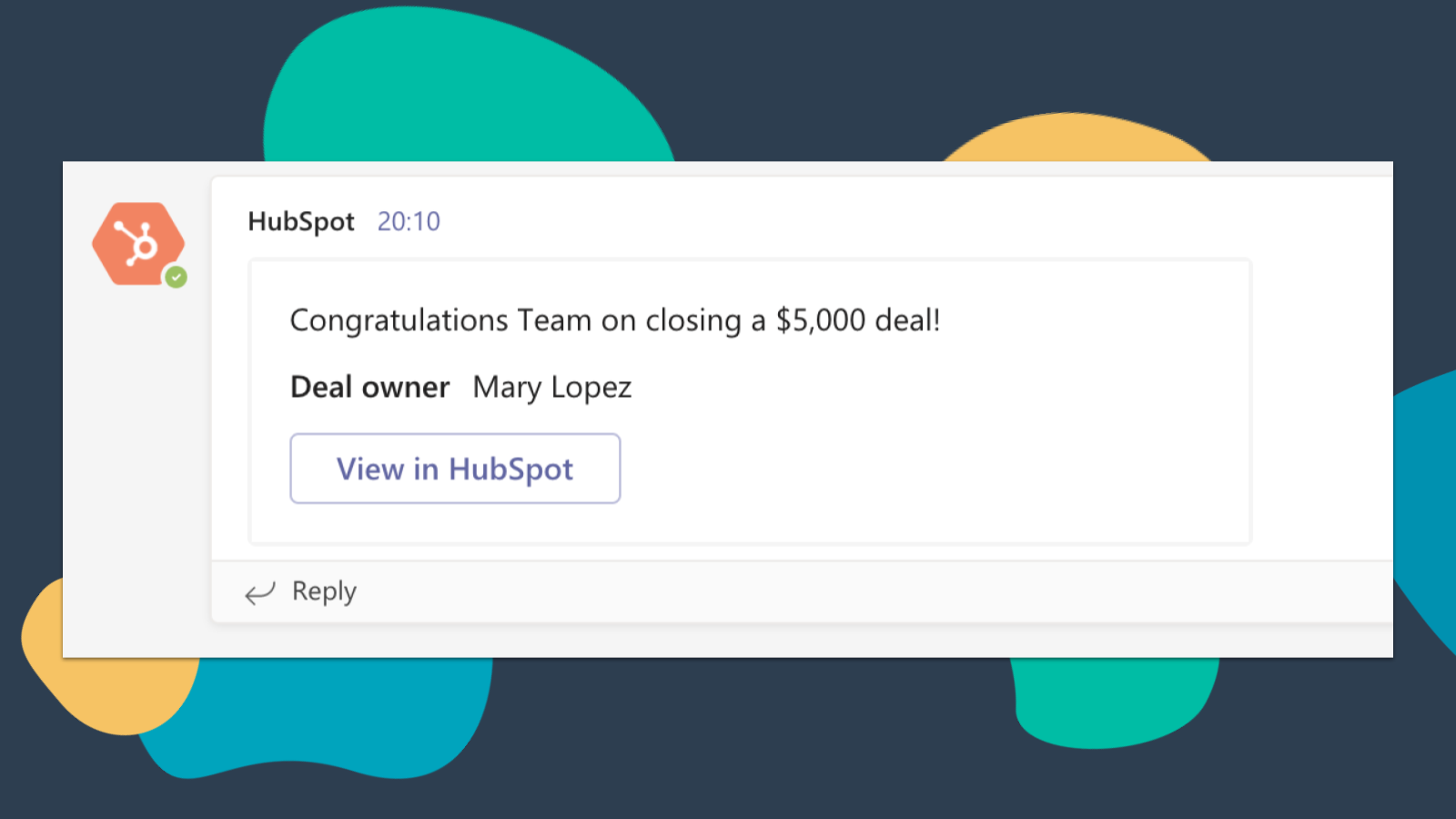
Get HubSpot Notifications in Microsoft Teams
Get notified in Microsoft Teams when you get assigned a new ticket or when a deal you own closes! By default, you will receive notifications for these types of activities: Assignments, Comments, Follows, Mentions, Overdue Items, Reminders, Replies, Submissions, Views
-4-1.png)
Sync Microsoft Teams Meeting Recordings and Transcripts to HubSpot
Preview meetings on associated records and automatically record and transcribe meetings for playback. In the HubSpot index page, you can access a full list of team's meetings, filter meetings by object properties, and search across meetings for key terms.
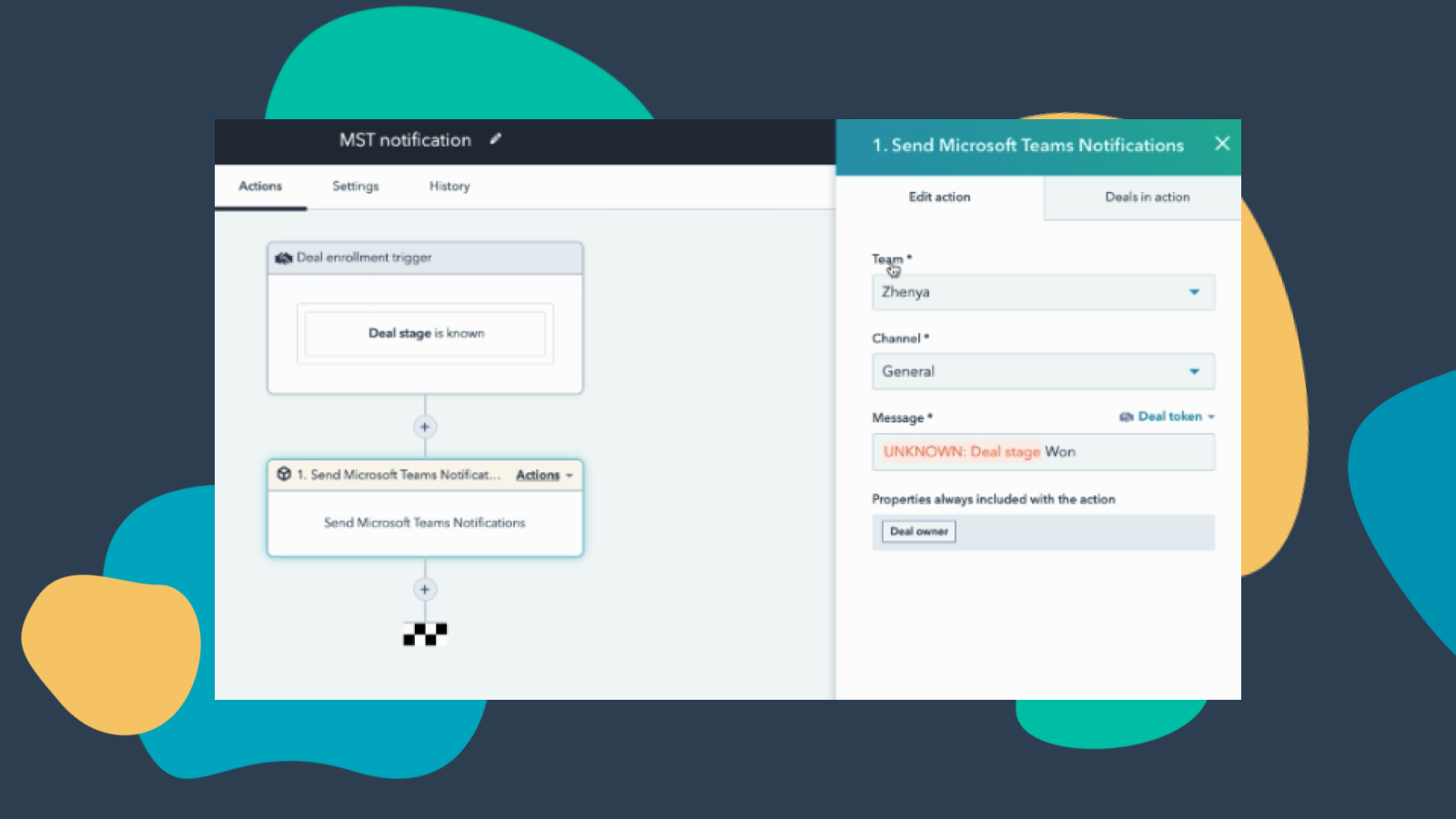
Customize Teams Notifications through Workflows
Create notification workflows for Microsoft Team to allow you to get notified when your deals change status or when new companies that fit within your territory are added to HubSpot and much more! Note: this feature requires a paid subscription.
-Apr-13-2023-06-54-18-0205-PM.jpeg)
Manage your Conversations in Microsoft Teams
Receive and reply to HubSpot Conversations Inbox Messages directly in Microsoft Teams channels. Note: this feature requires a paid subscription.
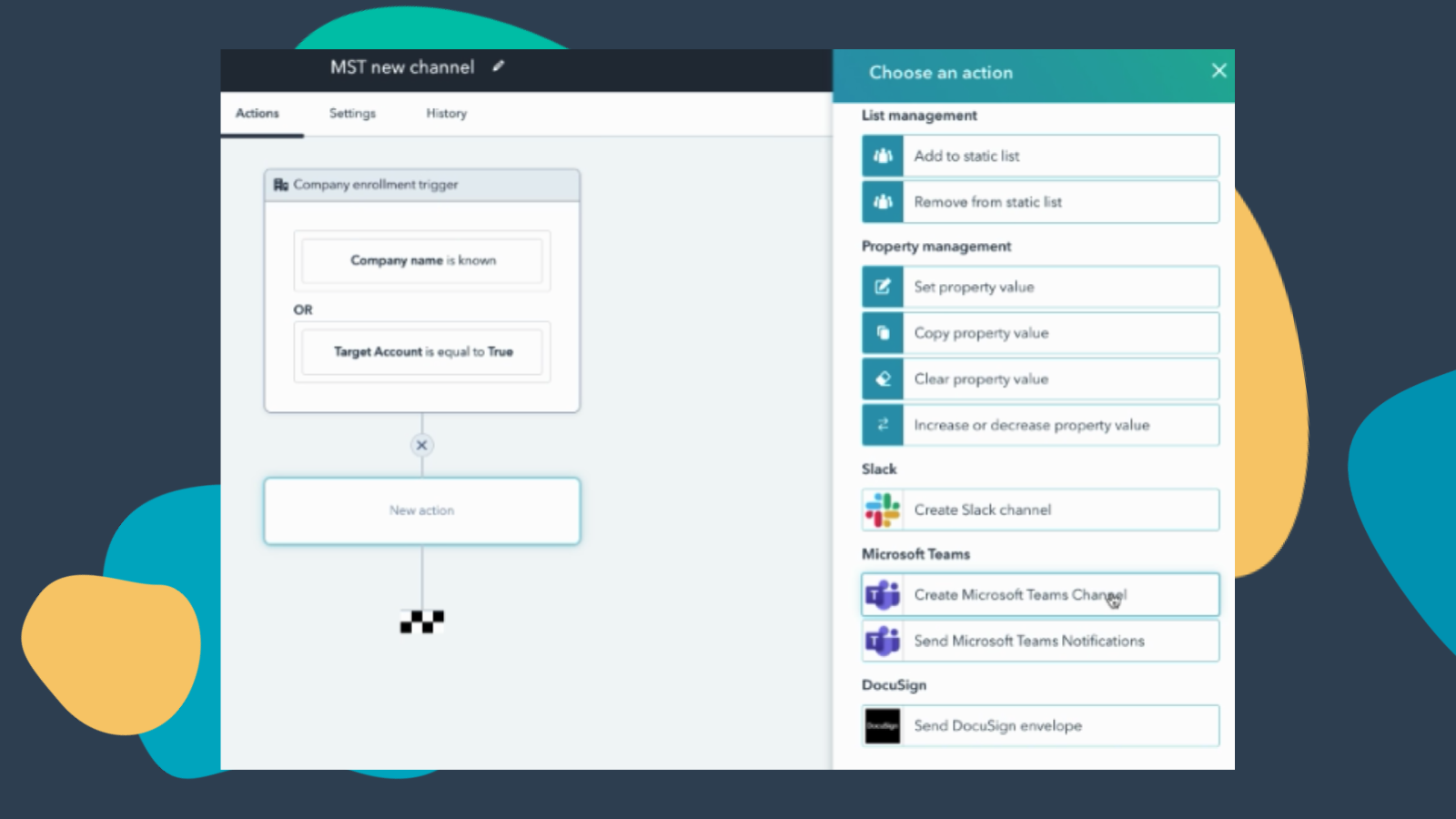
Create Workflows to Add Channels to Microsoft Teams
Create a new Microsoft Teams channel when new companies or deals are created that meet a certain set of criteria. Note: this feature requires a paid subscription.
應用程式功能
共用資料
Direct Message | ||
Messages |
評論
3.3
222
3.3
222
- 2026年2月26日
经常出现故障,同步问题会删除邀请函中的会议链接
运行不畅
从现有会议邀请函中不断删除会议链接bbs
Philipp, L.
- 2026年2月24日
繁琐的集成,HubSpot 同步速度太慢--销售无法使用
原则上,这是非常麻烦的
呼叫会在一定时间内到达 HubSpot,在此之前速度太慢,对销售没有帮助
如果直接使用 HubSpot 或集成 RingCentral 进行呼叫,会直接打开一个呼叫窗口,您可以在其中进行记录,为什么团队集成没有一个窗口,当我呼叫团队时,我可以直接在其中写入我的呼叫数据?
Golze, J.
價格
Free (no commitment)
US$0
Meetings and calling
Chat and collaboration
Productivity apps and services
Security and compliance
Free (no commitment)
US$0
Meetings and calling
Chat and collaboration
Productivity apps and services
Security and compliance
* 此處顯示的價格僅供參考。所有價格均不包含稅金、獎勵、折扣或其他價格變數。如需最新的正確價格資訊,請連絡合作夥伴。HubSpot 對合作夥伴所提供的價格資訊不承擔任何責任。上次更新價格時間:2025/10/15
Getting attention today

