Microsoft Teams
Use Microsoft Teams and HubSpot for meetings, conversations, and more!
Krav
HubSpot-plan Behörigheter för HubSpot-konto Det krävs inga behörigheter Åtkomsttyp Shared Microsoft Teams prenumeration - Free (no commitment), Microsoft 365 Business Basic, Microsoft 365 Business Standard, eller Office 365 E3 planer
Översikt
1/8
Sales, marketing, and services are all about building relationships -- but it can be difficult to form those relationships when a rep spends precious time completing menial tasks. In fact, a report from HubSpot Research found that sales reps spend up to a quarter of their day on tasks like writing emails and data entry.
Software should exist to help minimize that time spent, not create extra steps. HubSpot's integration for Microsoft Teams aims to do just that.
Integrate with HubSpot Meeting Scheduler
Automatically send dial-in and conference call details to your HubSpot prospects. Turn every meeting booked in your HubSpot CRM into a Microsoft Teams meeting.
Sync Microsoft Teams Meeting Recordings and Transcripts to HubSpot
Unify your meeting data in HubSpot through Microsoft Teams meeting recording and transcript sync to HubSpot for coaching and analysis.
Share Notifications
Stay connected to activities in your HubSpot CRM by receiving notifications for chats, reminders, mentions, form submissions, and more within Microsoft Teams. You can even create specialized workflows within HubSpot to customize your notifications.
Manage Conversations
Recieve and reply to your conversation inbox messages from HubSpot directly in your Microsoft Teams channels
Automate with Workflows
Use HubSpot workflows to customize notifications and create new channels in Microsoft Teams.
Create Tasks and Tickets
Stay on top of your work by quickly creating a HubSpot task or ticket right from a Microsoft Teams message.
Associate HubSpot Deals and Companies with Microsoft Teams Channels
Connect Microsoft Teams channels to HubSpot company and deal records to sync activity updates and keep your team in the loop
Have feedback about this integration? Please use this form to submit any suggestions, requests or ideas.
Egenskaper
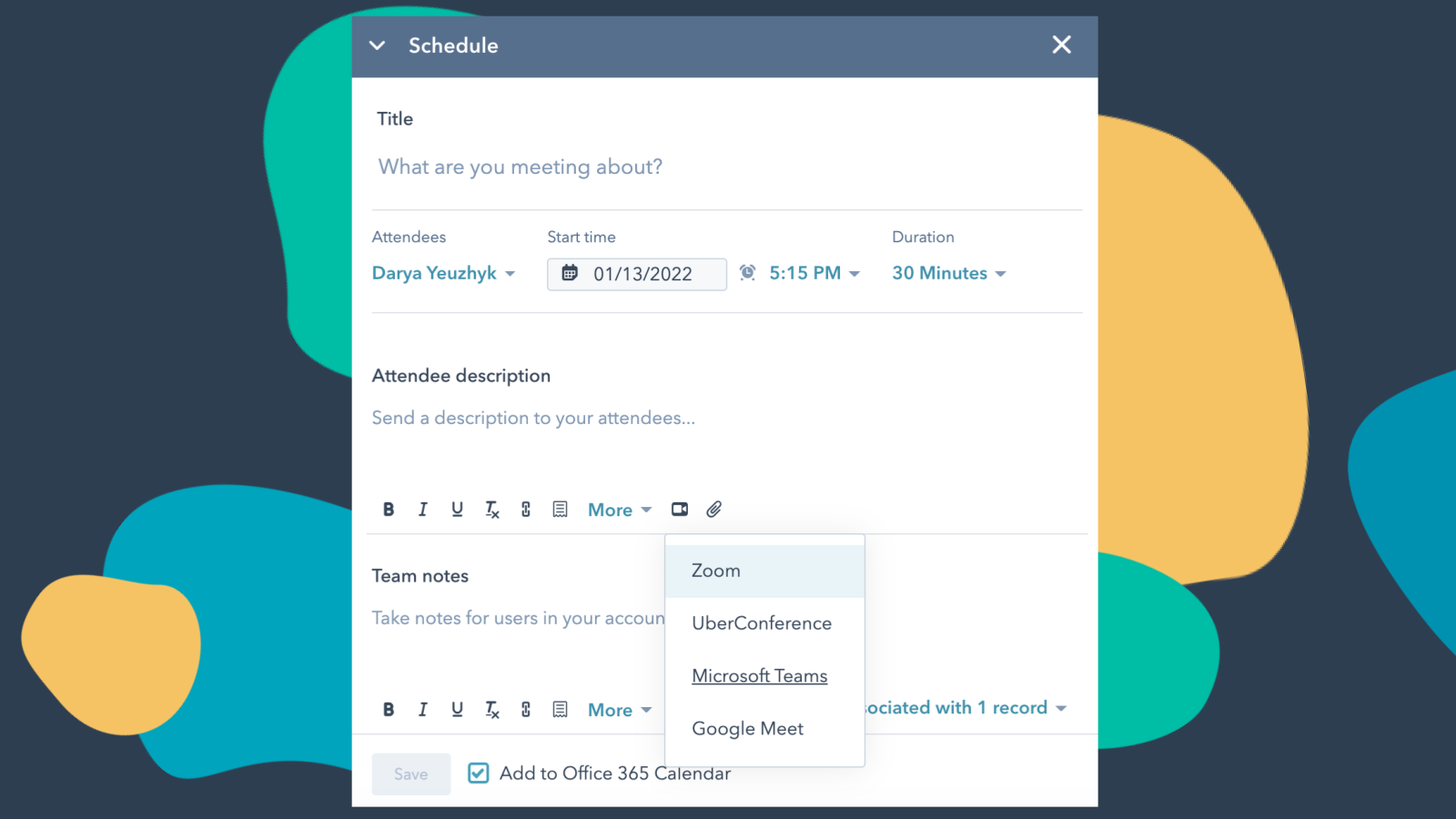
Integrate Microsoft Teams with HubSpot Meetings
Want to check in on a lead or a customer? As a sales or service rep -- there's nothing better than a quick chat over video to get a pulse on what your lead or customer needs from you to succeed. Easily schedule a Microsoft Teams meeting from any contact record to get your video chat on the books.
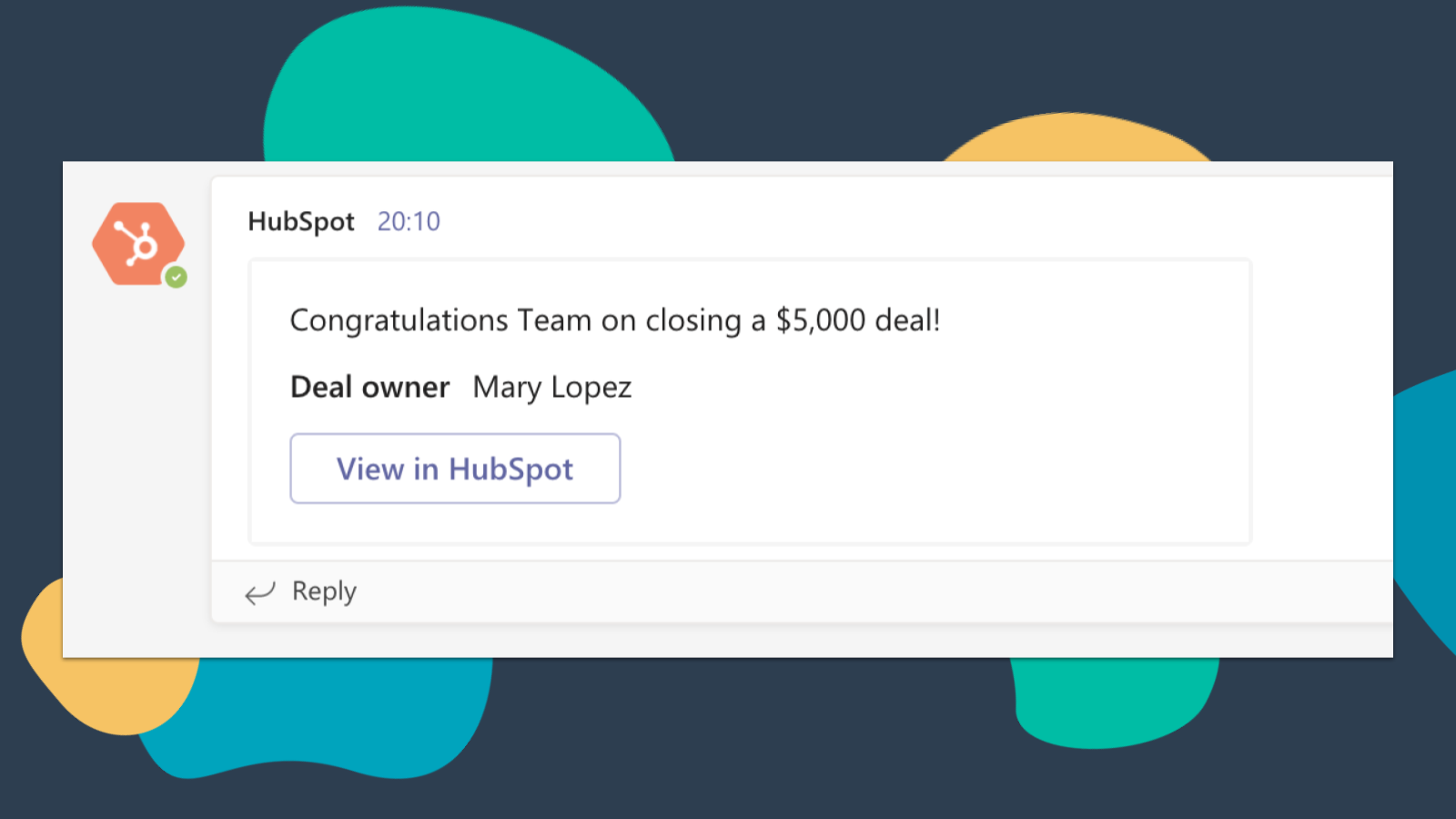
Get HubSpot Notifications in Microsoft Teams
Get notified in Microsoft Teams when you get assigned a new ticket or when a deal you own closes! By default, you will receive notifications for these types of activities: Assignments, Comments, Follows, Mentions, Overdue Items, Reminders, Replies, Submissions, Views
-4-1.png)
Sync Microsoft Teams Meeting Recordings and Transcripts to HubSpot
Preview meetings on associated records and automatically record and transcribe meetings for playback. In the HubSpot index page, you can access a full list of team's meetings, filter meetings by object properties, and search across meetings for key terms.
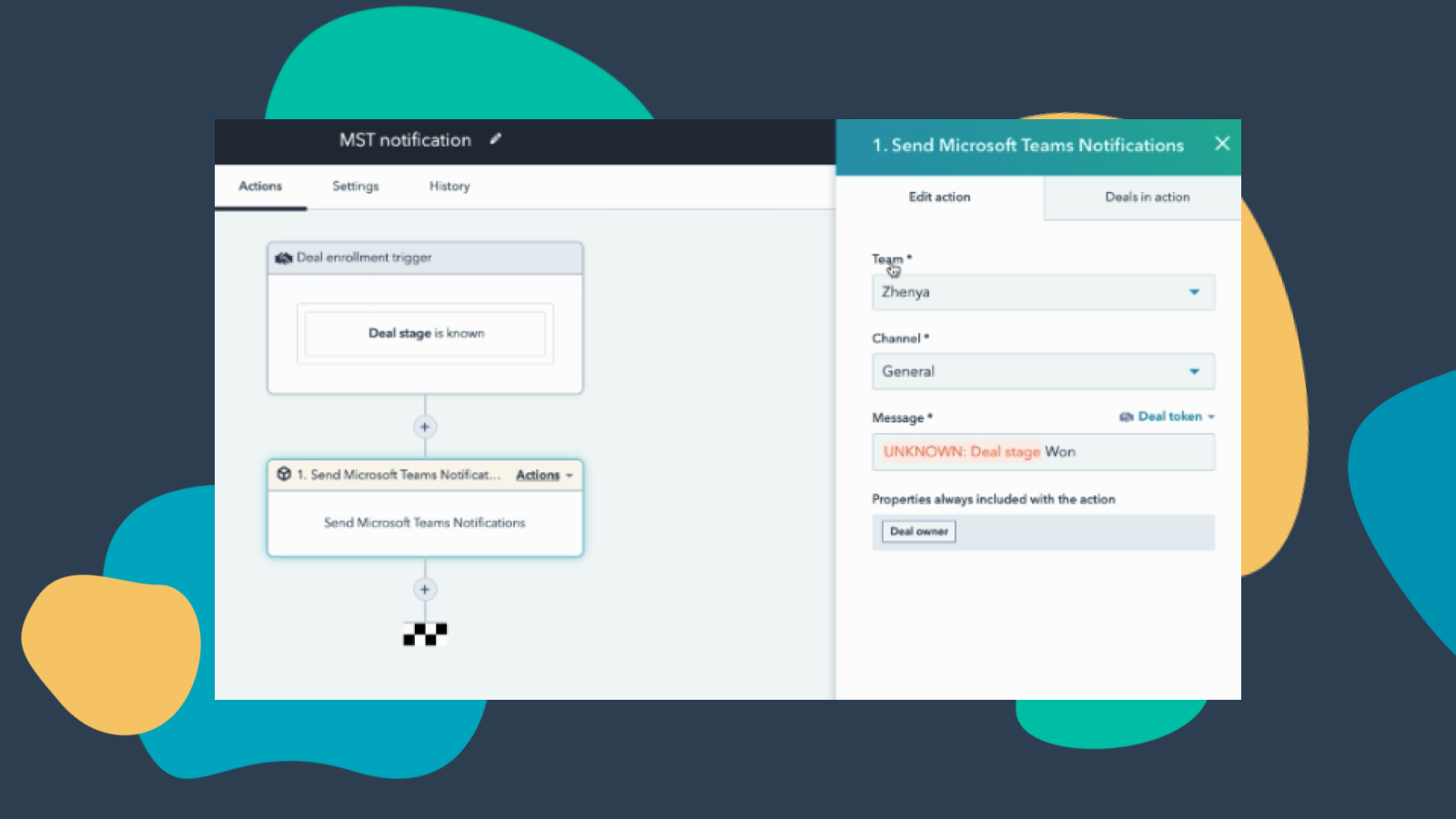
Customize Teams Notifications through Workflows
Create notification workflows for Microsoft Team to allow you to get notified when your deals change status or when new companies that fit within your territory are added to HubSpot and much more! Note: this feature requires a paid subscription.
-Apr-13-2023-06-54-18-0205-PM.jpeg)
Manage your Conversations in Microsoft Teams
Receive and reply to HubSpot Conversations Inbox Messages directly in Microsoft Teams channels. Note: this feature requires a paid subscription.
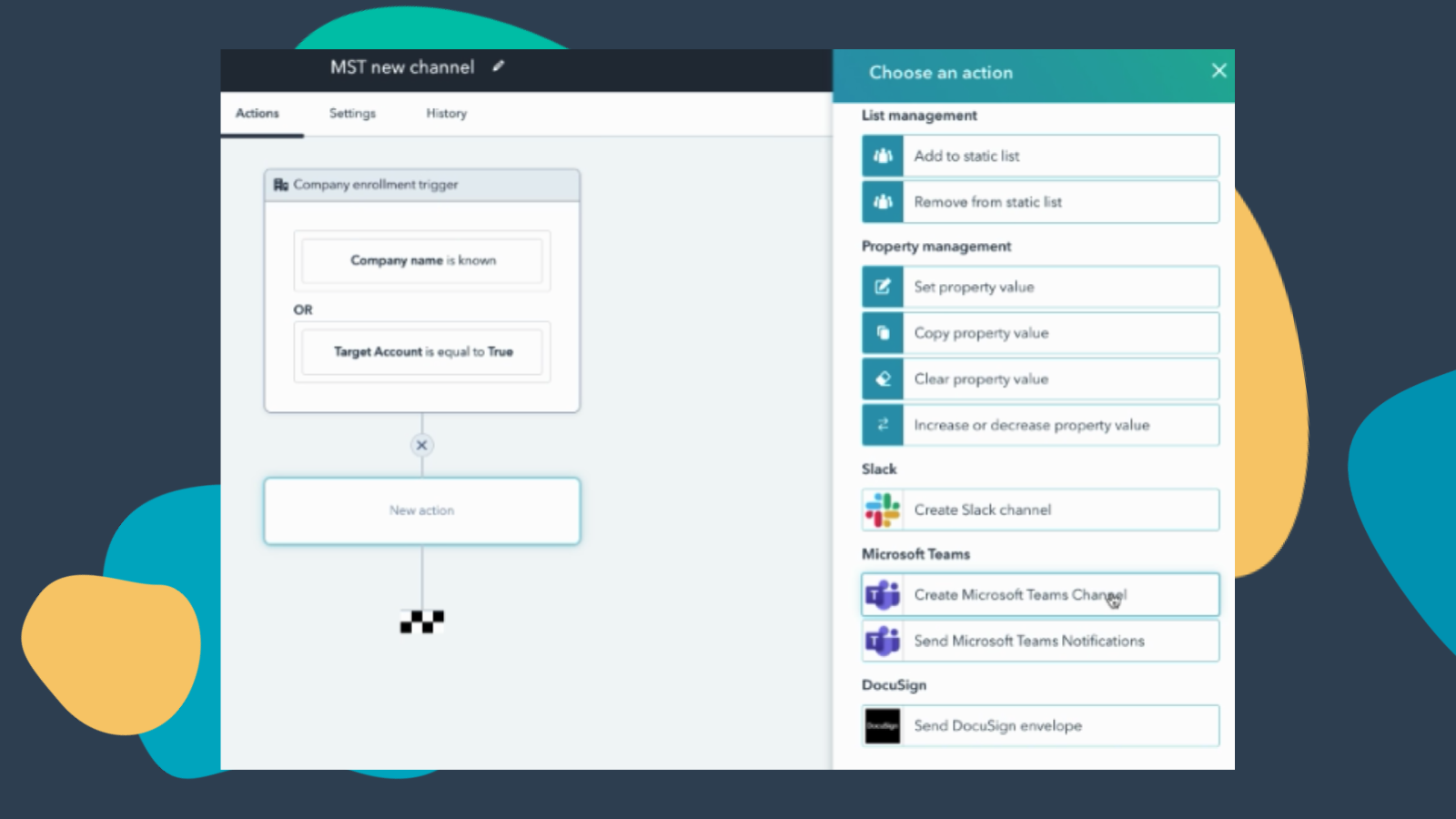
Create Workflows to Add Channels to Microsoft Teams
Create a new Microsoft Teams channel when new companies or deals are created that meet a certain set of criteria. Note: this feature requires a paid subscription.
Appfunktionalitet
Delade data
Direct Message | ||
Messages |
Recensioner
3,2
227
3,2
227
- 9 apr 2026
Frustrerande relogin-problem överskuggar all potential som denna plattform kan ha
Verkar sakna viss kapacitet
Har potential
Den ständiga omloggningen är en smärta
Weaver, M.
- 7 apr 2026
Halvfärdig integration med begränsad funktionalitet som bleknar i jämförelse med Slack - alltför komplex installation för minimala resultat
Detta är lovande men för närvarande är det ungefär en så grundläggande integration som du kan få. Det finns begränsad information och data som synkroniseras med minimal konfiguration / anpassning tillgänglig. Till exempel med webinarintegrationen kan du bara synkronisera över namn, e-post, jobbtitel och organisationsnamn. Dessutom, om du skapar ett formulär för att registrera dig för ett webbseminarium via HubSpot, om du gör några andra fält obligatoriska, synkroniseras det inte! Dessutom, om du vill använda godkännandefunktionen för registrering till webbseminarier i Teams, kommer detta att stoppa den automatiska synkroniseringen av kontakter när de har godkänts för registrering och du tvingas regelbundet synkronisera manuellt. Resten av integrationen är väldigt svår att få till. Hittills har vi lyckats få HubSpot-agenten att fungera i Teams, den tidigare nämnda webinar-synkroniseringen och möjligheten att skicka meddelanden till individer, men efter mycket ansträngning har vi fortfarande inte fått integrationen att fungera med kanaler / team. Alltför komplex uppsättning med begränsad funktionalitet. Jämfört med Slack är det natt och dag.
Det fungerar ibland
Begränsad funktionalitet, begränsad anpassning, mycket grundläggande integration
MacInnes-Manby, K.
Prissättning
Free (no commitment)
0 US$
Meetings and calling
Chat and collaboration
Productivity apps and services
Security and compliance
Free (no commitment)
0 US$
Meetings and calling
Chat and collaboration
Productivity apps and services
Security and compliance
*Priserna här är endast avsedda som exempel. I priserna ingår inte skatter, incitament, rabatter eller andra prisvariabler. Ta kontakt med partnern för den senaste och mest uppdaterade prisinformationen. HubSpot har inget ansvar för den här prisinformationen, vilken tillhandahålls av våra partner. Priserna uppdaterades senast: 2025-10-15
Får uppmärksamhet idag