
Notion Sync by NoteLinker
Erstellt von - NoteLinker
Installationen - 40+ Installationen
Bewertung 5
(1)
Anforderungen
HubSpot-Produktversion HubSpot-Account-Berechtigungen - Erforderliche Account-Berechtigungen anzeigen
Zugriffstyp Geteilt Notion Sync by NoteLinker-Abonnement - Produktversion: NoteLinker
Übersicht
1/4 - Sync Notion rows to HubSpot
Your notes live in Notion and your CRM lives in HubSpot, and somewhere between the two, deal context gets lost. Contacts never see the meeting notes, account plans never make it to the deal record, and by the time someone notices, the context is already gone.
NoteLinker shows your Notion notes, tasks, and account plans directly on the matching HubSpot contact and deal records. Match a row's email or deal name and it appears inline on the right record, automatically. No checkbox to tick, no exporting, no copy and paste. You stay in Notion. Your CRM finally sees what you wrote.
If you take the notes in Notion and you need them on your HubSpot records, this is for you.
Funktionen
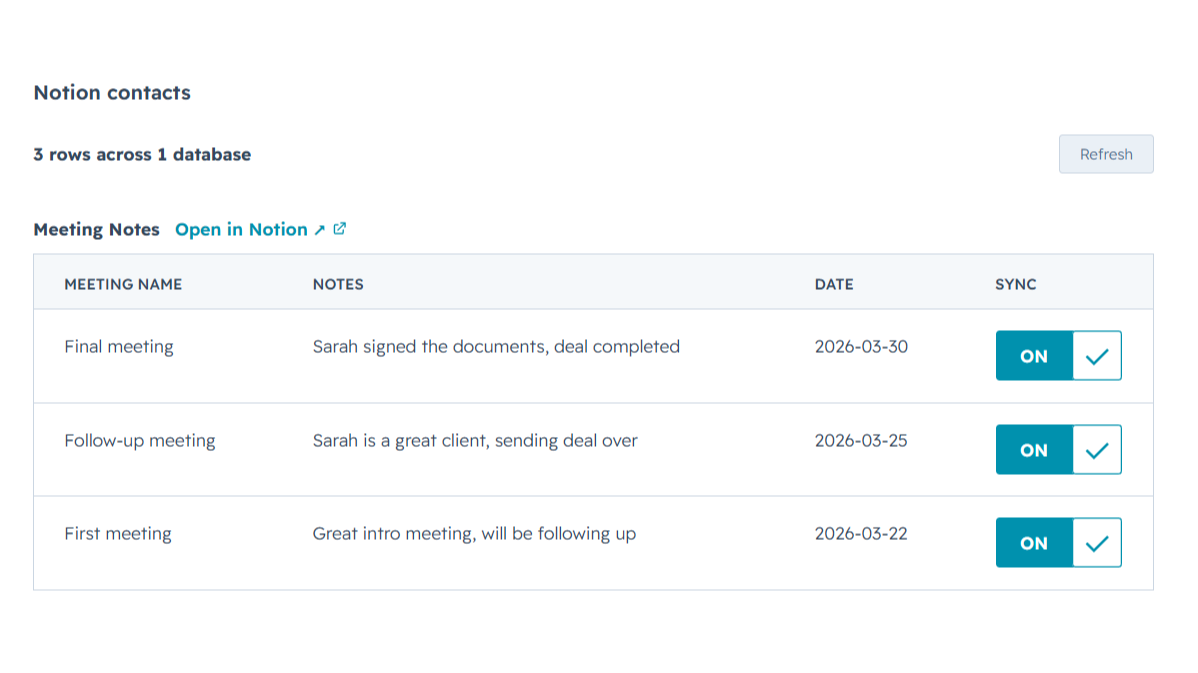
Sync Notion notes to HubSpot
Any Notion row whose email or deal name matches shows up inline on the right HubSpot contact or deal record, automatically, with no checkbox to tick. Edit it in Notion, refresh the card, and the latest values are there while you keep working in Notion and your CRM finally sees what you wrote.
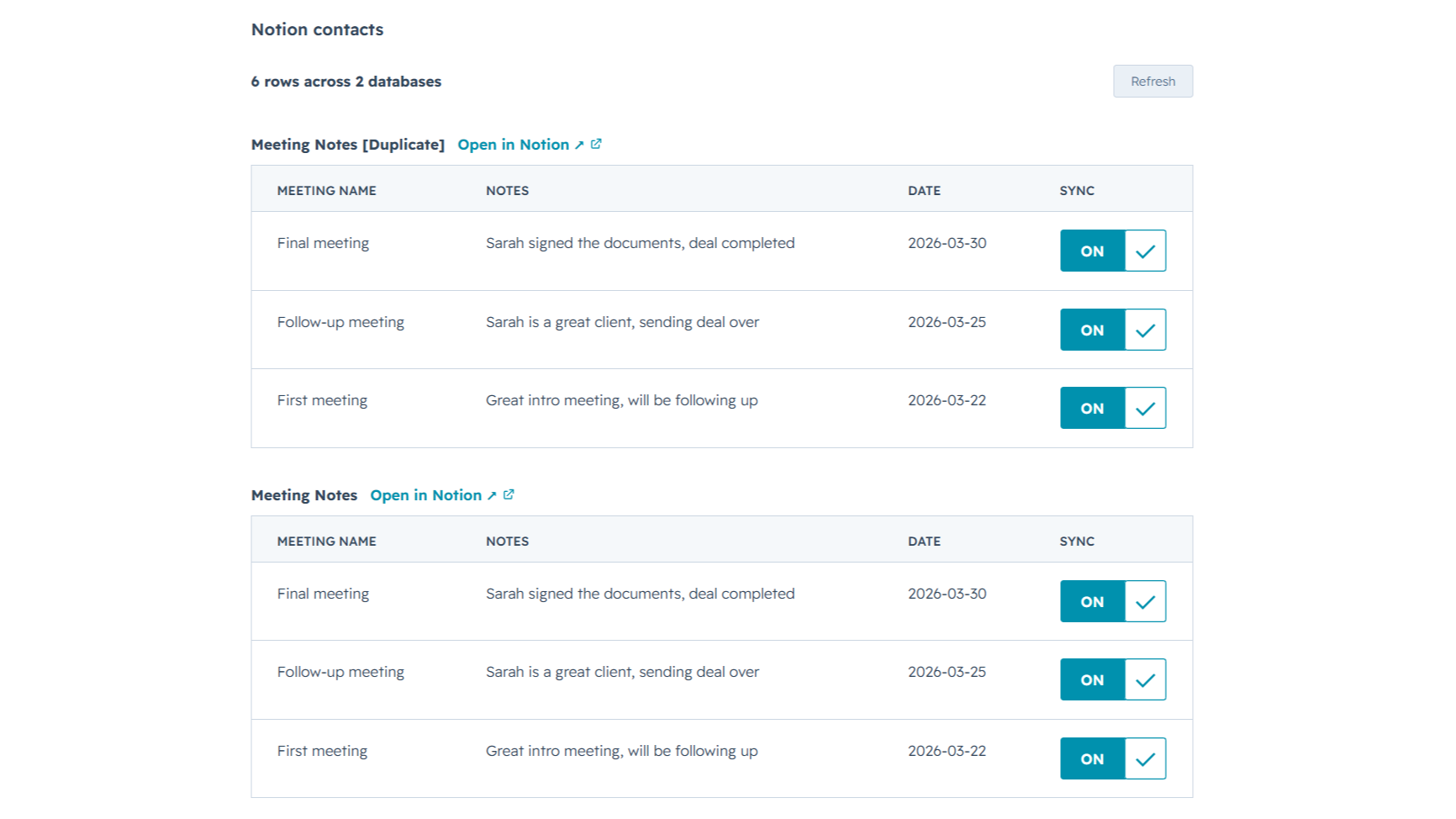
Sync from multiple Notion databases
Sales notes, onboarding tasks, account plans, connect as many Notion databases as you want. NoteLinker stacks every matching database onto the same HubSpot record, so you see the full picture on one screen instead of one slice at a time.
App-Funktionalität
Datenaustausch
Contact notes | ||
Deal notes |
NoteLinker acts as a secure bridge, not a storage platform. We follow a pass-through architecture: when you sync a page, the content moves directly from Notion to HubSpot via encrypted TLS. We do not store your note text, images, or internal strategy on our servers.
The only data we retain is minimal metadata, such as account identifiers and mapping IDs, to prevent duplicate entries and manage your subscription. All authentication is handled through official OAuth2 protocols, ensuring we never see your passwords. You maintain full ownership of your data, and you can revoke access at any time through your Notion or HubSpot settings.
Rezensionen
- 11. März 2026
Perfekte Automatisierungslösung, die doppelte Arbeit bei der Kontakteingabe vermeidet
Es war genau die Automatisierung, die ich brauchte, damit ich einen Kontakt nicht zweimal in Notion und in HubSpot anlegen muss.
Es ist ziemlich einfach zu bedienen und das Support-Team ist immer verfügbar, um Ihnen zu helfen, wenn Sie irgendwelche Zweifel oder Probleme haben, und sie sind offen für Verbesserungen für das Tool als auch zu hören.
Die Preise können für einige Länder etwas zu hoch sein.
SL, L.
NoteLinker
15,83 $
/MonatYour Notion notes, on every HubSpot contact and deal.
Email support
Unlimited rows, databases, contacts, and users
Live Notion data on every record (always current)
Inline card on every HubSpot contact and deal
NoteLinker
15,83 $
/MonatYour Notion notes, on every HubSpot contact and deal.
Email support
Unlimited rows, databases, contacts, and users
Live Notion data on every record (always current)
Inline card on every HubSpot contact and deal
* Die hier angegebenen Preise dienen nur zu Illustrationszwecken. Alle Preise enthalten keine Steuern, Sonderangebote, Rabatte oder sonstigen Preisvarianten. Bitte wenden Sie sich direkt an den Partner, um aktuelle und korrekte Preisinformationen zu erhalten. HubSpot übernimmt keine Verantwortung für Preisinformationen, die von unseren Partnern bereitgestellt werden. Letzte Aktualisierung der Preisinformationen: 27.06.2026
Weitere Infos
Erstellt von - NoteLinker
Installationen - 40+ Installationen
Kategorien Sprachen, in denen diese App verfügbar ist Englisch
Erhält heute Aufmerksamkeit

iSoftpull
Rufen Sie weiche und harte Bonitätsauskünfte direkt in HubSpot ab.
LinkedIn Sales Navigator
Greifen Sie innerhalb der HubSpot-Kontaktdatensätze auf die LinkedIn Sales Navigator-Tools zu.
