
Notion Sync by NoteLinker
Créé par - NoteLinker
Installation - 40+ installations
Évaluation 5
(1)
Exigences
Abonnement HubSpot Autorisations de compte HubSpot - Afficher les autorisations de compte requises
Type d'accès Partagé Abonnement à Notion Sync by NoteLinker - Abonnement : NoteLinker
Vue d'ensemble
1/4 - Sync Notion rows to HubSpot
Your notes live in Notion and your CRM lives in HubSpot, and somewhere between the two, deal context gets lost. Contacts never see the meeting notes, account plans never make it to the deal record, and by the time someone notices, the context is already gone.
NoteLinker shows your Notion notes, tasks, and account plans directly on the matching HubSpot contact and deal records. Match a row's email or deal name and it appears inline on the right record, automatically. No checkbox to tick, no exporting, no copy and paste. You stay in Notion. Your CRM finally sees what you wrote.
If you take the notes in Notion and you need them on your HubSpot records, this is for you.
Fonctionnalités
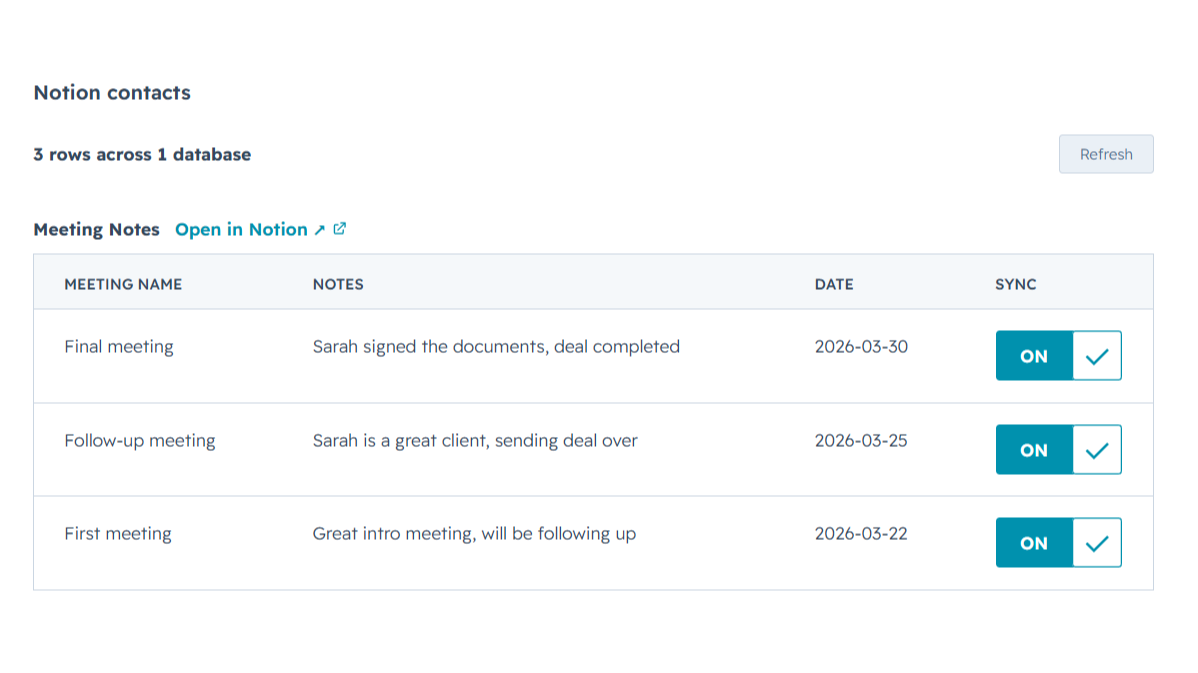
Sync Notion notes to HubSpot
Any Notion row whose email or deal name matches shows up inline on the right HubSpot contact or deal record, automatically, with no checkbox to tick. Edit it in Notion, refresh the card, and the latest values are there while you keep working in Notion and your CRM finally sees what you wrote.
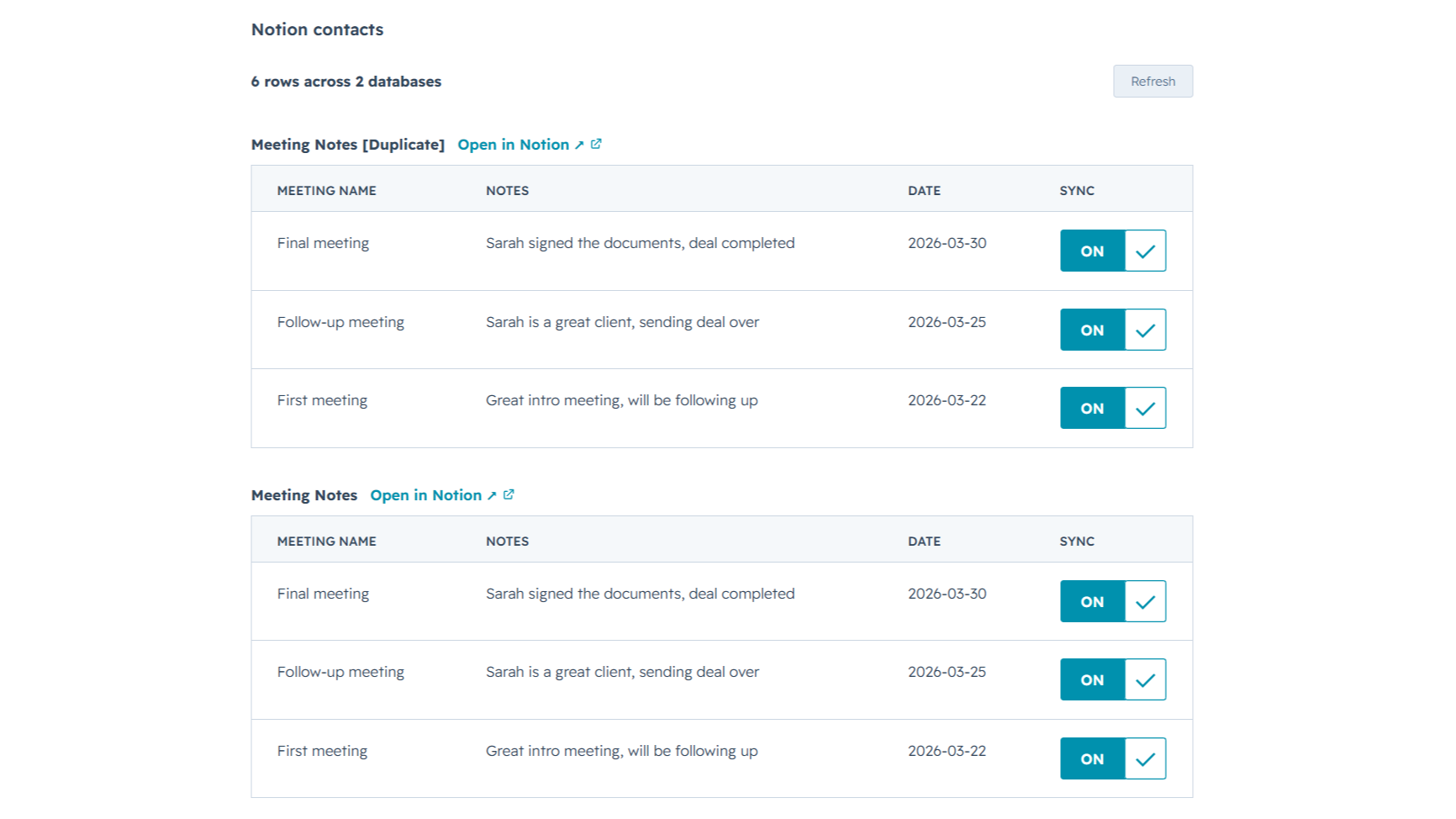
Sync from multiple Notion databases
Sales notes, onboarding tasks, account plans, connect as many Notion databases as you want. NoteLinker stacks every matching database onto the same HubSpot record, so you see the full picture on one screen instead of one slice at a time.
Fonctionnalité de l'application
Données partagées
Contact notes | ||
Deal notes |
NoteLinker acts as a secure bridge, not a storage platform. We follow a pass-through architecture: when you sync a page, the content moves directly from Notion to HubSpot via encrypted TLS. We do not store your note text, images, or internal strategy on our servers.
The only data we retain is minimal metadata, such as account identifiers and mapping IDs, to prevent duplicate entries and manage your subscription. All authentication is handled through official OAuth2 protocols, ensuring we never see your passwords. You maintain full ownership of your data, and you can revoke access at any time through your Notion or HubSpot settings.
- 11 mars 2026
Une solution d'automatisation parfaite qui élimine les doubles saisies de contacts
C'est exactement l'automatisation dont j'avais besoin pour ne pas avoir à créer un contact deux fois dans Notion et dans HubSpot.
Il est assez facile à utiliser et l'équipe d'assistance est toujours disponible pour vous aider en cas de doute ou de problème, et elle est également à l'écoute des améliorations à apporter à l'outil.
Le prix peut être un peu élevé pour certains pays.
SL, L.
Tarification
NoteLinker
15,83 $US
/moisYour Notion notes, on every HubSpot contact and deal.
Email support
Unlimited rows, databases, contacts, and users
Live Notion data on every record (always current)
Inline card on every HubSpot contact and deal
NoteLinker
15,83 $US
/moisYour Notion notes, on every HubSpot contact and deal.
Email support
Unlimited rows, databases, contacts, and users
Live Notion data on every record (always current)
Inline card on every HubSpot contact and deal
* Les prix mentionnés ici sont uniquement présentés à titre indicatif. Tous les prix n'incluent pas les taxes, les offres spéciales, les réductions ni les autres facteurs pouvant affecter les tarifs. Vous devez contacter le partenaire pour obtenir les tarifs les plus récents. HubSpot n'assume aucune responsabilité pour les informations de tarification fournies par ses partenaires. Dernière mise à jour des prix : 27/06/2026
Informations supplémentaires
Créé par - NoteLinker
Installation - 40+ installations
Catégories Langues dans lesquelles cette application est disponible Anglais
Les plus populaires

Gmail
Intégrez HubSpot à votre boîte de réception grâce à l'intégration Gmail.

Google Calendar
Réservez des réunions rapidement et facilement avec HubSpot et Google Calendar.
