
Notion Sync by NoteLinker
Rakentanut - NoteLinker
Asennukset - Yli 40 asennusta
Arvostelu 5
(1)
Vaatimukset
HubSpot-tilaus HubSpot-tilin käyttöoikeudet - Tarkastele vaadittuja tilin käyttöoikeuksia
Pääsytyyppi Jaettu Notion Sync by NoteLinker-tilaus - NoteLinker paketti
Yhteenveto
1/4 - Sync Notion rows to HubSpot
Your notes live in Notion and your CRM lives in HubSpot, and somewhere between the two, deal context gets lost. Contacts never see the meeting notes, account plans never make it to the deal record, and by the time someone notices, the context is already gone.
NoteLinker shows your Notion notes, tasks, and account plans directly on the matching HubSpot contact and deal records. Match a row's email or deal name and it appears inline on the right record, automatically. No checkbox to tick, no exporting, no copy and paste. You stay in Notion. Your CRM finally sees what you wrote.
If you take the notes in Notion and you need them on your HubSpot records, this is for you.
Ominaisuudet
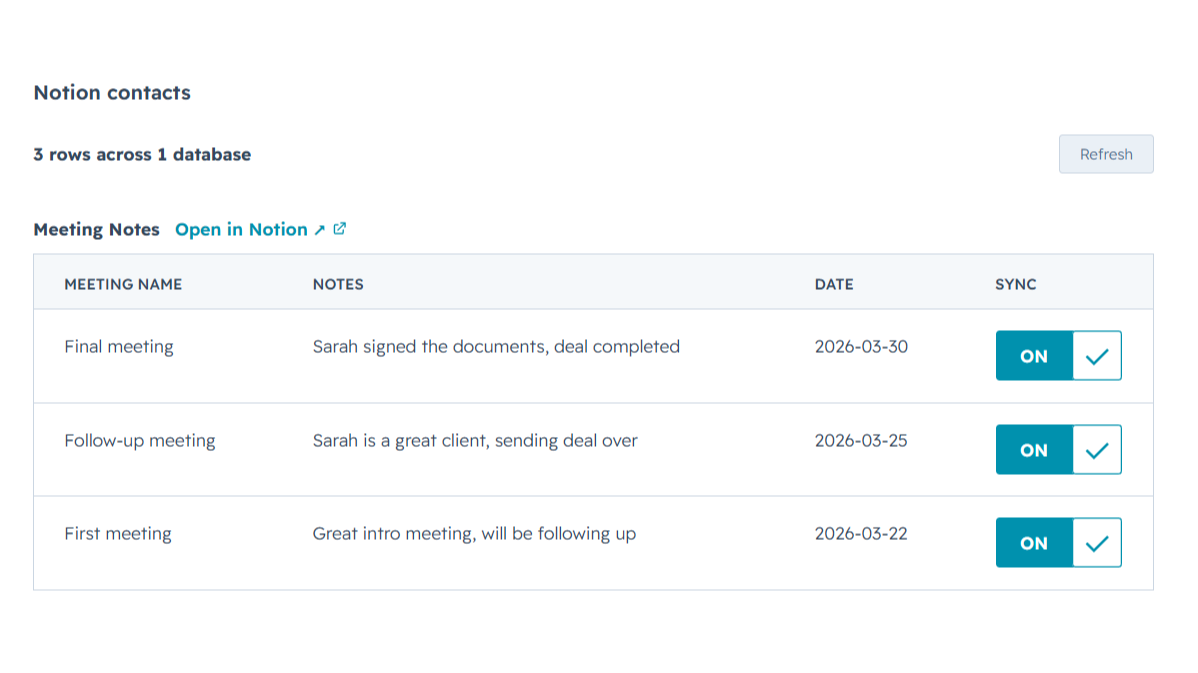
Sync Notion notes to HubSpot
Any Notion row whose email or deal name matches shows up inline on the right HubSpot contact or deal record, automatically, with no checkbox to tick. Edit it in Notion, refresh the card, and the latest values are there while you keep working in Notion and your CRM finally sees what you wrote.
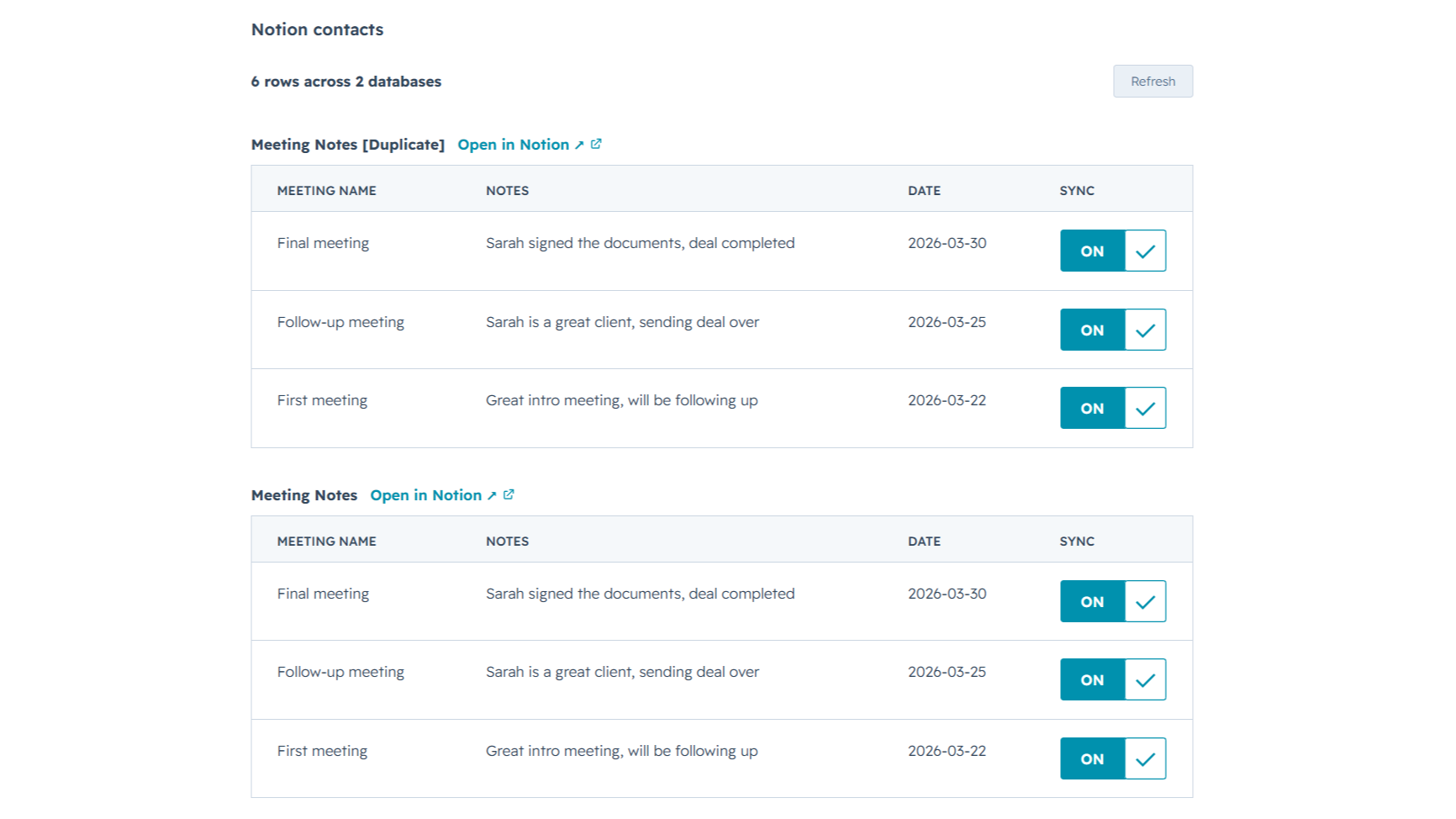
Sync from multiple Notion databases
Sales notes, onboarding tasks, account plans, connect as many Notion databases as you want. NoteLinker stacks every matching database onto the same HubSpot record, so you see the full picture on one screen instead of one slice at a time.
Sovelluksen toiminnallisuus
Jaetut tiedot
Contact notes | ||
Deal notes |
NoteLinker acts as a secure bridge, not a storage platform. We follow a pass-through architecture: when you sync a page, the content moves directly from Notion to HubSpot via encrypted TLS. We do not store your note text, images, or internal strategy on our servers.
The only data we retain is minimal metadata, such as account identifiers and mapping IDs, to prevent duplicate entries and manage your subscription. All authentication is handled through official OAuth2 protocols, ensuring we never see your passwords. You maintain full ownership of your data, and you can revoke access at any time through your Notion or HubSpot settings.
Arvostelut
- 11. maalis 2026
Täydellinen automaatioratkaisu, joka eliminoi päällekkäisen yhteystietojen syöttötyön.
Se oli juuri se automaatio, jota tarvitsin, jotta minun ei tarvitse luoda kontaktia kahdesti Notionissa ja HubSpotissa.
Se on melko helppokäyttöinen, ja tukitiimi on aina valmiina auttamaan sinua, jos sinulla on epäilyksiä tai ongelmia, ja he ovat myös valmiita kuuntelemaan työkalun parannuksia.
Hinnoittelu voi olla hieman korkea joissakin maissa.
SL, L.
Hinnoittelu
NoteLinker
15,83 $
/kuukausiYour Notion notes, on every HubSpot contact and deal.
Email support
Unlimited rows, databases, contacts, and users
Live Notion data on every record (always current)
Inline card on every HubSpot contact and deal
NoteLinker
15,83 $
/kuukausiYour Notion notes, on every HubSpot contact and deal.
Email support
Unlimited rows, databases, contacts, and users
Live Notion data on every record (always current)
Inline card on every HubSpot contact and deal
*Hinnoittelu tässä on vain esittelytarkoituksessa. Kaikki hinnat eivät sisällä veroja, kannustimia, alennuksia tai muita hinnoittelumuuttujia. Pyydä kumppanilta ajantasaiset ja oikeat hintatiedot. HubSpot ei ota vastuuta näistä kumppaneidemme tarjoamista hintatiedoista. Hinnoittelu päivitetty viimeksi: 27.06.2026
Lisätietoja
Rakentanut - NoteLinker
Asennukset - Yli 40 asennusta
Kategoriat Kielet, joilla tämä sovellus on saatavilla Englanti
Suosituin

Gmail
Bring HubSpot to your inbox with the HubSpot integration for Gmail.

Google Calendar
Book meetings quickly and easily with HubSpot and Google Calendar.
