
Notion Sync by NoteLinker
Criado por - NoteLinker
Instalações - mais de 40 instalações
Avaliação 5
(1)
Requisitos
Plano da HubSpot Permissões da conta da HubSpot - Ver permissões de conta necessárias
Tipo de acesso Compartilhado Assinatura Notion Sync by NoteLinker - NoteLinker plano
Visão geral
1/4 - Sync Notion rows to HubSpot
Your notes live in Notion and your CRM lives in HubSpot, and somewhere between the two, deal context gets lost. Contacts never see the meeting notes, account plans never make it to the deal record, and by the time someone notices, the context is already gone.
NoteLinker shows your Notion notes, tasks, and account plans directly on the matching HubSpot contact and deal records. Match a row's email or deal name and it appears inline on the right record, automatically. No checkbox to tick, no exporting, no copy and paste. You stay in Notion. Your CRM finally sees what you wrote.
If you take the notes in Notion and you need them on your HubSpot records, this is for you.
Recursos
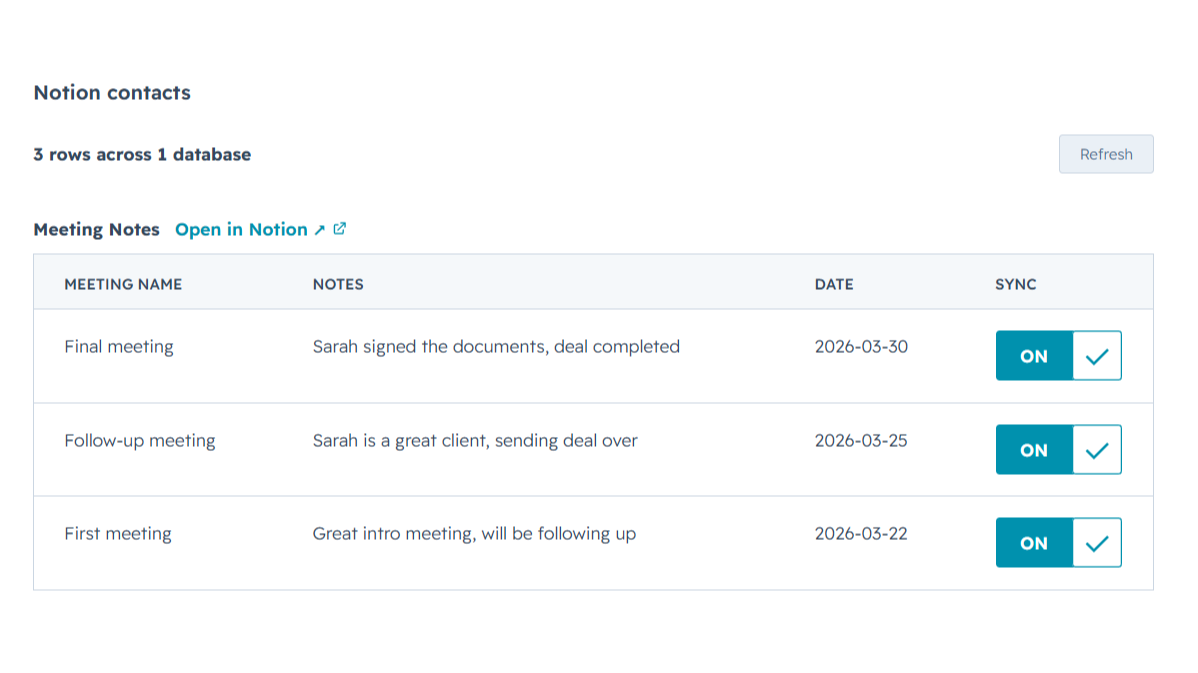
Sync Notion notes to HubSpot
Any Notion row whose email or deal name matches shows up inline on the right HubSpot contact or deal record, automatically, with no checkbox to tick. Edit it in Notion, refresh the card, and the latest values are there while you keep working in Notion and your CRM finally sees what you wrote.
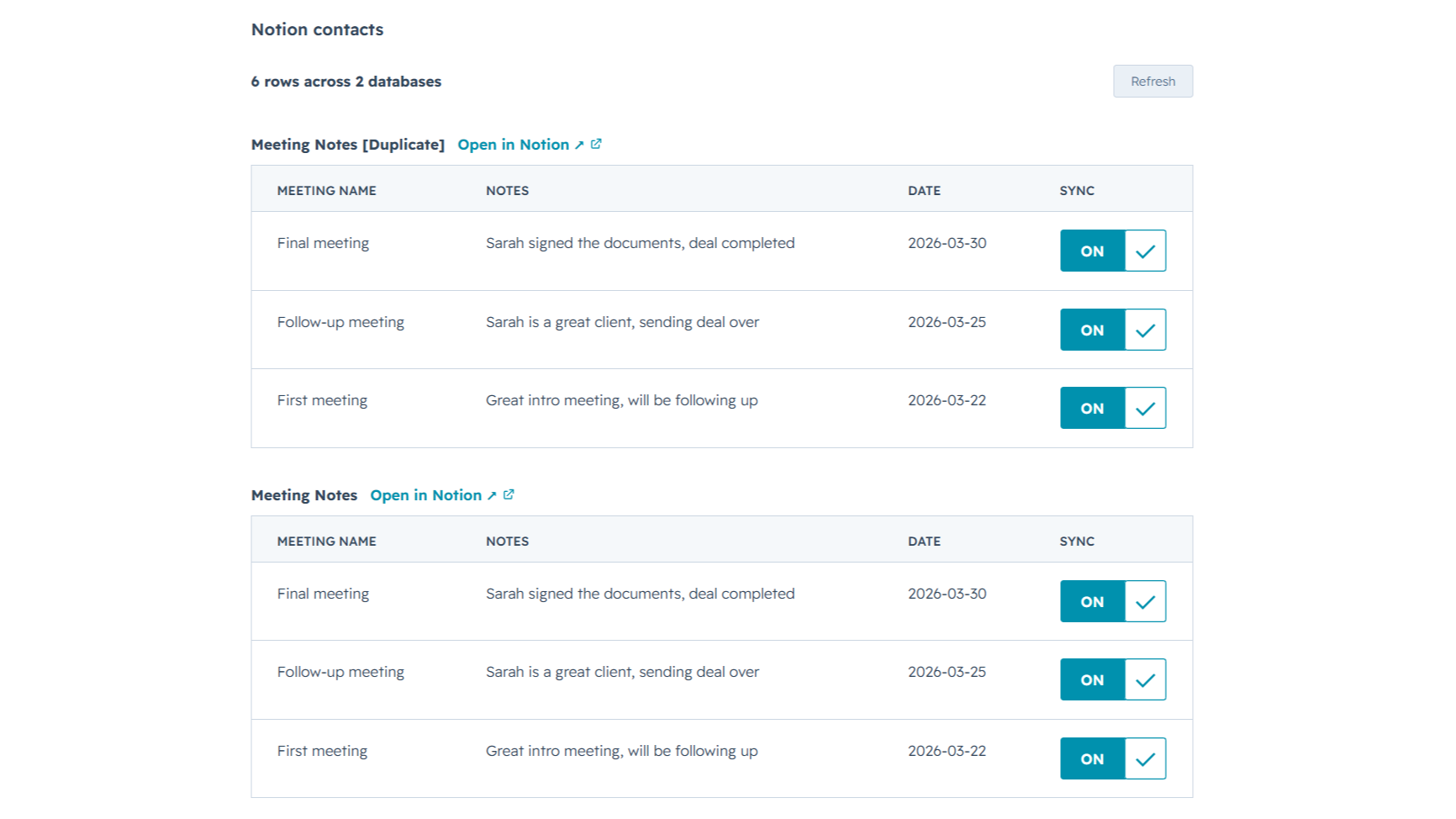
Sync from multiple Notion databases
Sales notes, onboarding tasks, account plans, connect as many Notion databases as you want. NoteLinker stacks every matching database onto the same HubSpot record, so you see the full picture on one screen instead of one slice at a time.
Funcionalidade do aplicativo
Dados compartilhados
Contact notes | ||
Deal notes |
NoteLinker acts as a secure bridge, not a storage platform. We follow a pass-through architecture: when you sync a page, the content moves directly from Notion to HubSpot via encrypted TLS. We do not store your note text, images, or internal strategy on our servers.
The only data we retain is minimal metadata, such as account identifiers and mapping IDs, to prevent duplicate entries and manage your subscription. All authentication is handled through official OAuth2 protocols, ensuring we never see your passwords. You maintain full ownership of your data, and you can revoke access at any time through your Notion or HubSpot settings.
Avaliações
- 11 de Mar de 2026
Solução de automação perfeita que elimina o trabalho de entrada de contatos duplicados
Era exatamente a automação de que eu precisava para não ter que criar um contato duas vezes no Notion e no HubSpot.
É muito fácil de usar e a equipe de suporte está sempre disponível para ajudá-lo caso tenha alguma dúvida ou problema, além de estar aberta a ouvir melhorias para a ferramenta.
O preço pode ser um pouco alto para alguns países.
SL, L.
NoteLinker
US$ 15,83
/mêsYour Notion notes, on every HubSpot contact and deal.
Email support
Unlimited rows, databases, contacts, and users
Live Notion data on every record (always current)
Inline card on every HubSpot contact and deal
NoteLinker
US$ 15,83
/mêsYour Notion notes, on every HubSpot contact and deal.
Email support
Unlimited rows, databases, contacts, and users
Live Notion data on every record (always current)
Inline card on every HubSpot contact and deal
* O preço aqui é apenas para fins de exibição. Todos os preços não incluem impostos, incentivos, descontos ou outras variáveis de preços. Você deve entrar em contato com o parceiro para obter informações mais atualizadas e precisas. A HubSpot não se responsabiliza por essas informações de preços, que são fornecidas pelos nossos parceiros. Preços atualizados pela última vez: 27/06/2026
Mais informações
Criado por - NoteLinker
Instalações - mais de 40 instalações
Categorias Idiomas nos quais este aplicativo está disponível Inglês
Most popular

Gmail
Bring HubSpot to your inbox with the HubSpot integration for Gmail.

Google Calendar
Book meetings quickly and easily with HubSpot and Google Calendar.
