
Notion Sync by NoteLinker
Creazione di - NoteLinker
Installazioni - PIù di 40 installazioni
Valutazione 5
(1)
Requisiti
Piano HubSpot Autorizzazioni dell'account HubSpot - Visualizza le autorizzazioni dell'account richieste
Tipo di accesso Condiviso Abbonamento Notion Sync by NoteLinker - Piano NoteLinker
Panoramica
1/4 - Sync Notion rows to HubSpot
Your notes live in Notion and your CRM lives in HubSpot, and somewhere between the two, deal context gets lost. Contacts never see the meeting notes, account plans never make it to the deal record, and by the time someone notices, the context is already gone.
NoteLinker shows your Notion notes, tasks, and account plans directly on the matching HubSpot contact and deal records. Match a row's email or deal name and it appears inline on the right record, automatically. No checkbox to tick, no exporting, no copy and paste. You stay in Notion. Your CRM finally sees what you wrote.
If you take the notes in Notion and you need them on your HubSpot records, this is for you.
Funzionalità
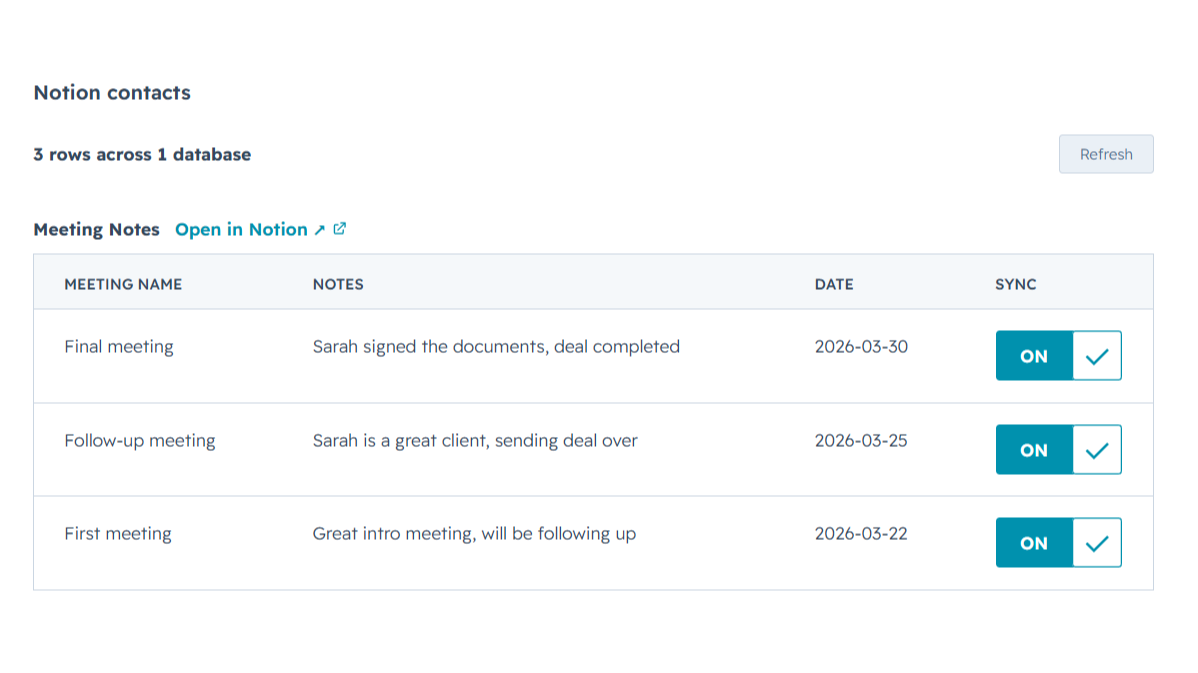
Sync Notion notes to HubSpot
Any Notion row whose email or deal name matches shows up inline on the right HubSpot contact or deal record, automatically, with no checkbox to tick. Edit it in Notion, refresh the card, and the latest values are there while you keep working in Notion and your CRM finally sees what you wrote.
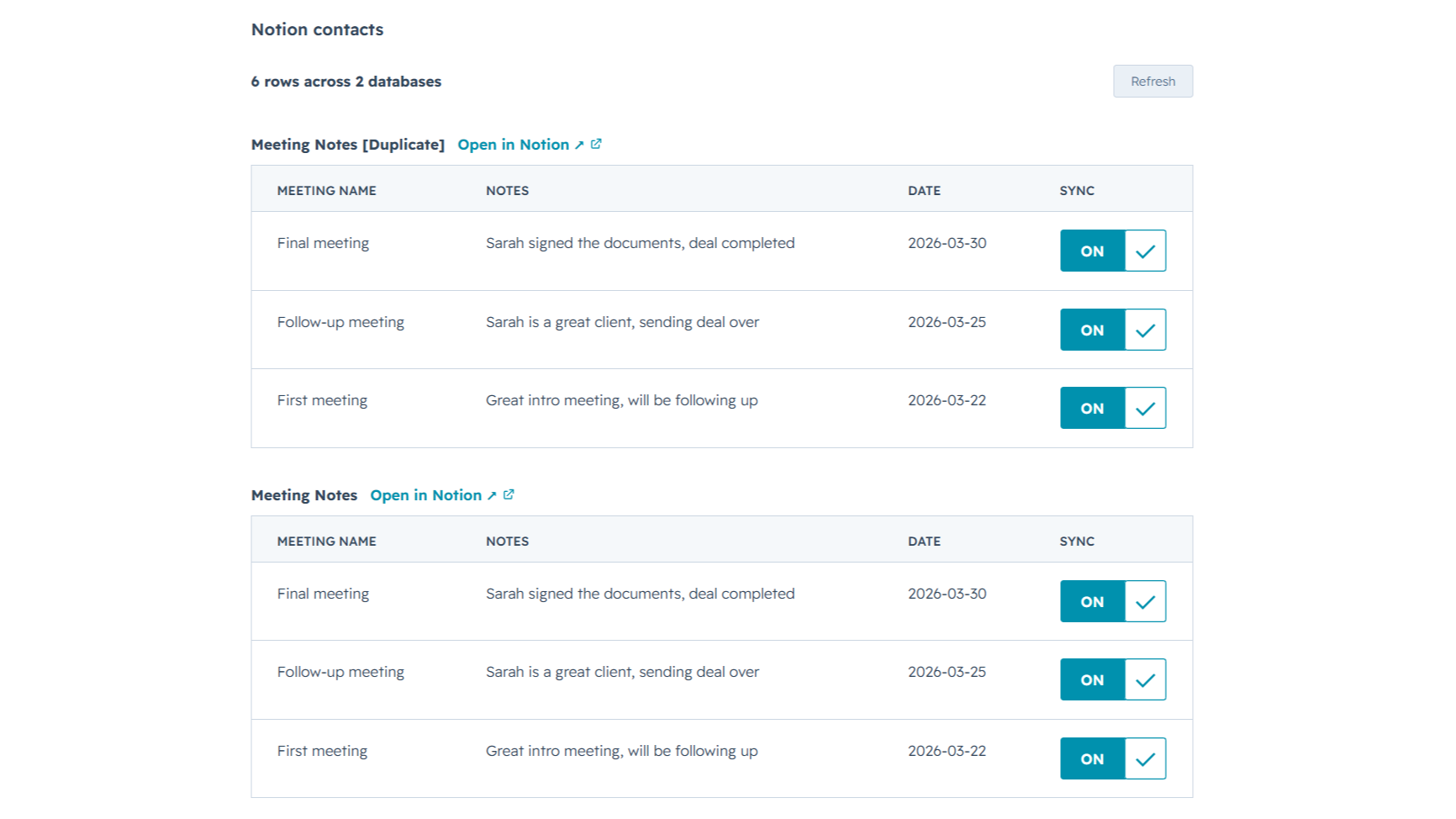
Sync from multiple Notion databases
Sales notes, onboarding tasks, account plans, connect as many Notion databases as you want. NoteLinker stacks every matching database onto the same HubSpot record, so you see the full picture on one screen instead of one slice at a time.
Funzionalità dell'app
Dati condivisi
Contact notes | ||
Deal notes |
NoteLinker acts as a secure bridge, not a storage platform. We follow a pass-through architecture: when you sync a page, the content moves directly from Notion to HubSpot via encrypted TLS. We do not store your note text, images, or internal strategy on our servers.
The only data we retain is minimal metadata, such as account identifiers and mapping IDs, to prevent duplicate entries and manage your subscription. All authentication is handled through official OAuth2 protocols, ensuring we never see your passwords. You maintain full ownership of your data, and you can revoke access at any time through your Notion or HubSpot settings.
Recensioni
- 11 mar 2026
Una soluzione di automazione perfetta che elimina le duplicazioni di inserimento dei contatti
Era esattamente l'automazione di cui avevo bisogno per non dover creare un contatto due volte in Notion e in HubSpot.
È piuttosto facile da usare e il team di supporto è sempre disponibile ad aiutarvi in caso di dubbi o problemi, oltre ad essere aperto ad ascoltare i miglioramenti dello strumento.
Il prezzo potrebbe essere un po' alto per alcuni Paesi.
SL, L.
NoteLinker
15,83 USD
/meseYour Notion notes, on every HubSpot contact and deal.
Email support
Unlimited rows, databases, contacts, and users
Live Notion data on every record (always current)
Inline card on every HubSpot contact and deal
NoteLinker
15,83 USD
/meseYour Notion notes, on every HubSpot contact and deal.
Email support
Unlimited rows, databases, contacts, and users
Live Notion data on every record (always current)
Inline card on every HubSpot contact and deal
* I prezzi riportati sono a scopo informativo. I prezzi non includono tasse, incentivi, sconti o altre variabili. Contatta il partner per ricevere il tariffario aggiornato. HubSpot declina qualsiasi responsabilità circa le informazioni di prezzo fornite dai propri partner. Ultimo aggiornamento tariffario: 27/06/2026
Maggiori informazioni
Creazione di - NoteLinker
Installazioni - PIù di 40 installazioni
Categorie Lingue in cui è disponibile questa app Inglese
Nuovi arrivi

Nexor
NexorAI è la piattaforma di agenti basati sull'intelligenza artificiale pensata per potenziare tutti i tuoi flussi di vendita

WorkSpan
Automate co-selling with your partners - from inside HubSpot CRM
