
Notion Sync by NoteLinker
Gemaakt door - NoteLinker
Installaties - 40+ installaties
Beoordeling 5
(1)
Vereisten
HubSpot-abonnement HubSpot-accountmachtigingen - Bekijk de vereiste accountmachtigingen
Toegangstype Gedeeld Notion Sync by NoteLinker-abonnement - NoteLinker plan
Overzicht
1/4 - Sync Notion rows to HubSpot
Your notes live in Notion and your CRM lives in HubSpot, and somewhere between the two, deal context gets lost. Contacts never see the meeting notes, account plans never make it to the deal record, and by the time someone notices, the context is already gone.
NoteLinker shows your Notion notes, tasks, and account plans directly on the matching HubSpot contact and deal records. Match a row's email or deal name and it appears inline on the right record, automatically. No checkbox to tick, no exporting, no copy and paste. You stay in Notion. Your CRM finally sees what you wrote.
If you take the notes in Notion and you need them on your HubSpot records, this is for you.
Functies
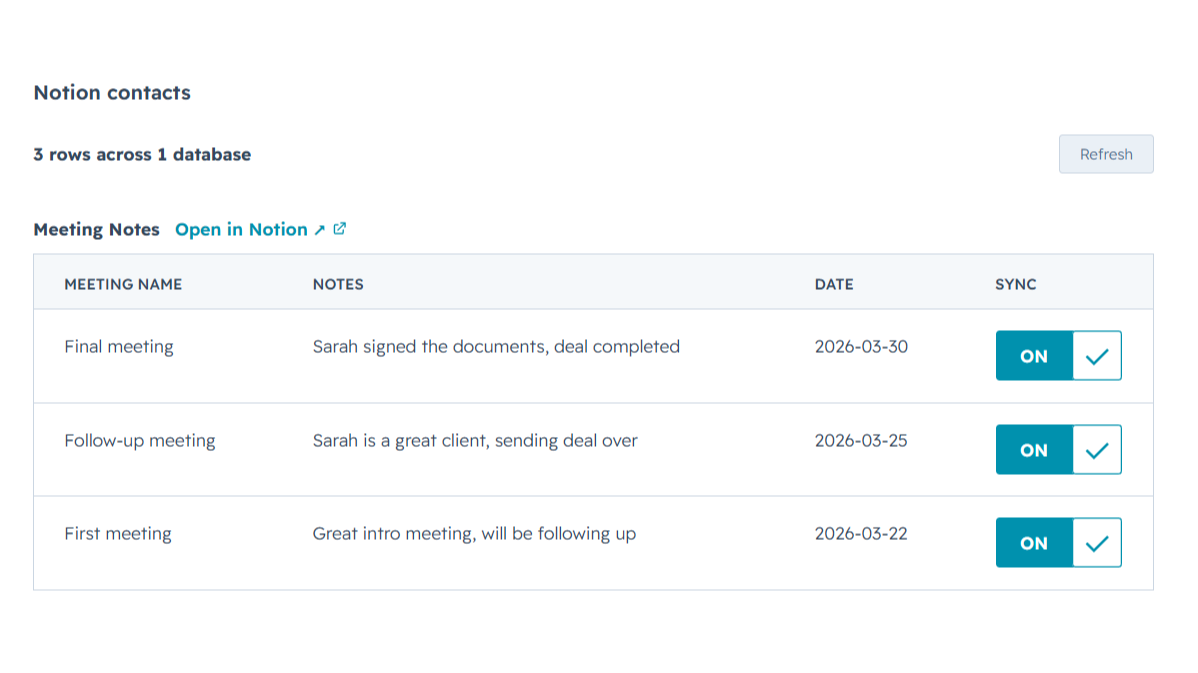
Sync Notion notes to HubSpot
Any Notion row whose email or deal name matches shows up inline on the right HubSpot contact or deal record, automatically, with no checkbox to tick. Edit it in Notion, refresh the card, and the latest values are there while you keep working in Notion and your CRM finally sees what you wrote.
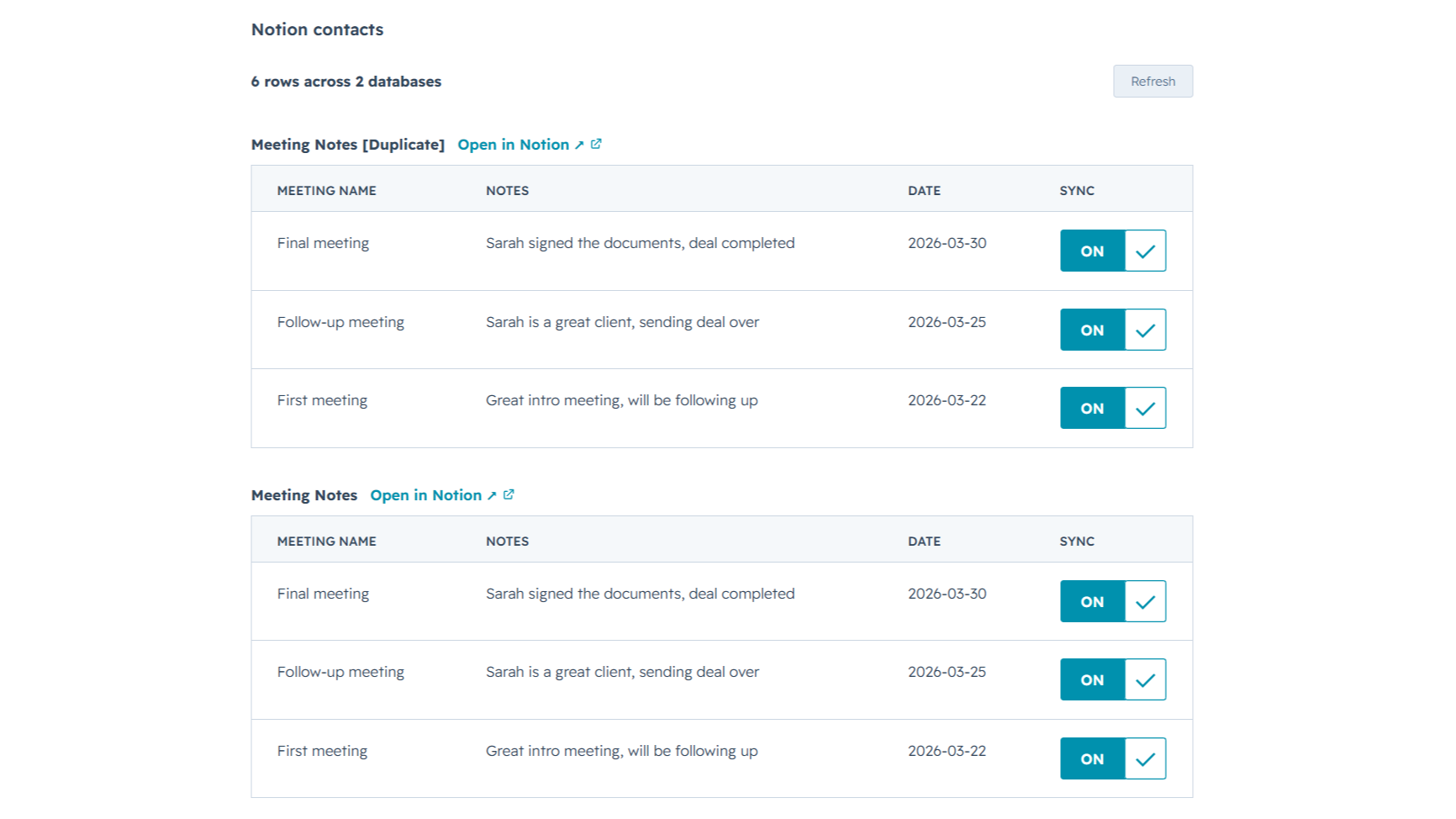
Sync from multiple Notion databases
Sales notes, onboarding tasks, account plans, connect as many Notion databases as you want. NoteLinker stacks every matching database onto the same HubSpot record, so you see the full picture on one screen instead of one slice at a time.
App-functionaliteit
Gedeelde gegevens
Contact notes | ||
Deal notes |
NoteLinker acts as a secure bridge, not a storage platform. We follow a pass-through architecture: when you sync a page, the content moves directly from Notion to HubSpot via encrypted TLS. We do not store your note text, images, or internal strategy on our servers.
The only data we retain is minimal metadata, such as account identifiers and mapping IDs, to prevent duplicate entries and manage your subscription. All authentication is handled through official OAuth2 protocols, ensuring we never see your passwords. You maintain full ownership of your data, and you can revoke access at any time through your Notion or HubSpot settings.
Reviews
- 11 mrt. 2026
Perfecte automatiseringsoplossing die dubbel werk bij het invoeren van contactpersonen elimineert
Het was precies de automatisering die ik nodig had, zodat ik niet twee keer een contactpersoon hoef aan te maken in Notion en in HubSpot.
Het is vrij eenvoudig te gebruiken en het ondersteuningsteam is altijd beschikbaar om je te helpen als je twijfels of problemen hebt, en ze staan ook open om te luisteren naar verbeteringen voor de tool.
De prijs kan voor sommige landen een beetje hoog zijn.
SL, L.
Prijzen
NoteLinker
US$ 15,83
/maandYour Notion notes, on every HubSpot contact and deal.
Email support
Unlimited rows, databases, contacts, and users
Live Notion data on every record (always current)
Inline card on every HubSpot contact and deal
NoteLinker
US$ 15,83
/maandYour Notion notes, on every HubSpot contact and deal.
Email support
Unlimited rows, databases, contacts, and users
Live Notion data on every record (always current)
Inline card on every HubSpot contact and deal
* De hier vermelde prijzen dienen alleen ter illustratie. Alle prijzen zijn exclusief belasting, bonussen, kortingen of andere prijsvariabelen. Neem contact op met de partner voor de meest recente en correcte prijsinformatie. HubSpot erkent geen verantwoordelijkheid voor deze prijsinformatie, die wordt verstrekt door onze partners. Prijzen laatst bijgewerkt: 27-06-2026
Meer info
Gemaakt door - NoteLinker
Installaties - 40+ installaties
Categorieën Talen waarin deze app beschikbaar is Engels
Populairst

Gmail
Breng HubSpot naar je inbox met de HubSpot-integratie voor Gmail.

Google Calendar
Boek vergaderingen snel en eenvoudig met HubSpot en Google Agenda.
