
Notion Sync by NoteLinker
Utworzone przez - NoteLinker
Instaluje - Ponad 40 instalacji
Ocena 5
(1)
Wymagania
Plan HubSpot Uprawnienia konta HubSpot - Wyświetl wymagane uprawnienia konta
Typ dostępu Udostępniono Subskrypcja Notion Sync by NoteLinker - NoteLinker plan
Przegląd
1/4 - Sync Notion rows to HubSpot
Your notes live in Notion and your CRM lives in HubSpot, and somewhere between the two, deal context gets lost. Contacts never see the meeting notes, account plans never make it to the deal record, and by the time someone notices, the context is already gone.
NoteLinker shows your Notion notes, tasks, and account plans directly on the matching HubSpot contact and deal records. Match a row's email or deal name and it appears inline on the right record, automatically. No checkbox to tick, no exporting, no copy and paste. You stay in Notion. Your CRM finally sees what you wrote.
If you take the notes in Notion and you need them on your HubSpot records, this is for you.
Cechy
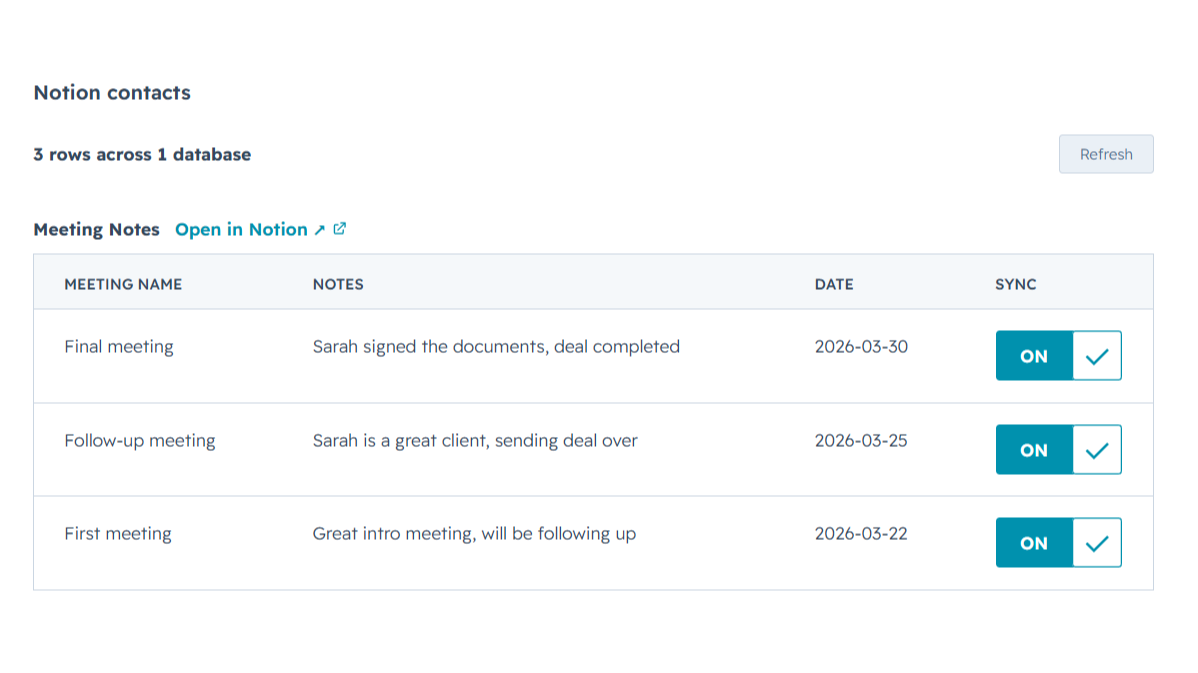
Sync Notion notes to HubSpot
Any Notion row whose email or deal name matches shows up inline on the right HubSpot contact or deal record, automatically, with no checkbox to tick. Edit it in Notion, refresh the card, and the latest values are there while you keep working in Notion and your CRM finally sees what you wrote.
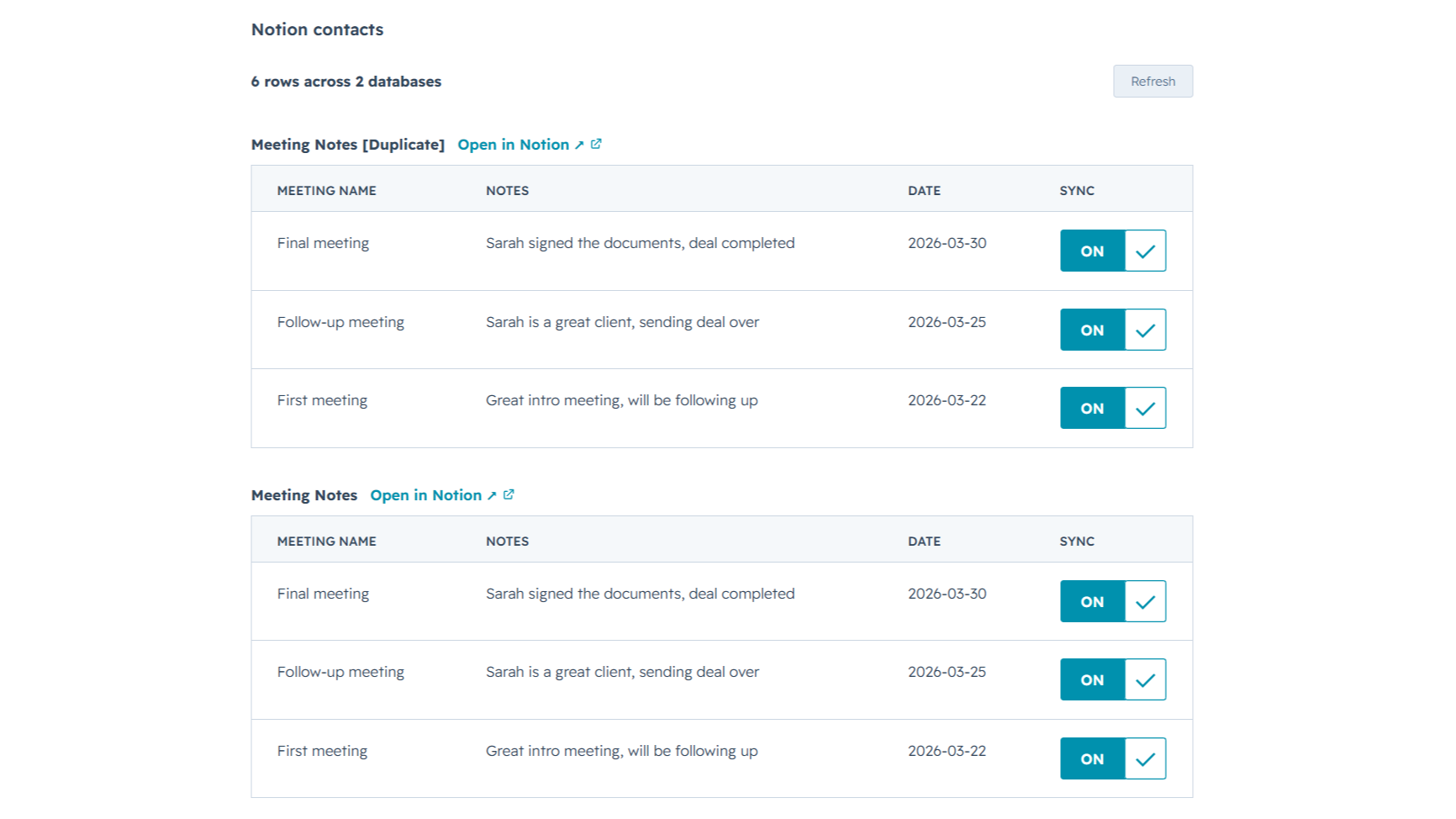
Sync from multiple Notion databases
Sales notes, onboarding tasks, account plans, connect as many Notion databases as you want. NoteLinker stacks every matching database onto the same HubSpot record, so you see the full picture on one screen instead of one slice at a time.
Funkcjonalność aplikacji
Udostępnione dane
Contact notes | ||
Deal notes |
NoteLinker acts as a secure bridge, not a storage platform. We follow a pass-through architecture: when you sync a page, the content moves directly from Notion to HubSpot via encrypted TLS. We do not store your note text, images, or internal strategy on our servers.
The only data we retain is minimal metadata, such as account identifiers and mapping IDs, to prevent duplicate entries and manage your subscription. All authentication is handled through official OAuth2 protocols, ensuring we never see your passwords. You maintain full ownership of your data, and you can revoke access at any time through your Notion or HubSpot settings.
Recenzje
- 11 mar 2026
Doskonałe rozwiązanie do automatyzacji, które eliminuje powielanie pracy związanej z wprowadzaniem kontaktów.
To była dokładnie ta automatyzacja, której potrzebowałem, aby nie musieć tworzyć kontaktu dwa razy w Notion i HubSpot.
Jest dość łatwy w użyciu, a zespół wsparcia jest zawsze dostępny, aby pomóc w przypadku jakichkolwiek wątpliwości lub problemów, a także są otwarci na słuchanie ulepszeń narzędzia.
Ceny mogą być nieco wysokie dla niektórych krajów.
SL, L.
NoteLinker
15,83 USD
/mies.Your Notion notes, on every HubSpot contact and deal.
Email support
Unlimited rows, databases, contacts, and users
Live Notion data on every record (always current)
Inline card on every HubSpot contact and deal
NoteLinker
15,83 USD
/mies.Your Notion notes, on every HubSpot contact and deal.
Email support
Unlimited rows, databases, contacts, and users
Live Notion data on every record (always current)
Inline card on every HubSpot contact and deal
* Powyższe ceny zostały podane wyłącznie w celach informacyjnych. Nie zawierają one podatków, premii, zniżek lub innych zmiennych cenowych. Skontaktuj się z partnerem w celu uzyskania najbardziej aktualnych i poprawnych informacji o cenach. HubSpot nie ponosi żadnej odpowiedzialności za informacje cenowe, które są dostarczane przez naszych partnerów. Ostatnia aktualizacja cen: 27.06.2026
Więcej informacji
Utworzone przez - NoteLinker
Instaluje - Ponad 40 instalacji
Kategorie Języki, w których dostępna jest ta aplikacja Angielski
Przyciąganie uwagi już dziś
-1.png)
HubSpot connector for Claude
Uzyskaj dostęp do kontekstu HubSpot w Claude, aby uzyskać spersonalizowane spostrzeżenia, wizualizacje oraz tworzyć i aktualizować rekordy CRM.

Google Meet
linki do spotkań, nagrania i transkrypcje dla Google Meet w HubSpot
