

Microsoft Teams
Use Microsoft Teams and HubSpot for meetings, conversations, and more!
Requisitos
Plan de HubSpot Permisos de cuenta de HubSpot No se requieren permisos Suscripción: Microsoft Teams - Suscripciones: Free (no commitment), Microsoft 365 Business Basic, Microsoft 365 Business Standard o Office 365 E3
Vista general
1/8
Sales, marketing, and services are all about building relationships -- but it can be difficult to form those relationships when a rep spends precious time completing menial tasks. In fact, a report from HubSpot Research found that sales reps spend up to a quarter of their day on tasks like writing emails and data entry.
Software should exist to help minimize that time spent, not create extra steps. HubSpot's integration for Microsoft Teams aims to do just that.
Integrate with HubSpot Meeting Scheduler
Automatically send dial-in and conference call details to your HubSpot prospects. Turn every meeting booked in your HubSpot CRM into a Microsoft Teams meeting.
Sync Microsoft Teams Meeting Recordings and Transcripts to HubSpot
Unify your meeting data in HubSpot through Microsoft Teams meeting recording and transcript sync to HubSpot for coaching and analysis.
Share Notifications
Stay connected to activities in your HubSpot CRM by receiving notifications for chats, reminders, mentions, form submissions, and more within Microsoft Teams. You can even create specialized workflows within HubSpot to customize your notifications.
Manage Conversations
Recieve and reply to your conversation inbox messages from HubSpot directly in your Microsoft Teams channels
Automate with Workflows
Use HubSpot workflows to customize notifications and create new channels in Microsoft Teams.
Create Tasks and Tickets
Stay on top of your work by quickly creating a HubSpot task or ticket right from a Microsoft Teams message.
Associate HubSpot Deals and Companies with Microsoft Teams Channels
Connect Microsoft Teams channels to HubSpot company and deal records to sync activity updates and keep your team in the loop
Have feedback about this integration? Please use this form to submit any suggestions, requests or ideas.
Características
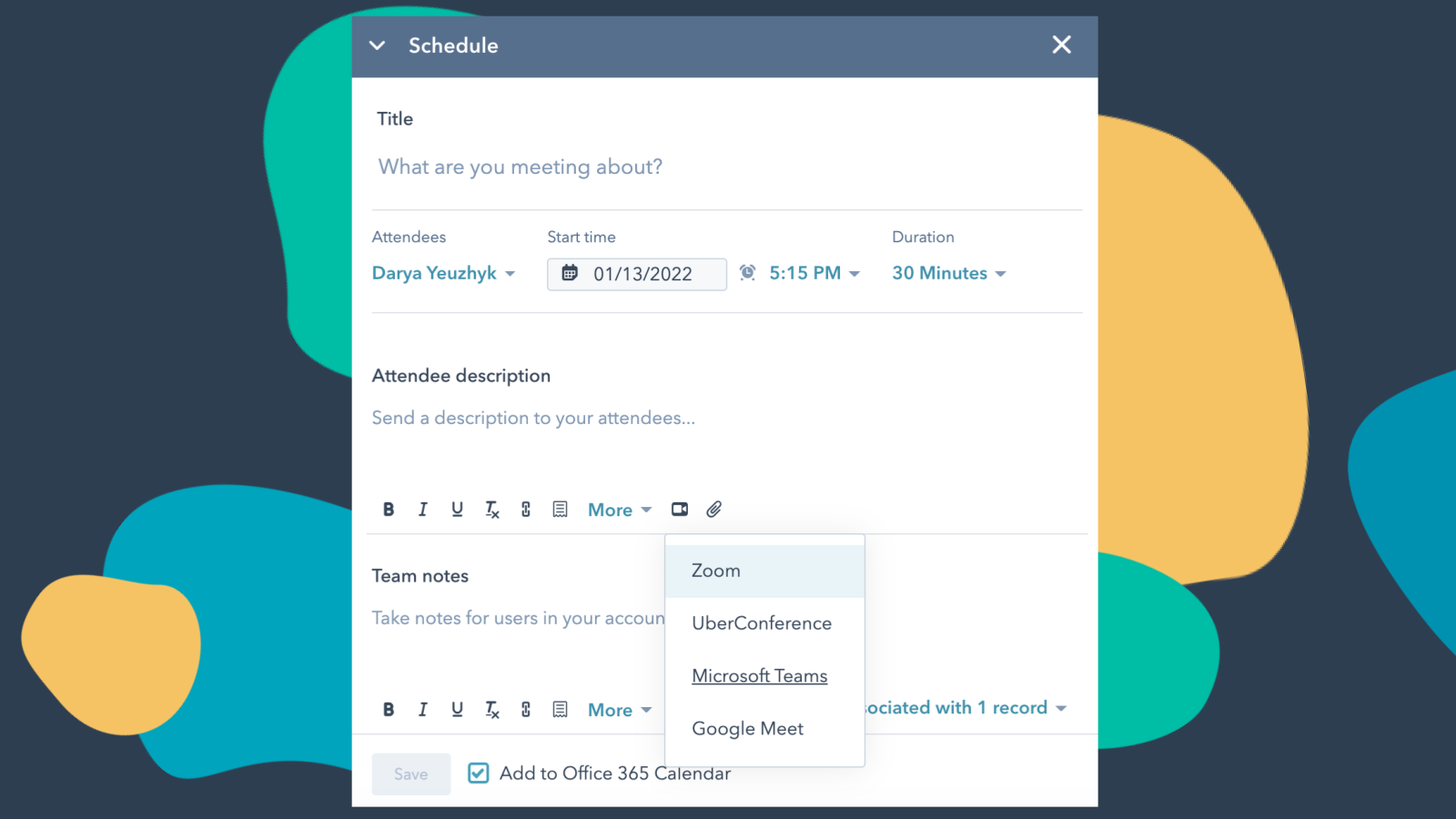
Integrate Microsoft Teams with HubSpot Meetings
Want to check in on a lead or a customer? As a sales or service rep -- there's nothing better than a quick chat over video to get a pulse on what your lead or customer needs from you to succeed. Easily schedule a Microsoft Teams meeting from any contact record to get your video chat on the books.
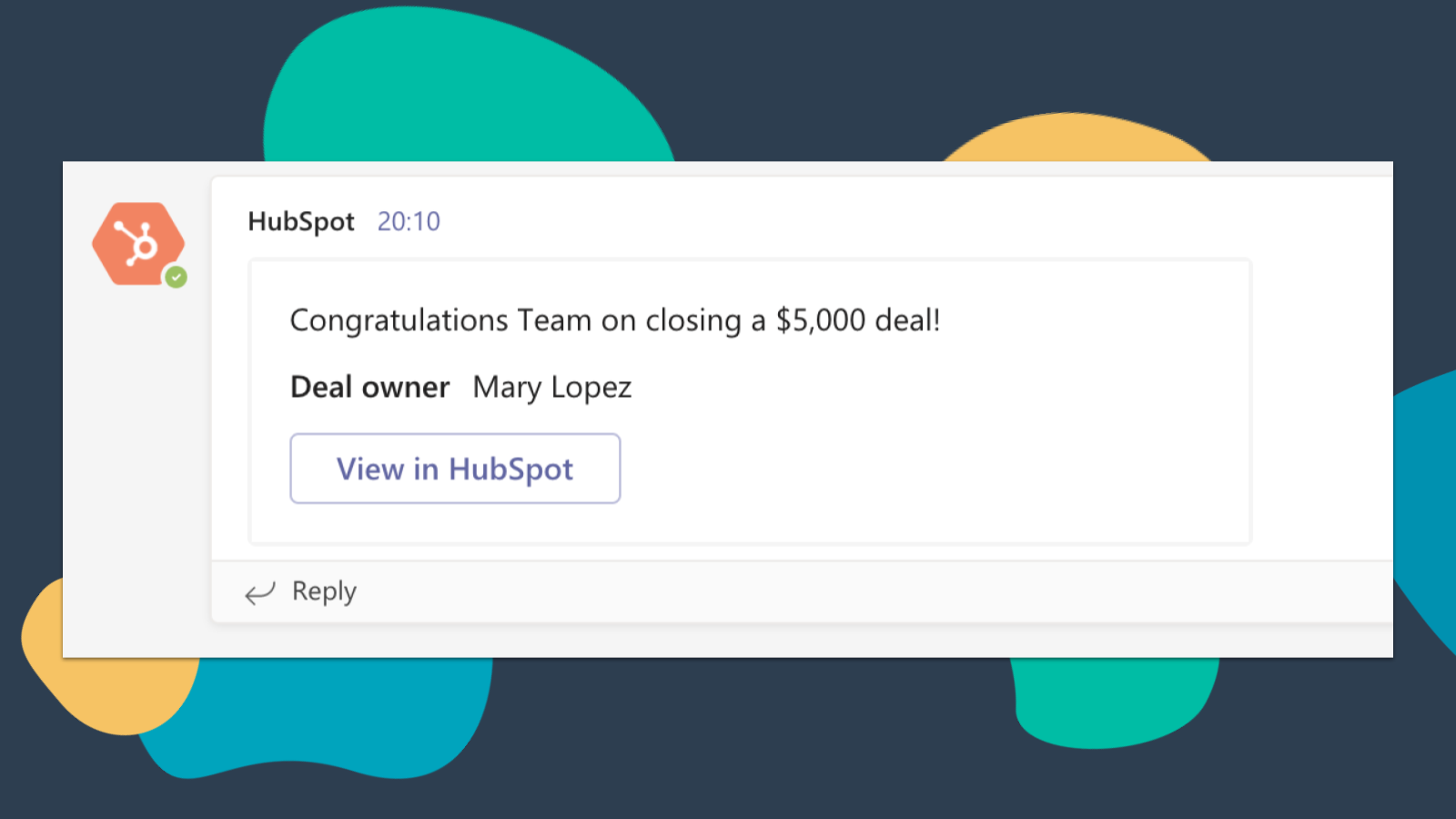
Get HubSpot Notifications in Microsoft Teams
Get notified in Microsoft Teams when you get assigned a new ticket or when a deal you own closes! By default, you will receive notifications for these types of activities: Assignments, Comments, Follows, Mentions, Overdue Items, Reminders, Replies, Submissions, Views
-4-1.png)
Sync Microsoft Teams Meeting Recordings and Transcripts to HubSpot
Preview meetings on associated records and automatically record and transcribe meetings for playback. In the HubSpot index page, you can access a full list of team's meetings, filter meetings by object properties, and search across meetings for key terms.
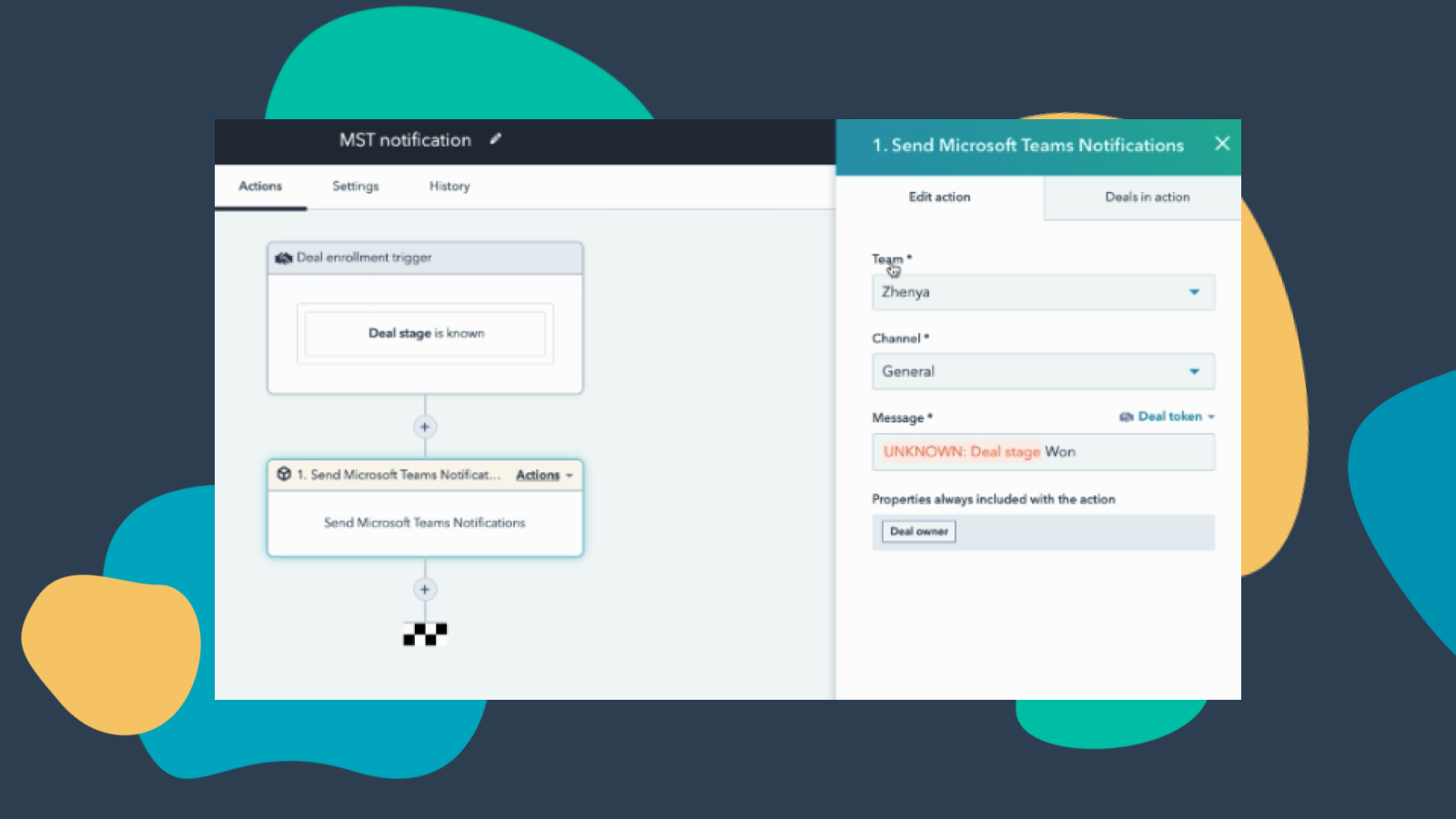
Customize Teams Notifications through Workflows
Create notification workflows for Microsoft Team to allow you to get notified when your deals change status or when new companies that fit within your territory are added to HubSpot and much more! Note: this feature requires a paid subscription.
-Apr-13-2023-06-54-18-0205-PM.jpeg)
Manage your Conversations in Microsoft Teams
Receive and reply to HubSpot Conversations Inbox Messages directly in Microsoft Teams channels. Note: this feature requires a paid subscription.
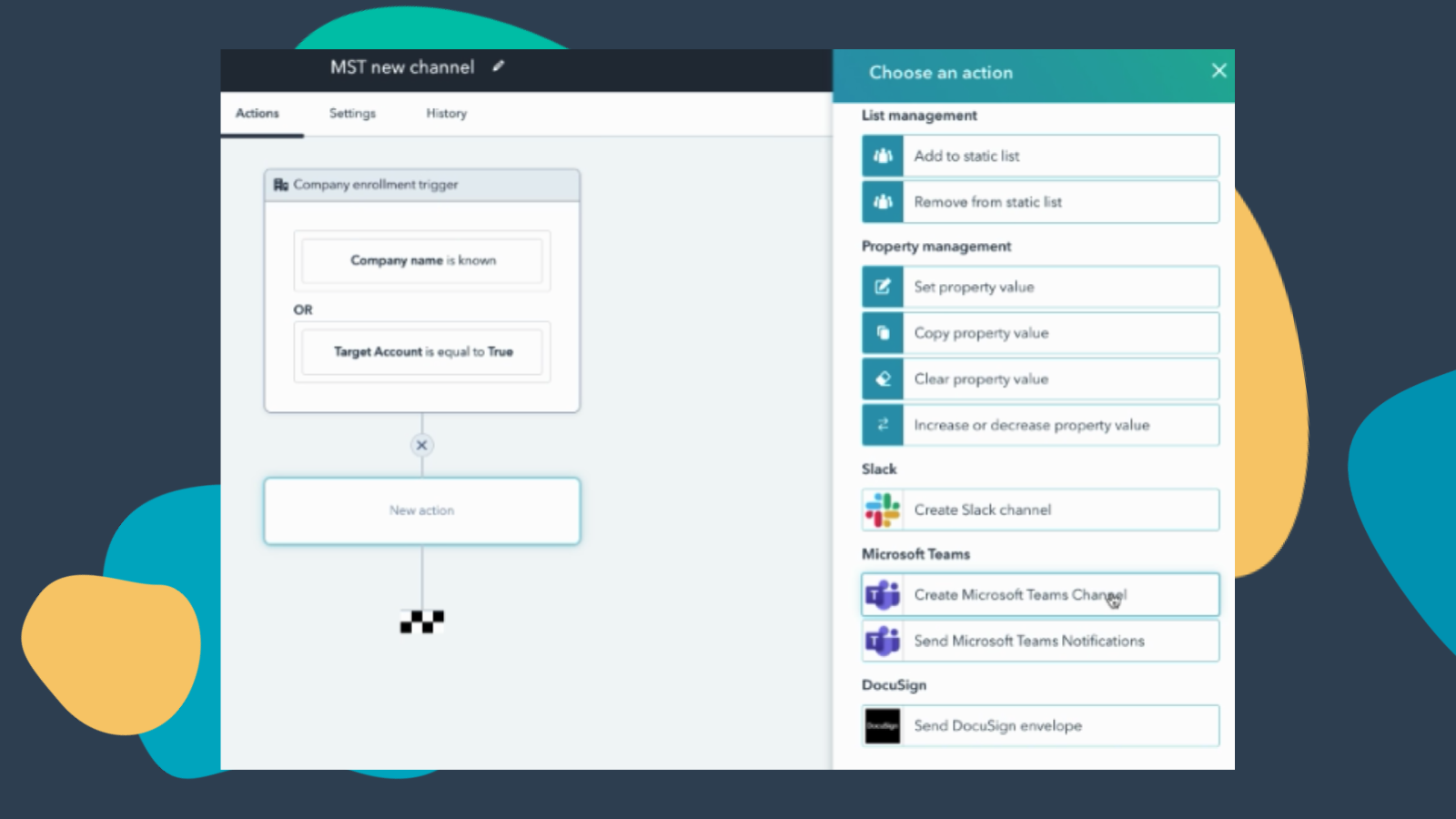
Create Workflows to Add Channels to Microsoft Teams
Create a new Microsoft Teams channel when new companies or deals are created that meet a certain set of criteria. Note: this feature requires a paid subscription.
Funcionalidad de la aplicación
Datos compartidos
Direct Message | ||
Messages |
Valoraciones
3,3
221
3,3
221
- 24 de feb. de 2026
Integración engorrosa con sincronización de HubSpot demasiado lenta, inutilizable para ventas
En principio, es muy engorroso
Las llamadas llegan a HubSpot en algún momento, demasiado lento hasta entonces, no es útil para las ventas
El tiempo hasta que las llamadas llegan a HubSpot para su registro es simplemente demasiado largo, si realizas llamadas directamente con HubSpot o integras RingCentral, por ejemplo, se abre directamente una ventana de llamada en la que puedes documentar, ¿por qué la integración de Teams no tiene una ventana directamente cuando llamo a Teams en la que pueda escribir directamente los datos de mi llamada?
Golze, J.
- 23 de feb. de 2026
Los frustrantes problemas de conectividad arruinan lo que podría ser una integración decente: hay que volver a conectarse constantemente para las reuniones.
Funciona cuando la conexión está bien, pero necesito casi cada vez volver a conectar
integración
Vuelvo a conectarme casi siempre que programo una reunión en línea
Beckers, R.
Free (no commitment)
0 US$
Meetings and calling
Chat and collaboration
Productivity apps and services
Security and compliance
Free (no commitment)
0 US$
Meetings and calling
Chat and collaboration
Productivity apps and services
Security and compliance
* El precio que aparece aquí es solo para fines de visualización. Los precios no incluyen impuestos, incentivos, descuentos u otras variables. Debes comunicarte con nuestro partner para obtener la información de precios más actualizada y correcta. HubSpot no se hace responsable de los precios que proporcionan nuestros partners. Precios actualizados por última vez: 15/10/2025
Más información
Desarrollado por - HubSpot
Instalaciones - 59K instalaciones
Categorías Idiomas en los que está disponible esta aplicación Inglés
Recibe atención en el presente

