

Mailchimp
Exigences
Abonnement HubSpot Autorisations de compte HubSpot Aucune autorisation requise Type d'accès Partagé Abonnement à Mailchimp - Abonnement : Review Mailchimp's Pricing Page
Vue d'ensemble
1/2
Unify email and customer insights across Mailchimp and HubSpot for information alignment and reduce the need for messy, time-consuming imports.
Install this app to:
Sync contacts and records between Mailchimp and HubSpot two-ways in real-time for data alignment
Get set up quickly with automatic historical data sync and configure ongoing sync settings to reduce manual data management and prevent data silos.
Configure custom field mappings between Mailchimp and HubSpot contact properties to match specific business requirements.
Note: To sync Mailchimp email activity - including sends, opens, clicks, and bounces - to HubSpot timelines, create segments and build lists, or use email engagement to trigger automated HubSpot workflows, you’ll need to install an additional Mailchimp app. You can do so here.
Fonctionnalités
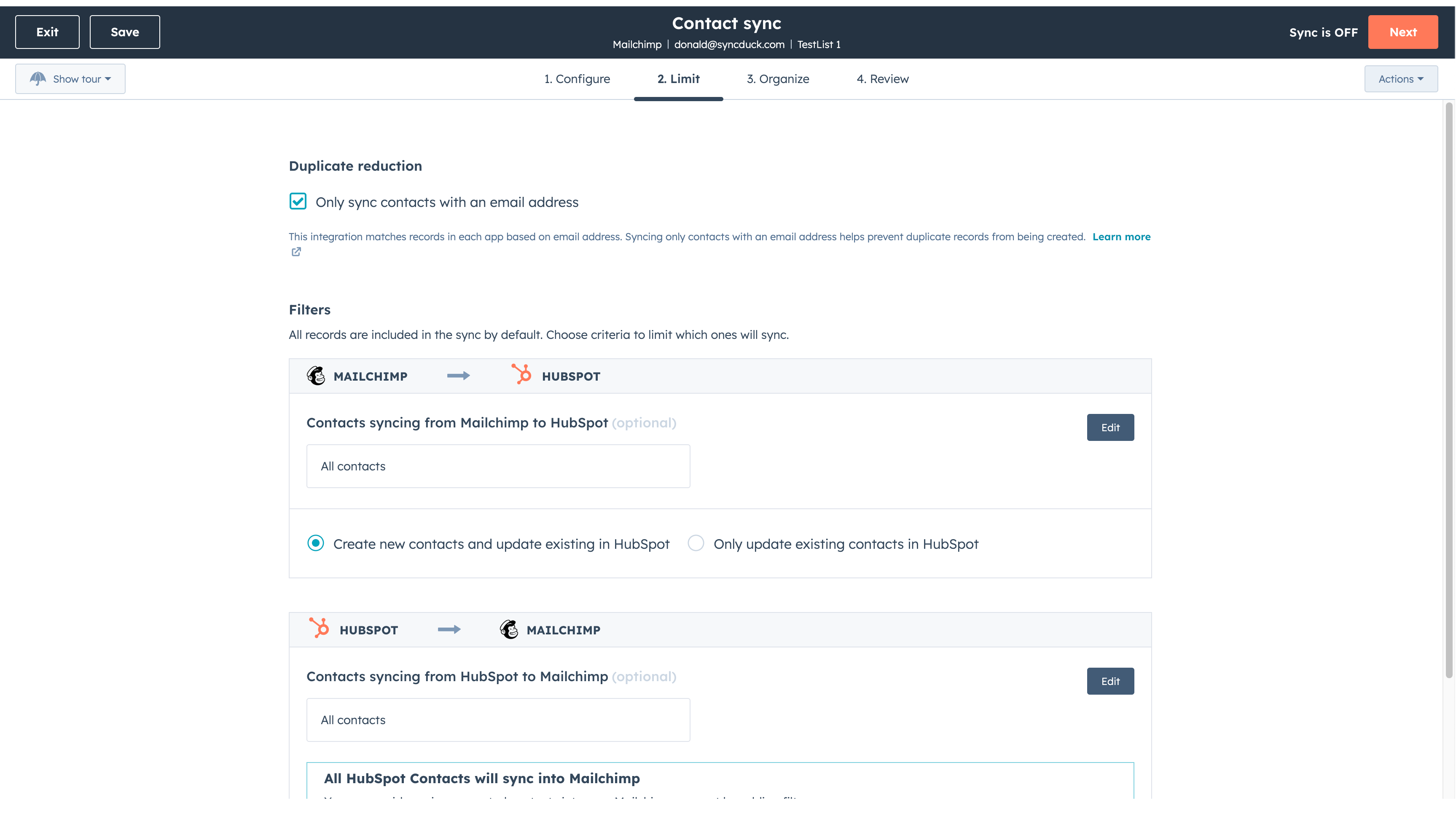
Sync Mailchimp and HubSpot in the background
Make manual data entry a thing of the past by syncing data (see below) between HubSpot and Mailchimp. When records are created or updated in either app, that information will be automatically shared with the other one. You can also add a filter for any Mailchimp field or HubSpot list to sync exactly what you want—and nothing you don’t.
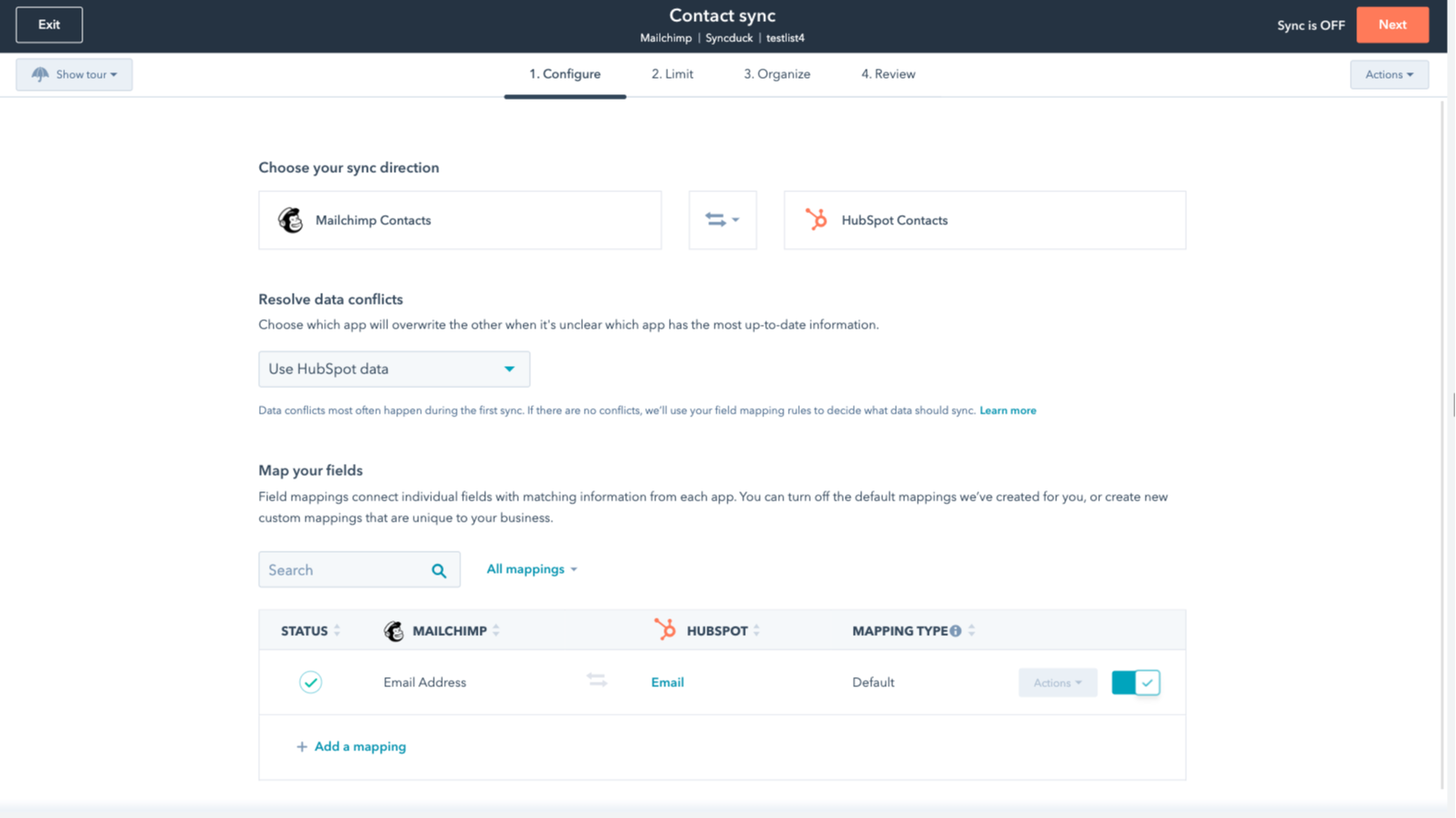
You’re in control of your data
You can set up a one- or two-way sync, which means you can either sync data from Mailchimp to HubSpot, from HubSpot to Mailchimp, or back-and-forth! IMPORTANT: This app requires Data Hub Starter or above.
Fonctionnalité de l'application
Données partagées
Each object has field mappings that connect matching information from each app.
The following will not sync: Groups, Tags, Email Opens/Clicks. As mentioned above, you can review and install the other Mailchimp integration here to sync additional data.
Note: You will need Data Hub Starter and up to use this app.
Contacts |
2,6
63
2,6
63
Si certains utilisateurs signalent que l'outil ne transfère que les adresses e-mail sans les noms et fusionne parfois les listes de manière incorrecte, d'autres apprécient la rapidité de configuration pour une synchronisation de base des contacts. Quelques utilisateurs saluent l'interface intuitive pour la gestion des communications de masse, tandis que d'autres mentionnent que les désabonnements et les balises personnalisées ne sont pas toujours répercutés dans la base de données principale.
- 15 juin 2026
Je recommande vivement cette intégration !
C'est très facile à installer et je le recommande sans hésiter.
Vous pouvez relier directement les campagnes et les actions de marketing par e-mail de Mailchimp à HubSpot grâce à des applications complémentaires.
Rien à ajouter.
Mihajlovic, B.
- 20 mai 2026
C'est encore nouveau, mais pour l'instant je l'aime bien
Il s'agit d'une nouvelle intégration pour nous, mais les contacts semblent arriver de Mailchimp de manière assez transparente. Une chose que je dois déterminer, c'est comment automatiser le statut du lead à la bonne valeur par défaut. Ce n'est pas une configuration évidente lorsque je l'ai mise en place.
Moskal, E.
Tarification
Review Mailchimp's Pricing Page
0 $US
Use the 'See all pricing options' link on the righthand side
Make sure to confirm the HubSpot subscription and the Mailchimp subscription needed to install this integration
Note: "Free" is referring to the cost of the integration, not the app subscriptions
Review Mailchimp's Pricing Page
0 $US
Use the 'See all pricing options' link on the righthand side
Make sure to confirm the HubSpot subscription and the Mailchimp subscription needed to install this integration
Note: "Free" is referring to the cost of the integration, not the app subscriptions
* Les prix mentionnés ici sont uniquement présentés à titre indicatif. Tous les prix n'incluent pas les taxes, les offres spéciales, les réductions ni les autres facteurs pouvant affecter les tarifs. Vous devez contacter le partenaire pour obtenir les tarifs les plus récents. HubSpot n'assume aucune responsabilité pour les informations de tarification fournies par ses partenaires. Dernière mise à jour des prix : 22/01/2026