

Mailchimp
Requisitos
Plano da HubSpot Permissões da conta da HubSpot Nenhuma permissão necessária Tipo de acesso Compartilhado Assinatura Mailchimp - Review Mailchimp's Pricing Page plano
Visão geral
1/2
Unify email and customer insights across Mailchimp and HubSpot for information alignment and reduce the need for messy, time-consuming imports.
Install this app to:
Sync contacts and records between Mailchimp and HubSpot two-ways in real-time for data alignment
Get set up quickly with automatic historical data sync and configure ongoing sync settings to reduce manual data management and prevent data silos.
Configure custom field mappings between Mailchimp and HubSpot contact properties to match specific business requirements.
Note: To sync Mailchimp email activity - including sends, opens, clicks, and bounces - to HubSpot timelines, create segments and build lists, or use email engagement to trigger automated HubSpot workflows, you’ll need to install an additional Mailchimp app. You can do so here.
Recursos
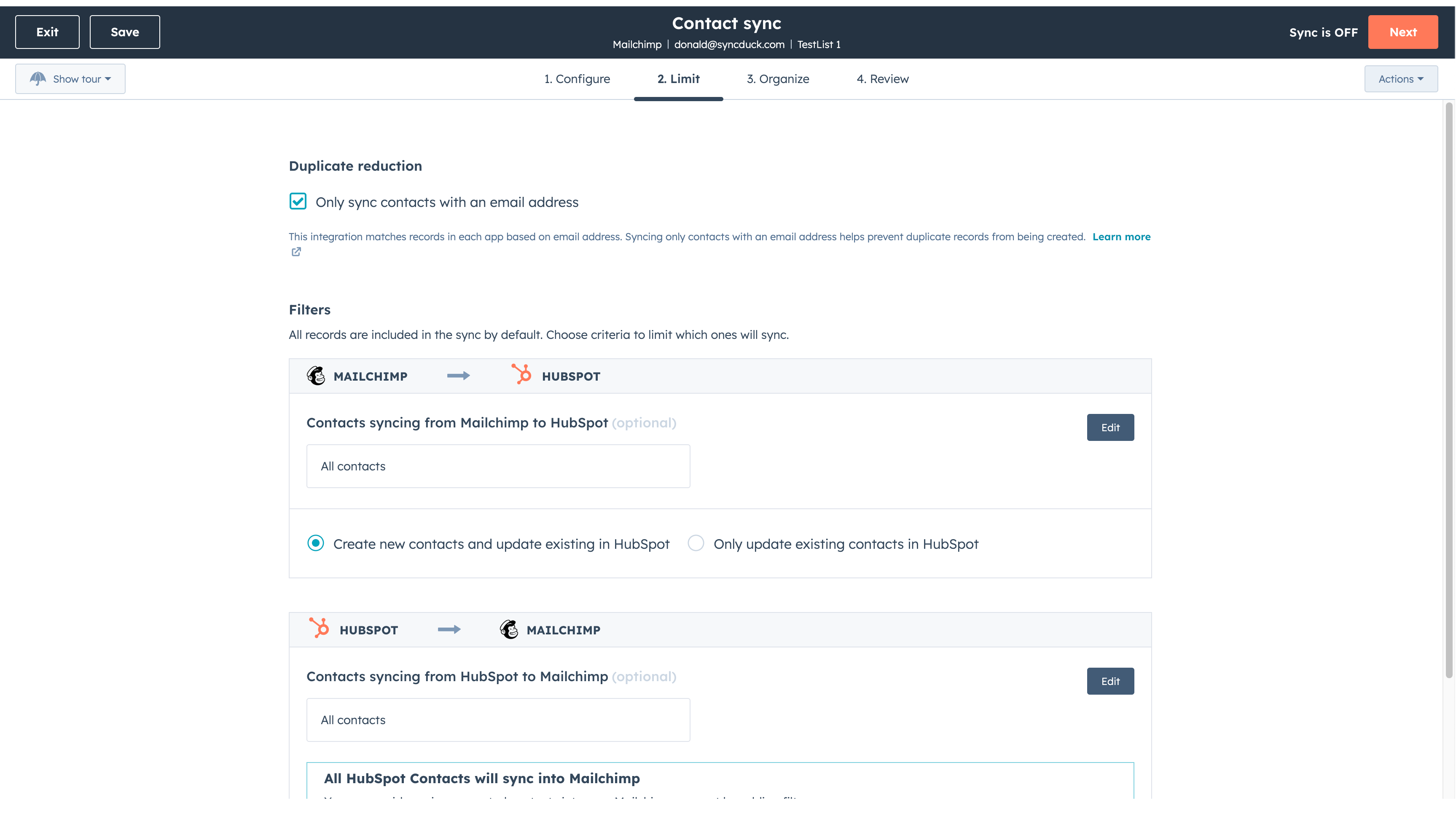
Sync Mailchimp and HubSpot in the background
Make manual data entry a thing of the past by syncing data (see below) between HubSpot and Mailchimp. When records are created or updated in either app, that information will be automatically shared with the other one. You can also add a filter for any Mailchimp field or HubSpot list to sync exactly what you want—and nothing you don’t.
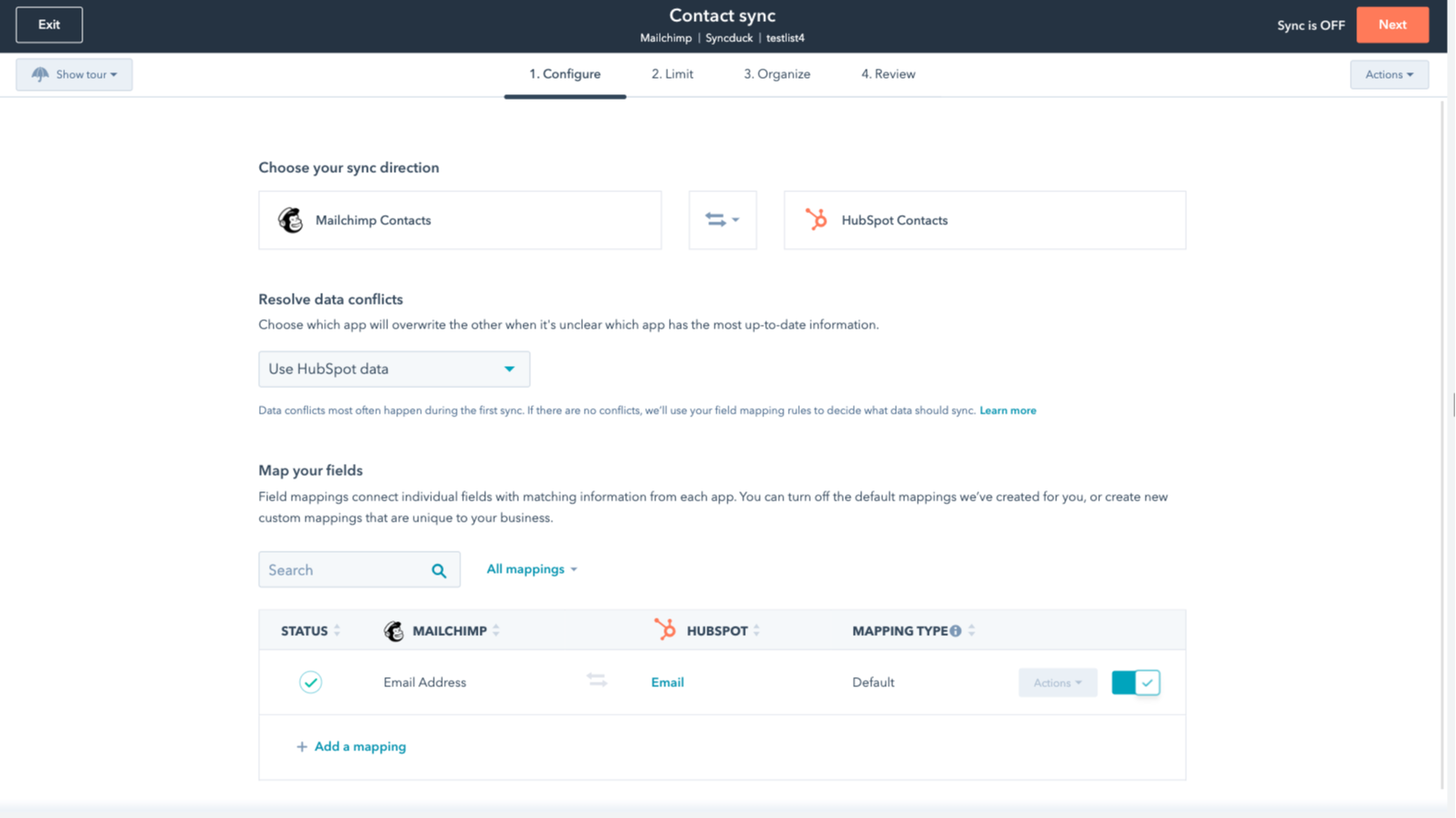
You’re in control of your data
You can set up a one- or two-way sync, which means you can either sync data from Mailchimp to HubSpot, from HubSpot to Mailchimp, or back-and-forth! IMPORTANT: This app requires Data Hub Starter or above.
Funcionalidade do aplicativo
Dados compartilhados
Each object has field mappings that connect matching information from each app.
The following will not sync: Groups, Tags, Email Opens/Clicks. As mentioned above, you can review and install the other Mailchimp integration here to sync additional data.
Note: You will need Data Hub Starter and up to use this app.
Contacts |
Avaliações
2,7
64
2,7
64
A integração restringe o mapeamento de campos ao sincronizar apenas endereços de e-mail, sem nomes ou tags, embora alguns considerem a configuração inicial simples. As configurações de sincronização bidirecional podem, sem querer, mesclar públicos-alvo distintos, mas alguns usuários apreciam o aplicativo por economizar tempo durante transferências básicas de contatos.
- 21 de Out de 2026
Sanchez, I.
- 15 de Jun de 2026
Recomendo vivamente esta integração!
É muito fácil de configurar e eu definitivamente o recomendo.
Você pode conectar a campanha e as atividades de marketing por e-mail do Mailchimp diretamente ao HubSpot por meio de aplicativos adicionais.
Não há nada a acrescentar.
Mihajlovic, B.
Review Mailchimp's Pricing Page
US$ 0
Use the 'See all pricing options' link on the righthand side
Make sure to confirm the HubSpot subscription and the Mailchimp subscription needed to install this integration
Note: "Free" is referring to the cost of the integration, not the app subscriptions
Review Mailchimp's Pricing Page
US$ 0
Use the 'See all pricing options' link on the righthand side
Make sure to confirm the HubSpot subscription and the Mailchimp subscription needed to install this integration
Note: "Free" is referring to the cost of the integration, not the app subscriptions
* O preço aqui é apenas para fins de exibição. Todos os preços não incluem impostos, incentivos, descontos ou outras variáveis de preços. Você deve entrar em contato com o parceiro para obter informações mais atualizadas e precisas. A HubSpot não se responsabiliza por essas informações de preços, que são fornecidas pelos nossos parceiros. Preços atualizados pela última vez: 22/01/2026
Getting attention today

Microsoft Teams
Use Microsoft Teams and HubSpot for meetings, conversations, and more!

RingEX by RingCentral
Streamline workflows with RingCentral's integration for HubSpot.
