

DocMergy (Microsoft Office)
Generate dynamic Microsoft documents from HubSpot
Built by - Integration Glue
Installs - 100+ installs
Rating 5
(2)
Requirements
HubSpot Plan HubSpot Account permissions - View the required account permissions
DocMergy (Microsoft Office) Subscription - Free, Starter, Professional, or Enterprise plans
Overview
1/3
With the DocMergy (MS Word) from Integration Glue, you can
Generate Documents/Spreadsheets/Presentations:
Advanced Formatting & Logic
End to end document automation using your existing platforms
When you register for Integration Glue, you will get access to a whole bunch of HubSpot Workflow and Data productivity actions, such as Actions to send transactional emails with attachments using Mailgun, send documents for eSign with Docusign, Clone records (including associated records), get User/Owner information and add to a Property or calculate a date. Get started on our free plan - No credit card required, can cancel at anytime Integration Glue pricing is based on utilization, so you can use all of our apps together under a single license and you will only be charged for the total credits you use per month. Integration Glue does not retain any data or files when using this app; it simply reads and outputs data to your own HubSpot portal. |
Features
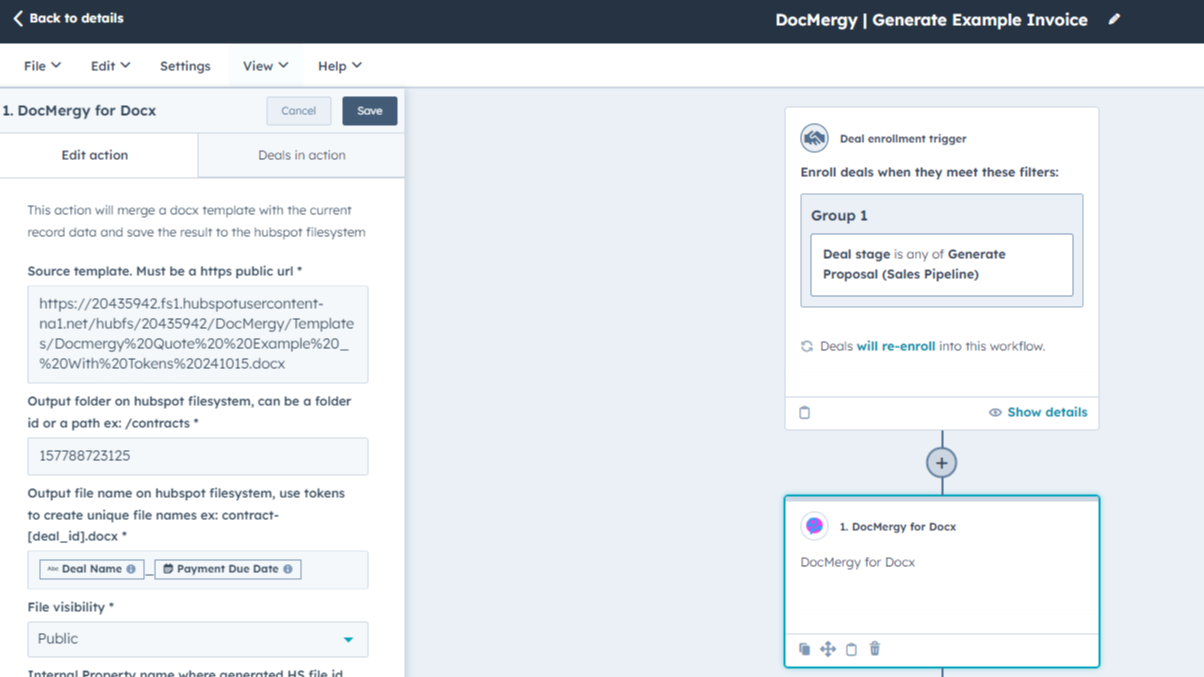
Generate from any Object
(Contacts, Companies, Deals, Tickets, Custom Objects)
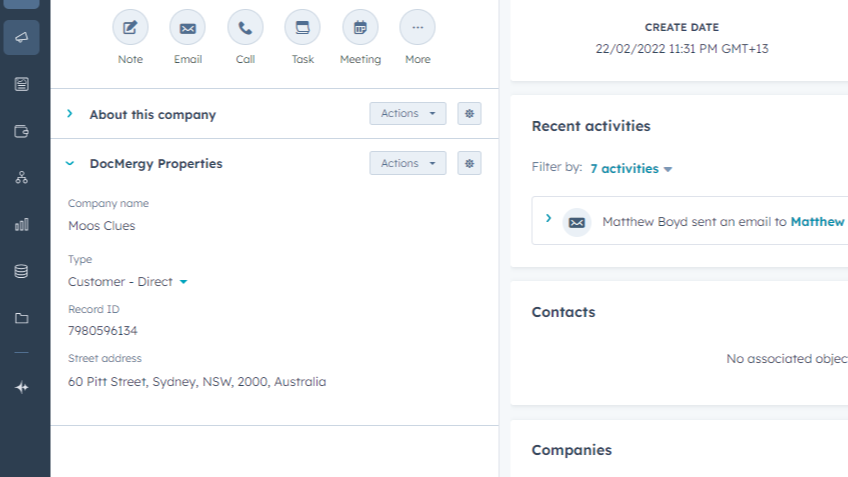
Personalise using any properties from your source record
Personalize your documents using HubSpot properties, keeping data up to date in one place.
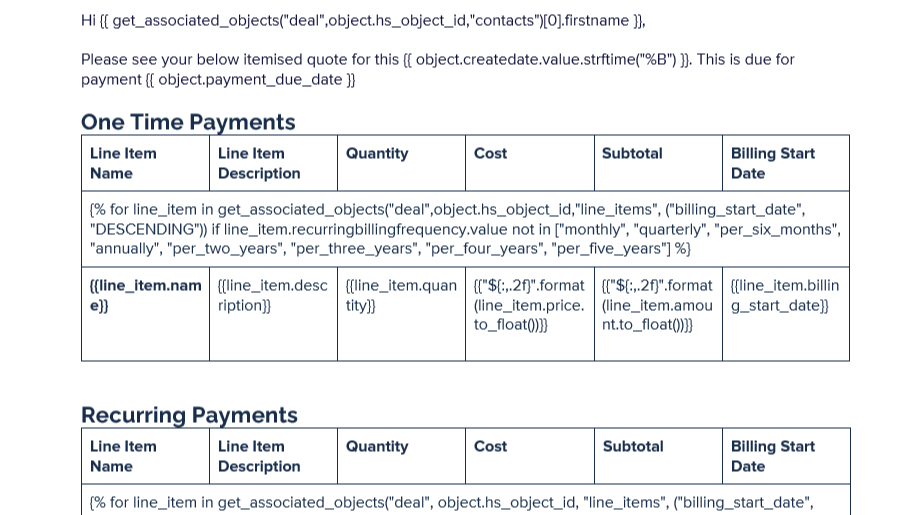
Advanced Formatting & Logic
Experience advanced formatting for numbers, dates, and more. With dynamic logic, you can show or hide sections as needed. Include dynamic images from URLs and add hyperlinks seamlessly. Utilise Jinja for advanced logic to generate complex documents. Enhance your documents with precision and flexibility.
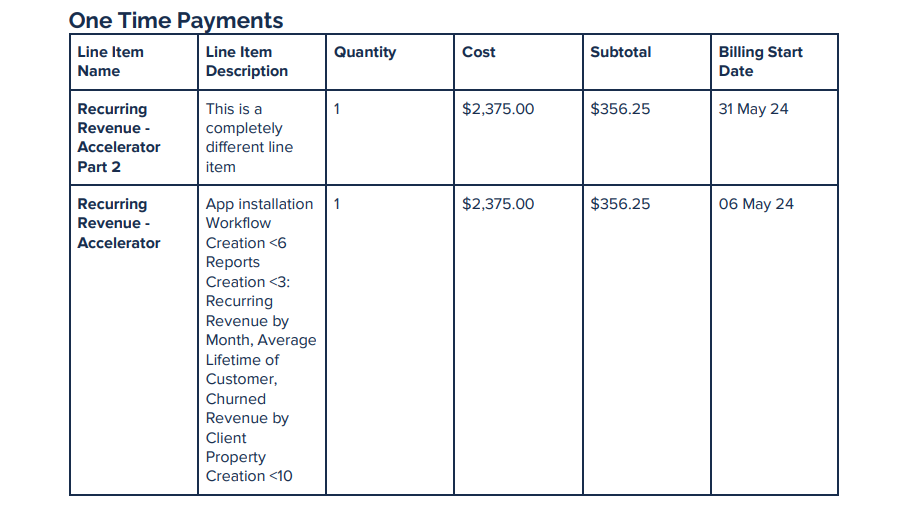
Include repeating sections
Populate your Document from Data across multiple Objects, Records and Line Items.
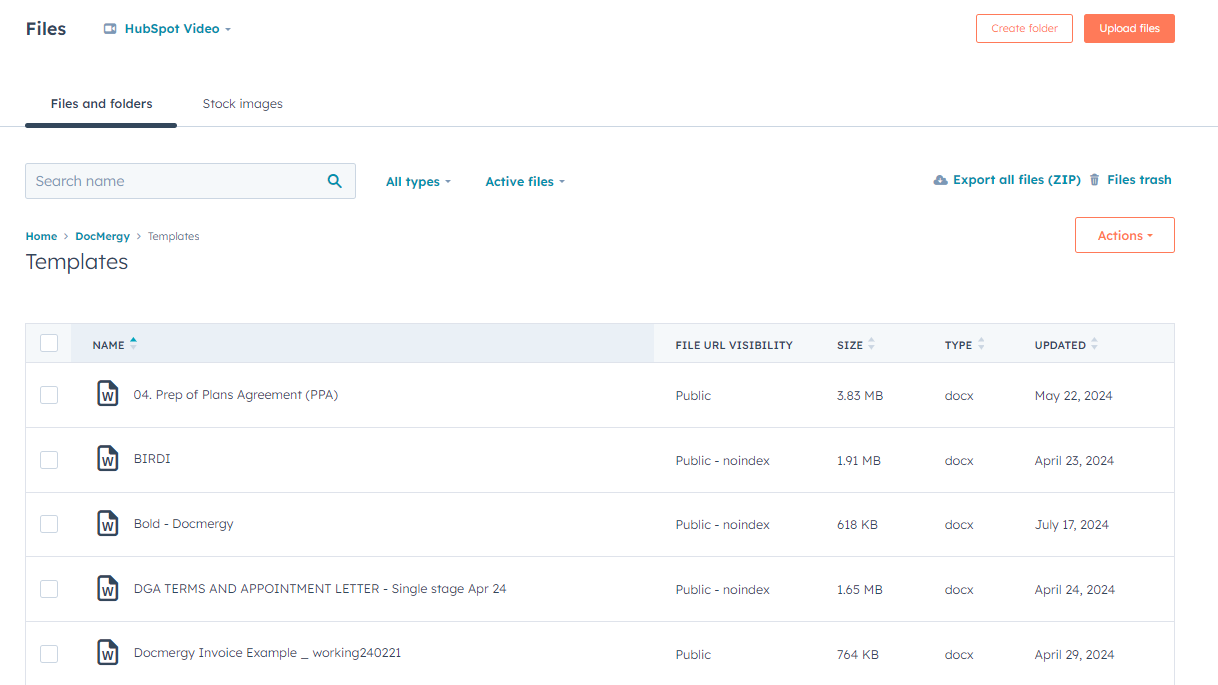
End to end document automation using your existing platforms
Manage templates directly in Microsoft Office. Errors are logged in HubSpot Workflow for seamless troubleshooting. Fully managed within HubSpot, no need to log into other systems. Automate your end-to-end document management processes using leading eSign and Transactional Email providers, and SharePoint to create folders and store documents.
App Functionality
Shared Data
DOCX, XLSX, PPTX, PDF Files | ||
Files, SharePoint | ||
Files, SharePoint | ||
Files, SharePoint | ||
Files, SharePoint | ||
Files, SharePoint |
Reviews
- Feb 2, 2026
Fantastic time-saving solution that transforms CRM data into customized documents with powerful logic features
Great app for easily getting CRM data into documents. Saves a lot of time by eliminating the need to copy and paste values, you just have to create a template in MS Office and you can have workflows create customised documents. Has advanced logic features that allowed us to do things like generate tables, load images, or show or hide sections with logic.
Feature rich and a big time saver for any documents you regularly create using CRM data
None really although some may find the logic difficult if not used to it.
McMahon, J.
- Jun 25, 2025
Fill up your word documents/ e.g. Agreement template from properties
if you are looking forward to automatically fill up your word documents/ e.g. Agreement template from tokens this is a great application.
This application is able to fill up information in a Word document pulling from contact deal or any hotspot object property can be automated through workflow so cuts out the repeated task of filling out a document manually by typing.
Requires technical skill. Gets very tedious to configure.
Tasnimul, M.
Free
$0
Great for small teams starting out or anyone who wants to learn more
Includes 100 credits; Actions use 100 credits each time they run = 1 runs of Custom Actions per month
Free
$0
Great for small teams starting out or anyone who wants to learn more
Includes 100 credits; Actions use 100 credits each time they run = 1 runs of Custom Actions per month
* The pricing here is for display purposes only. All prices do not include taxes, incentives, discounts, or other pricing variables. You should contact the partner for the most up to date and correct pricing information. HubSpot does not take any responsibility for this pricing information, which is provided by our partners. Pricing last updated: 08/09/2025
More info
Built by - Integration Glue
Installs - 100+ installs
Categories Languages this app is available in English
Getting attention today


