

AI Customer Service Agent
Affordable AI agent (like Breeze) powered by ChatGPT
Requirements
HubSpot Plan HubSpot Account permissions - View the required account permissions
AI Customer Service Agent Subscription - Pro or Enterprise plans
Overview
1/6
My AskAI is the easy-to-setup and affordable AI customer service agent for HubSpot that you've been looking for.
Available 24/7 to answer your customers’ questions on every channel (chat, email, social media and more), it knows everything about your business, will bring your response times down and your customer satisfaction scores and retention up.
⬇️ On average businesses adopting My AskAI see their “human” support tickets fall by 75%, overnight — check out this SaaS case study and this ecommerce case study.
Your CS team can then spend more time on complex queries and higher-value customers. And less time on those generic, first-line support questions.
How does it work?
Once you've created your AI chatbot within My AskAI and trained it on your existing help docs, you can add it your HubSpot help desk. Then it will act as your 1st line of support — answering up to 75% of your customer's questions.
And, if a customer needs to speak to a human agent, then can just ask and will be seamlessly transferred to your existing agents. All within your existing HubSpot live chat widget or ticket thread.
Create your AI chatbot in 10 minutes
Create an account at myaskai.com
Add your HubSpot help docs/website or connect your knowledge base (Google Drive, Notion, etc.) to train your AI agent.
Connect My AskAI with your HubSpot Account
And...you're done!
See our full HubSpot setup guide.
Key My AskAI Features
Knowledge Improvement Studio: Identify knowledge gaps in your help documentation and use AI to generate new knowledge snippets to fill them so your agent can answer more.
Integrate Customer Data APIs: Improve your AI agent’s performance by feeding in customer data so your agent can personalize its responses and respond to questions about order tracking and statuses.
Automated Actions and Tasks: Give your AI tasks to complete (all in natural language), such as refunds, address changes, upgrades and more.
Sync Knowledge Sources and Websites: Connect knowledge from Zendesk, Intercom, Freshdesk, Gitbook, Confluence, Google Drive, Notion, Sharepoint, Dropbox, Salesforce, OneDrive or any public website, all kept up to date, automatically.
Multilingual and Localization: Get AI responses in 95+ languages with automatic language detection and localization.
Analytics and Insights: Understand what your customers are asking with AI-generated conversational insights on all your customer interactions
Alerting and Monitoring: Get notified when a new conversational topic has been identified by your AI or if a certain topic has been mentioned frequently in a short amount of time, so you can get ahead of issues.
Slack + Microsoft Teams Integrations (Internal Mode): As an internal chatbot for your employees (in Slack or Teams)
👉 Try it out today, with our 14-day free trial, then watch your support tickets fall away...
Features
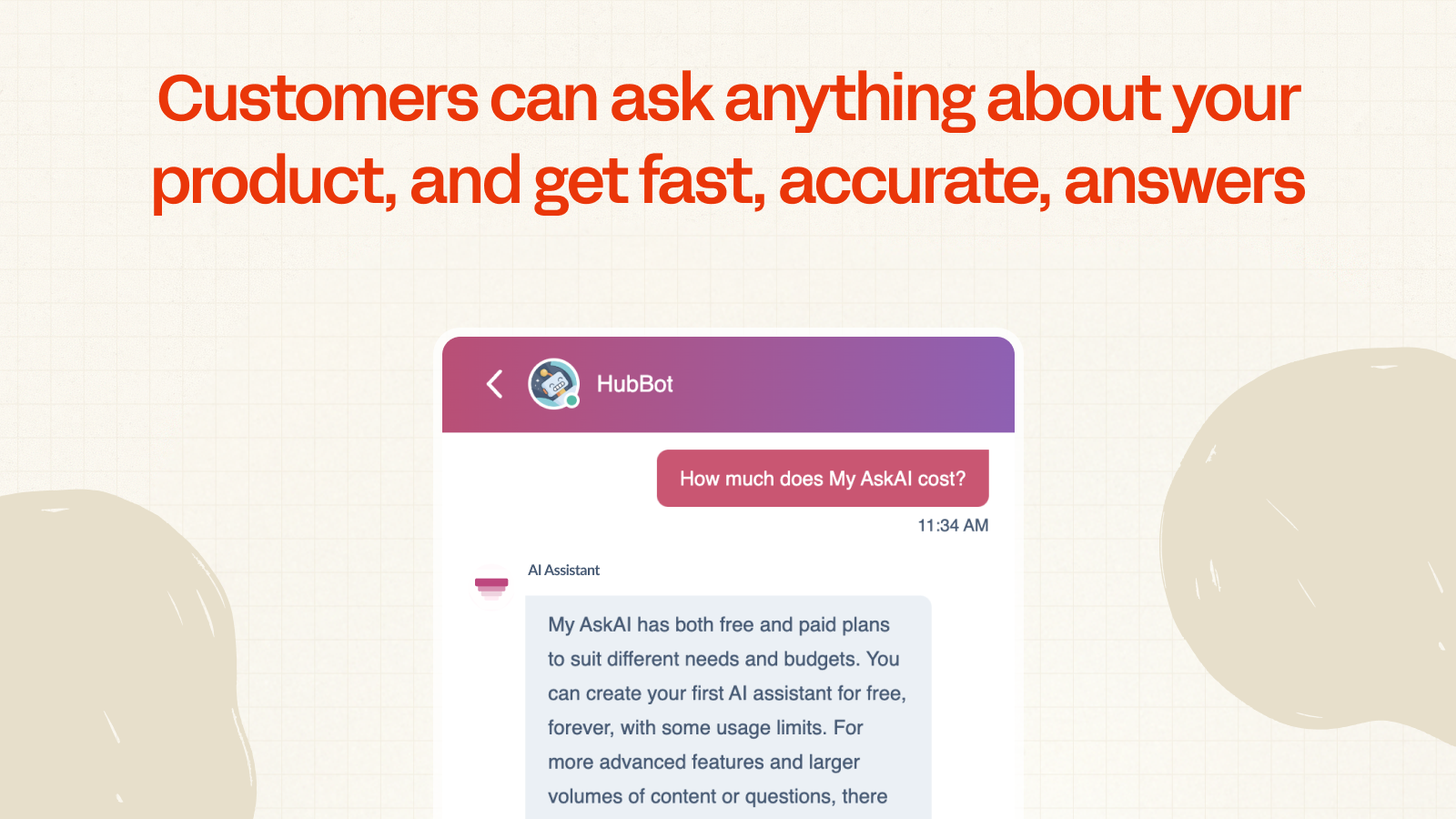
Automate customer service replies with an AI agent
Create an AI agent, that's trained on your help docs, to automatically chat with customers & answer their support questions. All within the HubSpot chat widget. If a customer wants to speak to a person, they can just ask, & will be transferred to one of your team. Your AI agent can reply directly to customers or draft notes for your human agents.
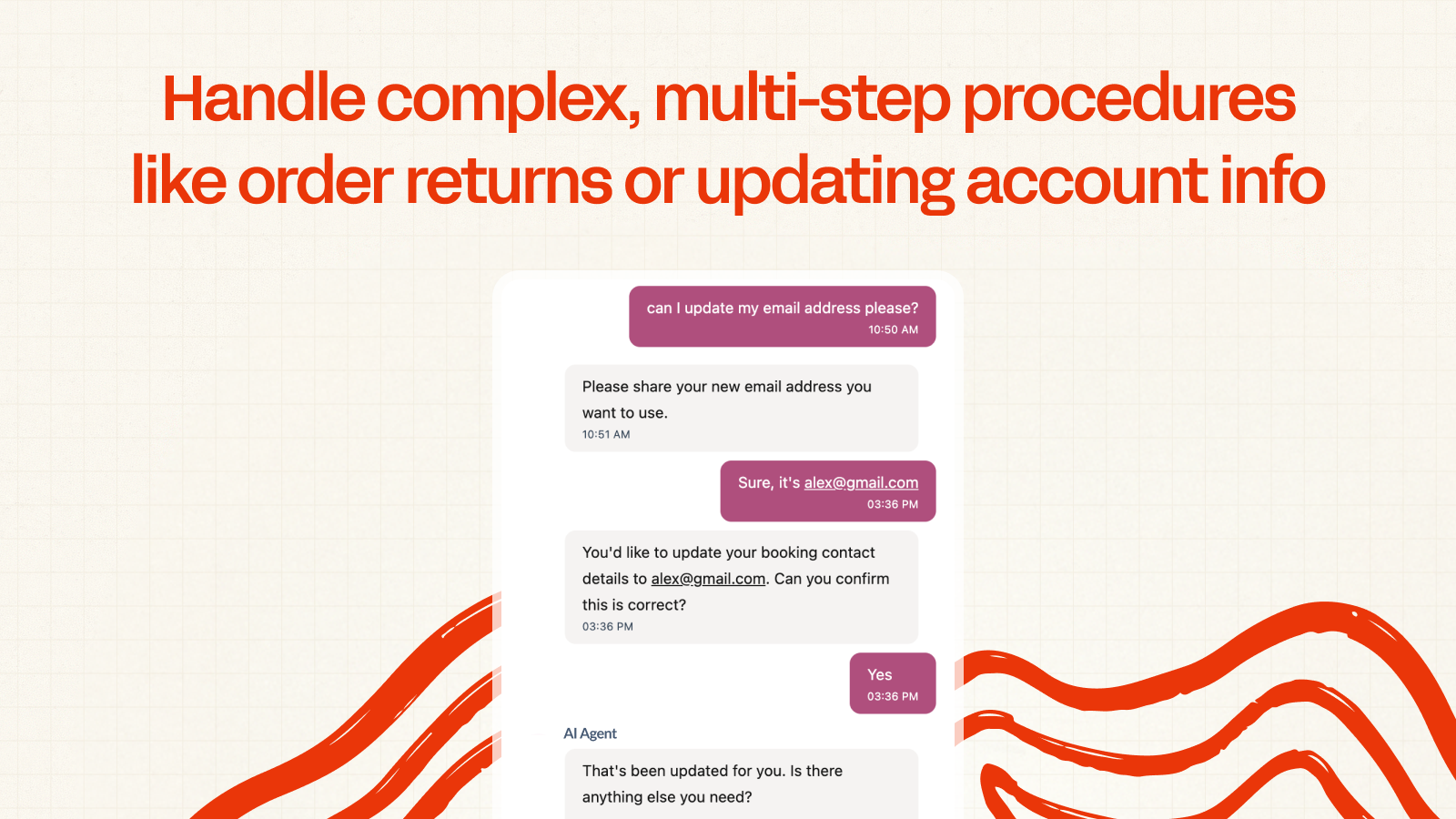
Handle complex tasks like returns or updating account information
Tasks enable you to bring together personalized user data, interactions with your back end databases and product via actions and tools, customized guidance and your AI's knowledge to step a user or customer through a process that requires business logic.
App Functionality
Shared Data
Conversations | ||
Webhooks |
Reviews
4.6
5
4.6
5
- Jan 28, 2026
Excellent way to offload information questions from live agents so they can focus on questions and customer service requests that require a human.
Using an AI agent with our live chat has allowed us to almost completely automate our first-line of support. Information questions are now handled automatically so we can focus on assisting customers with the requests that need human interaction, such as order management.
Automatically learns from our website and training docs. No need to make sure employees are up to date with product specs and training. Easy to set up, keep updated, and monitor. Faster, better, responses that are online more hours of the day.
Would benefit from clearer documentation on some of the more advanced setup options. Limited in what user-specific questions the bot can answer via chat: Unable to access order details for example, unless using the more expensive tools API. Unable to add live support hours for human agent handoff.
Borowiec, C.
- Oct 30, 2024
C, T.
Technology - Software - 26 to 50 employees
Pro
$99
/monthFor revenue-generating SaaS companies who take their product seriously.
Everything from Essentials, plus:
Connect & sync with Google Drive, Notion + many others
Change AI assistant language & localization
Export conversation data
GDPR compliance
API, Slack, Teams & Zapier access (add on)
Pro
$99
/monthFor revenue-generating SaaS companies who take their product seriously.
Everything from Essentials, plus:
Connect & sync with Google Drive, Notion + many others
Change AI assistant language & localization
Export conversation data
GDPR compliance
API, Slack, Teams & Zapier access (add on)
* The pricing here is for display purposes only. All prices do not include taxes, incentives, discounts, or other pricing variables. You should contact the partner for the most up to date and correct pricing information. HubSpot does not take any responsibility for this pricing information, which is provided by our partners. Pricing last updated: 12/10/2025
Getting attention today


