

WorkflowMax
All-In-One Project & Job Management Software
Built by - WFMAX Pty Ltd
Installs - 100+ installs
Rating 1
(1)
Requirements
HubSpot Plan HubSpot Account permissions - View the required account permissions
WorkflowMax Subscription - Standard, Premium, or Advance plans
Overview
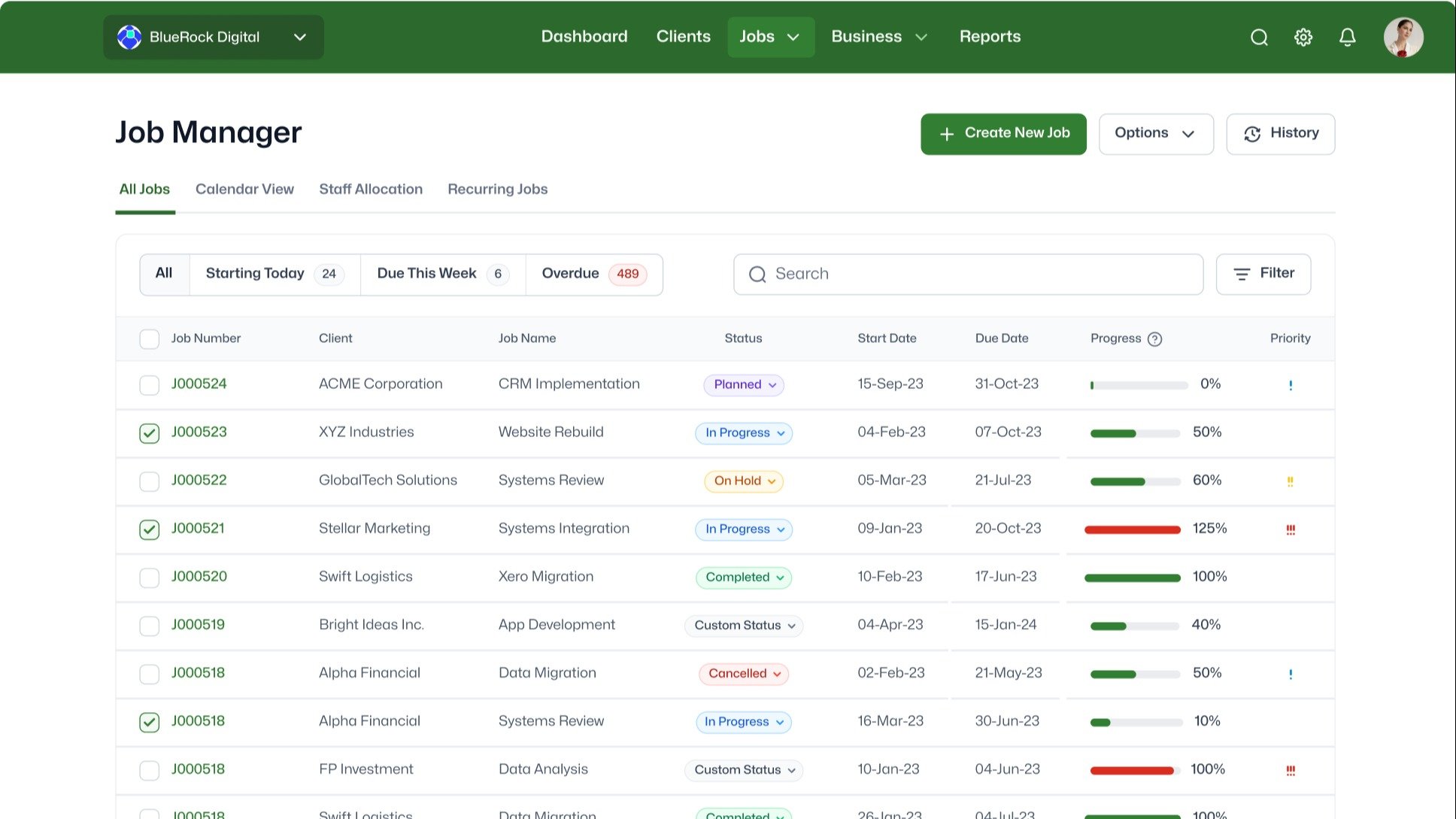
1/6 - Stay in control of your job management
Special EOFY offer - Sign up by 31 July 2025 and enjoy 6 months at 50% off (new customers only) - get in touch with us. WorkflowMax helps service-based businesses stay on top of jobs, time, clients, and billing - all in one place. No more juggling spreadsheets or switching between tools.
Track time, send invoices, manage leads and clients, and get real-time reports to see how things are going. Keep your documents organised, customise the platform to fit your workflow, and connect with HubSpot to automate tasks and stay close to your customers.
Whether you're trying to save time, stay organised, or just make your day easier, it gives you the tools to stay in control and focus on what matters most.
Features
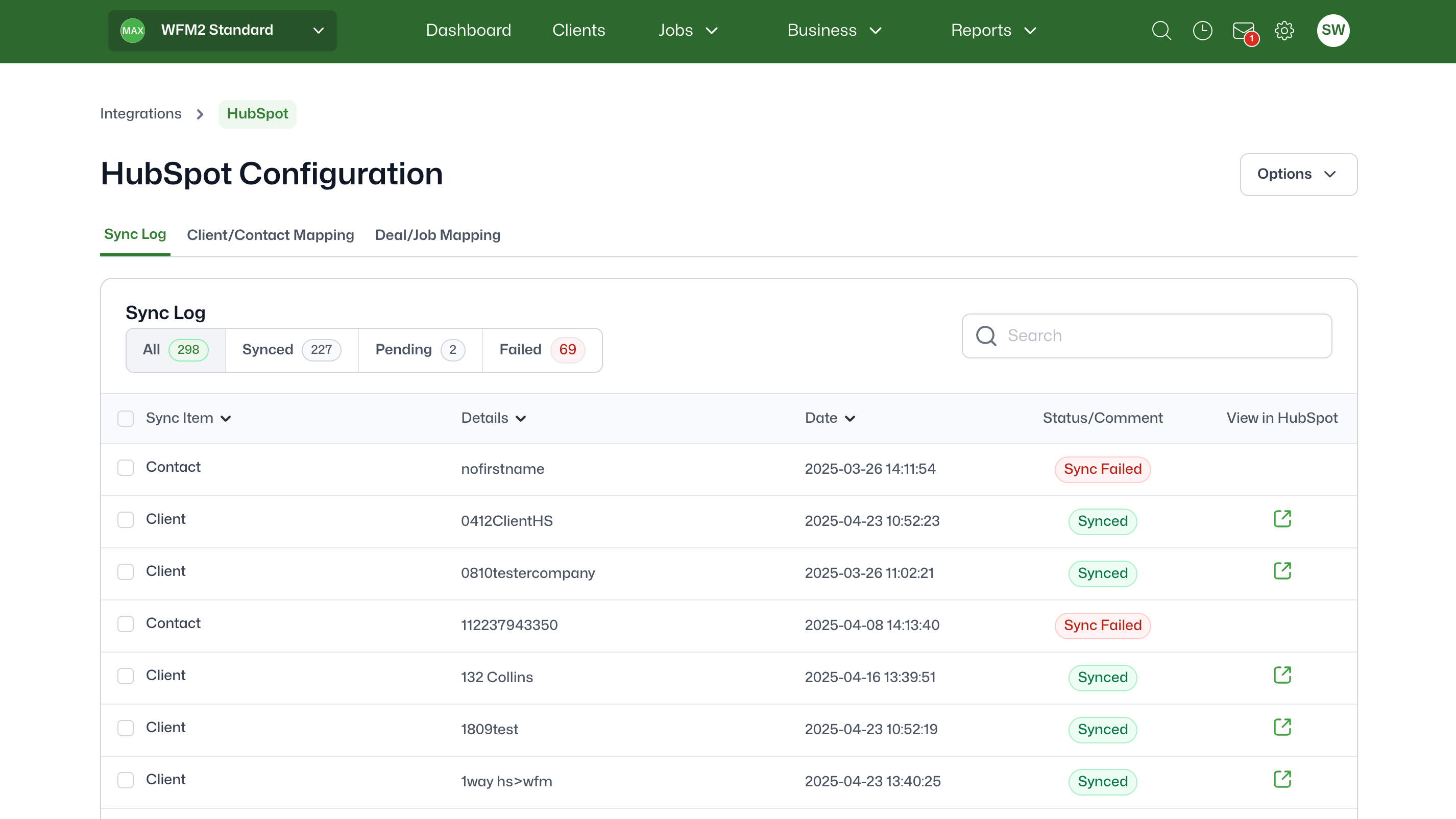
Sync HubSpot contacts to WorkflowMax
With the HubSpot integration, all your client information is synchronised between WorkflowMax and HubSpot. This seamless synchronisation provides a single, up-to-date view of your clients, promoting clarity and consistency across your entire organisation.
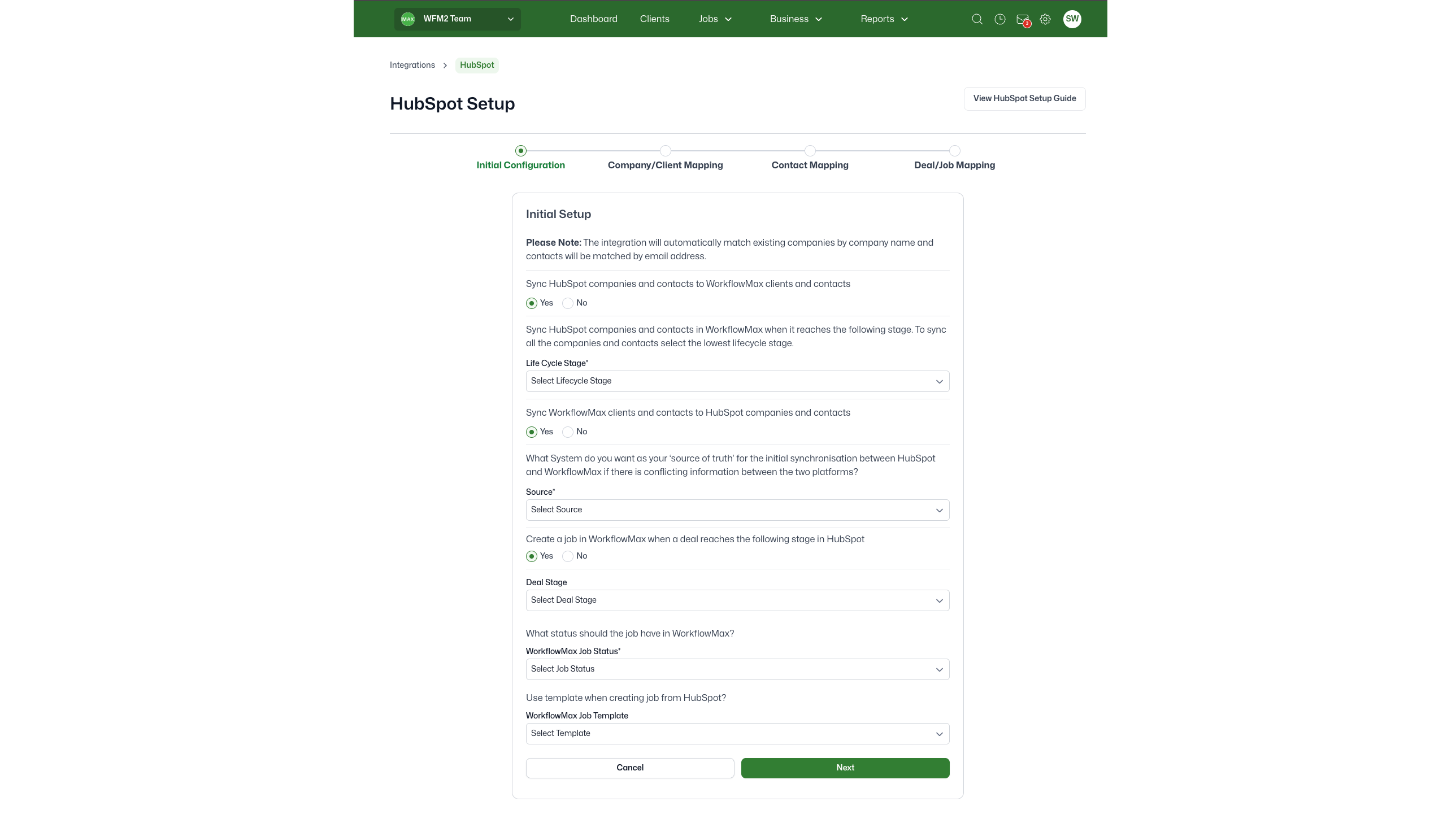
Bi-directional sync of company/client information
Thanks to the bi-directional sync, your records in both HubSpot and WorkflowMax are always up to date. You can choose between a one-way sync from HubSpot to WorkflowMax or a bi-directional sync that keeps everything consistent across both platforms.
-1.png)
Automatic job creation
A job is generated in WorkflowMax automatically when a deal is marked as won in HubSpot. This feature simplifies the transition from sales to project management, saving your team valuable time and reducing the chance of errors. Your team can jump straight into project work, concentrating on delivering results without delays.
App Functionality
Shared Data
Clients | ||
Clients and contacts | ||
Contact | ||
Integrations | ||
Job | ||
Jobs | ||
Staff Assigned |
Reviews
- Oct 22, 2025
Terrible integration creates massive duplicate nightmare - save yourself the headache and avoid this disaster
WorkflowMax is generally pretty good and works well (with certain limitations) for our business. HubSpot is also generally pretty good. However, the link between the two was awful! We ended up with loads of duplications. Some were possibly understandable where company names had been added slightly differently (e.g. Joe Bloggs Limited v's Joe Bloggs Group Limited), but others added a new company when they had identical names! So we now have loads of duplicates in WorkflowMax which we're having to manually merge back together adding lots of extra time and effort. We fairly quickly realised the issue and cancelled the link, but not before creating lots of duplicates. I really wish we hadn't tried this link and would caution anyone else to think strongly about how much extra work you want to give yourself!
Not sure we actually saw any during the short time we had the integration live.
Lots and lots of duplicates companies and contacts.
Cant, R.
Standard
$25
/monthEssential Tools for Every Task - The Perfect Start
Quoting
Client manager
Time sheets
Invoicing
Xero integration
Reporting
Mobile
Custom Fields
Purchase orders
Job costing
Document management
Job management
Standard
$25
/monthEssential Tools for Every Task - The Perfect Start
Quoting
Client manager
Time sheets
Invoicing
Xero integration
Reporting
Mobile
Custom Fields
Purchase orders
Job costing
Document management
Job management
* The pricing here is for display purposes only. All prices do not include taxes, incentives, discounts, or other pricing variables. You should contact the partner for the most up to date and correct pricing information. HubSpot does not take any responsibility for this pricing information, which is provided by our partners. Pricing last updated: 08/09/2025
More info
Built by - WFMAX Pty Ltd
Installs - 100+ installs
Categories Languages this app is available in English
Getting attention today


