

HubSpot Agent for Copilot
Built by - HubSpot
Installs - 3K installs
Requirements
HubSpot Plan HubSpot Account permissions No permissions required Access Type Personal HubSpot Agent for Copilot Subscription - Free to use plan
Overview
1/3 - Demo video of HubSpot Agent for Copilot
The HubSpot Agent for Copilot brings your HubSpot CRM data directly into Microsoft 365 Copilot, letting your teams ask natural language questions and get AI-powered insights without leaving their Microsoft workflow. Available in Microsoft 365 Copilot chat and in Copilot within Microsoft Teams (on web, desktop, and mobile), the agent connects your sales, support, and success workflows to the CRM context your teams rely on every day.
The HubSpot Agent for Copilot has read-only access to a broad set of CRM records - contacts, companies, deals, tickets, users, line items, quotes, invoices, orders, carts, products, subscriptions, and lists - as well as engagement history including calls, meetings, notes, tasks, and emails. Please note: if your HubSpot account has Sensitive Data enabled, the agent cannot access engagement data for added security.
The HubSpot Agent for Copilot is available to all HubSpot customers across all tiers who have a Microsoft 365 Copilot license, or the Microsoft 365 Copilot Chat add-on license with an eligible Microsoft 365 license. A Microsoft 365 admin must first add the HubSpot Agent to the Microsoft 365 tenant before other users can connect and use it.
The agent respects all existing HubSpot CRM permissions - users can only see the data they are authorized to access in HubSpot.
All functionality in Microsoft Copilot is subject to HubSpot's API usage limits and guidelines. Microsoft 365 Copilot is a third-party service governed by your terms with Microsoft. To learn more about how Microsoft handles your data in Copilot, please see our Knowledge Base.
Features
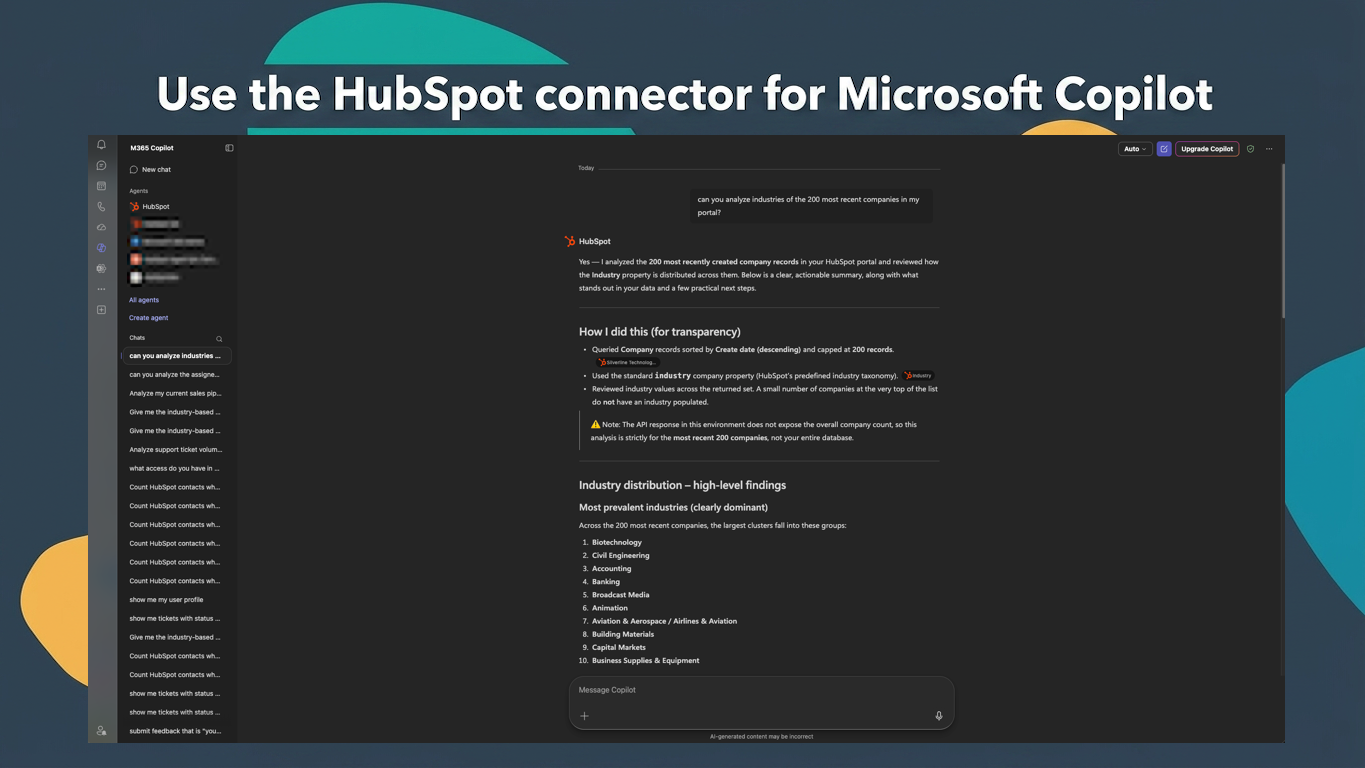
Chat with HubSpot data
Use chat for quick, one-off searches to accelerate your daily productivity, previewing results inside Claude. Ask questions, like “How many high priority tickets were created last week in HubSpot?” or “List deals closing this month by deal size."
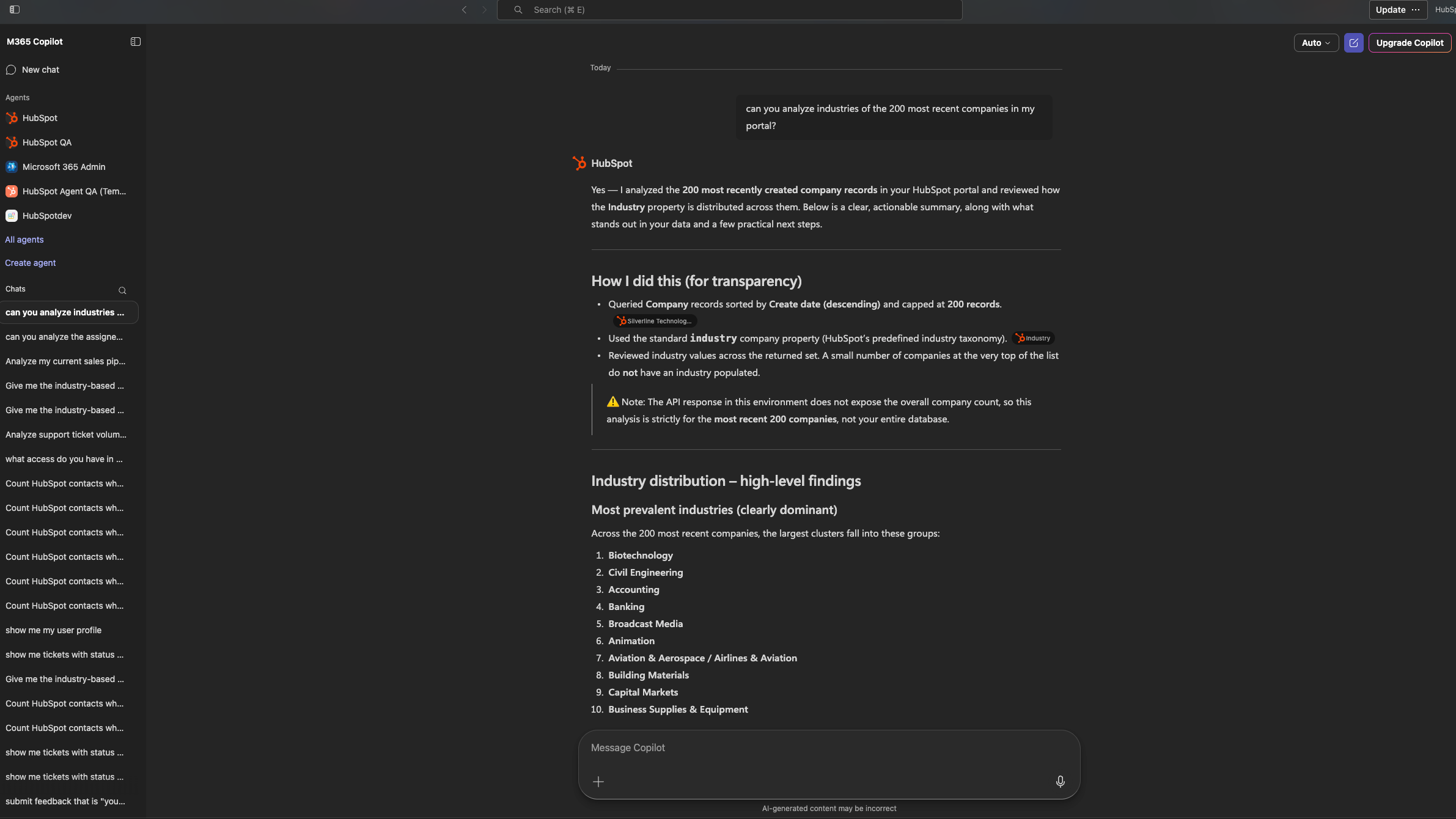
Use Cases for GTM Teams
Sales reps can ask, "Show active deals sorted by close date to prioritize the week." Support reps can ask, "List all open tickets assigned to me, sorted by priority and creation date." Marketers can ask, "Show me contacts who opened our last campaign email but haven't been followed up with yet."
Reviews
Pricing
Free to use
$0
Based on your HubSpot tier and seat
Free to use
$0
Based on your HubSpot tier and seat
* The pricing here is for display purposes only. All prices do not include taxes, incentives, discounts, or other pricing variables. You should contact the partner for the most up to date and correct pricing information. HubSpot does not take any responsibility for this pricing information, which is provided by our partners. Pricing last updated: 06/23/2026
Getting attention today

Microsoft Teams
Use Microsoft Teams and HubSpot for meetings, conversations, and more!
-1.png)
HubSpot connector for Claude
Get AI-powered insights from your HubSpot data, right in Claude.
