

Lexidesk
Built by - Insight Dev. Ltd
Installs - 10+ installs
Requirements
HubSpot Plan HubSpot Account permissions - View the required account permissions
Access Type Shared Lexidesk Subscription - Custom plan
Overview
1/4 - For Billable Practices
When Lexidesk handles a caller or web enquiry for your firm, this integration syncs client contact details, conversation summaries, and lead priority directly to HubSpot, and you decide exactly how.
Lexidesk acts as your 24/7 AI intake specialist, capturing every call and web enquiry, qualifying leads with professional intake questioning, and automatically updating HubSpot with client details, matters, and file notes.
Your team receives a complete case summary before even speaking to the client, while continuing their usual workflow seamlessly.
With the latest update, firms can fully customise how each conversation flows into HubSpot: map any Lexidesk conversation field (qualification result, matter type, case description, and more) to any HubSpot contact property, automatically add qualifying leads to specific HubSpot lists, and create or update deals in the right pipeline and stage, all based on conditions you configure, with no manual data entry required.
Features
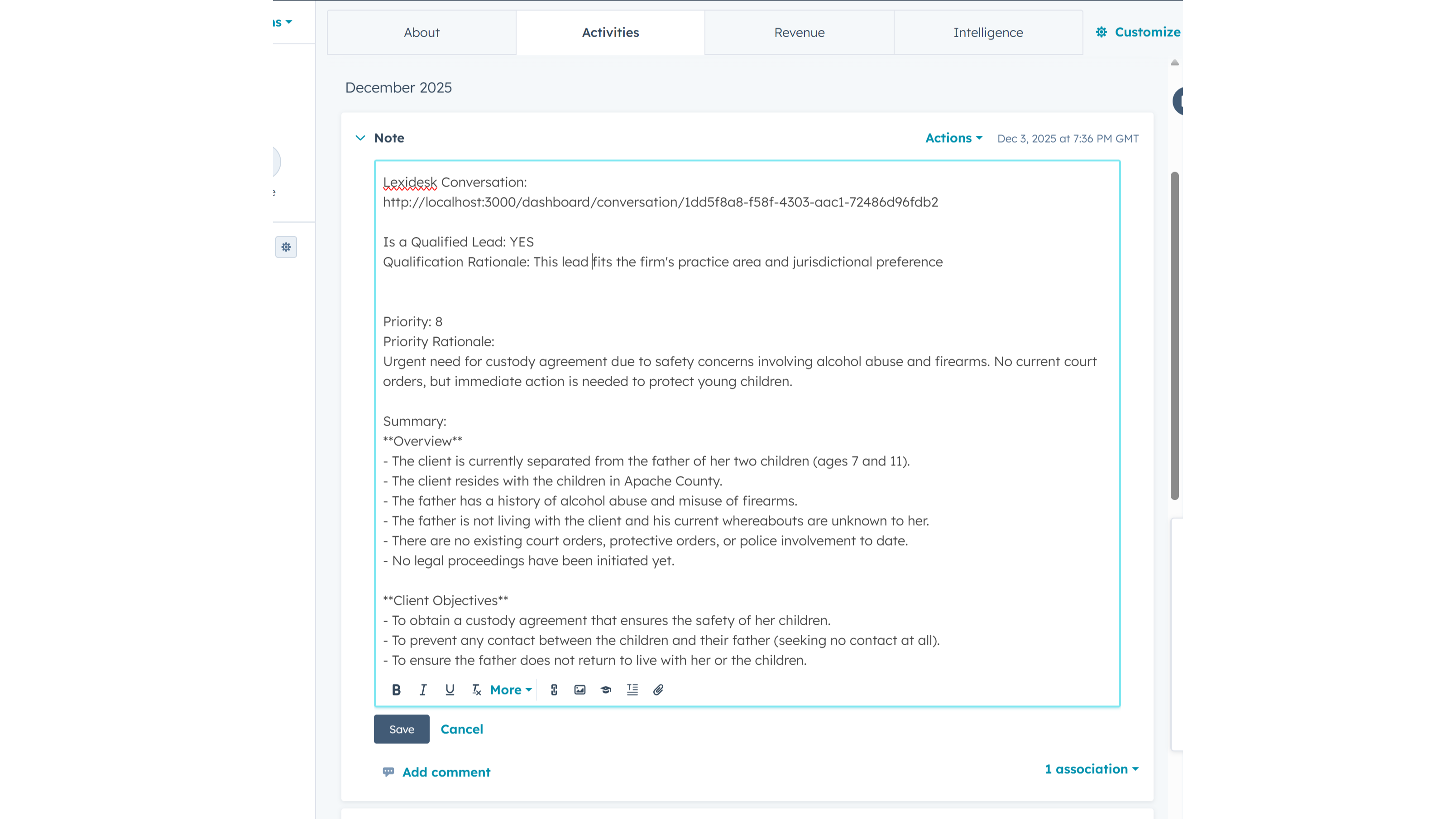
AI Conversation -> Note Sync
After AI complete the conversation with the client it sends contact details and summary of conversation to HubSpot creating/updating the Contact and creating the Note
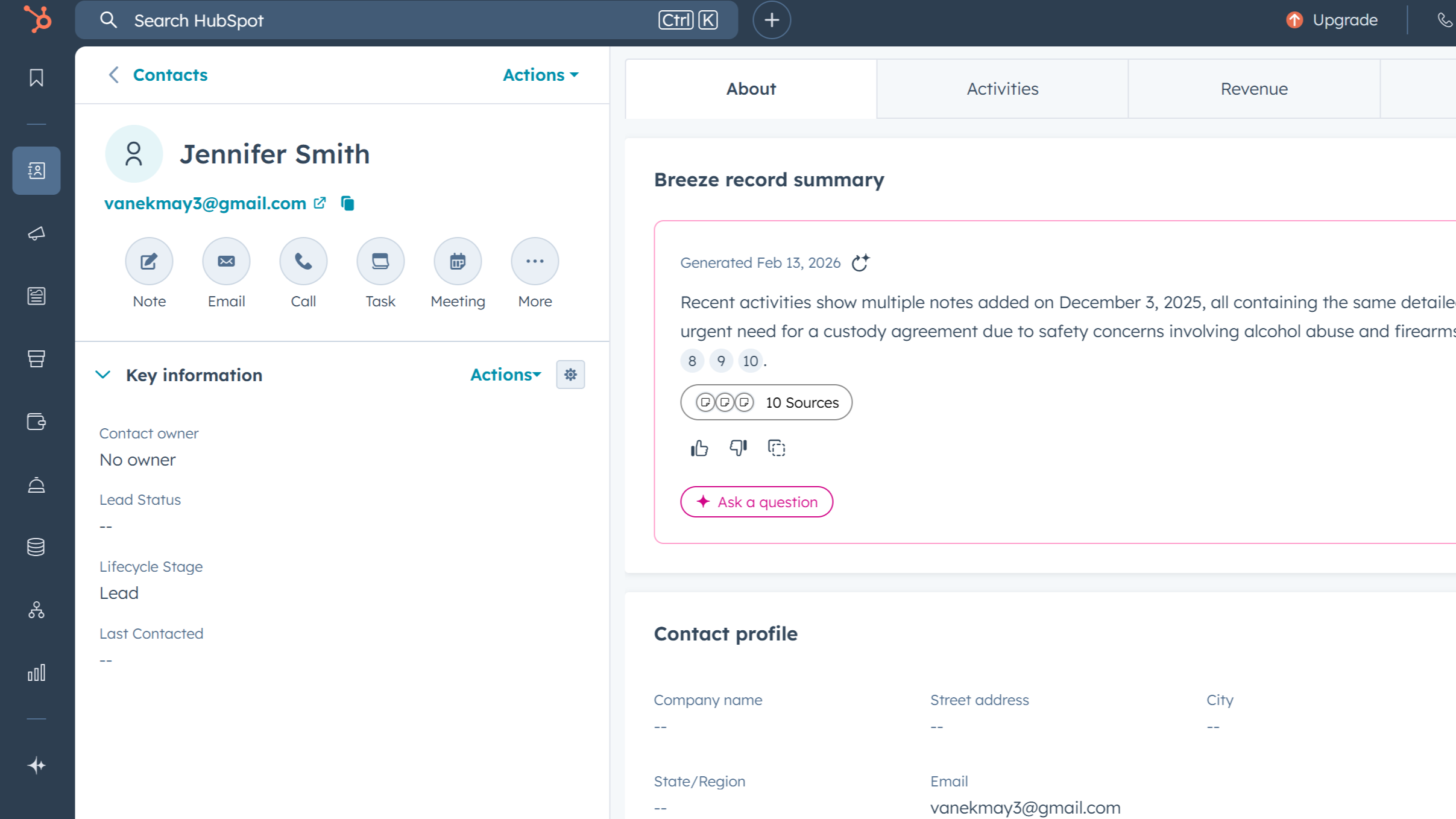
Client -> Contact Sync
After each AI conversation, Lexidesk creates or updates the contact in HubSpot and adds a note with the call summary, qualification outcome, and a link to the full transcript. You choose which Lexidesk fields map to which HubSpot contact properties, and whether new values overwrite, only fill empty fields, or keep the highest number.
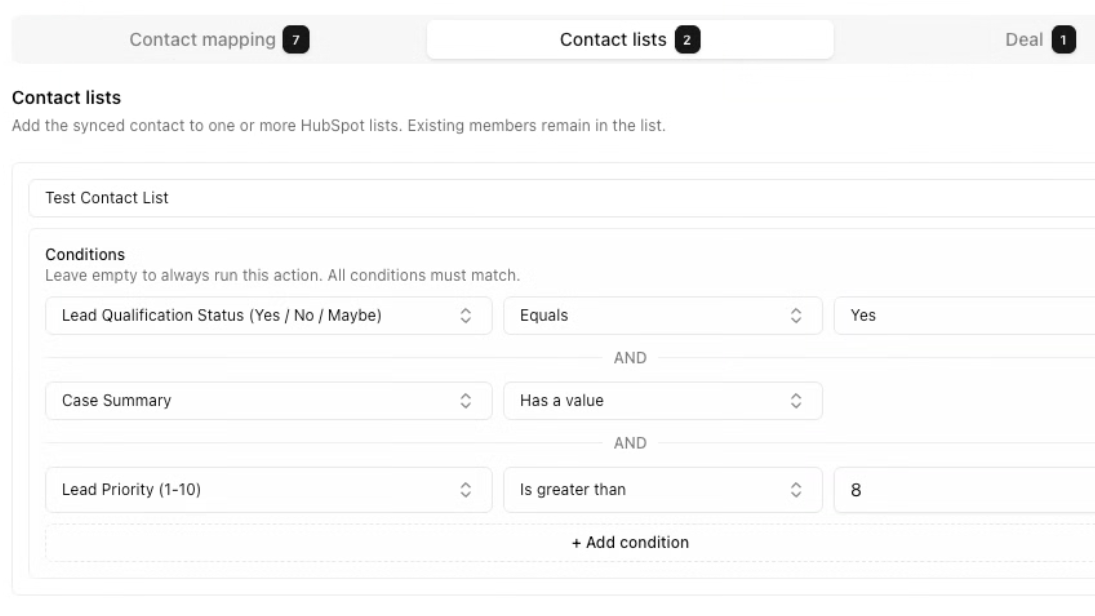
AI Conversation -> Contact List Sync
After each AI conversation, Lexidesk can add the contact to one or more HubSpot lists. You set conditions based on qualification status, priority, urgency, or any other conversation field, so only contacts that meet your criteria are added. Existing list members are never removed.
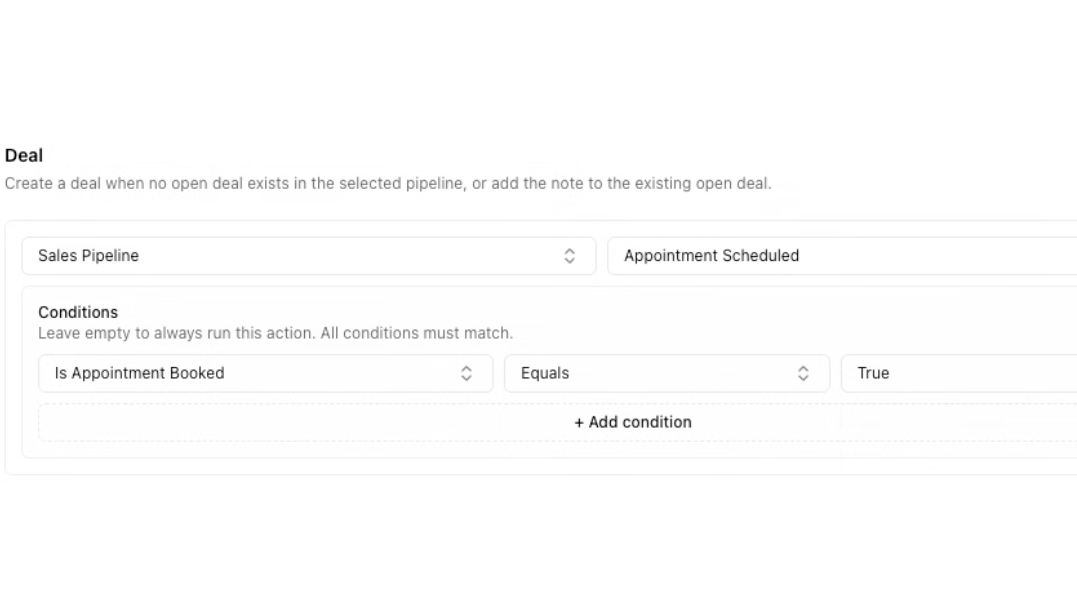
AI Conversation -> Deal Creation
After each AI conversation, Lexidesk can create a deal in a HubSpot pipeline and stage you choose, or add the call note to an existing open deal if one already exists. You set conditions, such as qualification status or priority, to control when a deal gets created.
App Functionality
Shared Data
Client | ||
Conversation | ||
Conversation | ||
Conversation |
Reviews
Custom
Custom
* The pricing here is for display purposes only. All prices do not include taxes, incentives, discounts, or other pricing variables. You should contact the partner for the most up to date and correct pricing information. HubSpot does not take any responsibility for this pricing information, which is provided by our partners. Pricing last updated: 03/18/2026
More info
Built by - Insight Dev. Ltd
Installs - 10+ installs
Categories Languages this app is available in English
New arrivals

PathFinder
PathFinder finds the revenue leaking out of your HubSpot, fixes it, and gets smarter every week. See your own leaks — in real dollars — in under 60 seconds. Start your 7-day free trial.

Explee
Explee finds your buyers and books replies on autopilot. Every hot lead lands in HubSpot as a contact and a deal — automatically.
