

Slack
Requirements
HubSpot Plan HubSpot Account permissions No permissions required Access Type Shared Slack Subscription - Free, Standard, or Plus plans
Overview
1/9 - Watch a demo of the Slack app for HubSpot.
Unify data across your communication and CRM platforms to work faster as a team, reduce context switching, and automate critical workflows directly within Slack.
Install this app to:
Configure notifications in Slack for critical HubSpot activity, including reminders, mentions, and form submissions.
Use Breeze in Slack threads to ask questions about your CRM data, summarize conversations, prepare for upcoming meetings, and create tasks or notes in HubSpot
Search, create, and manage HubSpot records like contacts, deals, and tasks using slash commands and shortcuts without leaving Slack.
Convert Slack messages to HubSpot notes or tasks, and share reports, dashboards, and marketing emails across your team channels.
Sync with Service Hub to manage ticket resolution more efficiently. Collaborate with threaded replies, at-mentions, take quick actions from Slack, and configure the types of tickets sent to a Slack channel.
Streamline communication by associating a new or existing Slack channel with a HubSpot deal or company to collaborate with your team and keep everyone in the loop.
Features
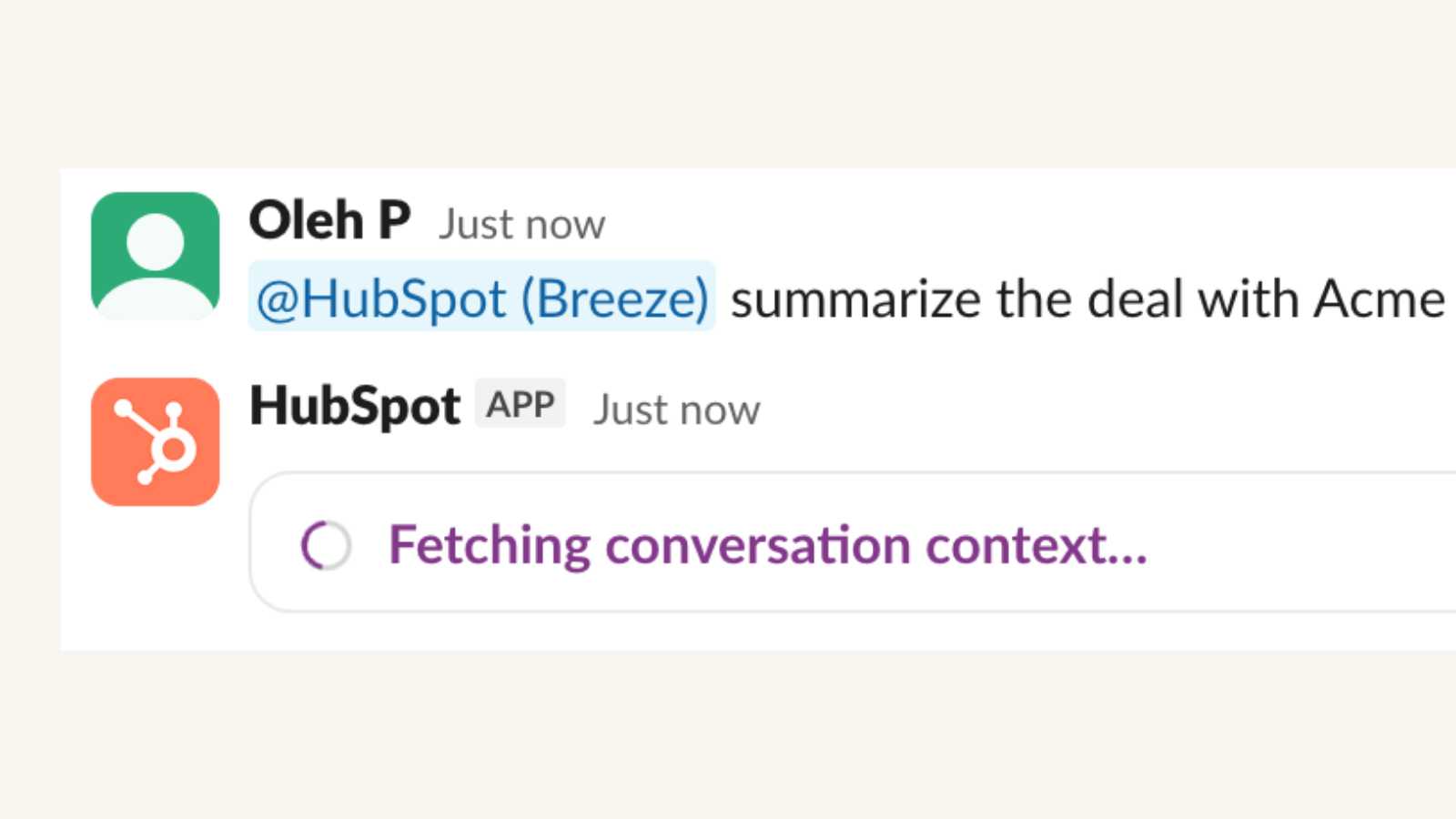
Bring Breeze Assistant to Slack
Now in beta. Chat with Breeze right in Slack. @-mention Breeze to get instant CRM record summaries, create tasks and notes, prep for upcoming meetings, and summarize Slack threads — all in plain language, without switching tabs.
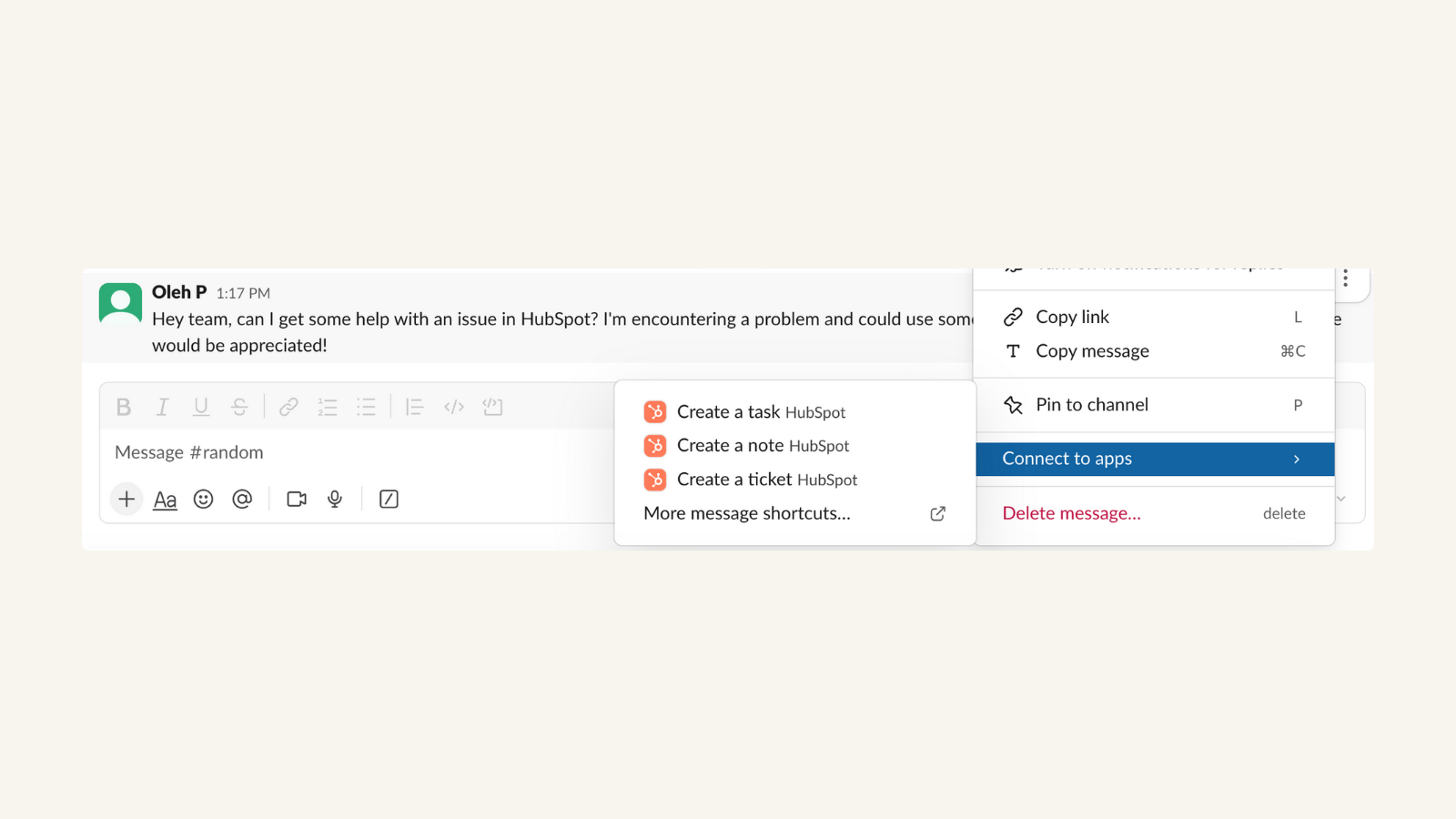
Turn Slack messages into a HubSpot task, ticket, or note
When chatting with a coworker over Slack about a hot lead, easily create a task in HubSpot to follow-up on the lead later that day. Tasks and tickets automatically sync with your HubSpot CRM -- exactly where you want it later without any extra work for you now.
-1-1.png)
Associate HubSpot Deals and Companies with Slack Channels
Looking to collaborate with your team over a key deal and keep everyone up to speed? You can easily associate the deal with a new or existing Slack channel right from the deal’s page!
-1-1.png)
Use shortcuts to create and search for HubSpot records
Need to share info about a deal with a teammate or create a new one? Use the shortcut to search for the deal and surface the details right in Slack!
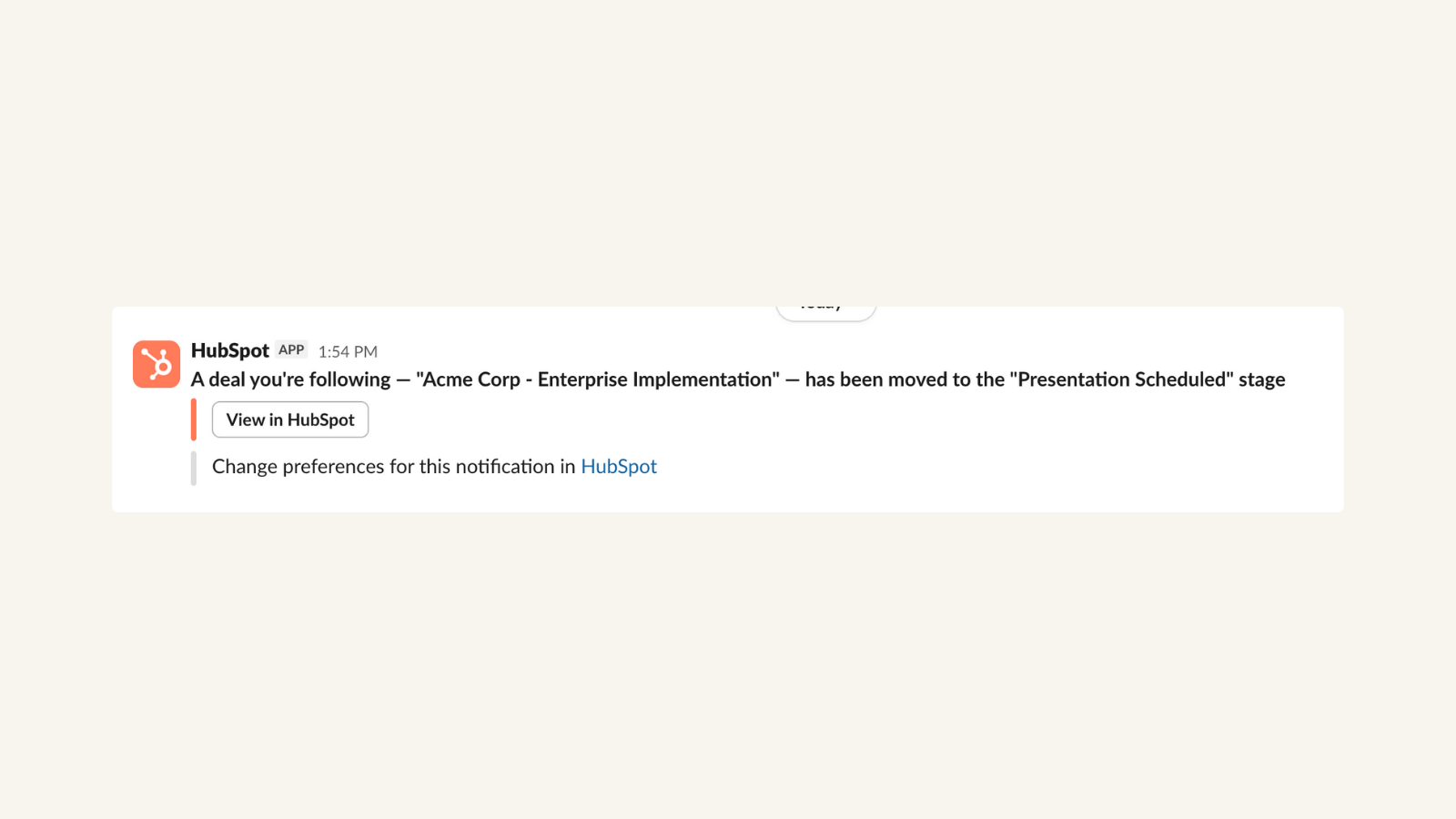
Get HubSpot notifications in Slack
Get notified when a lead opens a pricing document you emailed to them earlier that day -- and use that perfect moment to call them up and close the deal.
-1-1-1.png)
Send Slack notifications through HubSpot workflows
Boost team morale by creating a workflow that sends a celebratory notification to a Slack channel each time a sales rep closes a deal.
App Functionality
Shared Data
Channel message | ||
Channel message | ||
Channel message | ||
Channel message | ||
Channel message | ||
Channel message | ||
Channel or direct message | ||
Channel or direct message | ||
Channel or direct message | ||
Channel or direct message |
Reviews
3.7
244
3.7
244
Users appreciate the integration for centralizing team communication and delivering fast updates directly from HubSpot, though some report occasional delays with notifications. While some would like the ability to send alerts to private channels, the tool easily automates routine workflows and allows teams to quickly reply to website chats without switching platforms.
- May 30, 2026
Hire, T.
- May 28, 2026
so so
The app takes too much memory. I tried to connect the app but had no success. The links people share can be opened in a browser only, which doesn't make any sense
A huge amount of data with lots of tools.
slow, have to log in everywhere each time, unable to connect.
Onashko, L.
Pricing
Free
$0
For small teams wanting to try out Slack for an unlimited period of time.
Searchable messages
Apps/services
Two-factor authentication
Manage channel posting permissions
Voice and video calls
File storage
Support
Free
$0
For small teams wanting to try out Slack for an unlimited period of time.
Searchable messages
Apps/services
Two-factor authentication
Manage channel posting permissions
Voice and video calls
File storage
Support
* The pricing here is for display purposes only. All prices do not include taxes, incentives, discounts, or other pricing variables. You should contact the partner for the most up to date and correct pricing information. HubSpot does not take any responsibility for this pricing information, which is provided by our partners. Pricing last updated: 06/02/2026
Most popular


