

Slack
Wymagania
Plan HubSpot Uprawnienia konta HubSpot Nie wymaga uprawnień Typ dostępu Udostępniono Subskrypcja Slack - Darmowy, Standard lub Plus planu
Przegląd
1/9 - Obejrzyj prezentację aplikacji Slack dla HubSpot.
Ujednolicaj dane na platformach komunikacyjnych i CRM, aby pracować szybciej jako zespół, ograniczyć przełączanie kontekstu i zautomatyzować krytyczne przepływy pracy bezpośrednio w Slack.
Zainstaluj tę aplikację, aby:
Konfigurować powiadomienia w Slack dla krytycznej aktywności HubSpot, w tym przypomnień, wzmianek i przesyłania formularzy.
Korzystać z Breeze w wątkach Slack, aby zadawać pytania dotyczące danych CRM, podsumowywać rozmowy, przygotowywać się do nadchodzących spotkań i tworzyć zadania lub notatki w HubSpot.
Wyszukiwanie, tworzenie i zarządzanie rekordami HubSpot, takimi jak kontakty, transakcje i zadania, przy użyciu poleceń i skrótów bez opuszczania Slack.
Konwertowanie wiadomości Slack na notatki lub zadania HubSpot oraz udostępnianie raportów, pulpitów nawigacyjnych i marketingowych wiadomości e-mail w kanałach zespołu.
Synchronizacja z Service Hub w celu wydajniejszego zarządzania rozwiązywaniem zgłoszeń. Współpracuj za pomocą odpowiedzi w wątkach, at-mentions, podejmuj szybkie działania ze Slack i konfiguruj typy zgłoszeń wysyłanych do kanału Slack.
Usprawnij komunikację, kojarząc nowy lub istniejący kanał Slack z transakcją lub firmą HubSpot, aby współpracować z zespołem i informować wszystkich na bieżąco.
Cechy
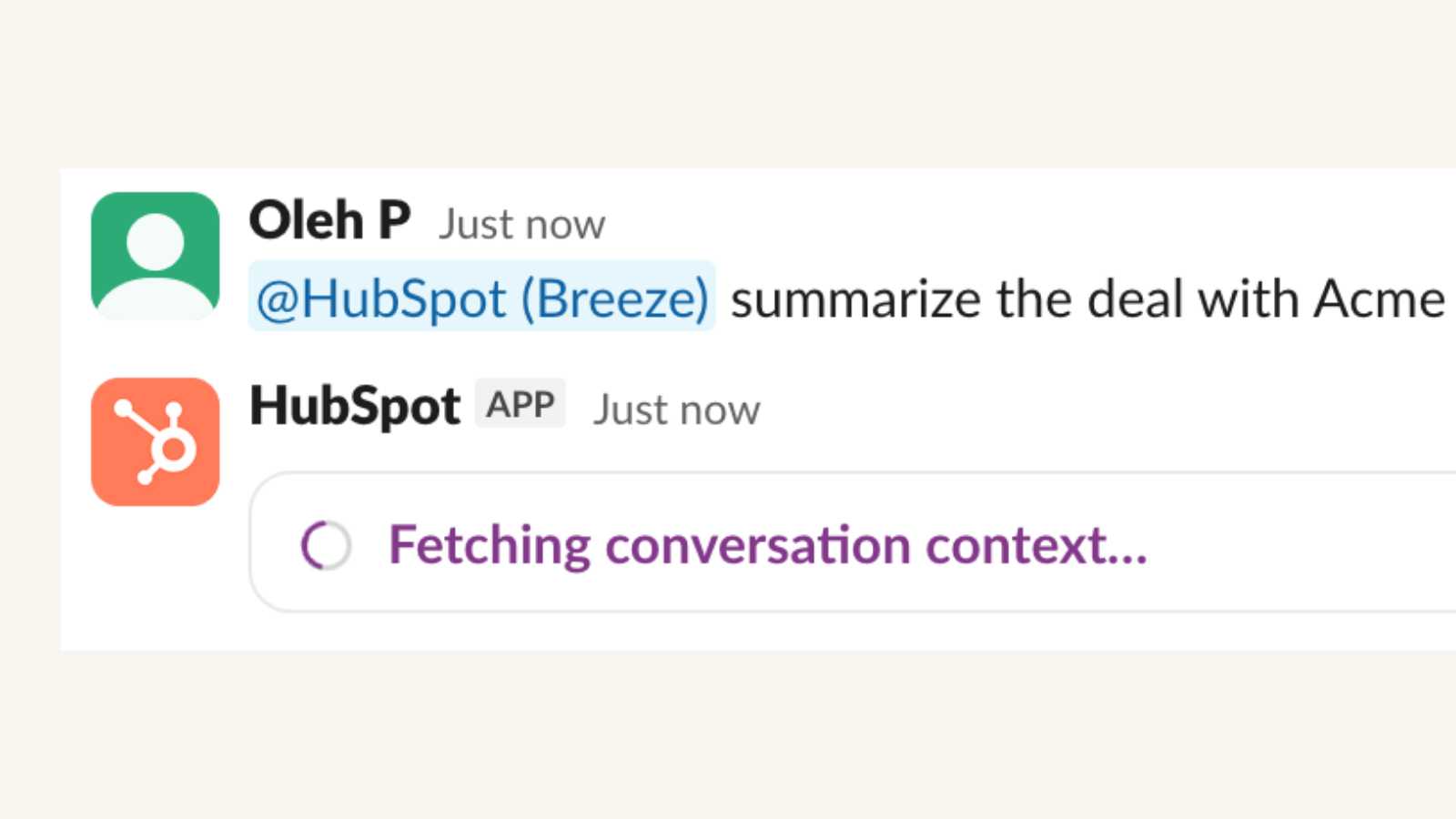
Przenieś Breeze Assistant do Slack
Teraz w wersji beta. Czatuj z Breeze bezpośrednio w Slack. @-mention Breeze, aby uzyskać natychmiastowe podsumowania rekordów CRM, tworzyć zadania i notatki, przygotowywać się do nadchodzących spotkań i podsumowywać wątki Slack - wszystko w prostym języku, bez przełączania kart.
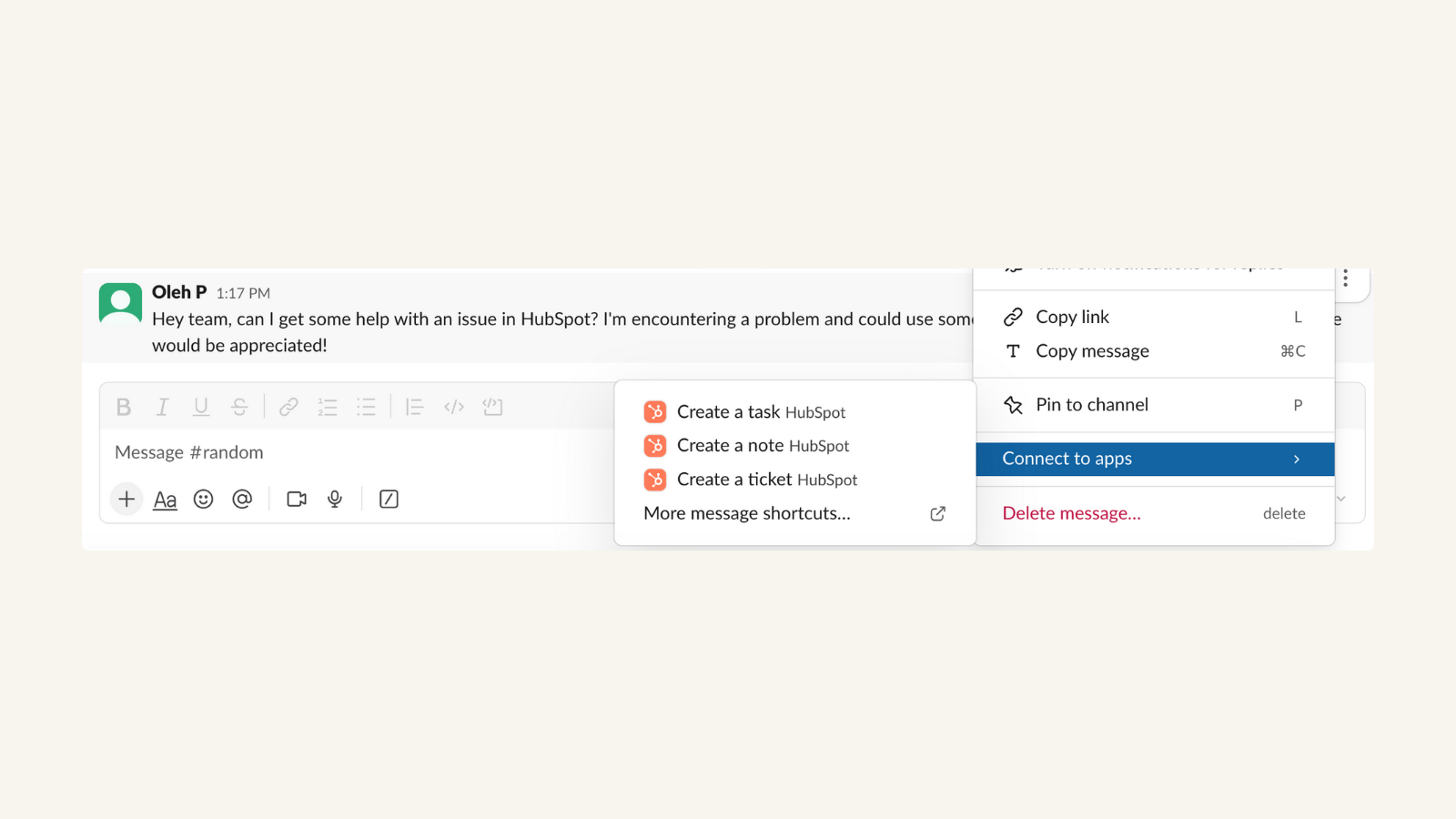
Przekształcanie wiadomości Slack w zadania, zgłoszenia lub notatki HubSpot
Rozmawiając ze współpracownikiem przez Slack na temat gorącego potencjalnego klienta, możesz łatwo utworzyć zadanie w HubSpot, aby później tego samego dnia zająć się tym potencjalnym klientem. Zadania i tickety są automatycznie synchronizowane z HubSpot CRM - dokładnie tam, gdzie chcesz je mieć później, bez dodatkowej pracy.
-1-1.png)
Powiązanie transakcji i firm HubSpot z kanałami Slack
Chcesz współpracować ze swoim zespołem nad kluczową transakcją i informować wszystkich na bieżąco? Możesz łatwo powiązać transakcję z nowym lub istniejącym kanałem Slack bezpośrednio ze strony transakcji!
-1-1.png)
Używaj skrótów do tworzenia i wyszukiwania rekordów HubSpot
Chcesz udostępnić informacje o transakcji koledze z zespołu lub utworzyć nową? Użyj skrótu, aby wyszukać ofertę i wyświetlić szczegóły bezpośrednio w Slack!
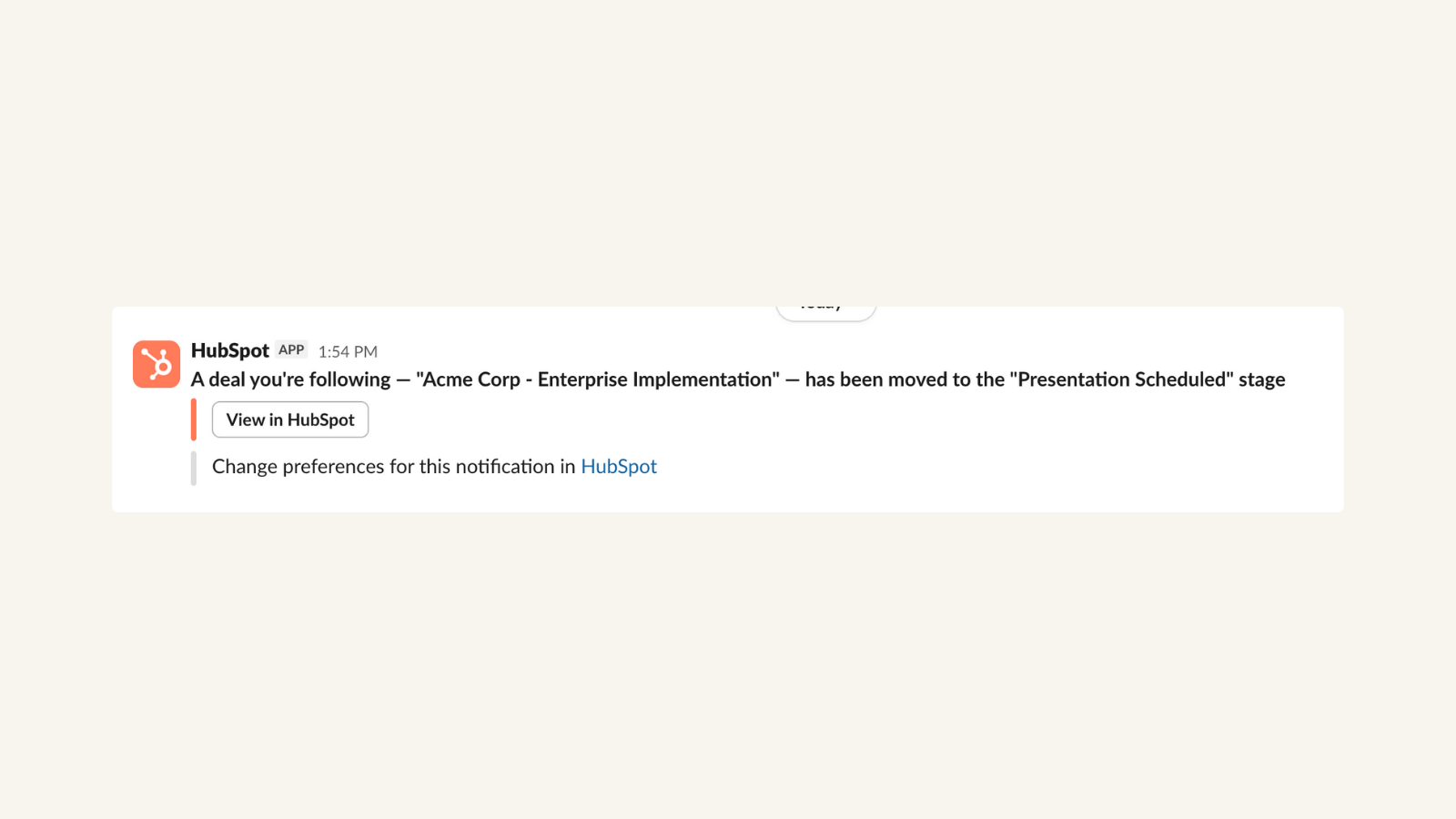
Otrzymuj powiadomienia HubSpot w Slack
Otrzymuj powiadomienia, gdy potencjalny klient otworzy dokument z wyceną, który wysłałeś do niego wcześniej tego samego dnia - i wykorzystaj ten idealny moment, aby do niego zadzwonić i zamknąć transakcję.
-1-1-1.png)
Wysyłanie powiadomień Slack za pośrednictwem przepływów pracy HubSpot
Zwiększ morale zespołu, tworząc przepływ pracy, który wysyła uroczyste powiadomienie do kanału Slack za każdym razem, gdy przedstawiciel handlowy zamyka transakcję.
Funkcjonalność aplikacji
Channel message | ||
Channel message | ||
Channel message | ||
Channel message | ||
Channel message | ||
Channel message | ||
Channel or direct message | ||
Channel or direct message | ||
Channel or direct message | ||
Channel or direct message |
Recenzje
3,7
250
3,7
250
Użytkownicy doceniają tę integrację za usprawnienie komunikacji w zespole dzięki przekierowywaniu automatycznych powiadomień z HubSpot dotyczących transakcji, czatów na żywo i zadań bezpośrednio do kanałów Slacka. Chociaż niektórzy zwracają uwagę na brak możliwości połączenia się z kanałami prywatnymi oraz zgłaszają sporadyczne opóźnienia w powiadomieniach lub konieczność otwierania interfejsu HubSpot w celu zamknięcia zadań, aplikacja skutecznie centralizuje aktualizacje i zmniejsza liczbę wiadomości e-mail.
- 24 sie 2026
Ogólnie dobrze
Możemy wysyłać powiadomienia do Slacka bezpośrednio z poziomu akcji HubSpot. Uważam jednak, że możliwości tej funkcji są dość ograniczone.
Płynna komunikacja i połączenie
Wysyłanie wiadomości przez Slacka nie pozwala na dołączanie dokumentów z przepływu pracy.
García, P.
- 13 sie 2026
Soares, F.
Darmowy
0 USD
Dla małych zespołów, które chcą wypróbować Slack przez nieograniczony czas.
Wiadomości z możliwością wyszukiwania
Aplikacje/usługi
Uwierzytelnianie dwuskładnikowe
Zarządzanie uprawnieniami do publikowania w kanałach
Połączenia głosowe i wideo
Przechowywanie plików
Wsparcie
Darmowy
0 USD
Dla małych zespołów, które chcą wypróbować Slack przez nieograniczony czas.
Wiadomości z możliwością wyszukiwania
Aplikacje/usługi
Uwierzytelnianie dwuskładnikowe
Zarządzanie uprawnieniami do publikowania w kanałach
Połączenia głosowe i wideo
Przechowywanie plików
Wsparcie
* Powyższe ceny zostały podane wyłącznie w celach informacyjnych. Nie zawierają one podatków, premii, zniżek lub innych zmiennych cenowych. Skontaktuj się z partnerem w celu uzyskania najbardziej aktualnych i poprawnych informacji o cenach. HubSpot nie ponosi żadnej odpowiedzialności za informacje cenowe, które są dostarczane przez naszych partnerów. Ostatnia aktualizacja cen: 02.06.2026
Więcej informacji
Utworzone przez - HubSpot
Instaluje - Instalacje (80 tys.)
Kategorie Języki, w których dostępna jest ta aplikacja Angielski ,Francuski ,Hiszpański ,Japoński ,Niemiecki ,Portugalski iWłoski