

WoodsPortal
Secure Customer Experience Portal with File Sharing Automation
สร้างโดย - DigitalWoods Technologies Inc
ติดตั้ง - 70+ การติดตั้ง
ข้อกำหนด
แผน HubSpot สิทธิ์บัญชี HubSpot - ดูสิทธิ์บัญชี ที่จำเป็น
การสมัครใช้บริการ WoodsPortal - Basic, Professional หรือ Enterprise แพ็กเกจ
ภาพรวม
1/6
WoodsPortal is a deeply integrated HubSpot app that lets you build secure, custom-branded portals directly within HubSpot CMS pages.
Clients can log in to view and update CRM records, upload files, and leave notes — all tied to standard or custom objects in HubSpot. Access is role-based, fully white-labeled, and controlled with native workflows. No external tools. No sync delays. Just a seamless portal experience inside your existing HubSpot account.
Here’s what it unlocks:
Custom-branded UI – Designed in HubSpot’s native CMS Editor
Multi-object support – Share any object (standard or custom) via association labels
Two-way notes – Internal notes show up in the portal; customer notes sync directly to HubSpot
File uploads – Files appear inside records via a UI extension, stored in HubSpot File Manager
Workflow-ready – Use native workflows to automate folder creation, file handling, and access
Customer actions – Let clients create records, edit properties, and self-serve without risk
WoodsPortal is flexible enough to power advanced use cases like partner portals, delivery hubs, and field operations management systems — all built directly on top of your HubSpot CRM.
ฟีเจอร์
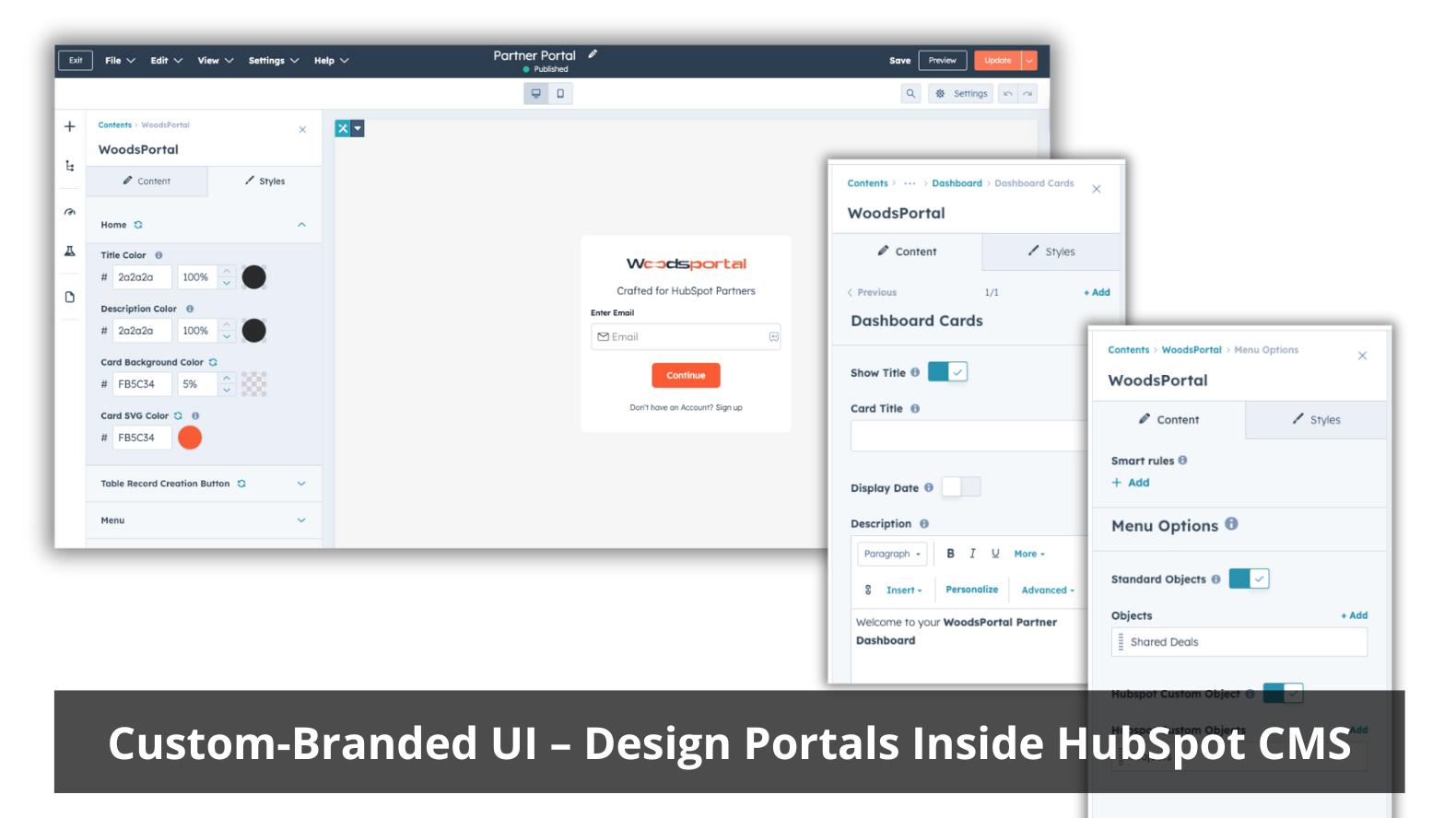
Custom-Branded UI – Design Portals Inside HubSpot CMS
Build portals directly using HubSpot’s native CMS editor. Use your existing global styles and branding to create a seamless, on-brand experience without relying on third-party tools.
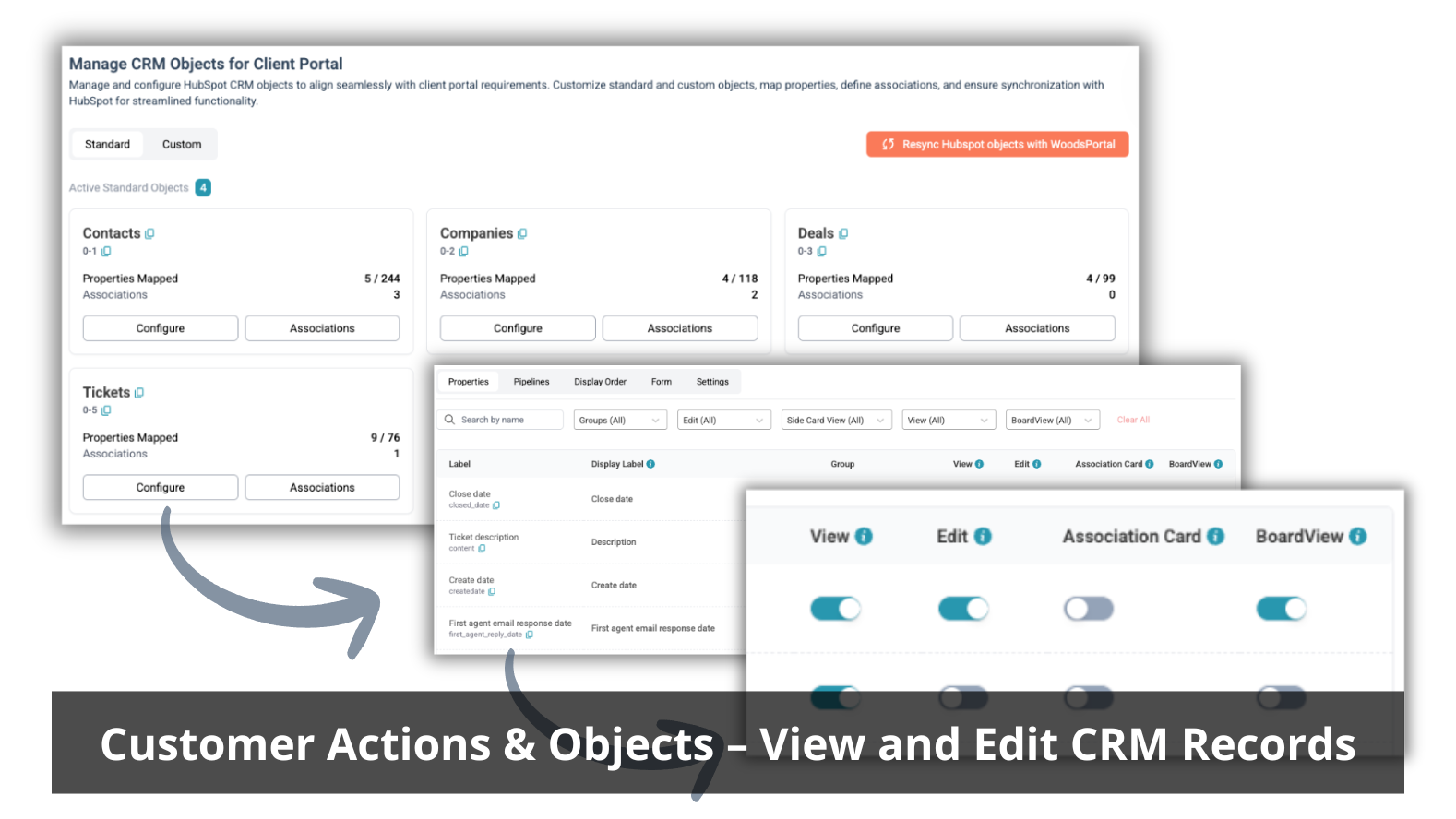
Customer Actions & Objects – View and Edit CRM Records
Let customers securely view and edit specific properties across contacts, companies, deals, tickets, and custom objects. Precisely control what users can view or modify to ensure accurate, up-to-date data.
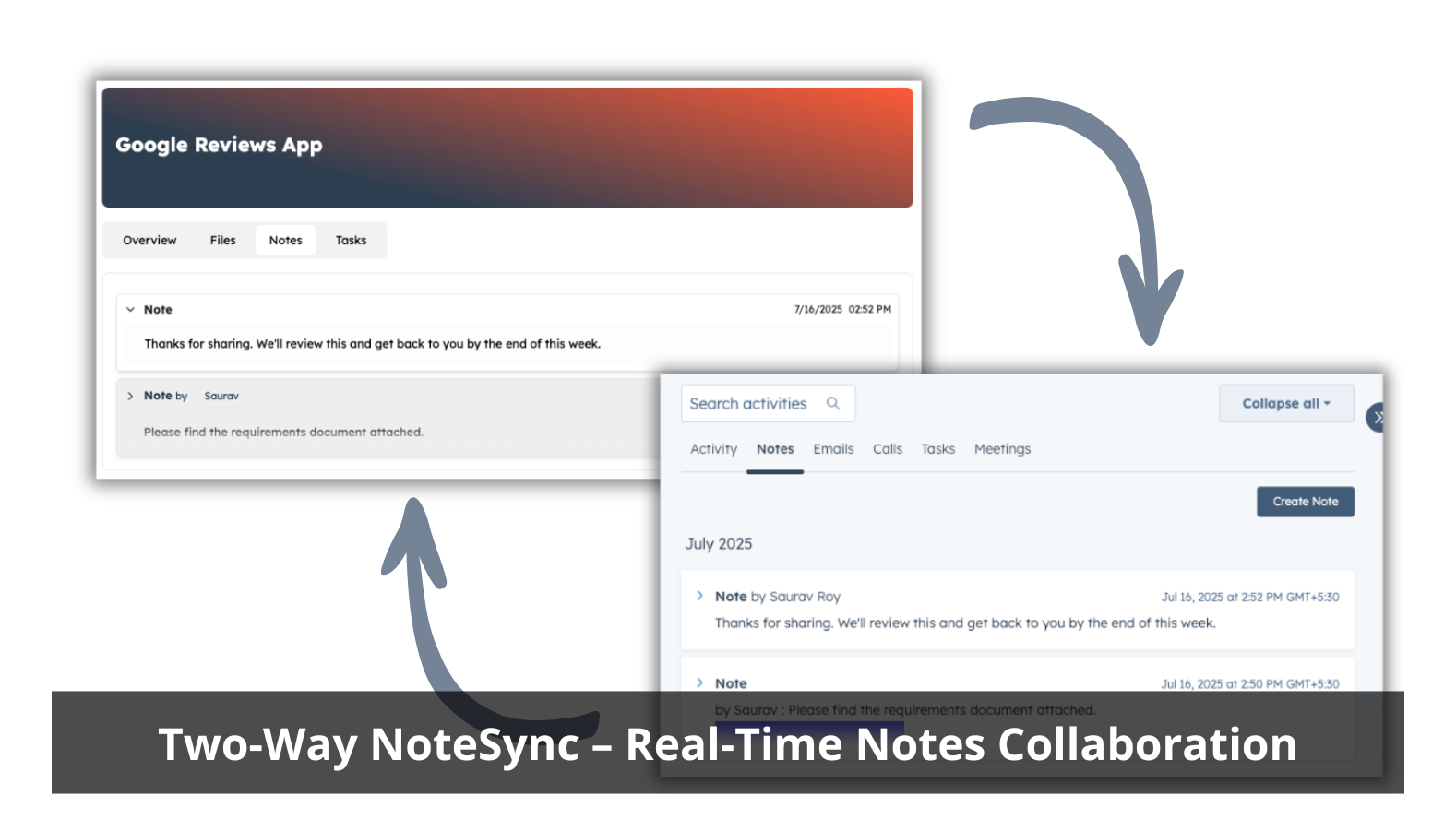
Two-Way Note Sync – Real-Time Notes Collaboration
Internal HubSpot notes appear in the portal, while customer-added notes are logged back into the HubSpot CRM instantly. Maintain a single source of truth for conversations and updates.
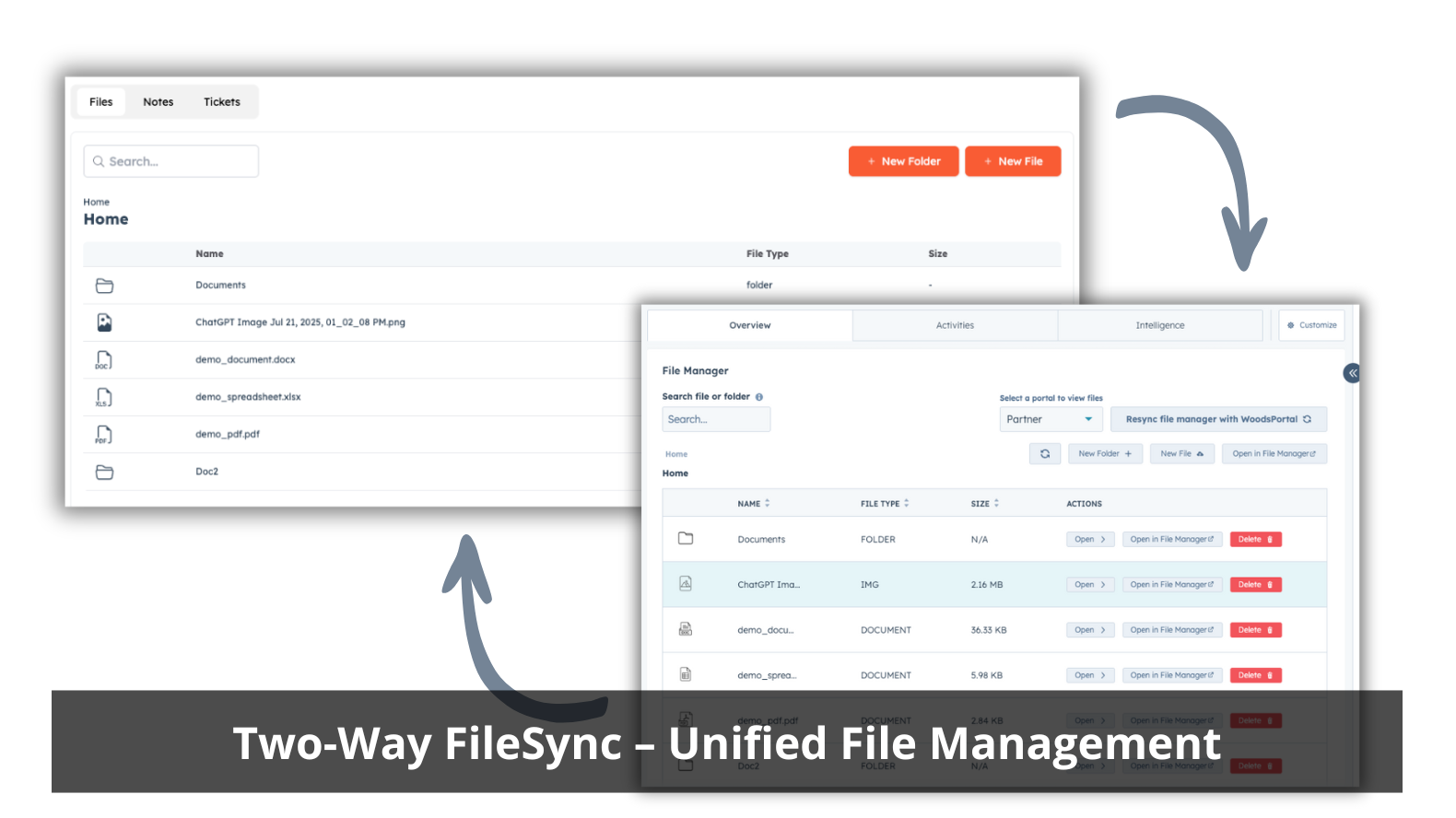
Two-Way File Sync – Unified File Management
Manage file uploads, downloads, and updates with full bidirectional sync between the portal and HubSpot’s native File Manager. Attach files directly to records without external storage.
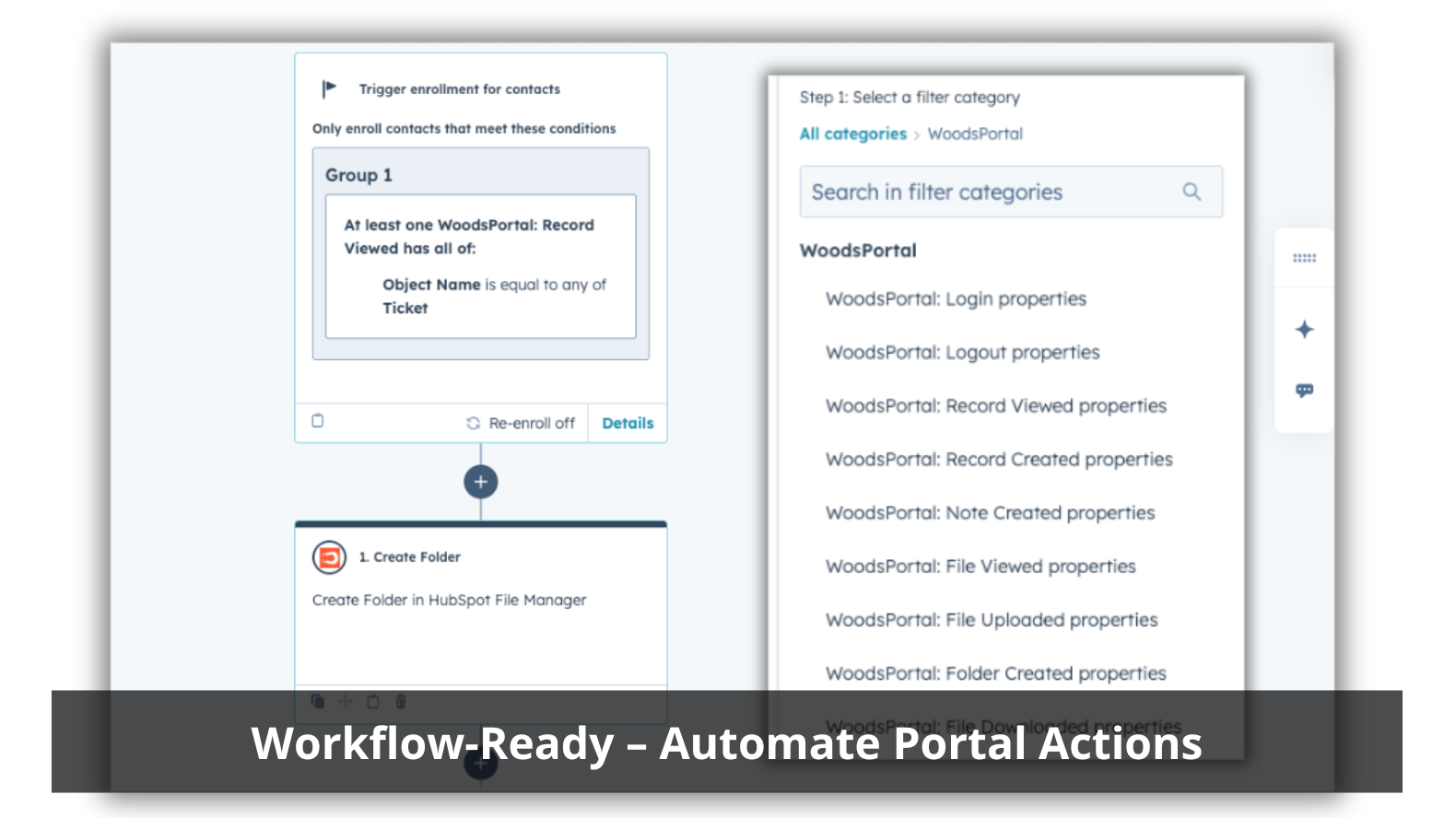
Workflow-Ready – Automate Portal Actions
Use HubSpot workflows to automate tasks such as creating nested folders, moving files, or granting access. Trigger portal events, such as uploading files or editing records, to activate HubSpot automations.
ฟังก์ชันการทำงานแอป
ข้อมูลที่แบ่งปัน
Companies | ||
Custom Objects | ||
Customer Activity | ||
Customer Activity | ||
Deals | ||
File Automation | ||
File Manager | ||
File Storage | ||
Notes | ||
Portal Domain | ||
Portal Users | ||
Role-based Access | ||
Tickets |
WoodsPortal synchronizes contacts, companies, deals, tickets, notes, and files directly with HubSpot, with portal access fully managed through HubSpot properties and workflows. All portal activity is recorded as HubSpot events, supporting analytics and automation.
รีวิว
เป็นคนแรกที่จะเขียนรีวิวของลูกค้า
การกำหนดราคา
Basic
US$150
/เดือนFile Sharing Automation and Simple Ticketing
100 Monthly Active Users
Unlimited Internal Users
Custom Objects Access
Custom Property Fields
File Manager
2-Way Notes
Workflow Actions & Triggers
Basic Form Builder
Basic
US$150
/เดือนFile Sharing Automation and Simple Ticketing
100 Monthly Active Users
Unlimited Internal Users
Custom Objects Access
Custom Property Fields
File Manager
2-Way Notes
Workflow Actions & Triggers
Basic Form Builder
* ราคาที่แสดงนี้มีไว้เพื่อแสดงข้อมูลเท่านั้น ราคาทั้งหมดยังไม่รวมภาษี สิทธิพิเศษ ส่วนลด หรือตัวแปรราคาอื่นๆ คุณควรติดต่อพาร์ทเนอร์เพื่อรับข้อมูลราคาล่าสุดและถูกต้องที่สุด HubSpot จะไม่รับผิดชอบใดๆ ต่อข้อมูลราคานี้ซึ่งจัดทำโดยพาร์ทเนอร์ของเรา การกำหนดราคาอัปเดตล่าสุด: 04/03/2026
ข้อมูลเพิ่มเติม
สร้างโดย - DigitalWoods Technologies Inc
ติดตั้ง - 70+ การติดตั้ง
หมวดหมู่ ภาษาที่แอปนี้สามารถใช้ได้ อังกฤษ
ยอดนิยม


