
Create Google Docs/PDF + eSign
Automate Quote, Contract & Proposal PDFs inc. eSignatures | ⭐️⭐️⭐️⭐️⭐️

Leading
Anforderungen
HubSpot-Produktversion HubSpot-Account-Berechtigungen - Erforderliche Account-Berechtigungen anzeigen
Zugriffstyp Shared Create Google Docs/PDF + eSign-Abonnement - Produktversionen: Pro, Teams oder Free
Übersicht
1/6
⭐️⭐️⭐️⭐️⭐️ 4.8/5 Stars
🏵️ HubSpot Certified App
🏆 HubSpot's Essential Apps 2025
🚀 Automate Your Documents, in One Click from HubSpot
Portant seamlessly connects HubSpot with Google Docs, Google Slides, Google Sheets, Microsoft Word & Microsoft Powerpoint enabling effortless document creation, sharing, and signing—without switching between apps. Generate stunning, personalized documents in seconds using your HubSpot data and streamline your workflows like never before.
🎨 Design & Customize your templates with Google Tools
Craft, format, and control your templates directly in:
✅ Google Docs
✅ Google Slides
✅ Google Sheets
✅ Microsoft Word
✅ Microsoft Powerpoint
✅ PDF templates
🥸 Personalize with HubSpot Data
Automatically pull in data from:
✔️ Deals
✔️ Contacts
✔️ Companies
✔️ Tickets
✔️ Custom Objects
✔️ Object Library (appointments, courses, listings and services)
+ All Custom Properties
🧰 Add Dynamic Document Components
🚀 Line Item Tables – Auto-generate and sort lists of objects from HubSpot
🤖 AI-Powered text – Insert dynamic text using AI prompts
🧮 Formulas & Calculations – Perform real-time property-based math
🔀 Conditional Content – Show/hide sections based on HubSpot rules
⚙️ Automate Key Actions
✍️ Request Signatures – Secure e-signatures with ease
✅ Approval & Review Workflows – Get internal buy-in before sending
📤 Send via Gmail/Outlook – Auto-generate personalized emails
📄 Save & Export Documents as:
📝 Google Docs, Slides, Sheets
📎 PDFs
📄 Microsoft Word, PowerPoint, Excel
🔗 Deep HubSpot Integration
🧡 Document Data Stored in HubSpot
Every document’s details are saved as Custom Properties and App Objects, making them easy to track, report on, and trigger Workflows.
Document link (Single line text property)
Document Status (Dropdown select property)
PDF Files (File Property)
PDF Link (Single line text property)
Signable document link (Single line text property)
Workflow (Single line text property)
📌 Plus: Portant automatically updates the object's Activity Feed and attaches document outputs to the HubSpot record.
⚡ Automate with HubSpot Workflows and Breeze Tools
Portant runs as an action inside HubSpot Workflows, allowing you to:
✔️ Auto-generate documents from triggers (e.g., deal stage changes)
✔️ Seamlessly integrate document generation into sales & ops processes
✨ NEW: Portant workflows can also be run as a Breeze Tool
Native HubSpot App Cards
Portant now integrates with HubSpot App Cards, giving you a fully embedded experience inside HubSpot.
✅ View all generated documents directly within HubSpot
✅ Track real-time statuses (Signed, Approved, Completed, etc.)
🚀 Why Portant?
📈 Scale Faster – Automate tedious tasks, reduce errors, and free up time.
🧘 Seamless & Intuitive – Works inside Google tools you already use daily.
🖼️ Customizable & Beautiful – Full formatting control with Google Docs & Slides or Microsoft Word & Powerpoint
And we’re just getting started…
🎯 Have a feature request? We’re always evolving! Let us know at contact@portant.co
🔄 Ideal Use Cases
💰 Quotes
📈 Pitch Decks & Proposals
✉️ Sales Letters
🧾 Invoices
✍️ Contracts
🎟️ Tickets
🏆 Certificates
… and much more!
Portant is perfect for:
✔️ Replacing manual copy-pasting from HubSpot into documents
✔️ Simplifying automation workflows (a no-code alternative to Zapier, Workato, Integromat)
✔️ A simpler, more flexible alternative to PandaDoc, DocuSign, Proposify, and Formstack
💡 Ready to streamline your document workflows? Get started with Portant today!
Trusted and recommended by HubSpot
🏵️ HubSpot Certified App
🏆 HubSpot Essential App 2025
Funktionen
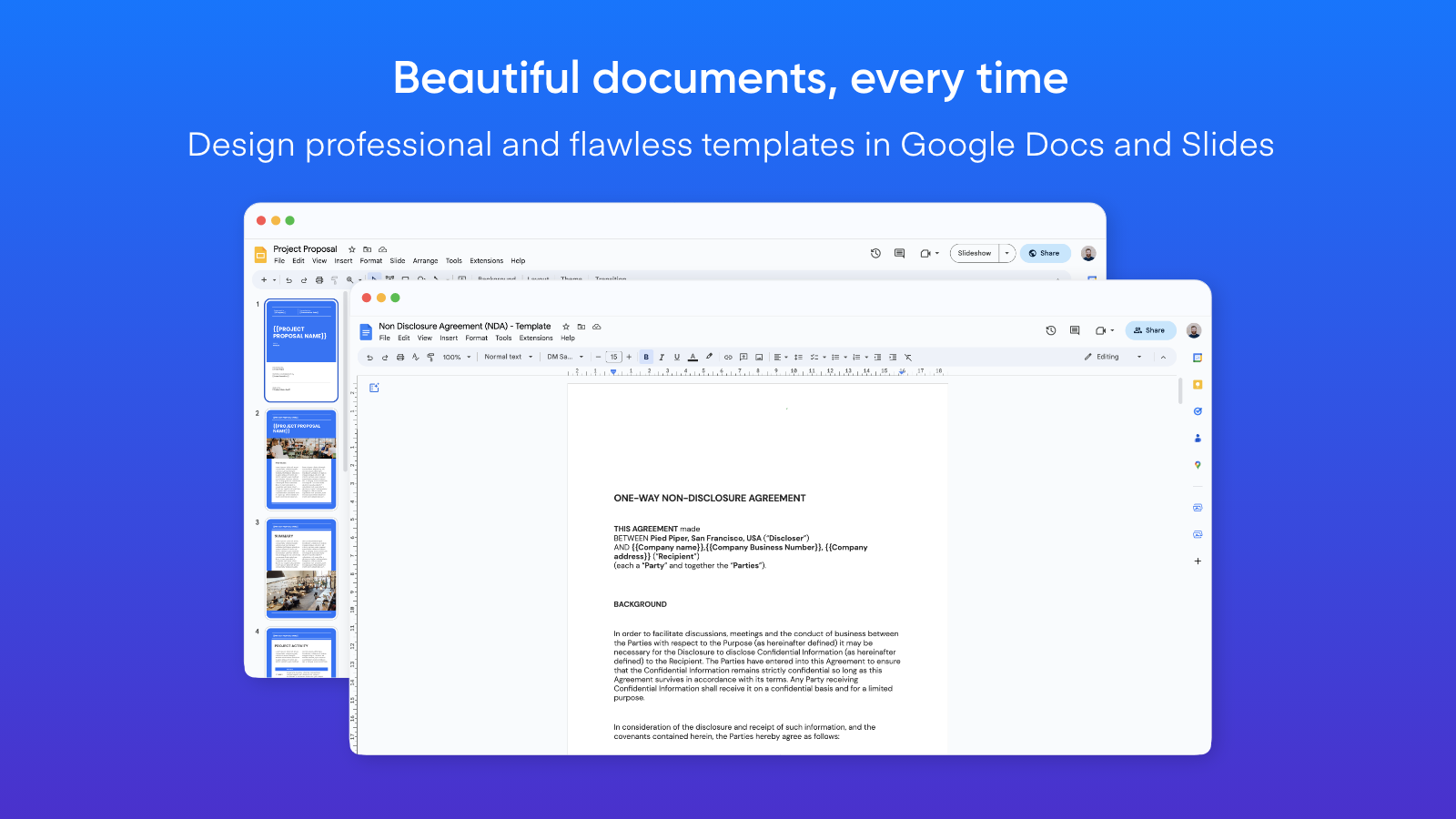
Create documents from Google Docs or Slides templates
Automate documents exactly the way you want them to look. Portant uses Google Docs and Slides to create your document templates, which means you have all the formatting functionality and features available in these tools unlike other solutions which have limited options. Select a template, insert your {{HubSpot Tags}} and automate your paperwork.
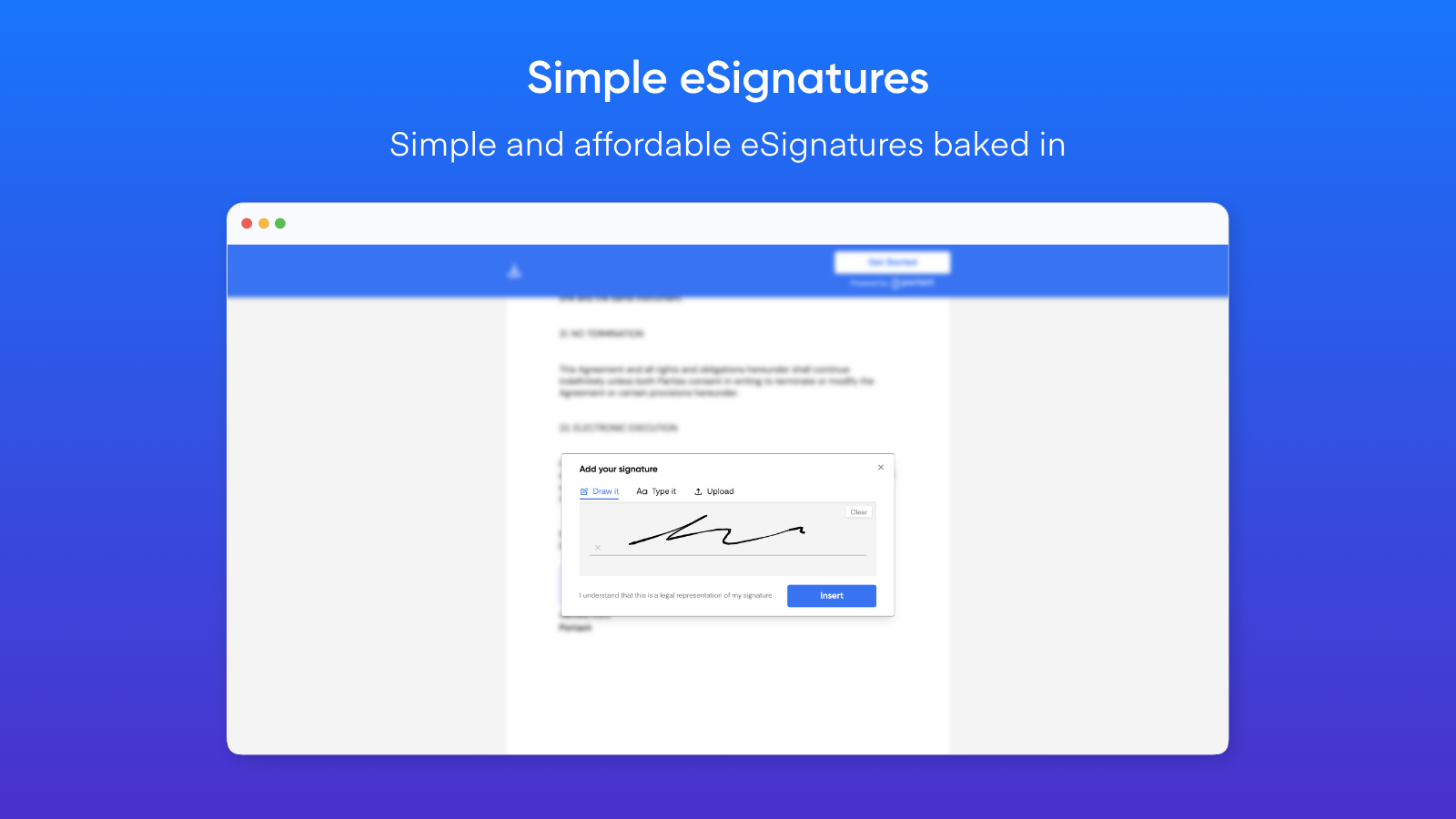
Request signatures (eSign)
Generate customised documents and request eSignatures. Perfect for contracts and agreements. A simpler alternative to PandaDoc, Dropbox Sign, Docusign, Proposify or Formstack
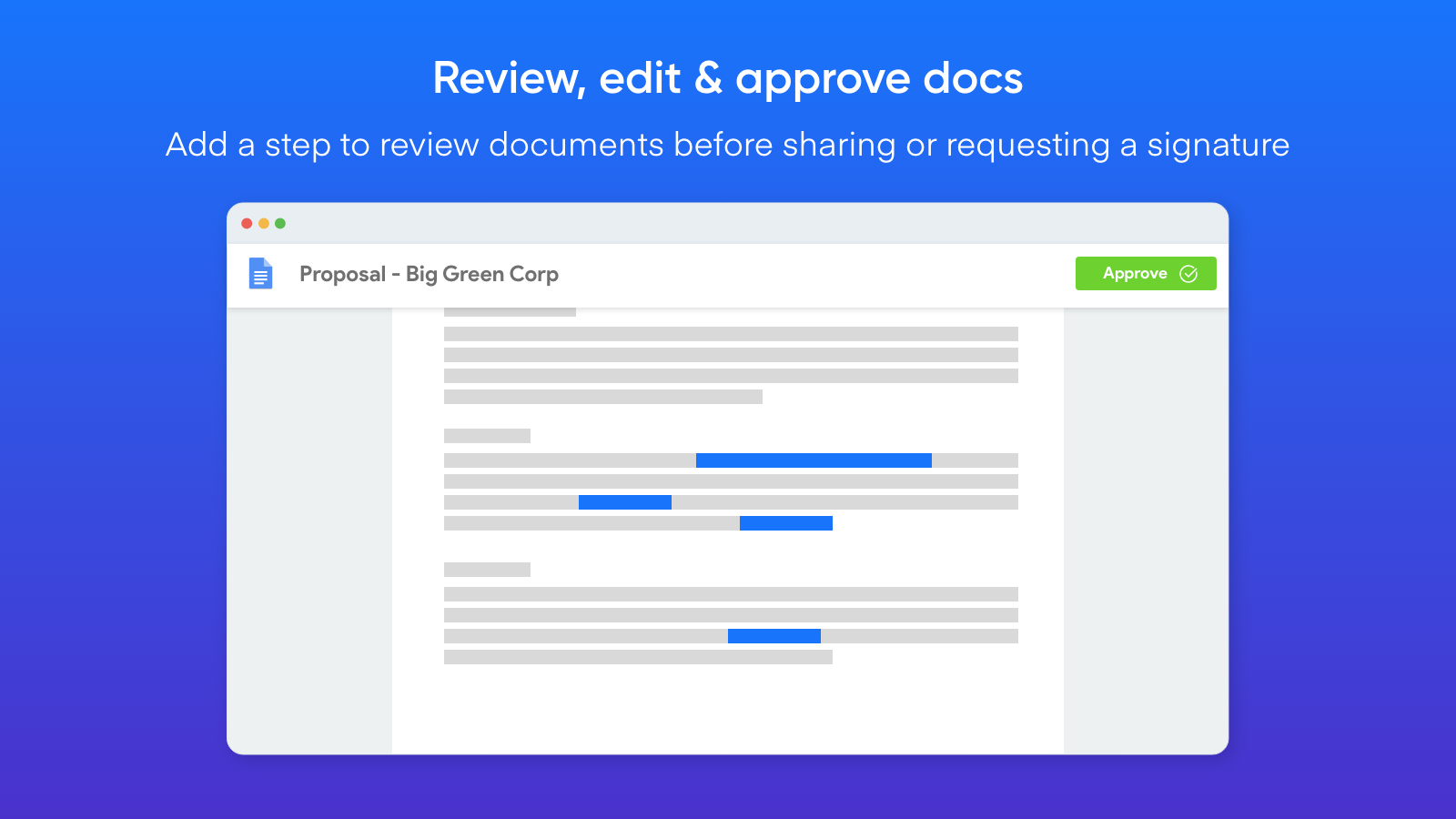
Review generated documents before they are sent
You can add a step to review any document generated by Portant. This enables you to review, edit and then approve the document to be shared or requested to be signed.
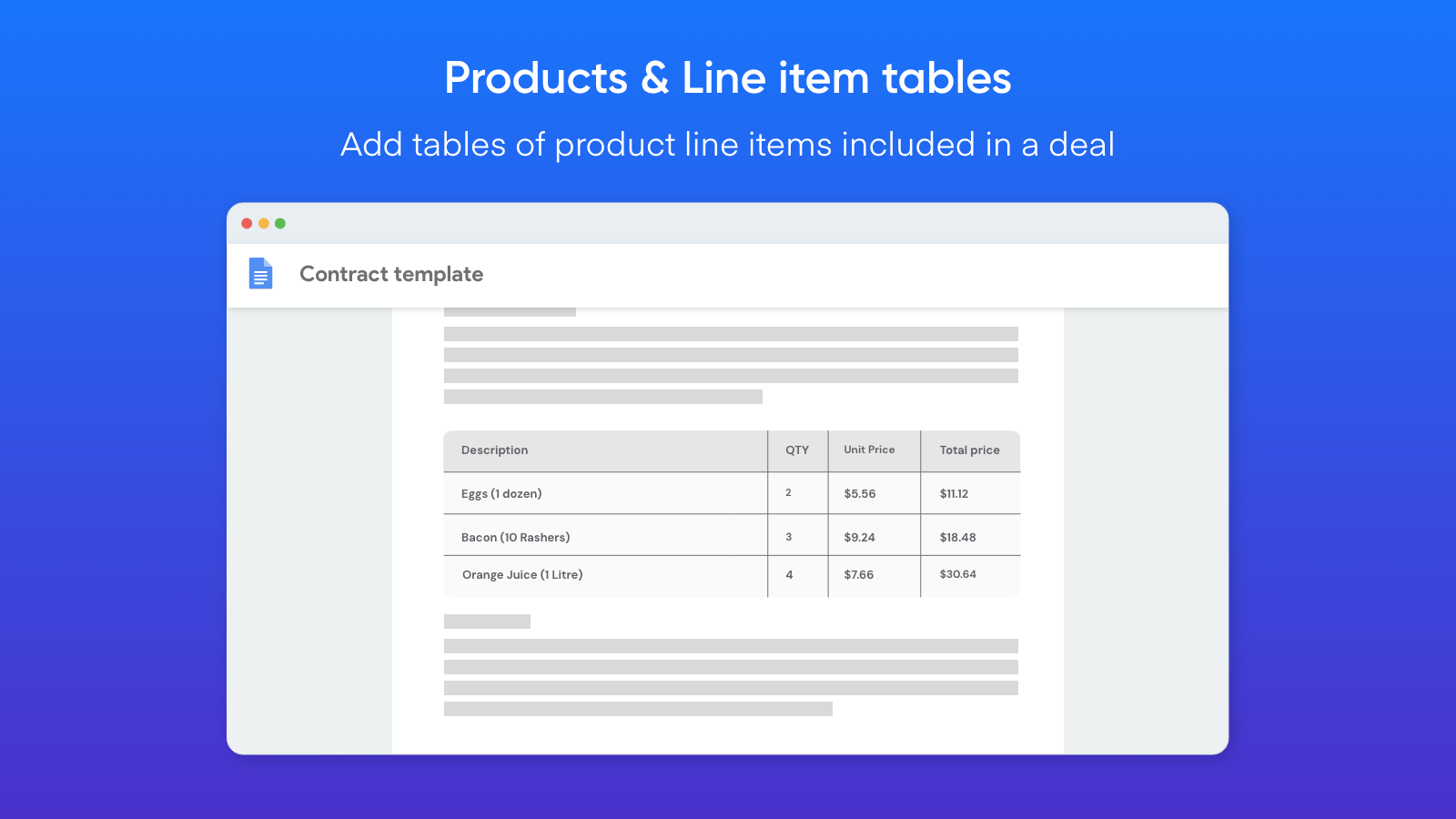
Add tables of HubSpot Product Line Items
Portant can insert all line items added to a deal in a table in your document. This is perfect for quotes or invoices when you need each component of the deal itemised in the document. It also works with any HubSpot object (not just line items).
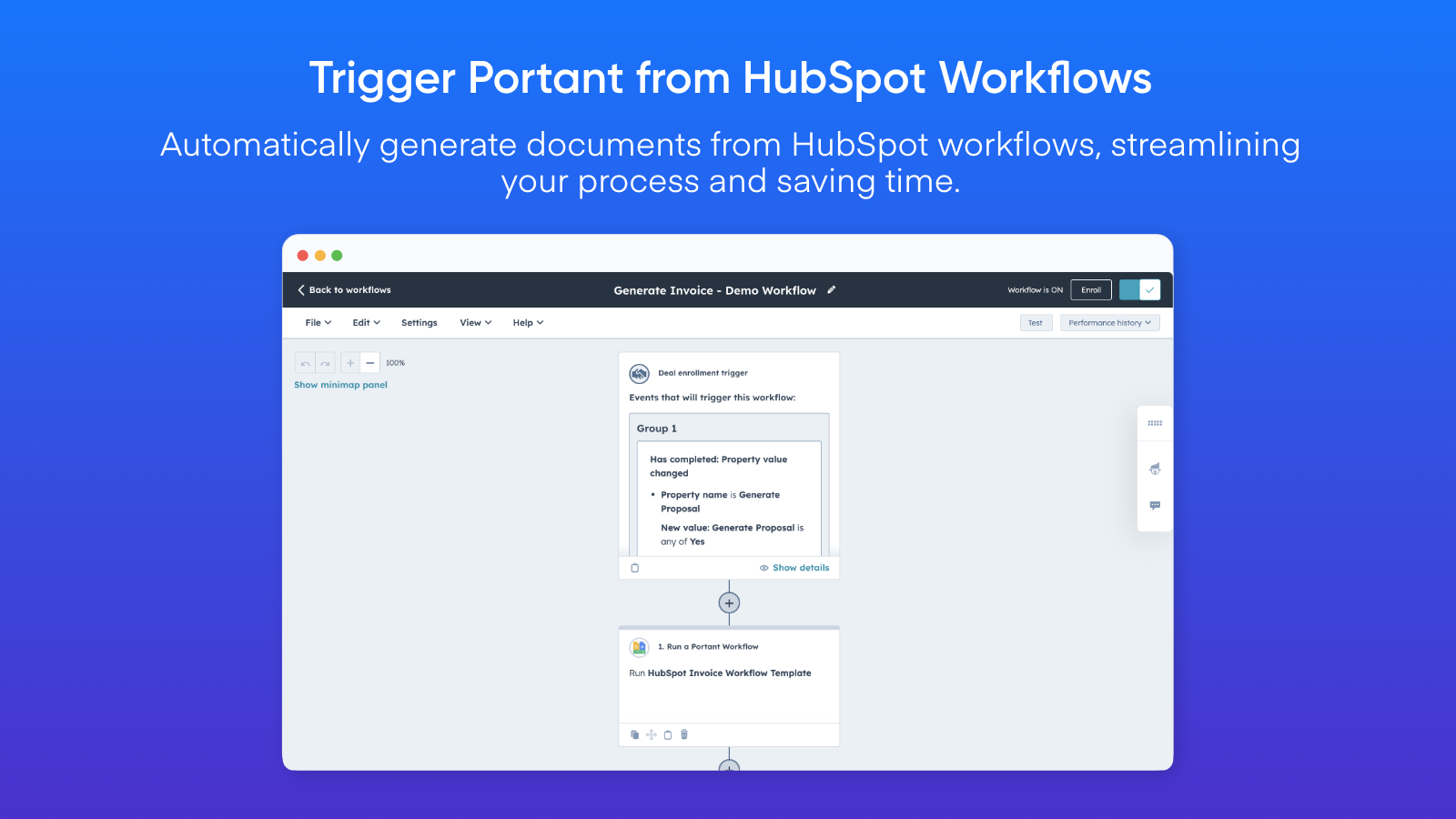
Automate Document Creation via HubSpot Workflows
You can trigger document generation within HubSpot in countless ways. Simply add a Portant Action to your HubSpot workflows to seamlessly run a Portant workflow from within HubSpot.
App-Funktionalität
Document Outputs | Portant documents Portant documents | |
HubSpot Company Fields | ||
HubSpot Contact Fields | ||
HubSpot Contact Lists | ||
HubSpot Deal Fields | ||
HubSpot Meeting Fields | ||
HubSpot Product Fields | ||
HubSpot Ticket Fields | ||
Owners Data | ||
Portant Document Properties | ||
Portant Document Properties | ||
Portant Document Properties | ||
Timeline |
Rezensionen
4,8
19
4,8
19
- 7. Feb. 2026
Perfekte Lösung für PDF-Anforderungen mit hervorragendem Kundensupport
Tolle App, erfüllt den Zweck, Support und Hilfe sind 10/10
Bietet alles, was ich brauche, um die PDFs zu erstellen
Mirkovic, L.
- 18. Nov. 2025
Beeindruckend reibungslose und benutzerfreundliche Dokumentenlösung, die mit nahtloser Zusammenarbeit und bequemer Unterzeichnung glänzt, auch wenn ihr im Vergleich zu Microsoft Word einige erweiterte Formatierungsfunktionen fehlen
Google Text & Tabellen ist in Kombination mit seinen PDF-Export- und E-Signatur-Funktionen zu einer der bequemsten und effizientesten Dokumentenverwaltungslösungen geworden, die heute verfügbar sind. Ganz gleich, ob Sie Student, Unternehmer, Freiberufler oder Teil einer großen Organisation sind, die Plattform bietet eine zugängliche Möglichkeit, Dokumente zu erstellen, freizugeben und zu unterzeichnen, ohne dass Sie eine komplexe Software benötigen.
Die Benutzeroberfläche ist einfach und intuitiv, so dass sie sich für Anfänger und Profis gleichermaßen eignet.
Google Text & Tabellen eignet sich zwar hervorragend für einfache Dokumente, doch fehlen in Google Text & Tabellen einige fortgeschrittene Layout- und Formatierungsfunktionen, die in Microsoft Word oder Adobe-Tools zu finden sind.
Muhammed, A.
Pro
41,58 $
/MonatFor individuals that need more documents/month
2000 Documents/month
Document workflows - with Portant branding removed
eSign
Export and Share as PDF
Template gallery
Chat and email support
Pro
41,58 $
/MonatFor individuals that need more documents/month
2000 Documents/month
Document workflows - with Portant branding removed
eSign
Export and Share as PDF
Template gallery
Chat and email support
* Die hier angegebenen Preise dienen nur zu Illustrationszwecken. Alle Preise enthalten keine Steuern, Sonderangebote, Rabatte oder sonstigen Preisvarianten. Bitte wenden Sie sich direkt an den Partner, um aktuelle und korrekte Preisinformationen zu erhalten. HubSpot übernimmt keine Verantwortung für Preisinformationen, die von unseren Partnern bereitgestellt werden. Letzte Aktualisierung der Preisinformationen: 22.12.2025
Weitere Infos
Erstellt von - Portant
Installationen - 3 Tsd. Installationen
Kategorien Sprachen, in denen diese App verfügbar ist Deutsch ,Englisch ,Französisch undSpanisch
Am beliebtesten


