
Google Doc & Word to PDF + eSign: Quotes, Proposals, Contracts

Leading
Requirements
HubSpot Plan HubSpot Account permissions - View the required account permissions
Access Type Shared Google Doc & Word to PDF + eSign: Quotes, Proposals, Contracts Subscription - Pro, Teams, or Free plans
Overview
1/9 - ▶︎ Introducing Portant | Automate your contracts, quotes, and proposals in HubSpot
⭐️⭐️⭐️⭐️⭐️ 4.9/5 Stars
🏵️ HubSpot Certified App
🏆 HubSpot's Essential Apps 2025
🚀 Automate Your Contracts, Quotes & Proposals in HubSpot
In a single click! Portant is the #1 tool for teams that connects HubSpot with Google Docs, Slides, Sheets, Microsoft Word, PowerPoint & PDFs to automate all your quotes, contracts, and proposals from any object in HubSpot.
Teams can generate stunning, personalized documents in seconds using ANY data in HubSpot. Unlike PandaDoc or DocuSign, each document is created as a native HubSpot record, giving you the ability to filter, audit, report on, and automate document workflows directly in HubSpot.
🔄 Ideal Use Cases
💰 Quotes
📊 Proposals
✍️ Contracts + (multi e-Sign)
🧾 Invoices
✉️ Sales Letters
📈 Pitch Decks
🎟️ Tickets
🏆 Certificates
… and much more!
🎨 Design & Customize Your Existing Templates
Use your existing templates or create new ones using:
✅ Google Docs
✅ Google Slides
✅ Google Sheets
✅ Microsoft Word
✅ Microsoft PowerPoint
✅ PDF templates
🥸 Personalize Templates with HubSpot Data
Automatically pull in data from:
✔️ Deals
✔️ Contacts
✔️ Companies
✔️ Tickets
✔️ Custom Objects
✔️ Object Library (appointments, courses, listings, services)
➕ Includes ALL Custom Properties
🧰 Add Dynamic Document Components
Line Item Tables – Auto-generate and sort lists of objects from HubSpot
AI-Powered Text – Insert dynamic text using AI prompts
Formulas & Calculations – Perform real-time property-based math
Conditional Content – Show/hide sections based on HubSpot rules
Including custom AI fields that turn HubSpot data and call transcripts into dynamic, ready-to-send content.
⚙️ Create Multi-Signatory & Team Workflows
✍️ Request Signatures → Secure e-signatures with ease
✍️ Multi-signatories → Reduce back-and-forth
✅ Approval & Review Workflows → Get team approval before sending
📤 Send via Gmail/Outlook → Auto-generate and send personalized emails
📄 Save & Export Documents As:
📝 Google Docs, Slides, Sheets
📎 PDFs
📄 Microsoft Word, PowerPoint, Excel
🧡 Documents Stored in HubSpot
Every document generated with Portant is stored as a standalone HubSpot record (App Object), so you can find, filter, audit, and report on documents without cluttering Deals, Contacts, or Companies.
Each document record can include:
✔︎ Document link (Single-line text property)
✔︎ Document Status (Dropdown select property)
✔︎ PDF Files (File property)
✔︎ PDF Link (Single-line text property)
✔︎ Signable document link (Single-line text property)
✔︎ Workflow (Single-line text property)
→ Stores rich metadata (timestamps, views, last opened) for smarter follow-ups
→ Automatically updates the object’s Activity Feed
→ Documents sync across Deals, Contacts & Companies
→ View every document ever created in one place via HubSpot views
⚡ Automate with HubSpot Workflows & Breeze Tools
Portant runs as an action inside HubSpot Workflows, allowing you to:
✔︎ Auto-generate documents from triggers (e.g. deal stage changes)
✔︎ Trigger actions from real document events (viewed, not opened, signed, awaiting signature)
✔︎ Create tasks, alerts, and automated follow-ups
✨ NEW: Portant workflows can also be run as a Breeze Tool
🧩 Native HubSpot App Cards & Objects
Unlike PandaDoc and DocuSign, Portant integrates directly with HubSpot App Cards & Objects for a fully embedded experience.
✅ View all generated documents inside HubSpot
✅ Track real-time statuses (Approved, Sent, Signed, Completed, etc.)
✅ See full document history + engagement signals on records
✅ Build native HubSpot dashboards & reports
(e.g. signed this month, awaiting signature, most-viewed proposals, average time to sign)
🚀 Why Portant?
📈 Automate tedious tasks, reduce errors, and free up time to close more deals
🧘 Everything stays synced in HubSpot — no scattered custom properties or extra apps
🖼️ Full design control with Google Docs, Slides, Word & PowerPoint
📊 Measure what’s working with native HubSpot analytics and dashboards
And we’re just getting started…
🎯 Have a Feature Request?
We’re always evolving!
📩 Contact us at contact@portant.co
Portant Is Perfect For:
✔︎ Replacing manual copy-pasting from HubSpot into documents
✔︎ Simplifying automation workflows (no-code alternative to Zapier, Workato, Integromat)
✔︎ A cleaner, simpler alternative to PandaDoc, DocuSign, Proposify & Formstack — with native reporting, dashboards, and automation
💡 Ready to Automate Your Quotes, Proposals & Contracts in HubSpot?
Get started with Portant today!
Trusted and Recommended by HubSpot
🏵️ HubSpot Certified App
🏆 Awarded ‘HubSpot Essential App’ 2025
🎖 HubSpot | Leading Technology Partner
Features
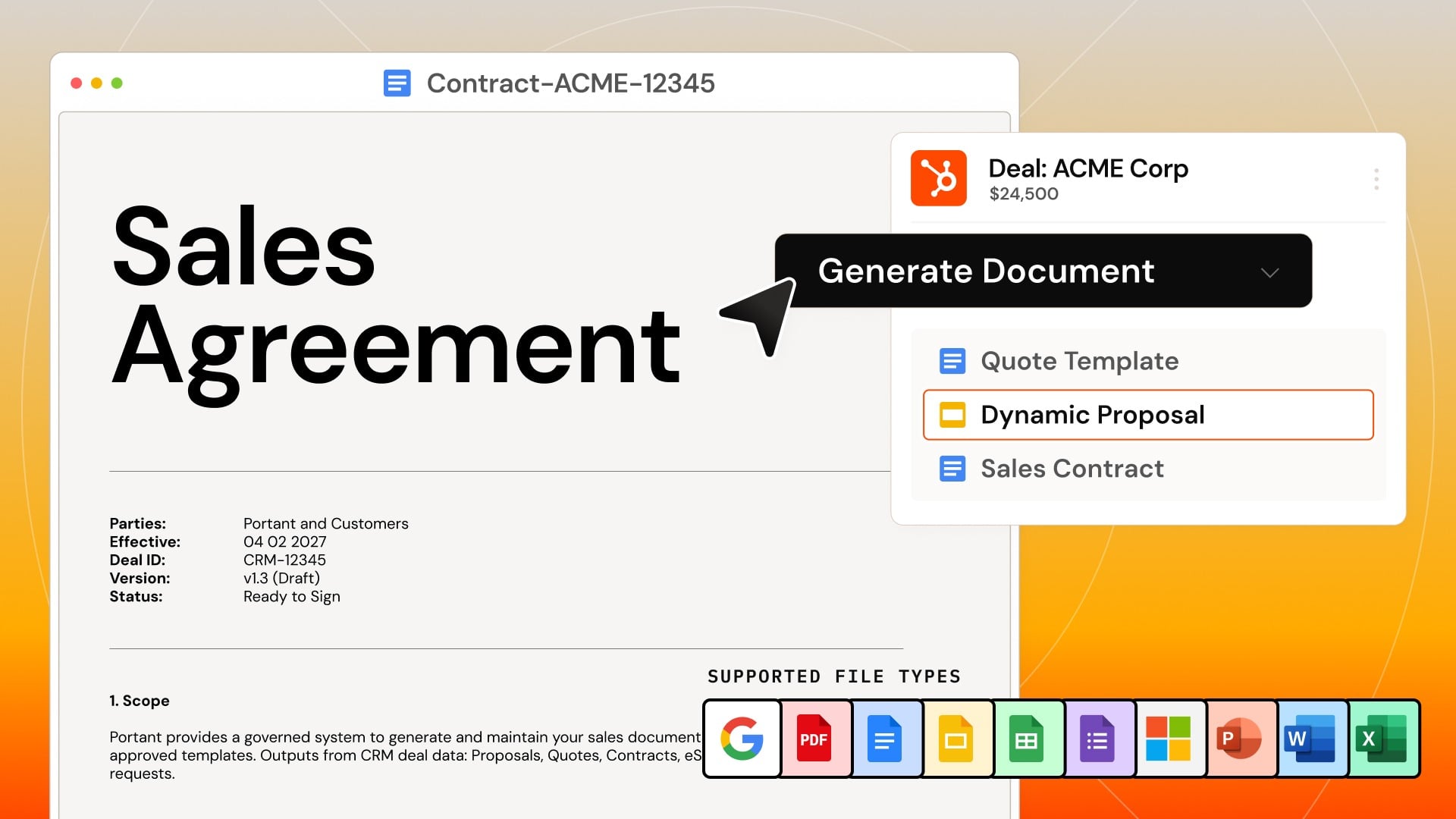
Create any document straight from HubSpot
A sales rep clicks one button on a deal and gets a branded quote, contract or proposal in seconds. Use your own Google Docs, Slides, Word, PowerPoint or PDF templates. Portant fills in the deal, contact, company and line item data and saves the finished file to the deal.
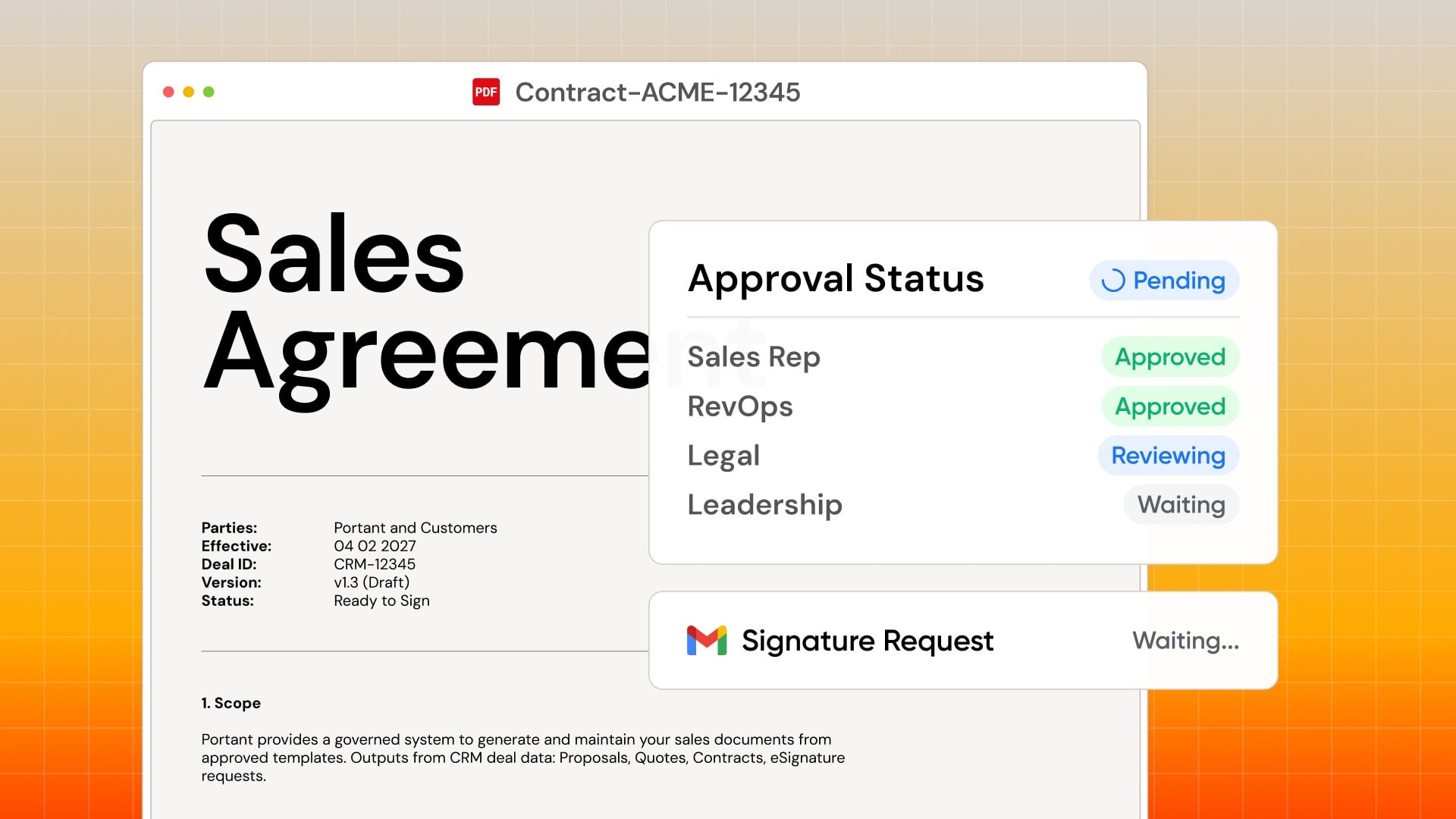
Automate documents with HubSpot workflows
Add a Portant action to any HubSpot workflow. When a deal moves to a new stage, Portant creates the document, sends it for signature and saves it, with no clicks from your team. Add a review step when a person must check the document first.
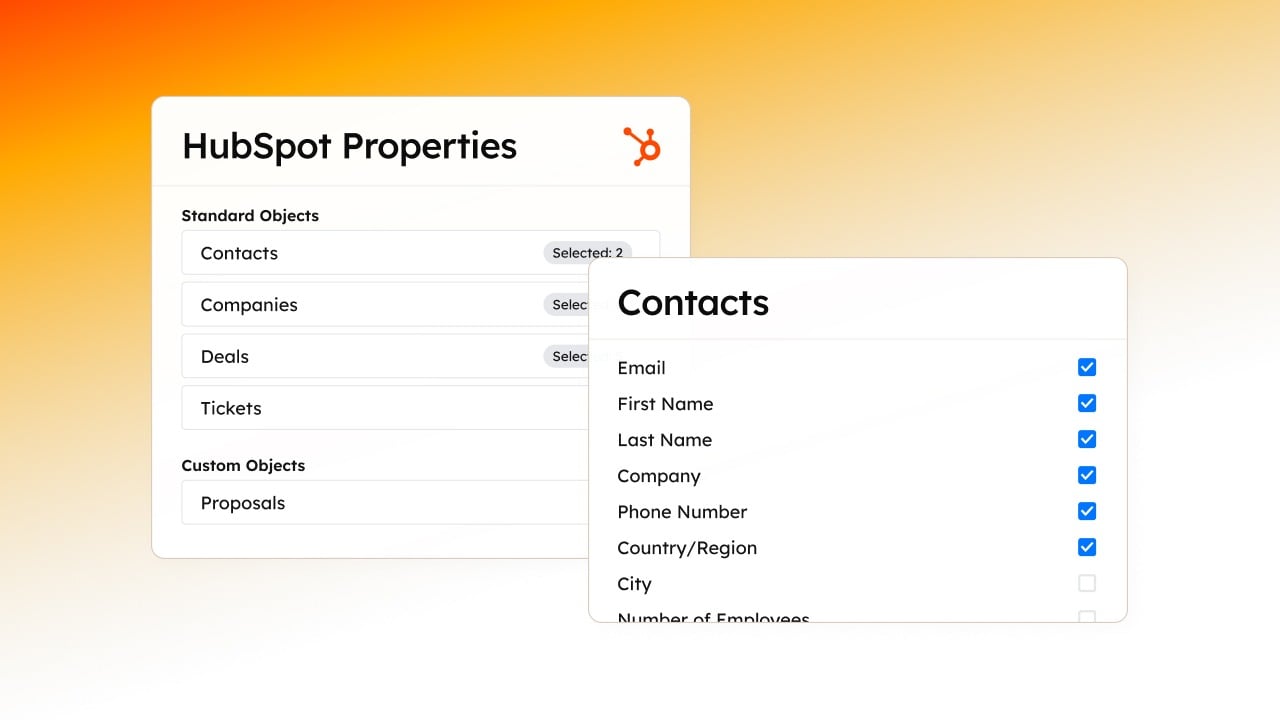
Personalize documents with data from any HubSpot object
Add {{HubSpot Tags}} to your templates and Portant fills them with live data from deals, contacts, companies, tickets and any custom object, including custom properties. Add AI text, formulas and conditional sections, so one template fits every customer and every deal.
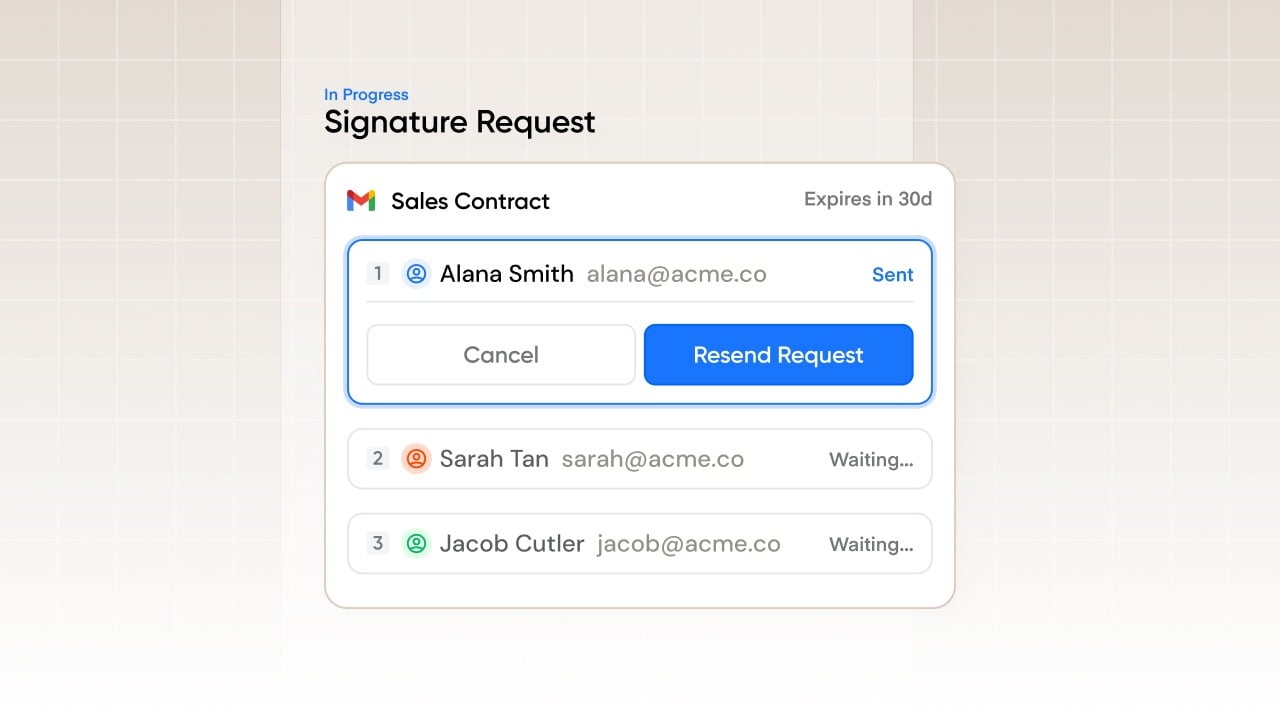
Built-in eSignatures for HubSpot
Send a contract for signature from the deal record. Add multiple signers in order. Portant sends reminders, keeps a full audit trail and updates HubSpot when the last person signs, so your team stops chasing signatures by email.
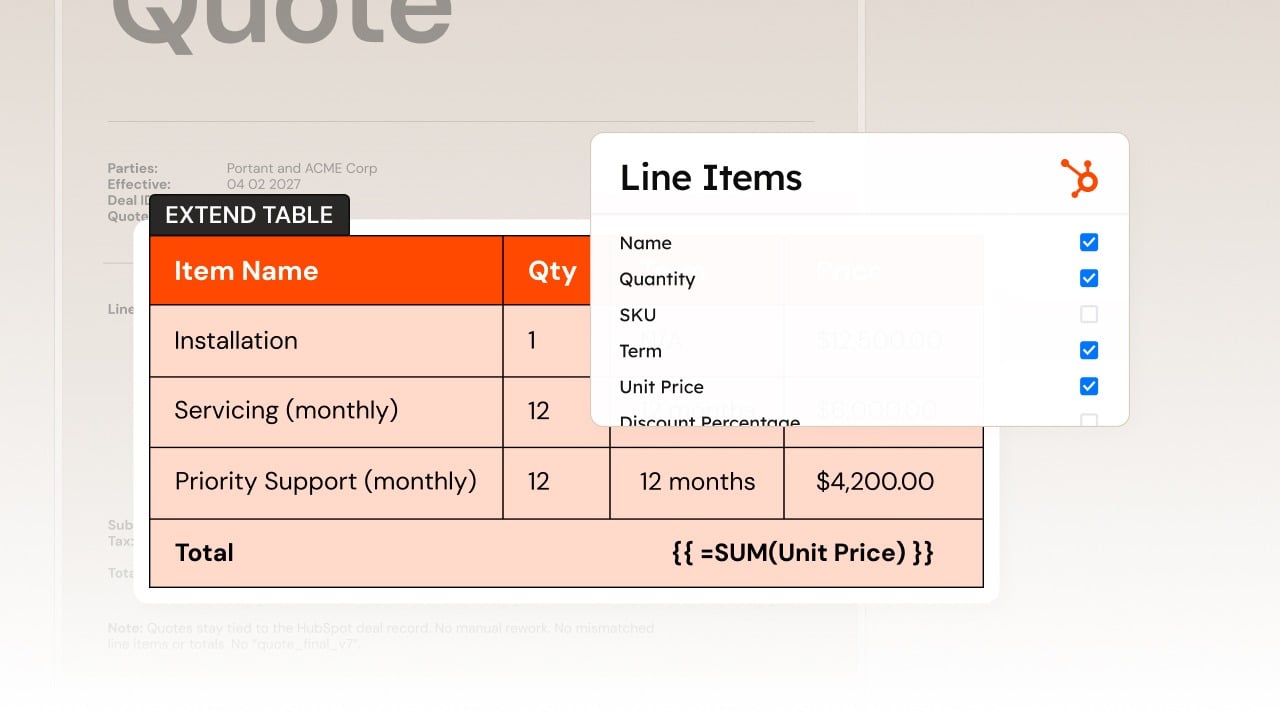
Add line items and tables to documents
Turn the line items on a deal into a clean, branded pricing table. Portant adds product names, quantities, unit prices, discounts and totals, sorts the rows and keeps the same format every time, so reps never copy prices into a quote by hand.
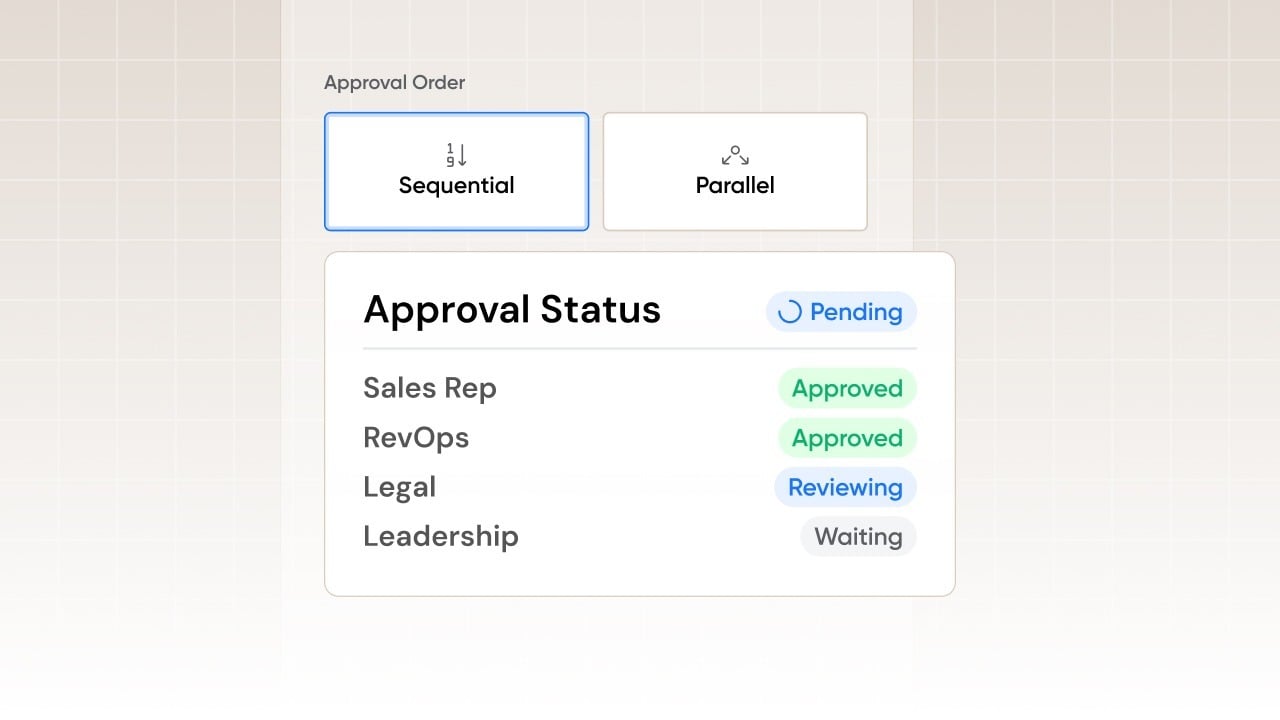
Review and approve documents before sending
Add sequential or parallel approval steps before a document goes out. Managers approve, edit or reject in one click inside HubSpot, so pricing and legal terms are always checked and reps never leave the CRM.

Add Stripe payment links to quotes, invoices and contracts
Add a Stripe payment link to your quotes, invoices and contracts. Your customer signs and pays in the same step, so you do not need a separate invoicing tool or a second email to collect payment.

Every document is a HubSpot record, synced to Drive or OneDrive
Every document gets its own HubSpot record with its status and history, so you can filter, report and automate on views and signatures. You set the file naming rules, and Portant saves each finished file to Google Drive or OneDrive.

Send from Gmail & Outlook and track every open
Send documents from the Gmail or Outlook mailbox your team already uses. See when a prospect opens your quote, clicks a link or comes back to a proposal, so reps follow up at the right time.
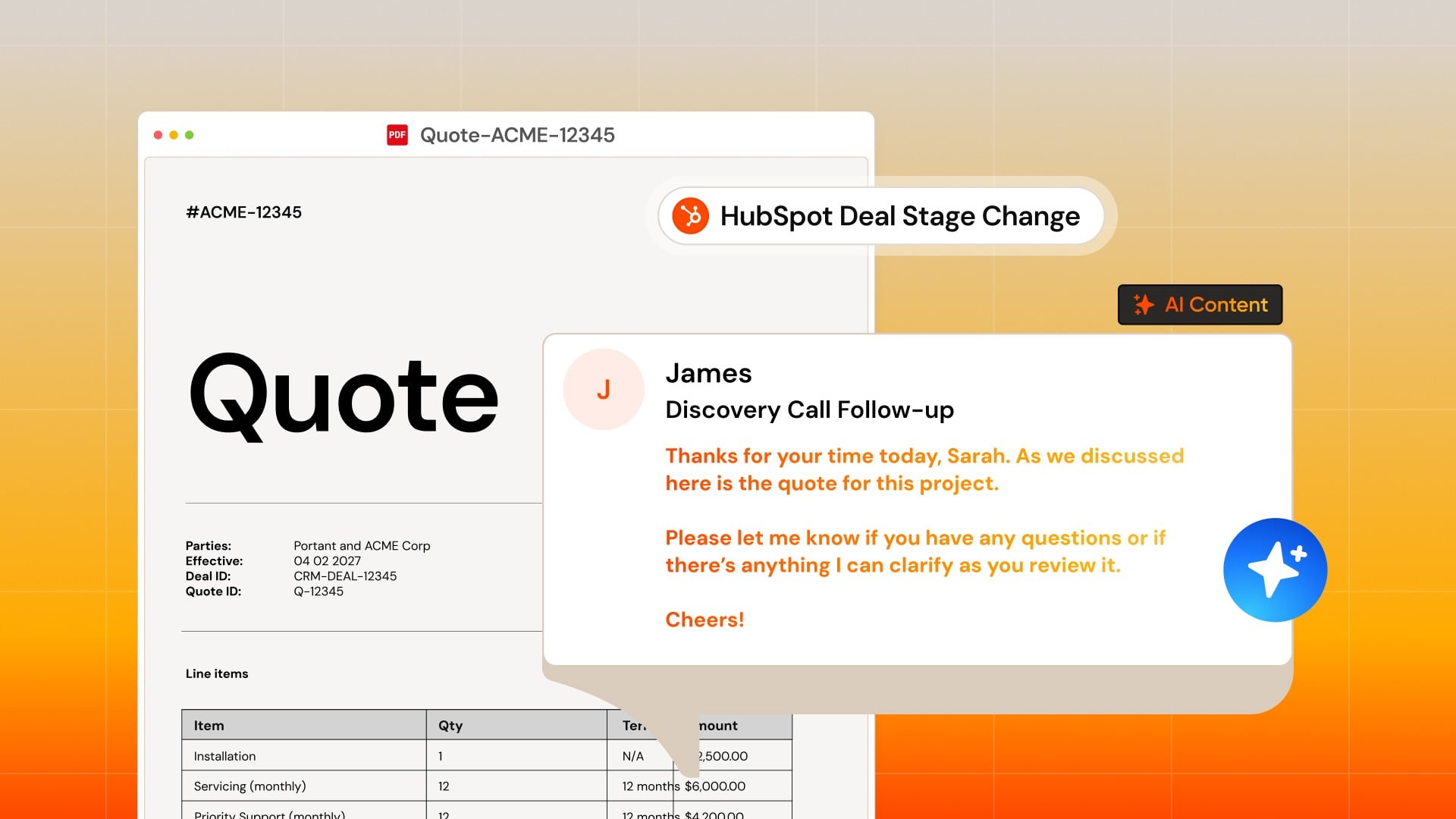
AI drafts documents and follow-up emails from deal data
Portant uses your HubSpot deal data and call transcripts to draft proposal text and follow-up emails. Every draft fits the deal, and your team reviews it before anything is sent, right next to merge fields, approvals and eSignatures.
App Functionality
HubSpot Deal Fields | ||
HubSpot Contact Fields | ||
HubSpot Company Fields | ||
Timeline | ||
HubSpot Product Fields | ||
HubSpot Ticket Fields | ||
HubSpot Meeting Fields | ||
HubSpot Contact Lists | ||
Owners Data | ||
Portant Document Properties | ||
Portant Document Properties | ||
Portant Document Properties | ||
Document Outputs | Portant documents Portant documents |
Reviews
4.9
23
4.9
23
- Aug 17, 2026
Fuimaono-Phelps, J.
- Jun 30, 2026
Hands-free sales process
I use this tool in a HubSpot workflow to execute the action "Run a Portant Workflow" - It is great to have a way to fully automate sending contracts to prospects are ready to sign-up and don't need engagement from our sales team.
Enable automation of self-service sales - the prospect request and sign a contract automatically, without sales team involvement
Having to re-authenticate the app about once a month
Pascon, J.
Pricing
Pro
$41.58
/monthFor individuals that need more documents/month
2000 Documents/month
Document workflows - with Portant branding removed
eSign
Export and Share as PDF
Template gallery
Chat and email support
Pro
$41.58
/monthFor individuals that need more documents/month
2000 Documents/month
Document workflows - with Portant branding removed
eSign
Export and Share as PDF
Template gallery
Chat and email support
* The pricing here is for display purposes only. All prices do not include taxes, incentives, discounts, or other pricing variables. You should contact the partner for the most up to date and correct pricing information. HubSpot does not take any responsibility for this pricing information, which is provided by our partners. Pricing last updated: 10/27/2026
Most popular

Gmail
Bring HubSpot to your inbox with the HubSpot integration for Gmail.

Google Calendar
Book meetings quickly and easily with HubSpot and Google Calendar.
