

Dropbox Sign, fka HelloSign
One integrated workflow to keep sales teams moving
Built by - Dropbox Sign
Installs - 4K installs
Rating - 2.5(91)
Requirements
HubSpot Plan Works with all HubSpot plans Learn more HubSpot Account permissions - View the required account permissions
Dropbox Sign, fka HelloSign Subscription - Essentials, Standard, or Premium plans
Overview
1/8
Dropbox Sign for HubSpot is an integration built for teams to work efficiently and stay organized throughout the entire sales cycle. Through one integrated workflow, sales teams are no longer wasting time doing redundant tasks or manual work that slows them down. Now you can spend more time focused on the work that matters: growing your business and building relationships with your customers.
Dropbox Sign for HubSpot allows users to:
- Send a contract from Contact, Deal, and Company properties
- Create and save reusable templates directly within HubSpot
- Auto-fill data from HubSpot properties directly into templates
- Send one-time documents out for signature in just a few clicks
- See when a contact has viewed, opened, or signed a contract in the HubSpot CRM card
Features
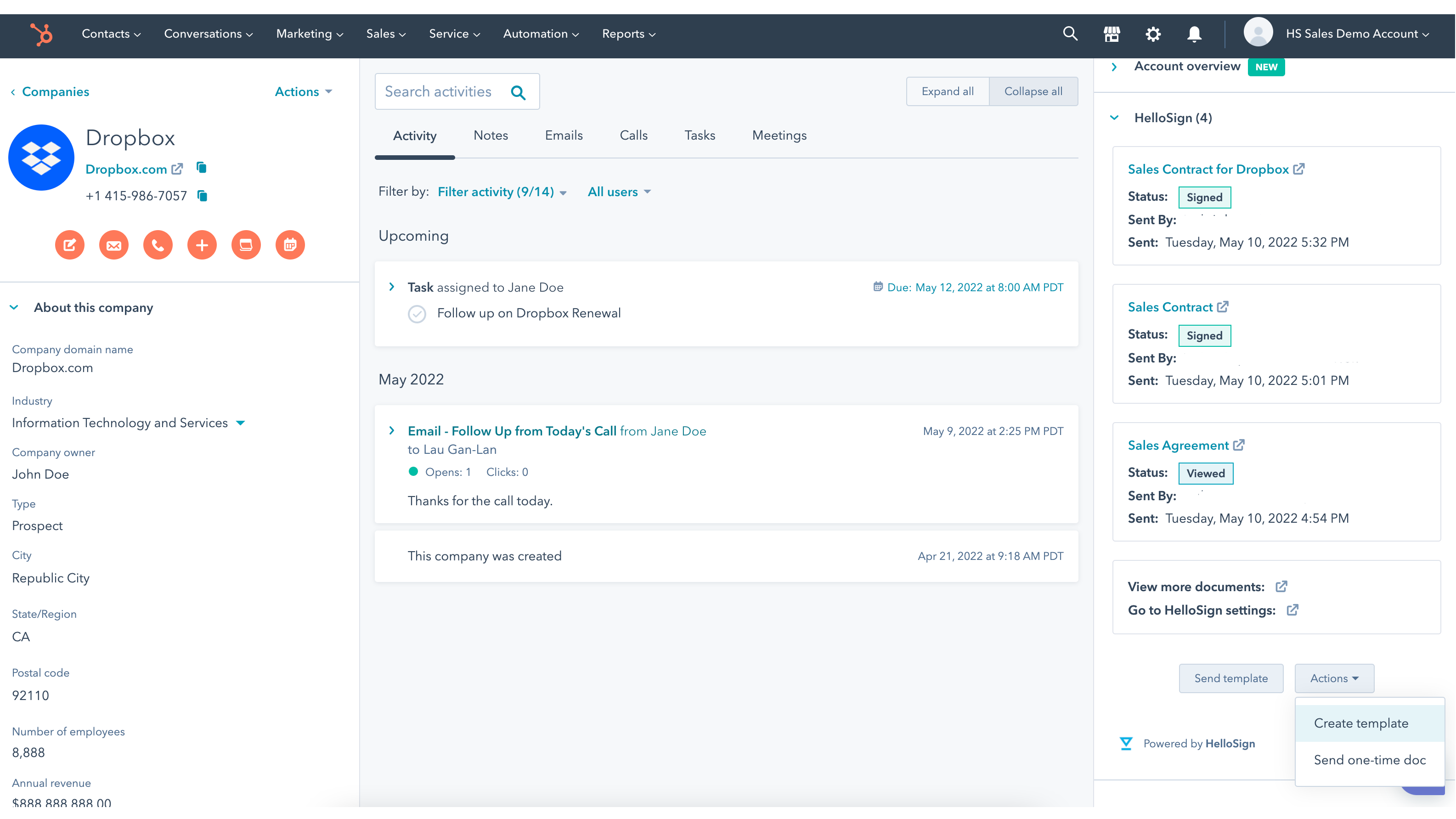
Manage and send key documents from where you’re working in HubSpot
Whether you’re working out of Contact, Deal, or Company object in HubSpot, easily send off your lead’s contract for eSignature. Anyone on your team can access the latest information for a lead or a deal when they need it.
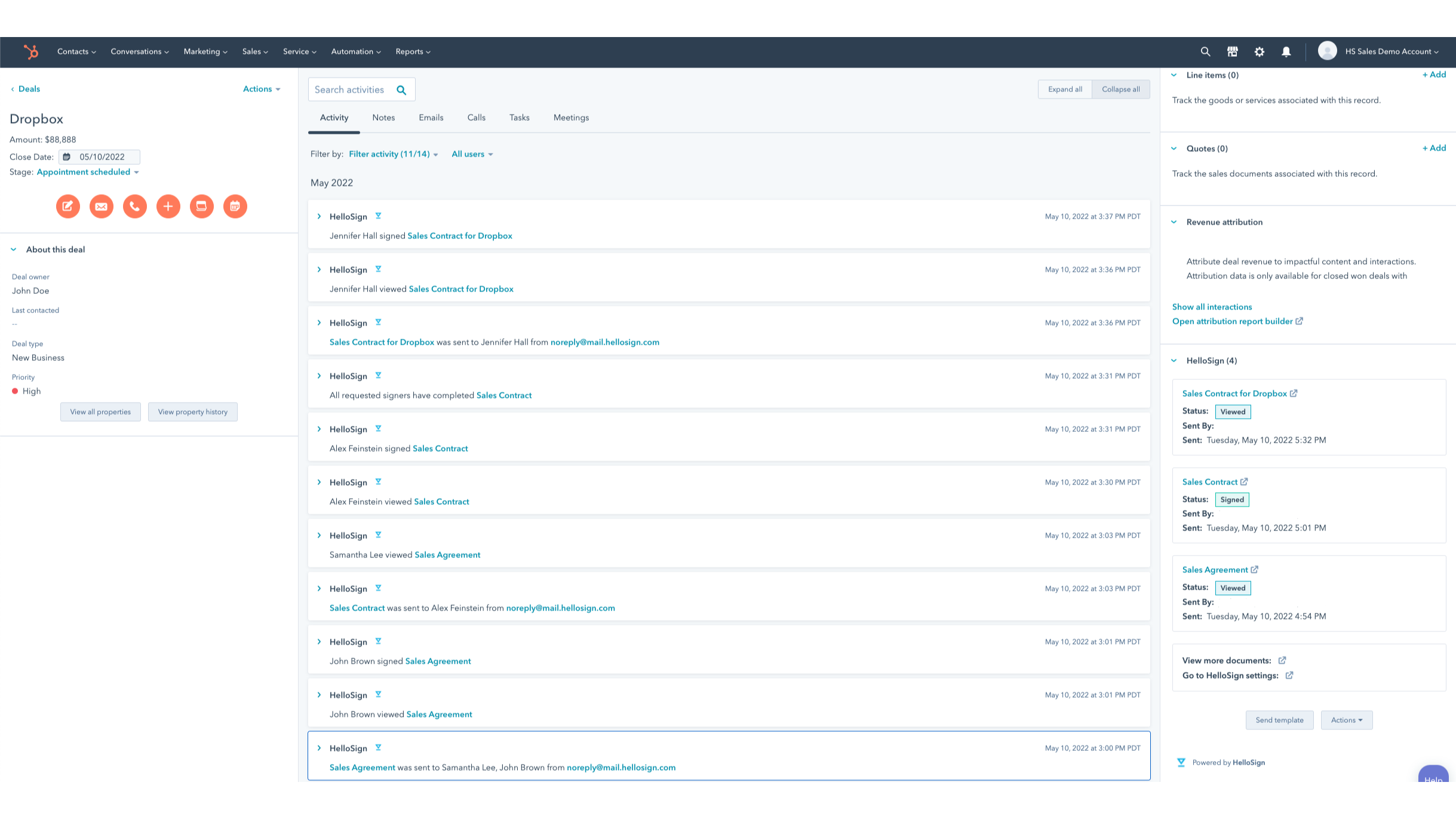
Keep track of all your sales in motion without missing a beat
Dropbox Sign for HubSpot integration gives you important visibility into any action your leads take with documents sent for signature. Immediately track when a contact views, opens, or signs a contract in the HubSpot CRM card. Once your customer signs a contract, it's automatically saved back to the HubSpot record where you sent the contract from.
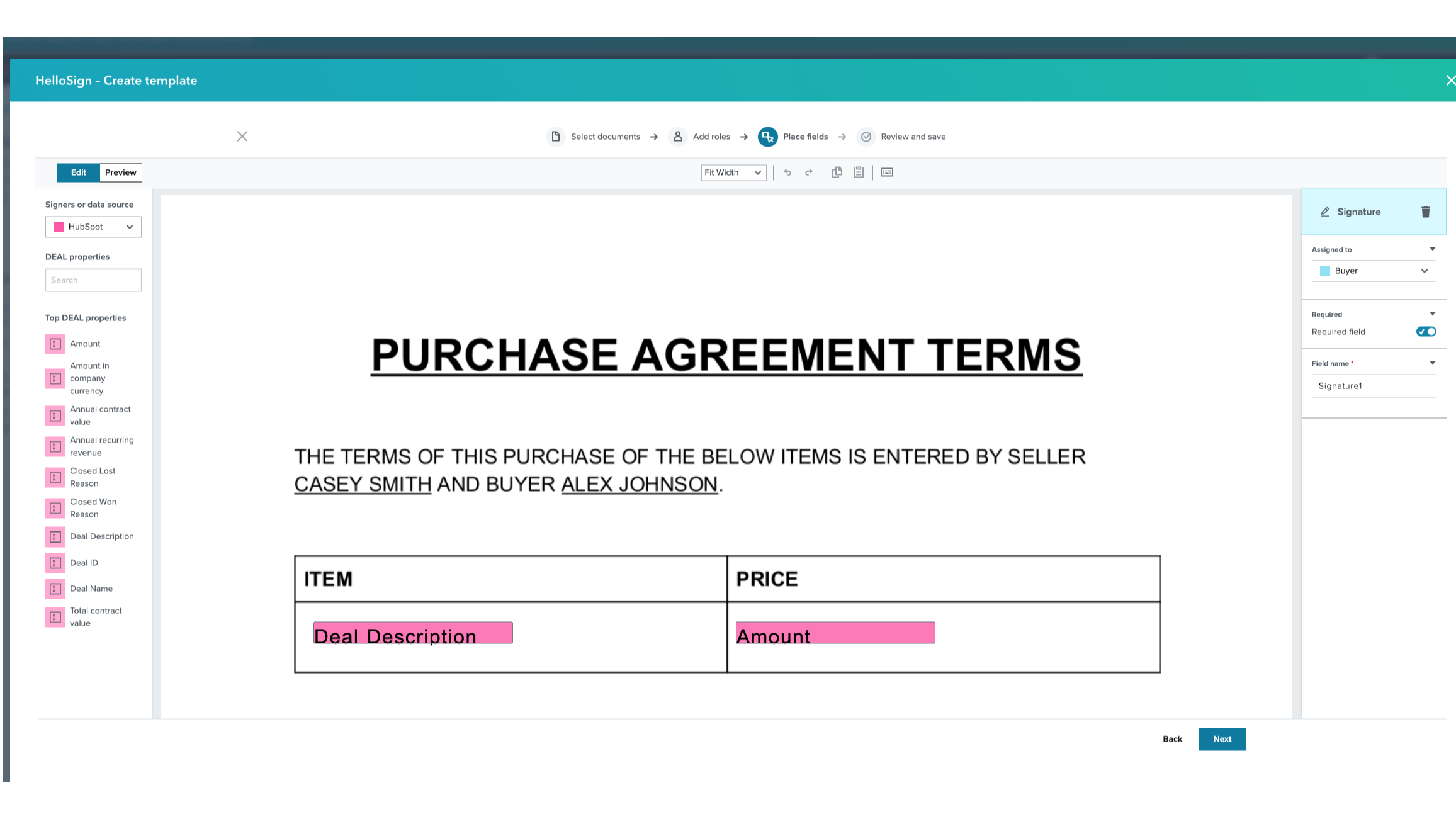
Sync and auto-fill HubSpot data directly into Templates
Create reusable templates for your commonly used contracts directly in HubSpot. Data is auto-filled directly into your template from your contact’s HubSpot properties, removing manual, error-prone work. Once your template is built, quickly send it to your customers in a single click.
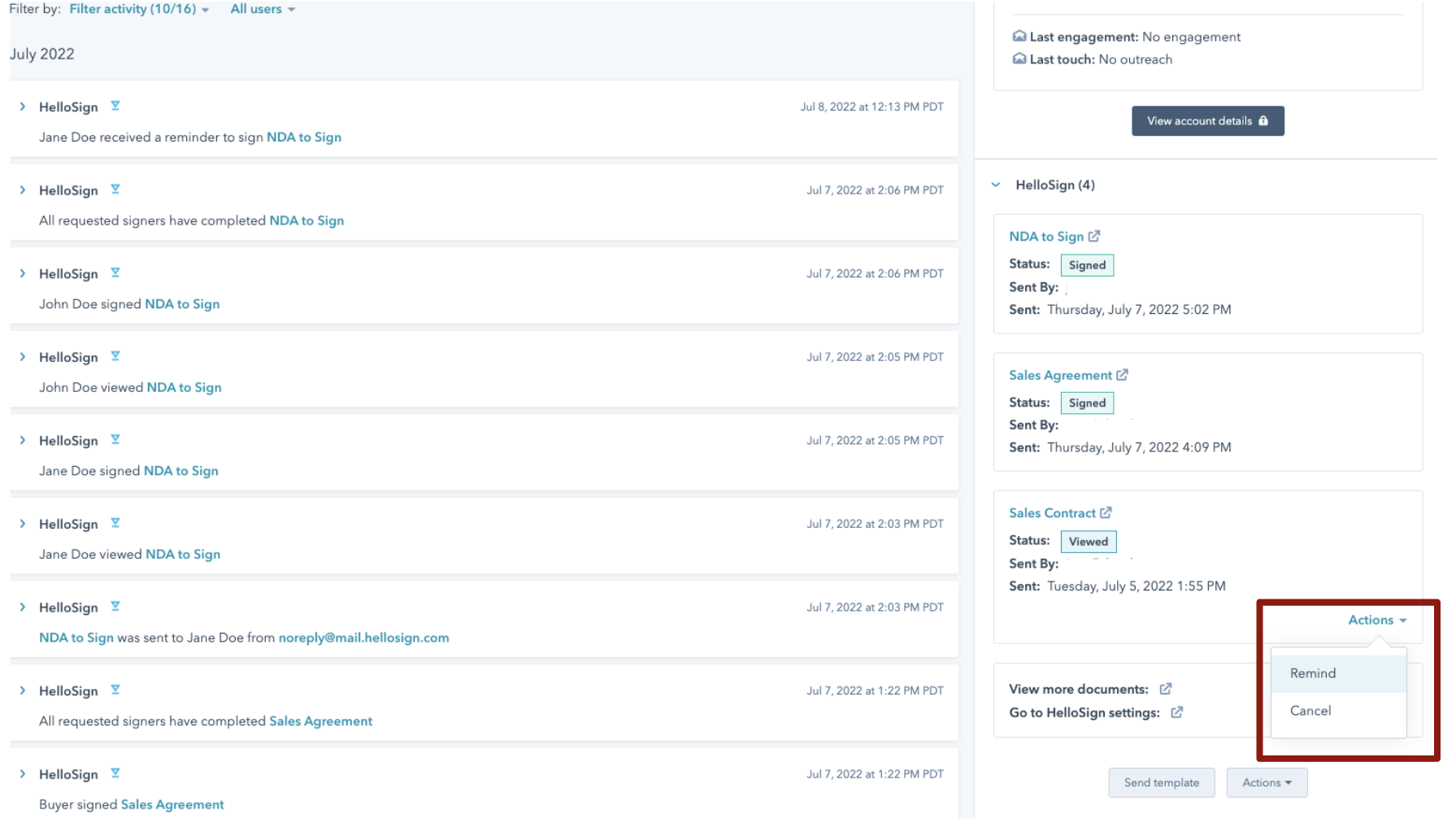
Send reminders and cancellations without leaving HubSpot
With easy tracking in the HubSpot CRM card for your pending signatures, you can quickly send reminders to your signers who have outstanding requests. If you need to update your contract and cancel the existing one that's been sent, you can simply do it in just a couple clicks directly in the CRM card dropdown.
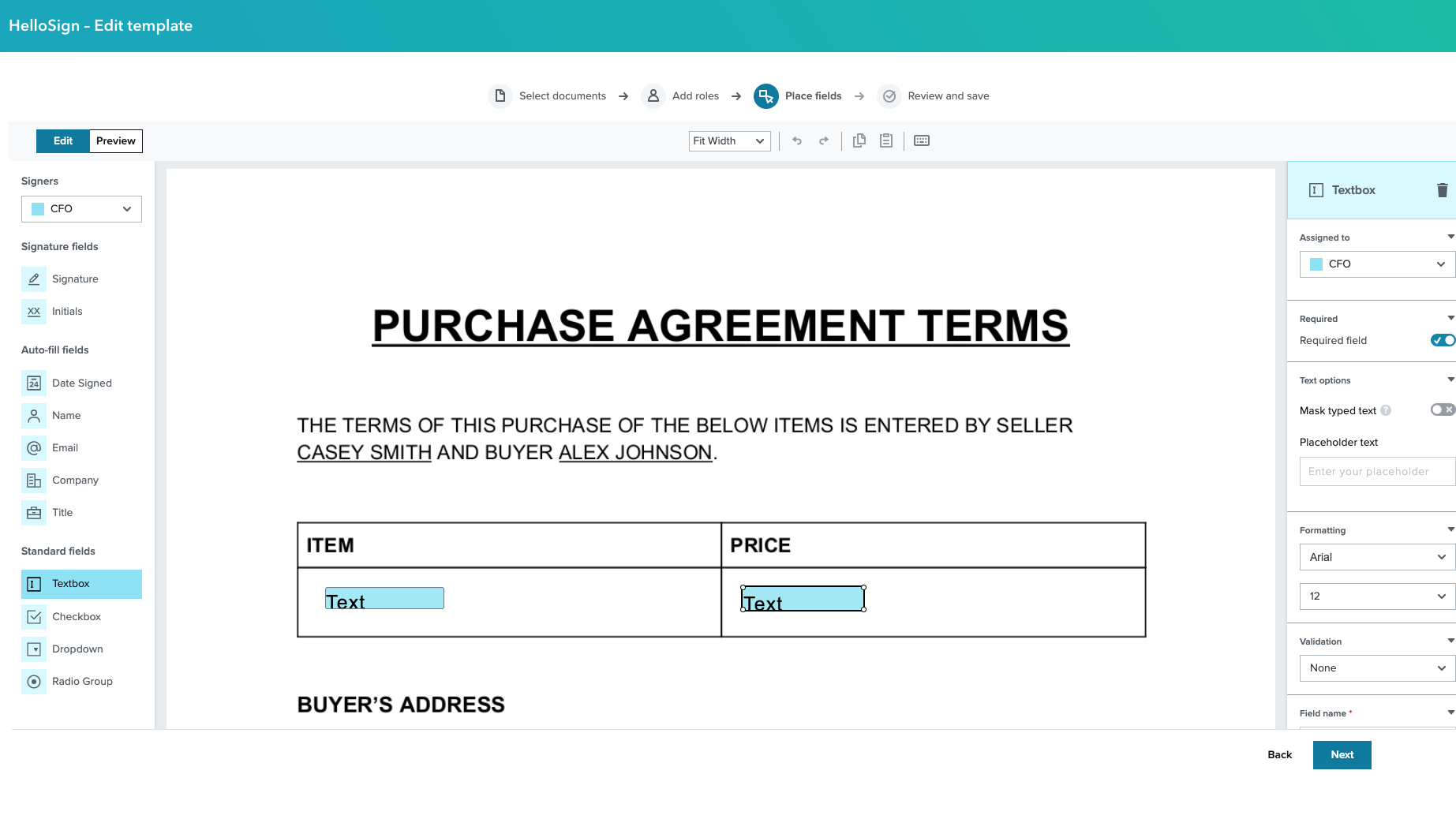
Edit Templates in HubSpot without toggling back and forth
Seamlessly edit all your Templates without switching back to Dropbox Sign. Make any changes you need directly in the HubSpot CRM, speeding up your contract building, saving, and sending process.
App Functionality
Shared Data
Document Status | ||
Merge Fields | ||
Merge Fields | ||
Merge Fields |
Reviews
2.5
91
2.5
91
- Dec 15, 2025
Poor integration capabilities and outdated HubSpot connection made me switch to a competitor
Dropbox Sign does not work well with HubSpot. No way to add tokens from HubSpot into contract that I could find. They need to update this and doesn't look like they have for a long while based on the reviews I saw.
Morris, R.
- Nov 17, 2025
Frustrating integration failures with slow help desk support
The integration is not working and their team has been "working on it" since October 22nd with no resolution except to have me make new templates.
It would be cool since we have Dropbox for all our docs already
There is no way to speak to a human on their team. You just have to wait for the back and forth via email in their helpdesk.
Hawk, B.
Pricing
Essentials
$15
/monthSingle users with basic eSignature needs get five templates and unlimited signatures!
$15/mo (when paid annually)
1 User
Unlimited signature requests
5 Templates
Audit trail
Mobile app
Essentials
$15
/monthSingle users with basic eSignature needs get five templates and unlimited signatures!
$15/mo (when paid annually)
1 User
Unlimited signature requests
5 Templates
Audit trail
Mobile app
* The pricing here is for display purposes only. All prices do not include taxes, incentives, discounts, or other pricing variables. You should contact the partner for the most up to date and correct pricing information. HubSpot does not take any responsibility for this pricing information, which is provided by our partners. Pricing last updated: 07/27/2023
More info
Built by - Dropbox Sign
Installs - 4K installs
Categories Languages this app is available in Dutch ,English ,Finnish ,French ,German ,Italian ,Japanese ,Polish ,Portuguese ,Spanish , andSwedish
New arrivals


