

Sync for LINE WORKS
Built by - 株式会社StartLink
Installs - <10 installs
Requirements
HubSpot Plan HubSpot Account permissions - View the required account permissions
Access Type Shared Sync for LINE WORKS Subscription - Free or Professional plans
Overview
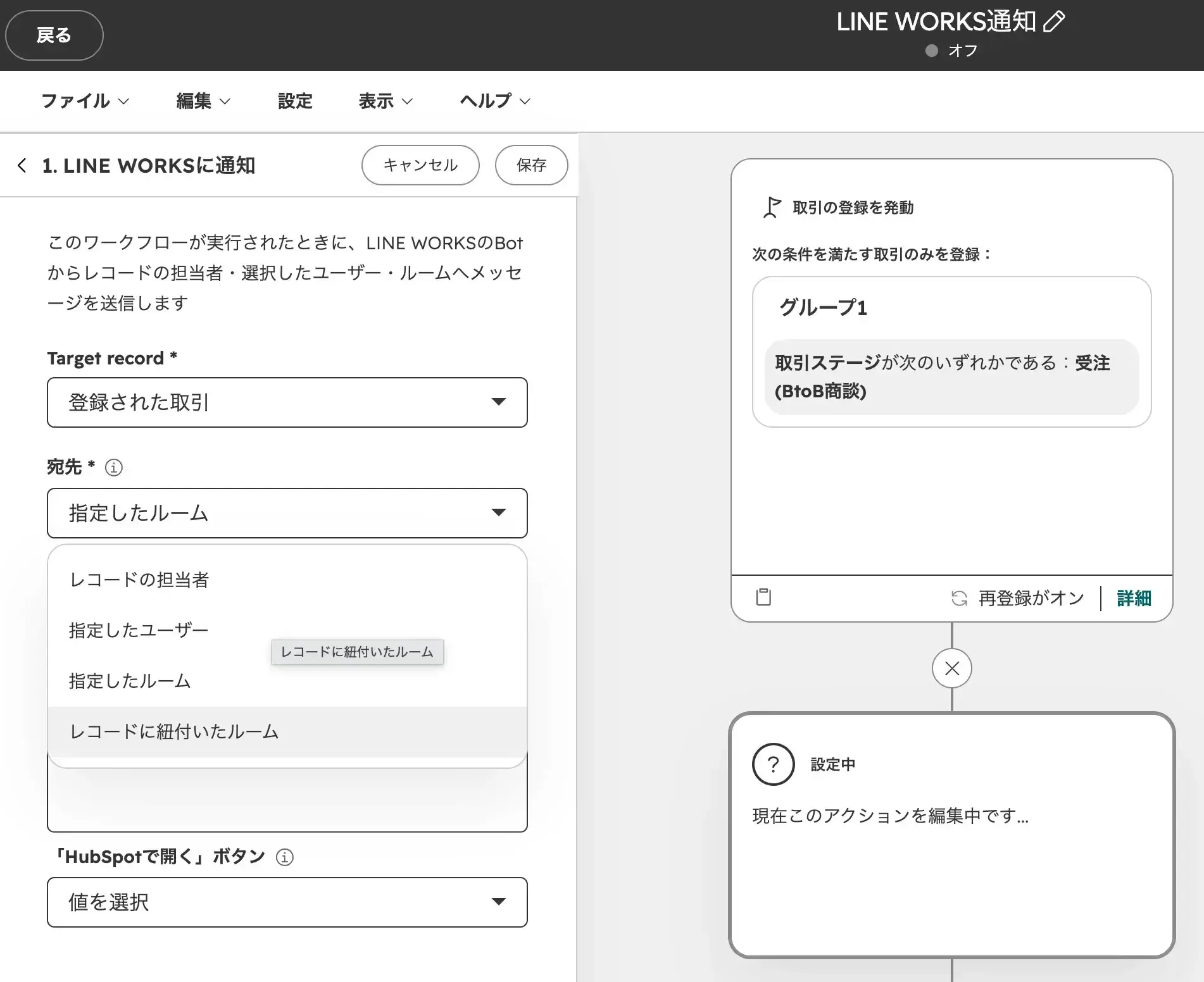
1/2 - HubSpot Workflow Actions
Sync for LINE WORKS is a native app that integrates HubSpot and LINE WORKS, developed and operated by StartLink, Inc., an official HubSpot partner.
Leveraging the insights gained from supporting over 150 companies as an official HubSpot partner, we have developed the “LINE WORKS integration” to address HubSpot’s limitations in the area of internal communication.
We believe that seamless integration between sales, customer success, and LINE WORKS is essential for streamlining information sharing within teams.
(Challenges Faced by Companies)
For companies that manage customer relationships in HubSpot and handle internal communications via LINE WORKS, switching back and forth between the two tools to check information—or manually transcribing data—creates unnecessary effort. As a result, information becomes fragmented, making it easier for tasks to be overlooked.
App Features)
“Sync for LINE WORKS” allows you to automatically send notifications from HubSpot workflows to LINE WORKS chat rooms or members based on the status of contacts, companies, deals, or tickets. Notifications can include a message body populated with record information and a “Open in HubSpot” button.
Additionally, you can send messages to the assigned representative, linked chat rooms, or specified members directly from the “LINE WORKS” card on the record screen. By linking a chat room to each record, you can route notifications to the appropriate recipients based on the deal or company.
By consolidating customer information in HubSpot and linking it to communication via LINE WORKS, we help create an environment where frontline staff can focus on their core business.
Features
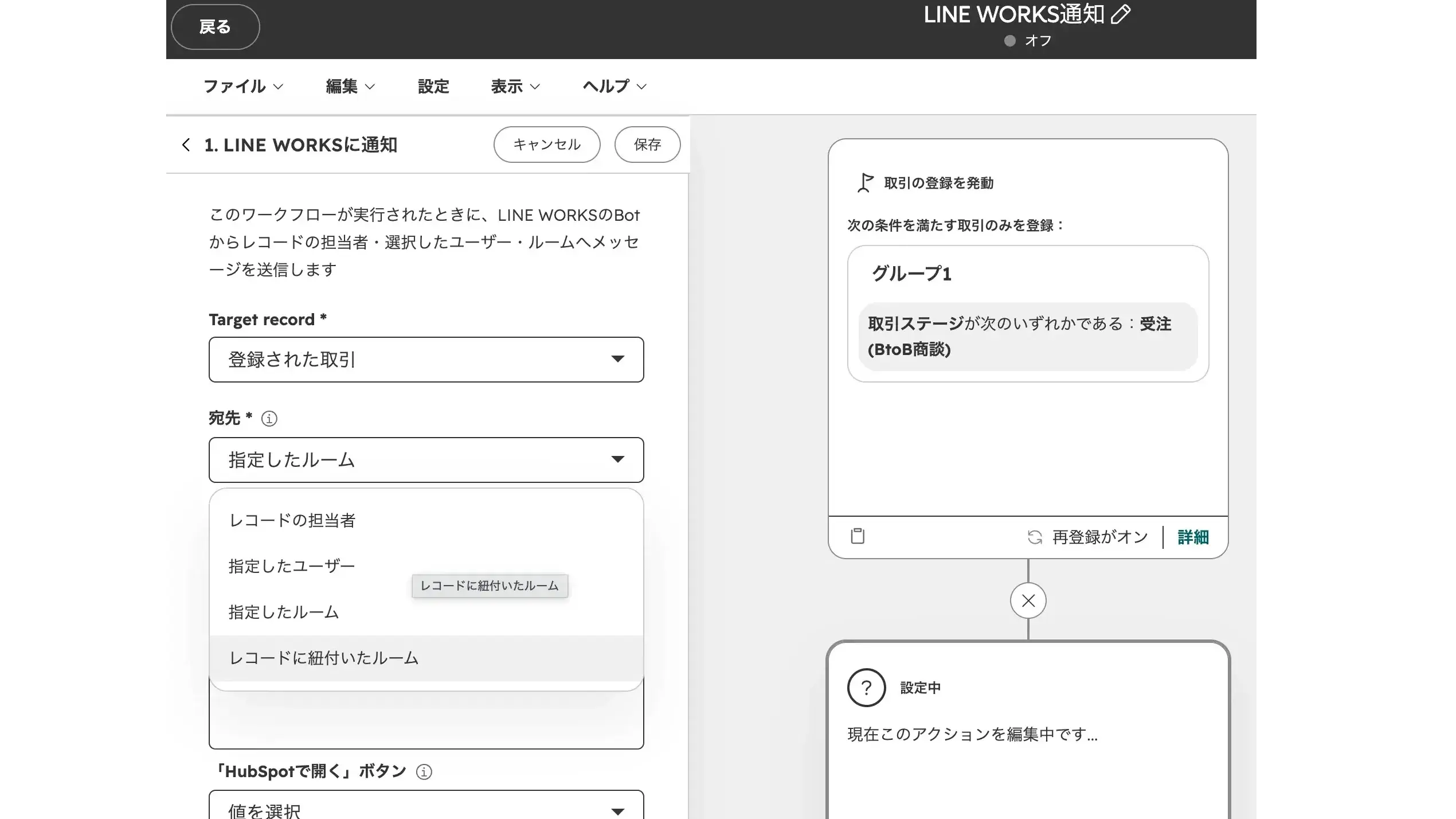
Automatic Notifications from Workflow to LINE WORKS
Add the "Notify LINE WORKS" action to a HubSpot workflow to send messages to specified LINE WORKS rooms or members. You can insert HubSpot properties into both the recipient selection and the message body. If the message body is 1,000 characters or fewer, the notification will include a “Open in HubSpot” button that opens the target record. Supported objects are deals, companies, contacts, and tickets.
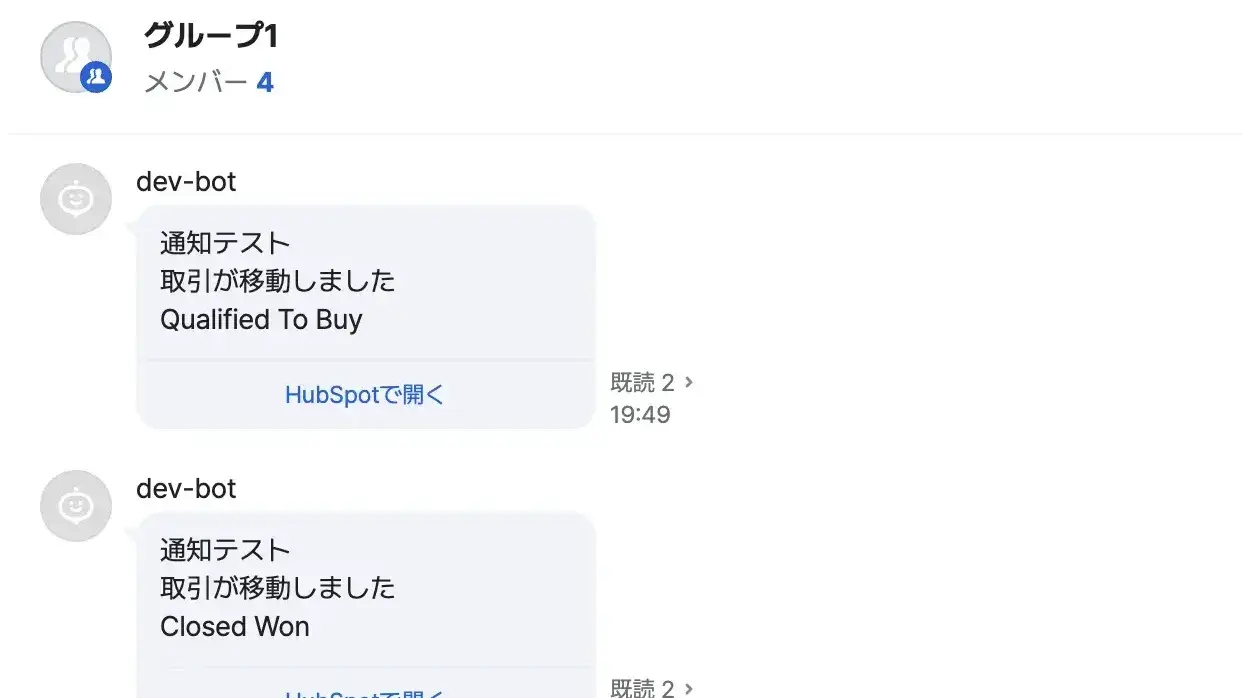
Linking CRM Records to Rooms / Viewing and Sending Messages
You can link LINE WORKS chat rooms to records for deals, companies, contacts, and tickets, and send messages to the assigned representative, the linked chat room, or specified members via the “LINE WORKS” card in the record’s sidebar. The sender’s name is automatically added to the beginning of the message, so the recipient knows who sent it. The Free plan allows up to 10 messages per month, while the Professional plan offers unlimited messages.
App Functionality
コンタクトとLINE WORKS連携 | ||
会社とLINE WORKS連携 | ||
取引とLINE WORKS連携 | ||
チケットとChatwork連携 | ||
コンタクトプロパティとLINE WORKS連携 | ||
会社プロパティとLINE WORKS連携 | ||
取引プロパティとLINE WORKS連携 | ||
担当者とLINE WORKS連携 |
Reviews
Pricing
Free
¥0
Chat Room Registration and Linking: Unlimited
Applies to: Transactions, Companies, Contacts, and Tickets
Recipients: Assigned Staff, Specified Users, Specified Rooms, Linked Rooms
Submissions from workflows and record screens: Up to 10 per month combined
Free
¥0
Chat Room Registration and Linking: Unlimited
Applies to: Transactions, Companies, Contacts, and Tickets
Recipients: Assigned Staff, Specified Users, Specified Rooms, Linked Rooms
Submissions from workflows and record screens: Up to 10 per month combined
* The pricing here is for display purposes only. All prices do not include taxes, incentives, discounts, or other pricing variables. You should contact the partner for the most up to date and correct pricing information. HubSpot does not take any responsibility for this pricing information, which is provided by our partners. Pricing last updated: 11/02/2026
More info
Built by - 株式会社StartLink
Installs - <10 installs
Categories Languages this app is available in Japanese andJapanese - Japan
Most popular

Gmail
Bring HubSpot to your inbox with the HubSpot integration for Gmail.

Google Calendar
Book meetings quickly and easily with HubSpot and Google Calendar.
