Mailchimp
Data Sync - Sync contacts two-way with a Mailchimp Audience
ข้อกำหนด
แผน HubSpot ใช้งานได้กับแพ็กเกจ HubSpot ทั้งหมด เรียนรู้เพิ่มเติม สิทธิ์บัญชี HubSpot ไม่จำเป็นต้องมีสิทธิ์ การสมัครใช้บริการ Mailchimp - Review Mailchimp's Pricing Page แพ็กเกจ
ภาพรวม
1/2
Sync Mailchimp contacts without manual data entry or messy, time-consuming imports. Here’s what you get with Data Sync by HubSpot:
Two-way sync: Data is shared between Mailchimp and HubSpot in real time
Historical syncing: Your existing data will sync right away, and updates will sync as they happen
Custom field mapping: sync fields other than email, first name and last name
This sync can be used on top of this other Mailchimp app that syncs Mailchimp events to your timeline.
Note: This app requires at least a subscription to Data Hub Starter. See below.
ฟีเจอร์
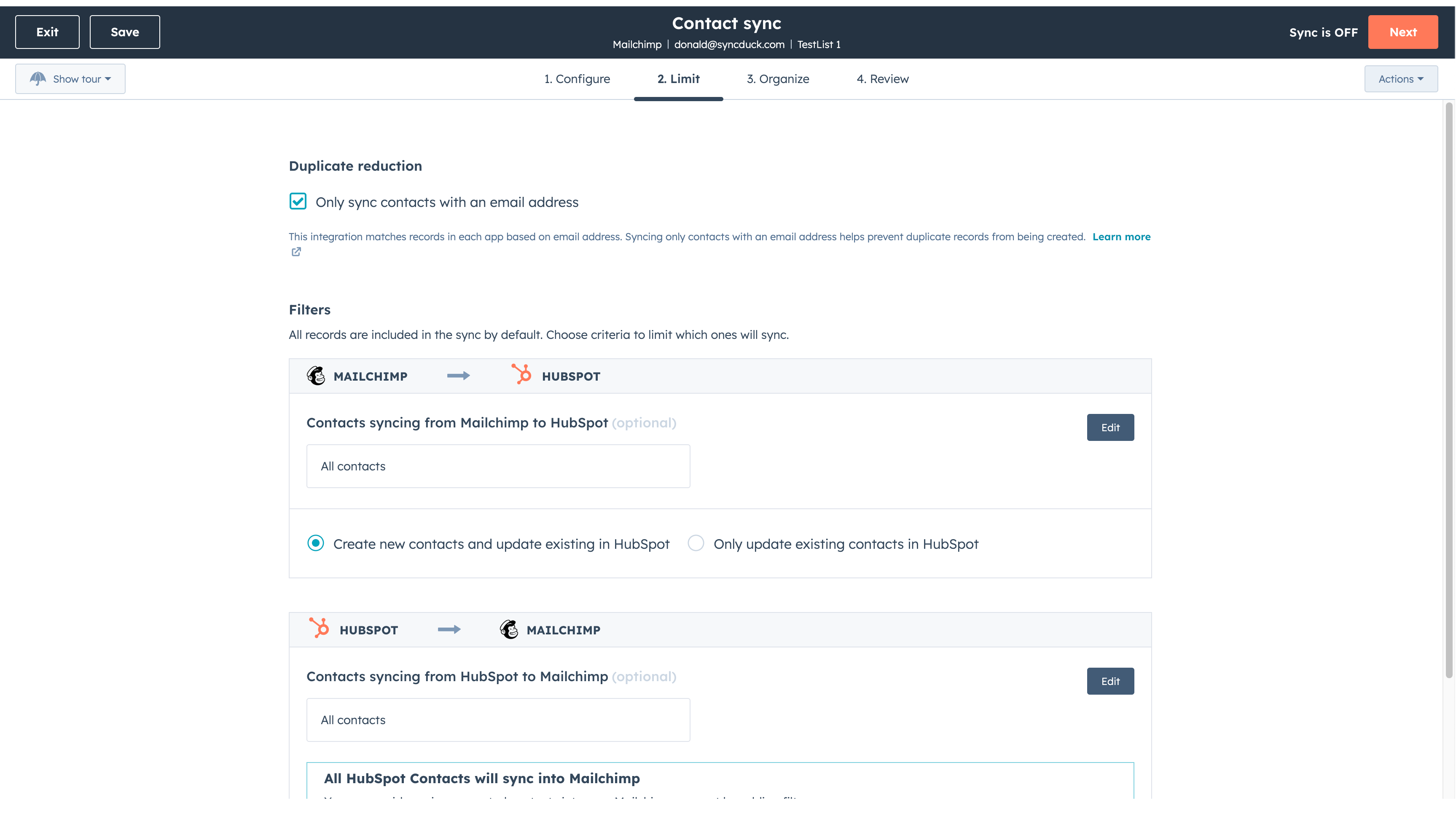
Sync Mailchimp and HubSpot in the background
Make manual data entry a thing of the past by syncing data (see below) between HubSpot and Mailchimp. When records are created or updated in either app, that information will be automatically shared with the other one. You can also add a filter for any Mailchimp field or HubSpot list to sync exactly what you want—and nothing you don’t.
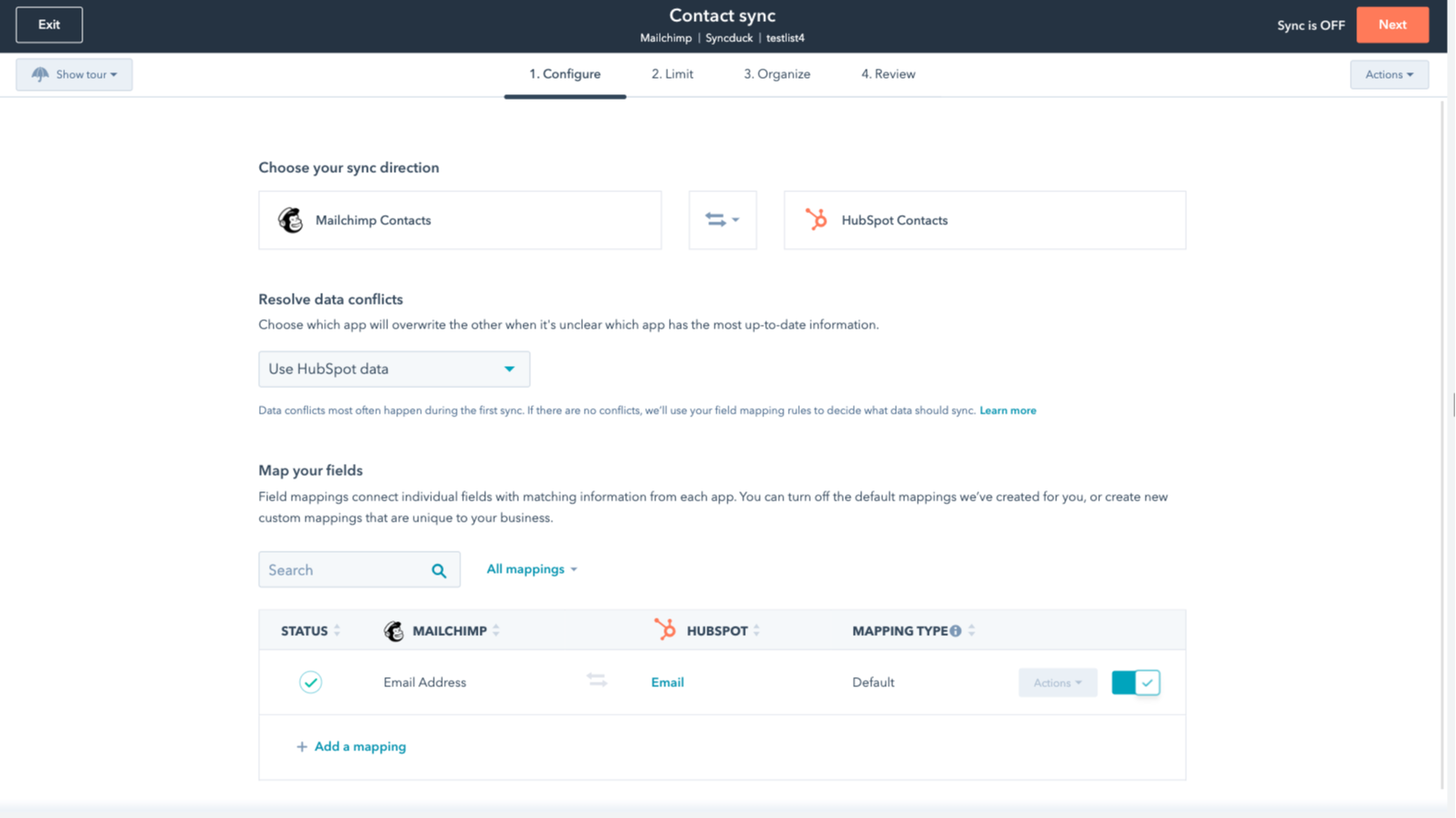
You’re in control of your data
You can set up a one- or two-way sync, which means you can either sync data from Mailchimp to HubSpot, from HubSpot to Mailchimp, or back-and-forth! IMPORTANT: This app requires Data Hub Starter or above.
ฟังก์ชันการทำงานแอป
ข้อมูลที่แบ่งปัน
Each object has field mappings that connect matching information from each app.
The following will not sync: Groups, Tags, Email Opens/Clicks. As mentioned above, you can review and install the other Mailchimp integration here to sync additional data.
Note: You will need Data Hub Starter and up to use this app.
Contacts |
รีวิว
2.6
54
2.6
54
- 24 พ.ย. 2025
Migración desastrosa que mezcló todas mis bases de datos y borró información crítica de contactos
Al conectar con Mailchimp y migrar las bases de datos no lo hizo bien, las juntó todas en una y encima desaparecieron los contenidos de campos importantes como nombre y apellidos
Marketing, A.
- 16 ส.ค. 2025
Seamless integration that keeps everything organized, though lead conversion could be smoother
Using HubSpot with Mailchimp saved a lot of time for me. The connection made it simple to move all my newsletter subscribers from one place to another without any headaches. I liked that I didn’t have to mess with files or tricky steps. Everything synced up fast, so I could get back to working with my lists. If you want to keep your contacts in order and avoid hassle, this combo is a solid choice.
Everything is one place now with HubSpot
converting leads into email subscribers is a little tricky
Sicard, L.
การกำหนดราคา
Review Mailchimp's Pricing Page
US$0
Use the 'See all pricing options' link on the righthand side
Make sure to confirm the HubSpot subscription and the Mailchimp subscription needed to install this integration
Note: "Free" is referring to the cost of the integration, not the app subscriptions
Review Mailchimp's Pricing Page
US$0
Use the 'See all pricing options' link on the righthand side
Make sure to confirm the HubSpot subscription and the Mailchimp subscription needed to install this integration
Note: "Free" is referring to the cost of the integration, not the app subscriptions
* ราคาที่แสดงนี้มีไว้เพื่อแสดงข้อมูลเท่านั้น ราคาทั้งหมดยังไม่รวมภาษี สิทธิพิเศษ ส่วนลด หรือตัวแปรราคาอื่นๆ คุณควรติดต่อพาร์ทเนอร์เพื่อรับข้อมูลราคาล่าสุดและถูกต้องที่สุด HubSpot จะไม่รับผิดชอบใดๆ ต่อข้อมูลราคานี้ซึ่งจัดทำโดยพาร์ทเนอร์ของเรา การกำหนดราคาอัปเดตล่าสุด: 27/11/2025
ข้อมูลเพิ่มเติม
กำลังเป็นกระแส