

Task Assistant
Verwenden Sie Workflows, um Aufgaben zu erledigen, Aufgaben neu…
Erstellt von - Growth Operations
Installationen - 200+ Installationen
Bewertung 5
(3)
Anforderungen
HubSpot-Produktversion HubSpot-Account-Berechtigungen - Erforderliche Account-Berechtigungen anzeigen
Task Assistant-Abonnement - Produktversionen: Für immer frei, Starter, Professionell, Unternehmen oder Unternehmen+
Übersicht
1/4
Endlich können Sie aufhören, sich mit irrelevanten Aufgaben herumzuschlagen.
Mit dem Aufgabenassistenten können Sie ganz einfach Aufgabenaktualisierungen mit jeder Art von HubSpot-Workflow automatisieren.
Drei häufige Anwendungsfälle:
- Wenn ein Ticket geschlossen wird, markieren Sie offene Aufgaben als abgeschlossen
- Wenn sich der Eigentümer eines Datensatzes ändert, aktualisieren Sie den Aufgabeneigentümer
- Wenn ein Geschäft gewonnen wurde, löschen Sie die verbleibenden Vertriebsaufgaben
Hauptmerkmale:
- Mit einer einzigen App-Installation können Sie drei neue Workflow-Aktionen freischalten
- Task Assistant-Aktionen sind in JEDEM Workflow-Typ verfügbar
- Erweiterte Funktionen ermöglichen es Ihnen zu filtern, welche Aufgaben Sie aktualisieren
Beginnen Sie noch heute mit dem Aufräumen Ihrer Aufgaben - KOSTENLOS.
Funktionen
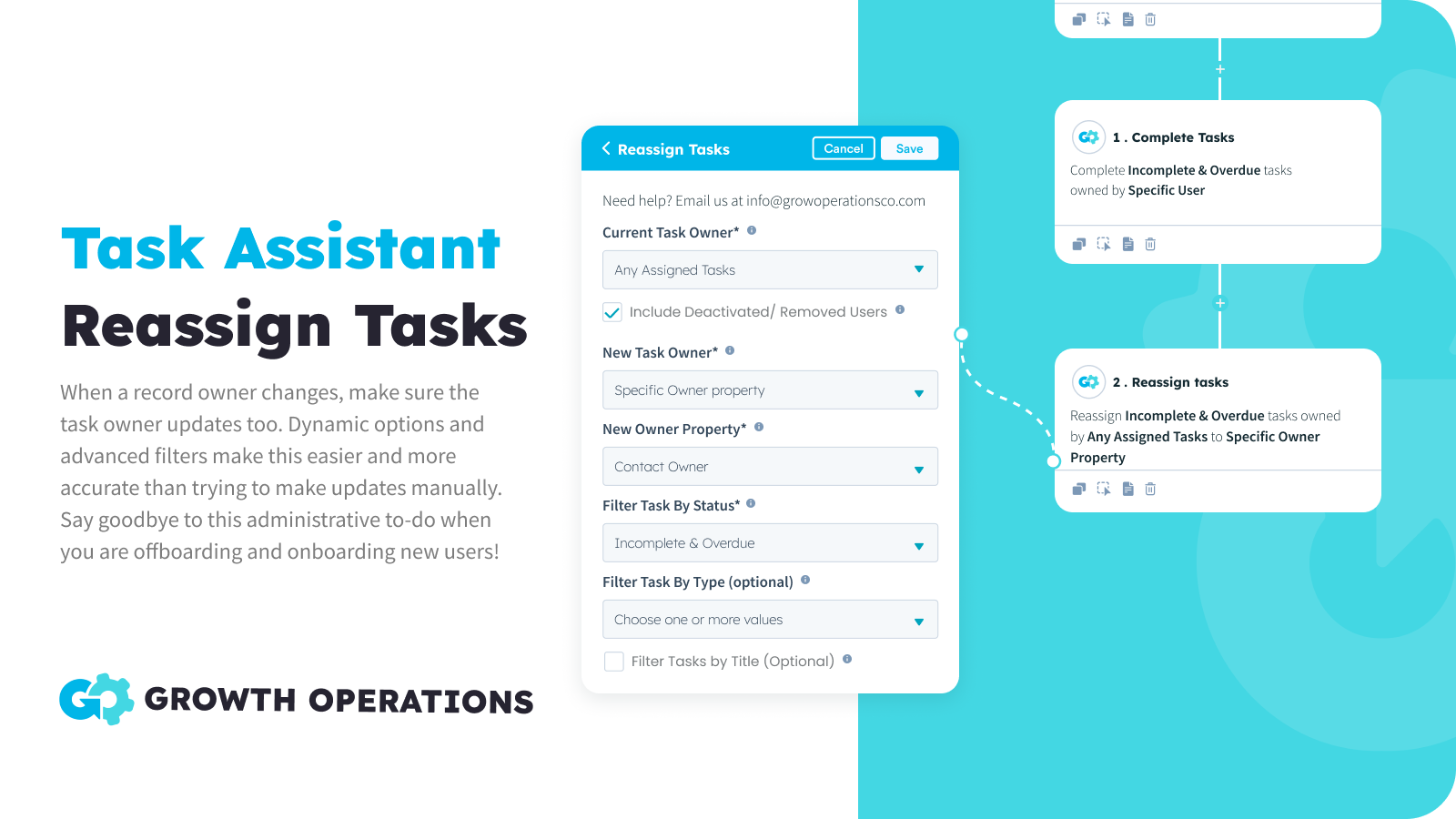
Massenweise Neuzuweisung von Aufgaben
Wenn sich der Besitzer eines Datensatzes ändert, muss auch der Besitzer der Aufgabe aktualisiert werden. Dank der dynamischen Optionen lässt sich dies leicht automatisieren, und dank der erweiterten Filter ist dies genauer als der Versuch, Aktualisierungen manuell vorzunehmen. Verabschieden Sie sich von diesem administrativen Aufwand beim Offboarding und Onboarding neuer Benutzer!
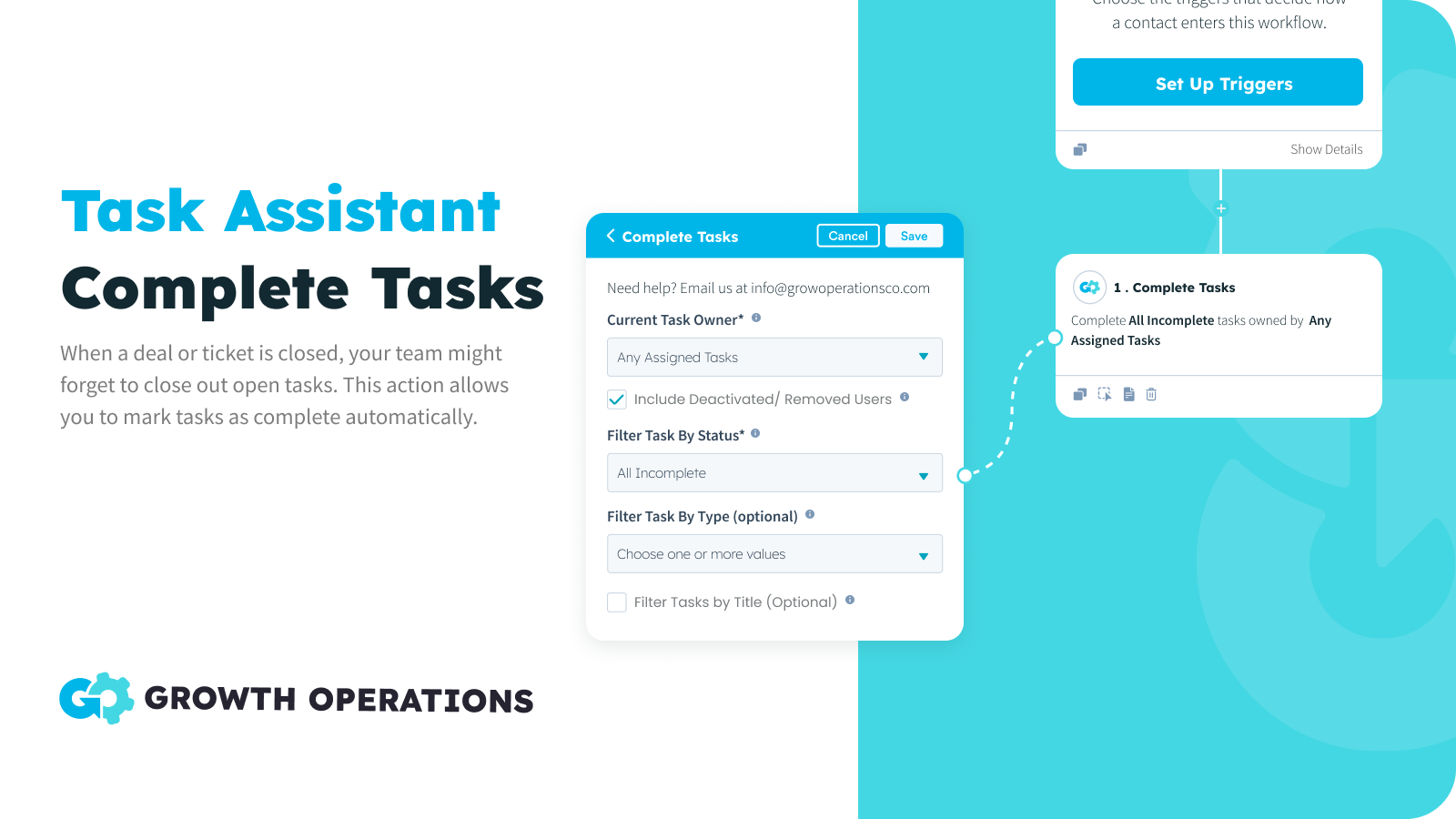
Aufgaben in großen Mengen erledigen
Wenn ein Geschäft oder ein Ticket abgeschlossen wird, vergisst Ihr Team möglicherweise, offene Aufgaben abzuschließen. Mit dieser Aktion können Sie Aufgaben automatisch als abgeschlossen markieren und so sicherstellen, dass sich Ihr Team auf relevante Aufgaben konzentriert.
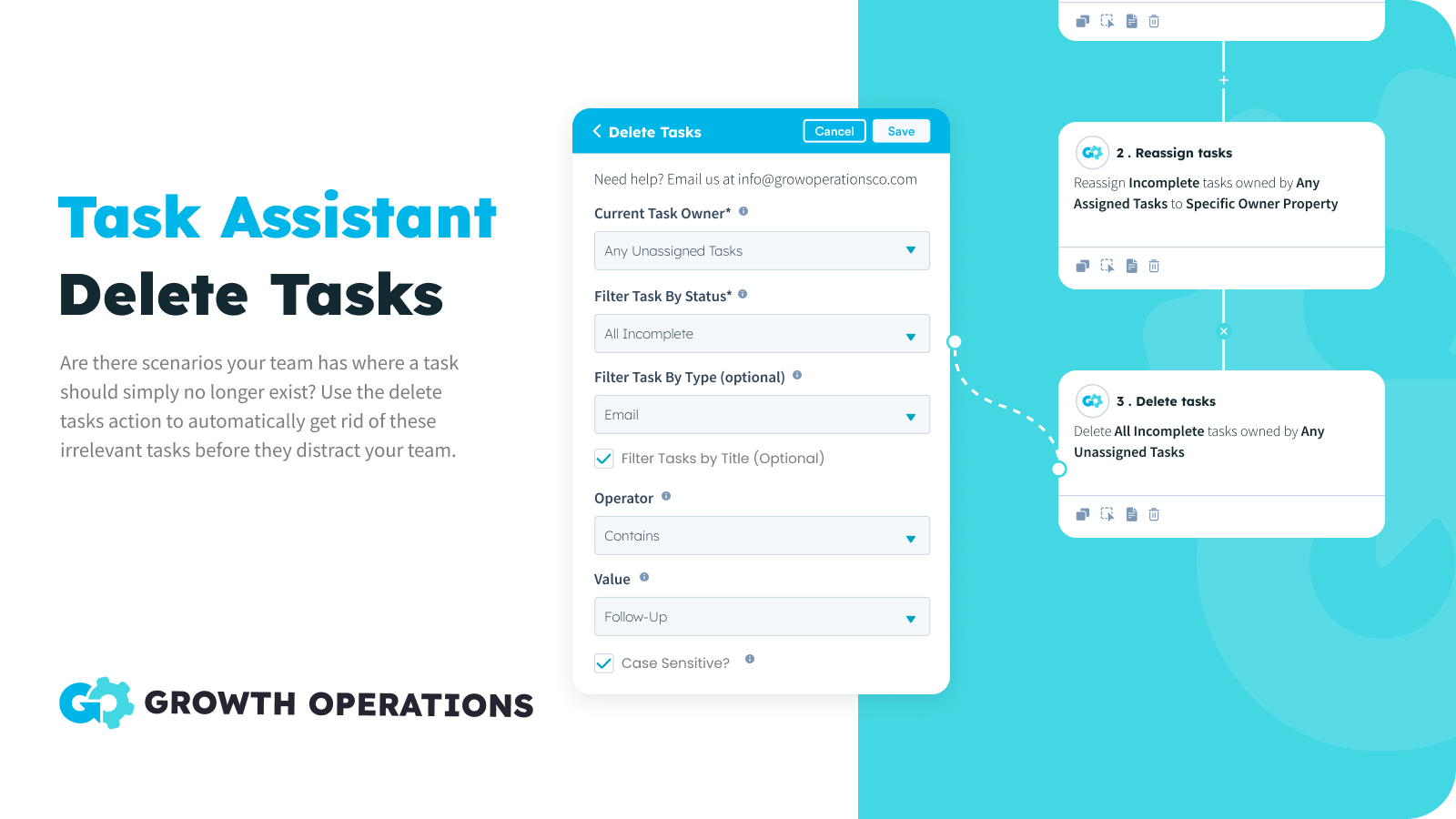
Massenlöschen von Aufgaben
Manchmal gibt es Aufgaben, die Sie einfach nicht mehr brauchen. Sie wollen die Aufgabe nicht als erledigt markieren, weil keine Aktion stattgefunden hat. Sie wollen sie einfach nicht, Punkt. Jetzt können Sie diese Szenarien auf Autopilot stellen und sicherstellen, dass die Aufgaben Ihres Teams korrekt sind.
App-Funktionalität
Datenaustausch
Aufgaben | ||
Deals | ||
Eintrittskarten | ||
Kontakte | ||
Unternehmen |
Rezensionen
- 16. Sep. 2024
Great for reassigning contacts during annual leave
I was looking for a solution to making sure MQLs weren't slipping through the net while a team member was on a two-week holiday, but I didn't want to change contact owner. Task Assistant was great for this. Andrew was super helpful too, supporting me in getting my "OOO" task reassignment set up, saving me a big headache. We: 1) Created a list of records that target the tasks (incomplete / newly created tasks for the 2-week period). 2) Used Task Assistant to reassign specific tasks on those records to a specific user (the person covering for my person on hols.)
Rose, K.
Einzelhandel - 11 bis 25 Mitarbeitende
- 7. Jan. 2024
Keeps the pipeline clean!
Plenty of uses for this one and easy for any workflow novice to utilise We have integrated using task assistant to close off tasks as the stage is completed and HS tasks to open the next stage. This means all opens deals have tasks on them and changes of leakage is minimised. It’s also great if you want to delete a redundant task or re-allocate tasks as a deal owner changes We also use this as a fix for another issue or limitation in HubSpot, where Marketing do not show up in deal activity and are only visible in Contact activity…. Since our sales team predominantly uses deal view, it’s a pain having to keep going into the Contact to see any marking emails, SMS, etc. As a marketing email is sent, we have HS create an immediate task saying “Marking Email Sent - <template name>, and then put a link to the email preview in the Task notes. Sames goes for SMS or any other activity you want to stamp do the deal.. Task Assistant can then close that task immediately and you now have marketing information from the deal
Plenty of uses for this one 1) Reallocate any tasks when a deal owner changes 2) Close off or delete any tasks Using workflows we have integrated using task assistant to close off tasks as the stage is completed and HS tasks to open the next stage. This means all opens deals have taks on them and changes of leakage is minimised Also fixes another issue or limitation in HubSpot where Marketing Emails are not time stamped to deals, but only show up in Contact activity - Since our sales team predominetly uses
Zentner, D.
Banken/Finanzdienstleistungen - 26 bis 50 Mitarbeitende
Für immer frei
0 $
50x pro Monat GRATIS
Alle Aufgaben-Aktionen
Alle Workflow-Typen
50 Aktionen pro Monat
Für immer frei
0 $
50x pro Monat GRATIS
Alle Aufgaben-Aktionen
Alle Workflow-Typen
50 Aktionen pro Monat
* Die hier angegebenen Preise dienen nur zu Illustrationszwecken. Alle Preise enthalten keine Steuern, Sonderangebote, Rabatte oder sonstigen Preisvarianten. Bitte wenden Sie sich direkt an den Partner, um aktuelle und korrekte Preisinformationen zu erhalten. HubSpot übernimmt keine Verantwortung für Preisinformationen, die von unseren Partnern bereitgestellt werden. Letzte Aktualisierung der Preisinformationen: 18.02.2026
Weitere Infos
Erstellt von - Growth Operations
Installationen - 200+ Installationen
Kategorien Sprachen, in denen diese App verfügbar ist Englisch
Am beliebtesten


