

Task Assistant
Creazione di - Growth Operations
Installazioni - PIù di 200 installazioni
Valutazione 5
(3)

Guida
Requisiti
Piano HubSpot Autorizzazioni dell'account HubSpot - Visualizza le autorizzazioni dell'account richieste
Tipo di accesso Condiviso Abbonamento Task Assistant - Piani Gratuito, Avviamento, Professionale, Impresa o Impresa+
Panoramica
1/4
Finalmente potete SMETTERE di perdere tempo con attività irrilevanti.
Task Assistant consente di automatizzare facilmente gli aggiornamenti delle attività utilizzando qualsiasi tipo di flusso di lavoro di HubSpot.
Tre casi d'uso comuni:
- Quando un ticket viene chiuso, contrassegnare le attività aperte come completate.
- Se il proprietario di un record cambia, aggiornare il proprietario dell'attività.
- Quando una trattativa viene vinta, eliminare le attività di vendita rimanenti.
Caratteristiche principali:
- Con un'unica installazione dell'applicazione si sbloccano tre nuove azioni del flusso di lavoro
- Le azioni di Task Assistant sono disponibili in QUALSIASI tipo di flusso di lavoro
- Le funzioni avanzate consentono di filtrare le attività da aggiornare.
Iniziate a ripulire le vostre attività oggi stesso, GRATUITAMENTE.
Funzionalità
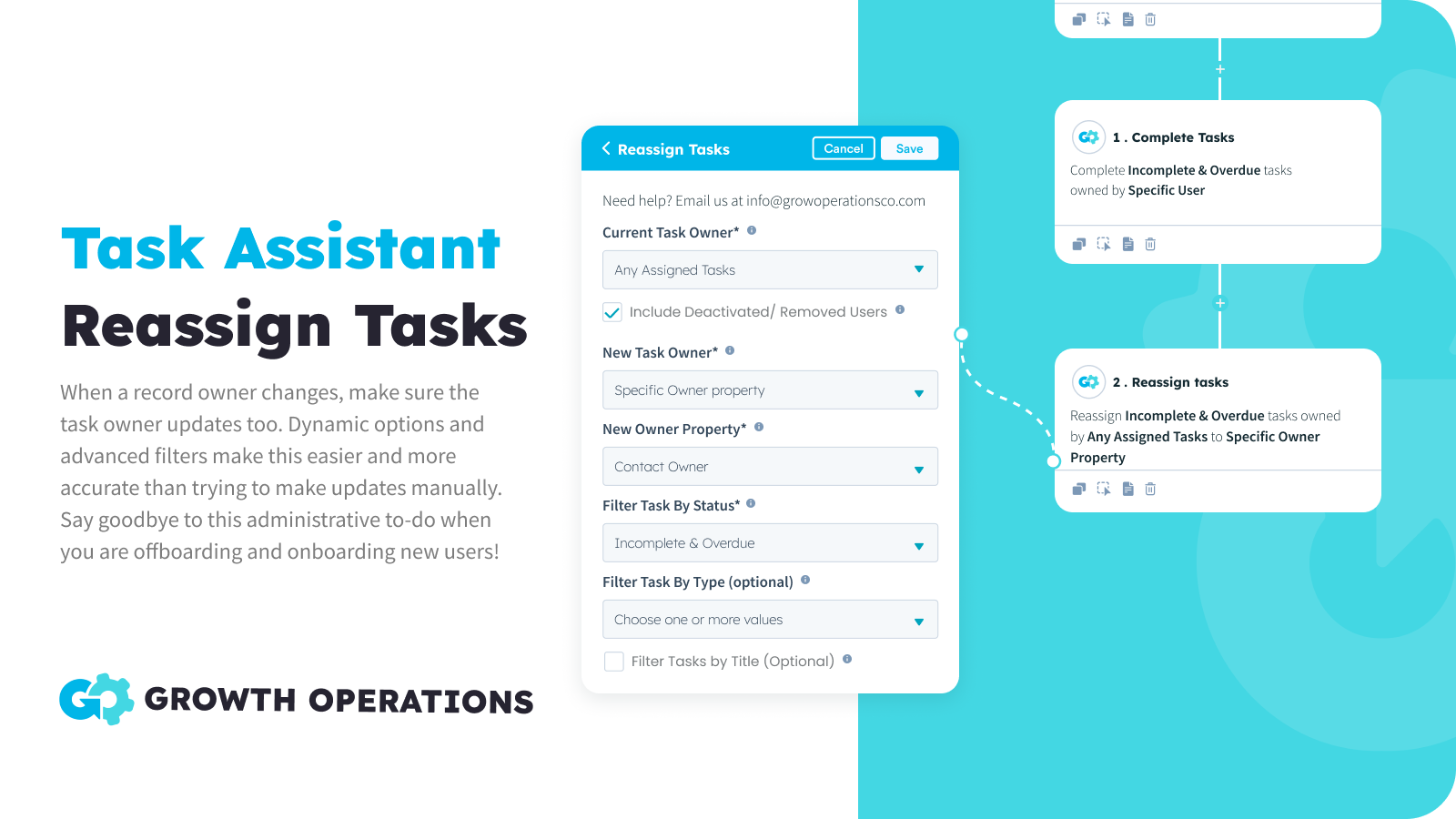
Riassegnare le attività in blocco
Quando il proprietario di un record cambia, assicuratevi che anche il proprietario dell'attività si aggiorni. Le opzioni dinamiche rendono questa operazione facilmente automatizzabile e i filtri avanzati la rendono più accurata rispetto al tentativo di eseguire gli aggiornamenti manualmente. Dite addio a questa incombenza amministrativa durante le operazioni di offboarding e onboarding dei nuovi utenti!
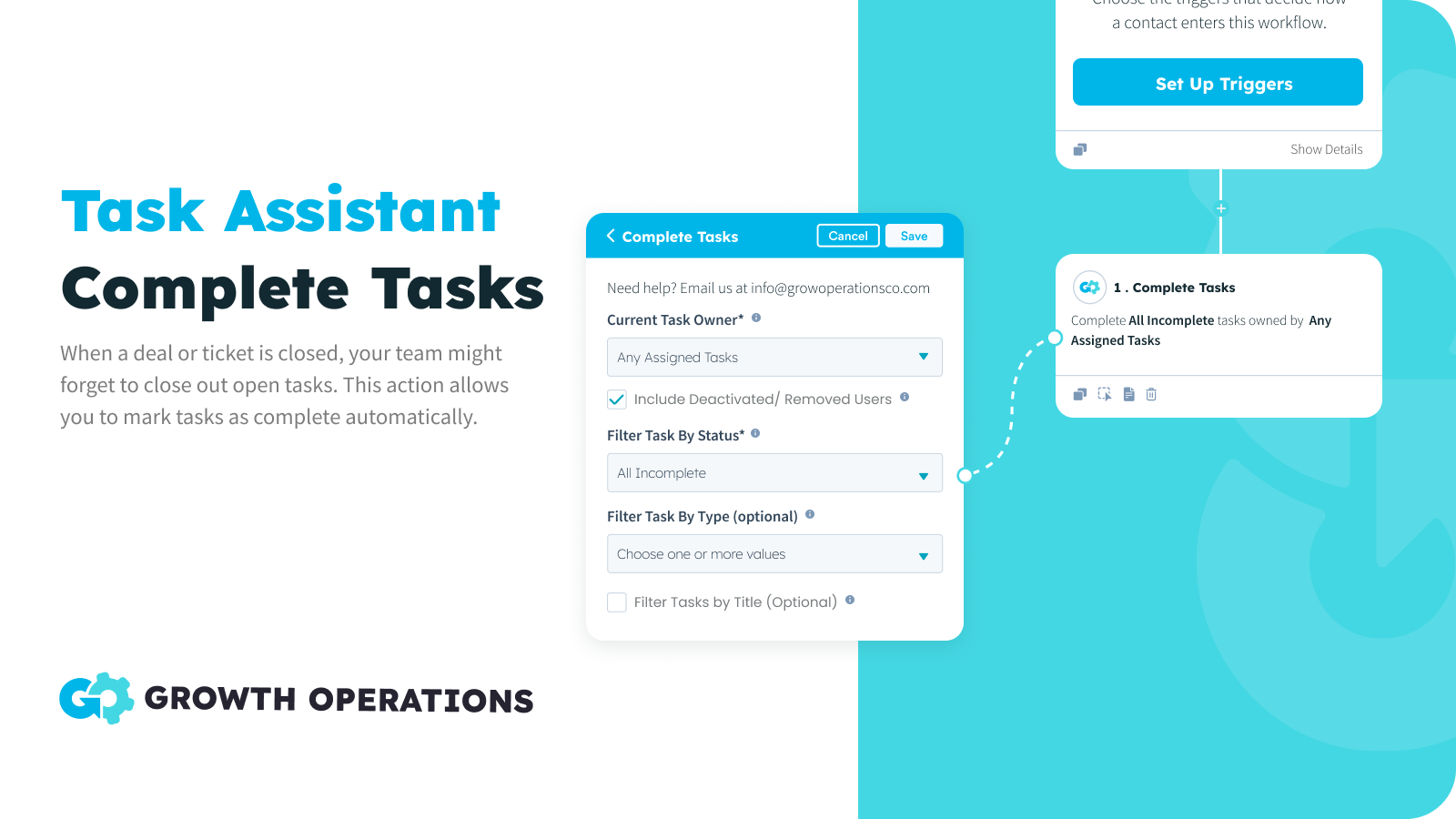
Attività completate in blocco
Quando un accordo o un ticket viene chiuso, il team potrebbe dimenticare di chiudere le attività aperte. Questa azione consente di contrassegnare le attività come completate automaticamente, assicurando che il team rimanga concentrato sulle attività rilevanti.
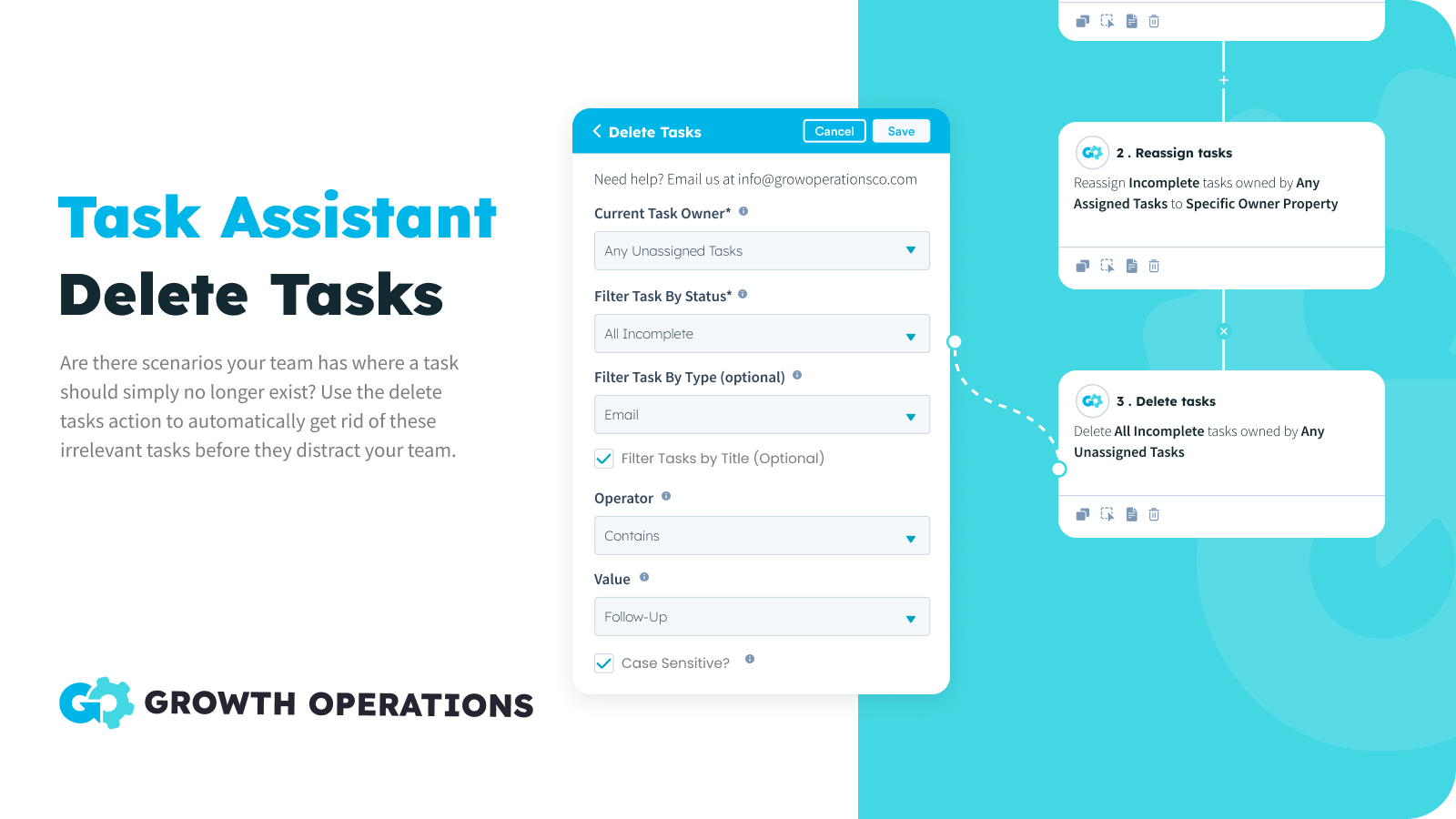
Eliminazione massiva delle attività
A volte ci sono attività che semplicemente non servono più. Non si vuole segnare l'attività completata, perché non è stata eseguita alcuna azione. Semplicemente non lo si vuole, punto e basta. Ora potete mettere questi scenari su un pilota automatico, assicurandovi che le attività del vostro team siano accurate.
Funzionalità dell'app
Compiti | ||
Contatti | ||
Aziende | ||
Offerte | ||
Biglietti |
Recensioni
- 16 set 2024
Great for reassigning contacts during annual leave
I was looking for a solution to making sure MQLs weren't slipping through the net while a team member was on a two-week holiday, but I didn't want to change contact owner. Task Assistant was great for this. Andrew was super helpful too, supporting me in getting my "OOO" task reassignment set up, saving me a big headache. We: 1) Created a list of records that target the tasks (incomplete / newly created tasks for the 2-week period). 2) Used Task Assistant to reassign specific tasks on those records to a specific user (the person covering for my person on hols.)
Rose, K.
Vendita al dettaglio - 11 - 25 dipendenti
- 7 gen 2024
Mantiene pulite le condutture!
Abbiamo integrato l'uso dell'assistente alle attività per chiudere le attività quando la fase è completata e le attività HS per aprire la fase successiva. In questo modo tutte le operazioni aperte hanno attività in corso e le perdite sono ridotte al minimo. È anche ottimo se si vuole eliminare un'attività ridondante o riassegnare le attività quando cambia il proprietario di un deal. Lo usiamo anche come soluzione per un altro problema o limitazione in HubSpot, dove il marketing non appare nell'attività del deal ed è visibile solo nell'attività dei contatti ..... Dal momento che il nostro team di vendita utilizza prevalentemente la vista deal, è una seccatura dover continuare a entrare nel contatto per vedere le e-mail di marcatura, gli SMS, ecc. Quando viene inviata un'e-mail di marketing, dobbiamo creare un'attività immediata con la dicitura "Marcatura dell'e-mail inviata - <template name>, e poi inserire un link all'anteprima dell'e-mail nelle note dell'attività. Lo stesso vale per gli SMS o per qualsiasi altra attività che si desidera timbrare. L'Assistente attività può quindi chiudere immediatamente l'attività e ora si dispone delle informazioni di marketing dell'affare.
Utilizzando i flussi di lavoro abbiamo integrato l'assistente alle attività per chiudere le attività quando la fase è completata e le attività HS per aprire la fase successiva. Questo significa che tutti i deal aperti hanno dei task su di essi e le modifiche di leakage sono ridotte al minimo. Inoltre, risolve un altro problema o limitazione di HubSpot in cui le e-mail di marketing non sono marcate temporalmente sui deal, ma appaiono solo nell'attività dei contatti.
Zentner, D.
Servizi bancari/finanziari - 26 - 50 dipendenti
Gratuito
0 USD
50 volte al mese GRATIS
Tutte le azioni dell'attività
Tutti i tipi di flusso di lavoro
50 azioni al mese
Gratuito
0 USD
50 volte al mese GRATIS
Tutte le azioni dell'attività
Tutti i tipi di flusso di lavoro
50 azioni al mese
* I prezzi riportati sono a scopo informativo. I prezzi non includono tasse, incentivi, sconti o altre variabili. Contatta il partner per ricevere il tariffario aggiornato. HubSpot declina qualsiasi responsabilità circa le informazioni di prezzo fornite dai propri partner. Ultimo aggiornamento tariffario: 26/05/2026
Maggiori informazioni
Creazione di - Growth Operations
Installazioni - PIù di 200 installazioni
Categorie Lingue in cui è disponibile questa app Inglese