
Jira
Connect your support and dev teams to solve customer issues faster
Krav
HubSpot-abonnement HubSpot-kontotillatelser Ingen tillatelse nødvendig Tilgangstype Shared Jira-abonnement - Free, Standard eller Premium-abonnementer
Oversikt
1/6
Integrate Service Hub Tickets with Jira Issues
Create new Jira issues from incoming HubSpot support tickets or find and attach an existing Jira issue to a new support ticket in HubSpot. When the status of the Jira issue changes, the update will automatically be reflected in HubSpot.
Comments logged on Jira issues will also sync directly to the ticket record, enabling your team to spend less time jumping between systems and more time focused on customer interactions.
User can also associate multiple Jira issues with a single HubSpot ticket, and create new jira issues from HubSpot Workflows
Visibility for All Teams on Company and Contact Records
When a Jira issue is created and/or attached to an existing ticket in Service Hub, that information will also roll up and be visible on the HubSpot company and contact records associated with that specific ticket. This provides unparalleled insight for marketers or sales folks interacting with companies and contacts on a daily basis.
Automate and Report on Tickets and Jira Issues*
When connecting Service Hub tickets and Jira issues, we automatically create a new set of ‘Jira properties’ on the HubSpot ticket record. This allows you to use HubSpot’s powerful workflow automation to send internal and external notifications as Jira issues are updated and resolved. Because we tie the Jira issue ID to the HubSpot ticket, you can report on which Jira issues have the most HubSpot tickets attached -- giving you the insight you need into the impact of each specific issue. New Jira properties include:
Jira Issue Status
Jira Issue Summary
Jira Issue ID
Jira Issue Priority
Jira Issue Assignee
Jira Issue Identifier
Jira Issue Link
Jira Issue Reporter
* Requires Service Hub Professional or Enterprise
Funksjoner
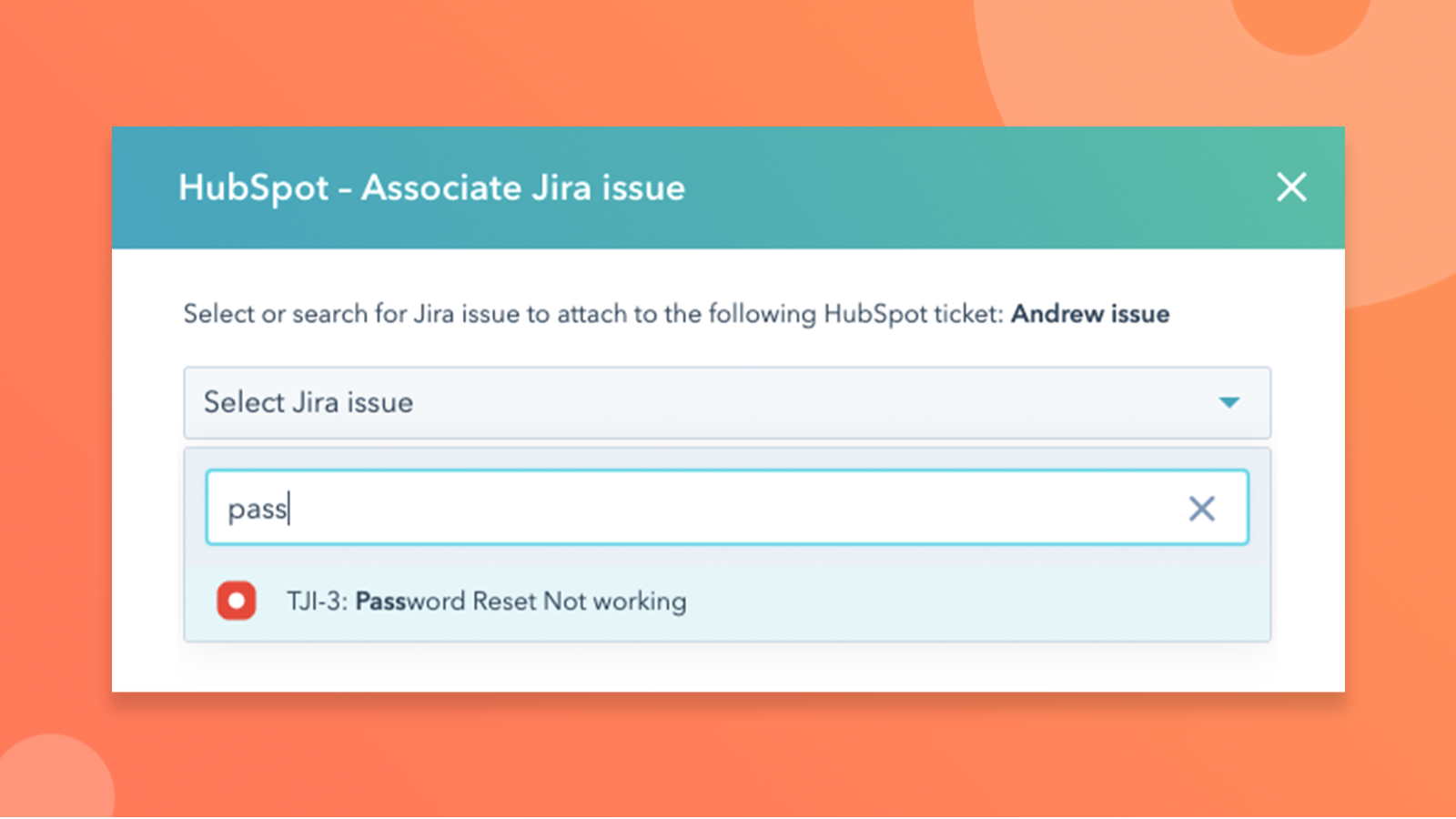
Integrate Service Hub Tickets with Jira Issues
When a service rep creates a HubSpot ticket for a customer’s problem, that rep can then create a new Jira issue directly from the ticket record. The user can also easily search any existing Jira Issues and attach that issue to the ticket.
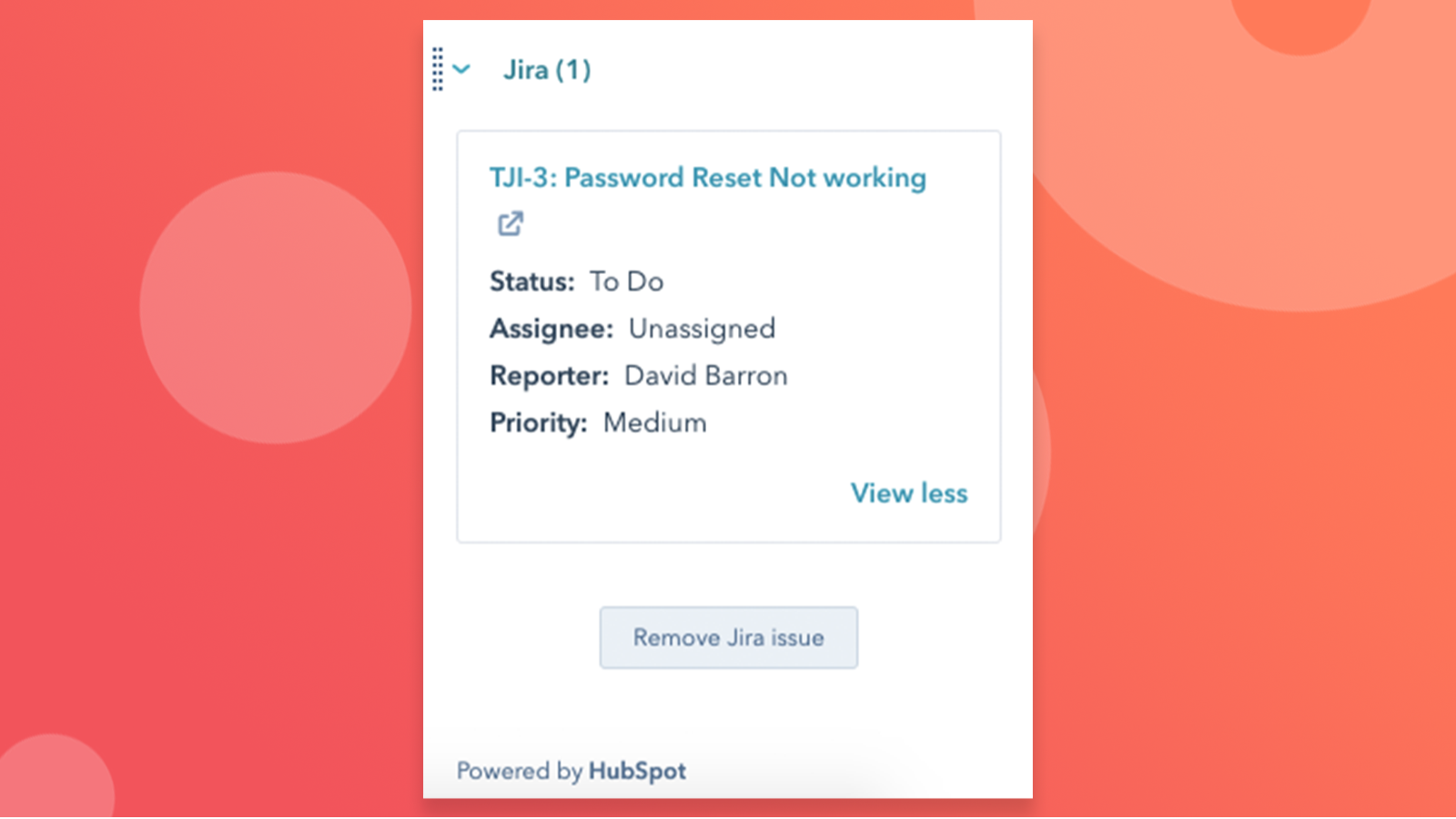
Visibility for All Teams on Company and Contact Records
Your marketing and sales teams interact with your customers on a daily basis -- give them full insight into the customer experience with visibility into which and how many Jira issues are associated with your customers on the contact and company levels.
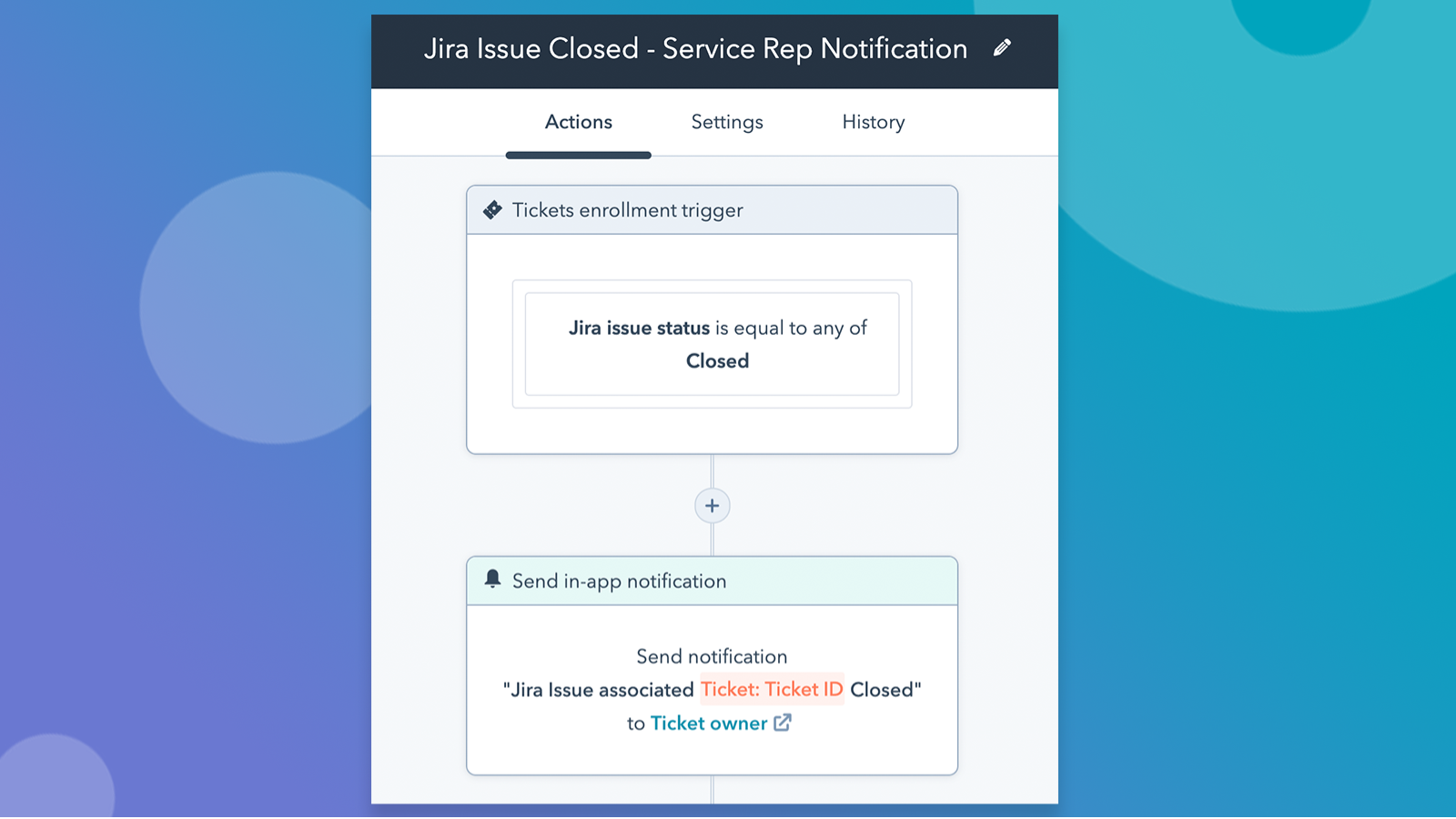
Automate and Report on Tickets and Jira Issues
Generate HubSpot reports showing the status of Jira issues, issues are currently assigned to each agent, and more. Trigger a notification to a service rep when a Jira issue associated with their customer’s ticket is closed so they know it’s time to follow up on the good news with their customer.
Appfunksjonalitet
Delt data
Issues |
Gjennomganger
2,7
80
2,7
80
- 24. mars 2026
Frustratingly limited customization options despite quick HubSpot integration - considering building my own solution
I miss a lot of customaziables in the fields that you can get in the forms. Like; I want our cs to be able to select to create either a bug ticket, or a feature request ticket. Then I'd like to have them fill in certain fields. I'm not able to do this.
Connecting HubSpot topics to jira tickets is really quick
not enough custom things you can do, thinking about creating my own integration, but i don't want this overhead.
Verzuu, J.
- 19. mars 2026
Florea, D.
Free
USD 0
Up to 10 users
Advanced permissions
Scrum and Kanban boards
Backlog
Agile reporting
Customizable workflows
Roadmaps
Apps and integrations
2 GB file storage
Community support
Free
USD 0
Up to 10 users
Advanced permissions
Scrum and Kanban boards
Backlog
Agile reporting
Customizable workflows
Roadmaps
Apps and integrations
2 GB file storage
Community support
* Prissettingen her er kun for illustrasjonsformål. Prisene inkluderer ikke avgifter, insentiver, rabatter eller andre prissettingsvariabler. Kontakt partneren for å få oppdatert og riktig prissettingsinformasjon. HubSpot tar ikke ansvar for denne prissettingsinformasjonen, som gis av våre partnere. Prissetting sist oppdatert: 24.11.2025
Å få oppmerksomhet i dag